Work Hour Monitor

Smart Time Tracker to make your team more Professional and Efficient

0.0
Rating out of 5 Based on 0 reviews

Your employees' productivity, daily activities, and timesheets are all visible to you from their screens using the screen monitoring software Work Hour Monitor.  Do you want to know how much time your employee is spending on the job? Use an automated time tracking system.

Pricing of Work Hour Monitor

no-pricing
For get detailed pricing as per your requirements.

Awards & Badges Received

Get More Awards & Badges from Techimply
Badge-1
Badge-2
Badge-3

Key Features of Work Hour Monitor

Key Features:
  • Attendance management
  • Task Management
  • Time & Attendance Management
  • Applicant tracking

Key Specification

Other Categories: HR Software Attendance Management Software Time Management Tool & Software Time Tracking App & Software Applicant Tracking System Employee Monitoring Software Screen Recording Software For PC
Deployment: Cloud Hosted,On Premise
Customer Support: Phone,Email,Live Chat
Customization: Yes
Languages Support: English

Who uses Work Hour Monitor

Personal
Personal
StartUps
StartUps
SMEs
SMEs
Agencies
Agencies
Enterprises
Enterprises

Company Details

Company Name: Variable Soft
Headquarter: Jaipur, Rajasthan India
Social Media:

Work Hour Monitor Description

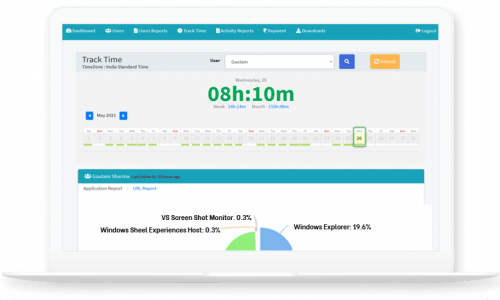
Automated Time Tracking 
Knowing the amount of time the employer spends working is made simpler by this feature. Employees typically are aware of this strategy, providing openness.

Application Monitoring
It enables you to keep track of the apps your team members are using, from which you can determine which ones are not likely to be beneficial for your business and can counsel users not to waste their time on such programs.

Offline Monitoring

Do your staff have slow network connectivity or do they prefer to work offline? Not to worry. Our application functions in offline mode as well. Therefore, anyone can utilize this.

URL Monitoring

It displays the data in a very interactive way so you can monitor the proportion of time spent on a specific website by your employees. It is quite similar to application tracking and can also track the document title from Google Docs.

Adding Team Members

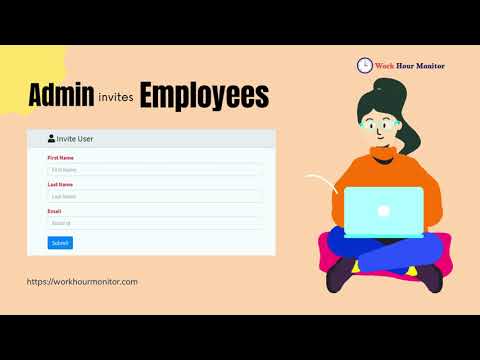
Since you must add team members by invitation and may quickly remove them from the team, there is no need for them to join up.

Custom Reports

It offers user reports and activity reports that may be tailored to your needs, and most significantly, it allows you to determine the cost of the work performed by your workers or independent contractors.

Automatic screenshots

Social media trends are beyond your control, but you can influence them within your organization since it gives you complete transparency into what your staff is reading or doing. You can change the time period for the screenshots to be taken, which are taken every five minutes.

Mouse click and keyboard keys tracking

To guarantee you the efficiency of your workers for the time they worked, we monitor keyboard and mouse clicks.

Alternative

Keka HR Payroll Platform

Everything you need to build a great company

4.7
Rating out of 5 Based on 39 reviews

Spine HR and Payroll

Transforming HR, Empowering People

4.8
Rating out of 5 Based on 58 reviews

BambooHR

One Easy-to-Use Platform for Everything HR

4.8
Rating out of 5 Based on 34 reviews

Work Hour Monitor Video/Screenshots
User Reviews

no-reviews
Share your experience! Be the very first reviewer. Write a Review

Frequently Asked Questions (FAQs)

The user group of Work Hour Monitor are as follows :

  • Personals
  • Startups
  • SMEs
  • Agencies
  • Enterprises

Work Hour Monitor has 0 plans.

Work Hour Monitor is allowed 3 Days Free Trial.

Work Hour Monitor pricing model : Yearly,Monthly

Work Hour Monitor is Cloud Hosted,On Premise Software.

Yes

Work Hour Monitor offers Phone,Email,Live Chat support.

Work Hour Monitor provides Help Guides,Video Guides,On-Site Training for the software training.