ClickUp

By ClickUp

0.0
Rating out of 5 Based on 0 reviews

What is ClickUp?

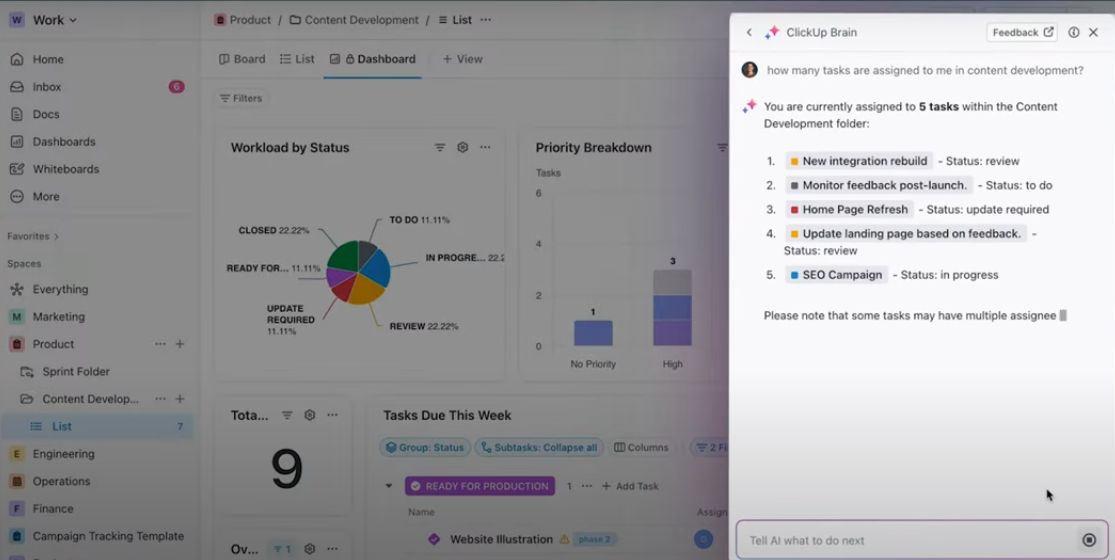
ClickUp is an all-in-one productivity platform that integrates challenge management, venture monitoring, file sharing, intention setting, and verbal exchange gear. it is designed to help groups live organized and efficient by using presenting customizable workflows, automation, and real-time collaboration functions. The platform supports more than one views together with lists, forums, timelines, and calendars, catering to exceptional assignment control possibilities. Its widespread integrations with other famous gear like Slack, Google force, and Zoom make it a flexible alternative for diverse paintings environments. The clickup evaluation continually emphasizes its adaptability and capability to centralize paintings methods, reducing the want for multiple separate packages.

Pricing of ClickUp

free forever - Best for personal use

USD 0.00
USD 0.00

Buy Now
  • 100MB Storage
  • 1 Form
  • Two-Factor Authentication
  • Collaborative Docs
  • Whiteboards

unlimited - Best for small teams

USD 10.00
USD 0.00

Month

Buy Now
  • AI Compatible
  • Resource Management
  • Agile Reporting
  • Form View
  • Teams (User Groups)

business - Best for mid-sized teams

USD 19.00
USD 0.00

Month

Buy Now
  • Everything in Unlimited Plus
  • Google SSO
  • Unlimited Teams
  • Custom Exporting
  • Advanced Automations
  • SMS 2-Factor Authentication
  • Workload Management

Enterprise - Best for many large teams - Customize

USD 0.00
USD 0.00

Year

Buy Now
  • Everything in Business Plus
  • Advanced Public Sharing
  • US
  • EU & APAC Data Residency
  • SCIM provisioning
  • MSA & HIPAA Available
  • Enterprise API
  • Customer Success Manager
  • Live Onboarding Training

Awards & Badges Received

Get More Awards & Badges from Techimply
Badge-1
Badge-2
Badge-3

Key Features of ClickUp

Key Features:
  • Collaboration
  • Dashboard
  • Project Planning
  • Resource Management
  • Task Management
  • Time Tracking
  • Workflow Management
  • Private Dashboards
  • Public Dashboards
  • Document Management
  • Knowledge Management
  • Resource Scheduling
  • Automated Scheduling
  • Workflow Configuration

Key Specification

Other Categories: Lead Management Software Time Tracking App & Software Project Management Software Live Chat Software Document Management Software Customer Feedback Software Customer Success Software Employee Monitoring Software Bug Fixing software Workflow Management Software OKR Software AI Writing Assistant Software Dashboard software Marketing Planning Software Marketing Analytics Software Team Management Software Task Management Software IT Project Management Software Knowledge Base Software Bug Tracking Software Integration Software Dashboard Software For Free Dashboard Software For Mac Contact Management Software Contact Management Software For Free Free Contact Management Software Live Chat Software For Mac Live Chat Software For PC Live Chat Software For Free Free Scheduling Software Project Management Software With Time Tracking Project Management Software For Small Business Project Management Software With Mobile App Time Tracking Software For PC Whiteboard Software For Mac Whiteboard Software For PC Document Management Software For Mac Business Management Software For Mac Project Management Software With Salesforce Integration Project Management Software With Slack Integration Project Management Software For Freelancers Project Management Software In India Project Management Software In USA Free Project Management Software On-Premise Project Management Software Project Management Software For Free Project Management Software For PC Project Management Software For Individuals Project Management Software For Mac Open Source Project Management Software Task Management Software For Mac Task Management Software For PC Task Management Software For Individuals Whiteboard Software Document Creation Software Business Management Software Project Management Software With Microsoft Teams Integration Project Management Software With Quickbooks Integration Workflow Automation Software PR Software Product Management Software Resource Management Software Proposal Software Team Collaboration Software Document Workflow Software Work Operating System Quotation Management Software Sales Pipeline Management Software Document Control Software AI Agent Platform AI Marketing Platform Sales Prospecting Tools AI Content Writing AI Workflow Automation
Deployment: Cloud Hosted,Hybrid,On Premise,Any
Customer Support: Phone,Email,Live Chat
Languages Support: English

Who uses ClickUp

StartUps
StartUps
SMEs
SMEs
Agencies
Agencies
Enterprises
Enterprises

Company Details

Company Name: ClickUp
Headquarter: San Diego, California United States
Website: Visit Website go-to-link
Social Media:

ClickUp Description

Why choose ClickUp?

Selecting ClickUp is a strategic pass for groups looking to optimize their workflow and growth productiveness. Its key gain lies in its high degree of customization, allowing users to tailor the platform to their unique needs with out requiring complicated setup. The platform’s complete functions guide the whole thing from simple venture lists to complicated assignment timelines, making it appropriate for small teams or large agencies. additionally, ClickUp’s affordability in comparison to different business enterprise-grade undertaking control tools makes it attractive for startups and developing businesses. The platform’s capability to integrate seamlessly with current equipment and its mobile accessibility make certain that teams can live connected and efficient from anywhere. The clickup review regularly highlights its person-centric layout and the fee it offers in consolidating multiple productivity equipment into one unified platform, which in the end saves time and decreases friction in workflows.

Benefits of ClickUp:

  • Enhances enterprise via imparting a centralized workspace wherein all responsibilities, files, and communications are stored and without problems reachable.
  • Gives customizable workflows that allow teams to tailor processes to their precise needs, growing efficiency and making sure consistency throughout initiatives.
  • Automates repetitive manual obligations through automation capabilities, freeing up time for extra strategic and cost-introduced sports.
  • Helps actual-time collaboration with tools consisting of comments, mentions, and shared document editing, which improve verbal exchange and teamwork.
  • Provides multiple task visualization alternatives like kanban boards, gantt charts, and calendars, supporting teams plan efficiently and identify capability bottlenecks early.
  • Supports intention-setting and development monitoring capabilities that hold teams aligned, encouraged, and targeted on reaching targets.
  • Improves task final touch speed via streamlining workflows and lowering delays as a result of manual tactics.
  • Enhances responsibility via clean challenge assignments and obvious development updates.
  • Increases usual team pleasure by way of fostering better verbal exchange, corporation, and productiveness.
  • The clickup evaluate consistently highlights how these benefits make contributions to better challenge control results, higher productiveness, and stepped forward patron pleasure.

How to Use ClickUp?

Getting started out with ClickUp entails signing up for an account and developing a workspace tailor-made on your group or non-public projects. as soon as registered, users can invite crew participants and prepare their work into spaces, folders, and lists for clear categorization. The platform offers an intuitive interface in which responsibilities may be created, assigned, and prioritized easily. users can customize assignment statuses, add due dates, attach files, and set dependencies to mirror their workflow correctly. Automation policies may be installation to trigger actions routinely, consisting of moving obligations among degrees or notifying team members of updates. visual mission monitoring can be carried out through unique views like Kanban forums, Gantt charts, or calendars, depending on the mission needs. The platform also supports integrations with different tools, improving standard productiveness. normal updates and tutorials supplied by using ClickUp assist customers maximize its capability, and the clickup review often highlights how honest it's miles to implement and adapt to distinct workflows.

Features of ClickUp:

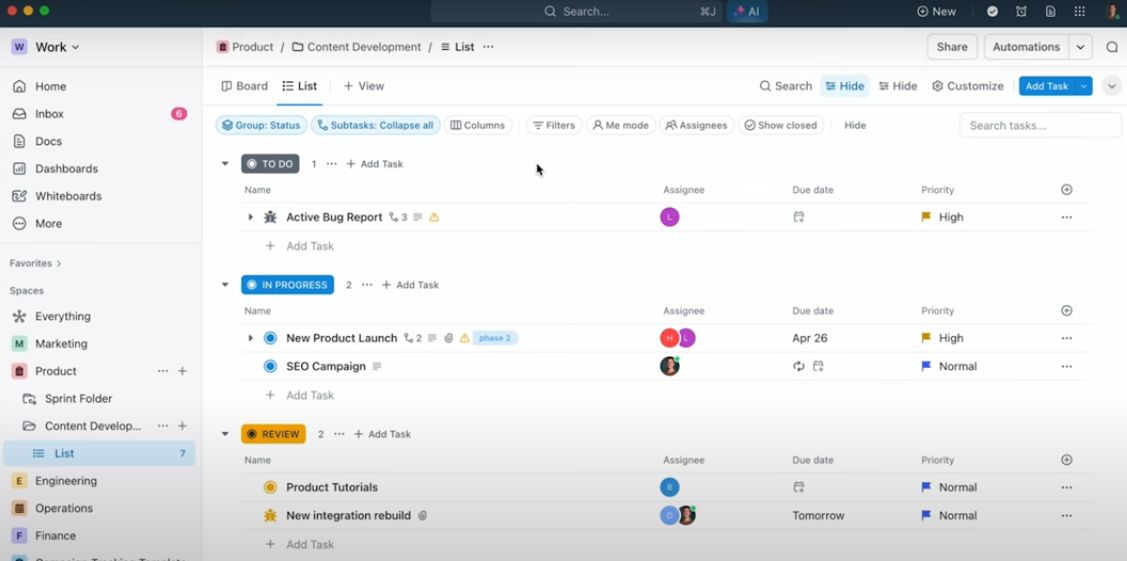
  • Task Management: Create, assign, prioritize, and music responsibilities with precise descriptions, attachments, and feedback to facilitate clear communication.
  • Custom Workflows: design workflows that in shape your team’s strategies, consisting of custom statuses, automations, and templates for repeated responsibilities.
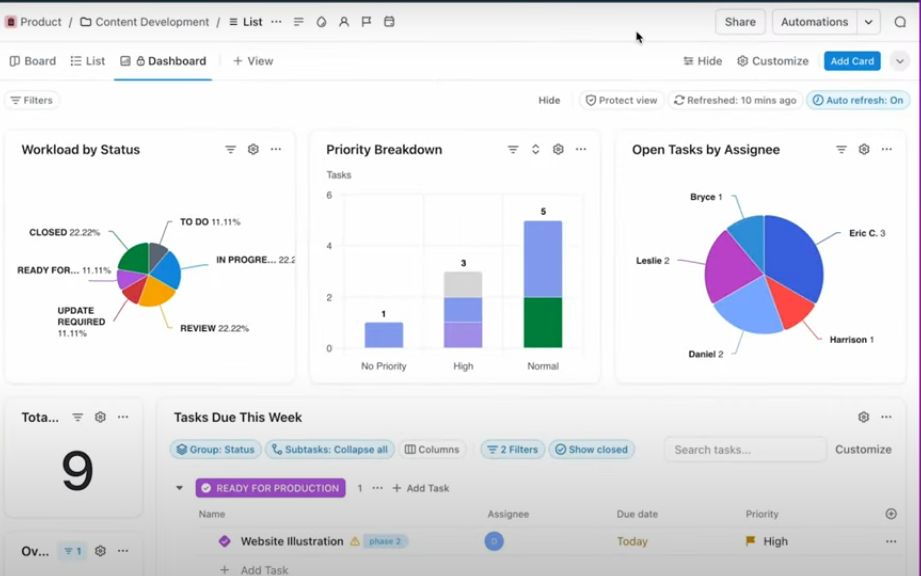
  • Multiple Views: switch seamlessly among list, board (Kanban), Gantt chart, calendar, and field perspectives to visualize paintings from distinct perspectives.
  • Automation: Automate repetitive responsibilities which include repute updates, notifications, and assignment assignments to store time and reduce mistakes.
  • Goal Tracking: Set, monitor, and obtain dreams with visible development signs and alignment functions that preserve teams targeted.
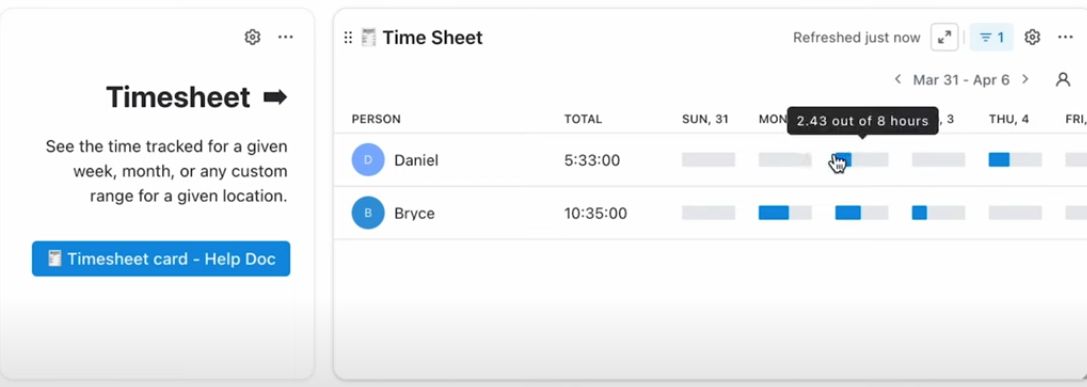
  • Time Tracking: Log time spent on obligations without delay inside the platform, allowing higher mission estimation and billing.
  • Integrations: connect with equipment like Slack, Google power, Zoom, and extra to streamline workflows and information sharing.
  • Collaboration & Communication: Use comments, mentions, and actual-time chat capabilities to facilitate effective teamwork.
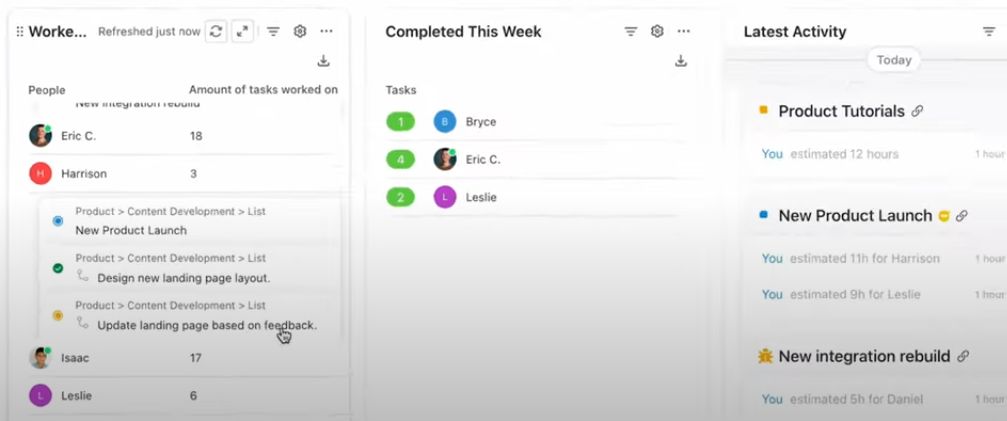
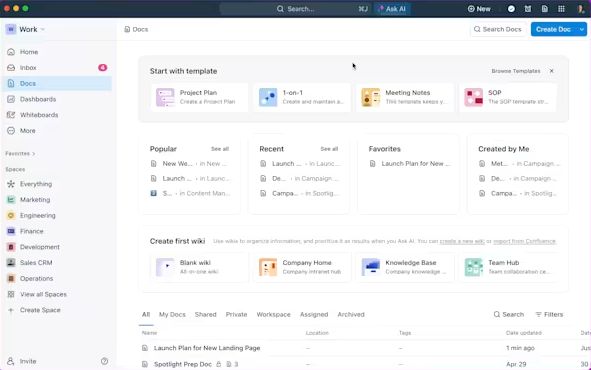
  • Document Management: save, percentage, and collaborate on documents immediately inside duties or in devoted areas.
  • Mobile Accessibility: access and manipulate paintings on-the-go through dedicated cellular apps for iOS and Android gadgets.

ClickUp Demo, Pricing & Reviews

ClickUp offers a demo version that allows capacity users to explore the platform’s talents firsthand without any commitment. This demo helps groups apprehend how the features can be custom designed to fit their workflows and enhances their self assurance in adopting the tool. regarding pricing, ClickUp offers a free plan with basic features suitable for individuals or small teams. Paid plans are available with additional functionalities consisting of superior reporting, goal monitoring, and expanded storage, making it accessible for developing corporations. The subscription options are bendy, with tiered pricing based totally at the range of customers and function needs, supplying remarkable price compared to different challenge management answers.

Alternative

Zoho Projects

Turn every project into a success story

0.0
Rating out of 5 Based on 0 reviews

Quickbase

Meet Quickbase AI! The future of dynamic work is now

4.0
Rating out of 5 Based on 10 reviews

AFAS Software

One solution for your entire organization

4.3
Rating out of 5 Based on 20 reviews

ClickUp Video/Screenshots

User Reviews

no-reviews
Share your experience! Be the very first reviewer. Write a Review

Frequently Asked Questions (FAQs)

The user group of ClickUp are as follows :

  • Startups
  • SMEs
  • Agencies
  • Enterprises

ClickUp has 4 plans,

  • free forever - Best for personal use USD 0.00
  • unlimited - Best for small teams USD 10.00 Month
  • business - Best for mid-sized teams USD 19.00 Month
  • Enterprise - Best for many large teams - Customize USD 0.00 Year

ClickUp is allowed 0 Days Free Trial.

The key featuers of ClickUp are as follows :

  • Collaboration
  • Dashboard
  • Project Planning
  • Resource Management
  • Task Management
  • Time Tracking
  • Workflow Management
  • Private Dashboards
  • Public Dashboards
  • Document Management
  • Knowledge Management
  • Resource Scheduling
  • Automated Scheduling
  • Workflow Configuration

ClickUp pricing model : Yearly,Monthly,Onetime(Perpetual License)

ClickUp is Cloud Hosted,Hybrid,On Premise,Any Software.

ClickUp offers Phone,Email,Live Chat support.

ClickUp provides Help Guides,Video Guides,Blogs,Webinars,On-Site Training for the software training.