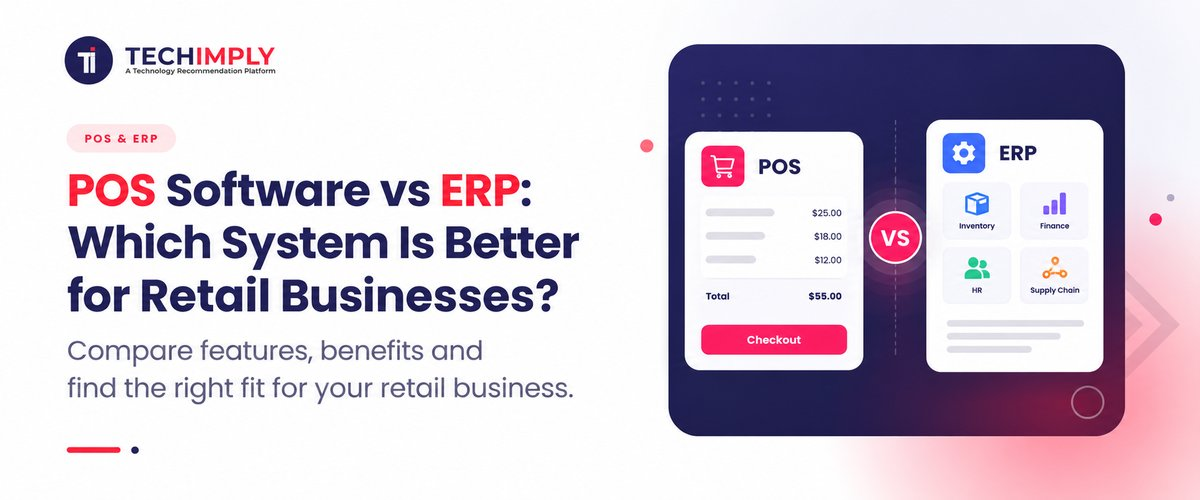
Your retail business is growing, but managing sales, stock, billing, and multiple stores is becoming harder. You may already have a POS system, or you may be wondering if it is time to move to an ERP. That is where the question of POS software vs ERP becomes important.
Both systems can be used to help manage retail operations, but they do it for different purposes. A POS is primarily concerned with sales and billing, whereas an ERP is more involved with functions like inventory, purchasing, finance, and operations. So, which of the two does your business require? Let's make a comparison and see.
Key Takeaways :
- POS is primarily designed to manage sales transactions and front-counter operations.
- ERP connects wider functions such as finance, purchasing, inventory, suppliers and business reporting.
- A small retailer with straightforward operations may not need a full ERP.
- Growing and multi-store retailers often benefit from connected POS and ERP workflows.
- Indian retailers should consider GST, UPI, inventory visibility, integrations and local support when evaluating software.
- The right choice depends on business complexity, not simply company size.
What Is POS Software?
Point of sale software comes into play at the time of product sale. It assists the retailer to generate bills, take payments, discount, update stock and record the transaction.
These are only a few things that modern POS systems can accomplish that would be impossible for a conventional cash register. They can include: (Depending on the platform)::
- Barcode scanning
- Product and pricing management
- Sales and returns
- Customer records
- Loyalty programmes
- Inventory tracking
- Discount and promotion management
- Sales reports
- Multiple payment methods
- Multi-store support
For an Indian retailer, POS can also play an important role in generating compliant invoices and handling GST-related billing requirements. GST rules specify information that may need to appear on a tax invoice, including supplier details, invoice number, date, product description, quantity, value and tax information.
For example, a fashion store in Surat with one outlet may mainly need fast barcode billing, stock updates, customer purchase history and daily sales reports. A capable retail POS software platform could cover those requirements without requiring a large business management system.

Looking for POS Software?
Check out Techimply's top POS Software in India for your business.
What Is ERP Software?
ERP, or Enterprise Resource Planning software, takes a broader view of the business.
Instead of concentrating mainly on the checkout process, retail ERP software connects business functions and data across departments. Depending on the product, this can include finance, procurement, inventory, supplier management, warehouse operations, sales, customer management and reporting.
The advantage becomes clearer as operations become more complicated.
Suppose a retailer has 8 retail outlets and 2 warehouses. The management team should not only be aware of the volume of sales in each store, but also:
- Which products are moving fastest?
- How much stock is available at each location?
- What needs to be reordered?
- Which suppliers have pending orders?
- What is the cost of inventory?
- Which locations are most profitable?
- How do sales affect financial records?
That is where ERP for retail business becomes more valuable. Retail ERP platforms are designed to connect operational activity with financial and management information. Oracle, for example, describes retail ERP capabilities around financials, procurement, inventory, purchasing, distribution and financial close.
POS Software vs ERP: What Is the Difference?
The simplest way to understand POS software vs ERP is to look at their primary jobs.
|
Area |
POS Software |
ERP Software |
|
Main purpose |
Process sales and checkout |
Manage wider business operations |
|
Billing |
Core function |
Usually supported |
|
Payments |
Core function |
Usually integrated |
|
Inventory |
Usually available |
More comprehensive |
|
Purchasing |
Basic or limited |
Advanced |
|
Supplier management |
Limited |
Strong |
|
Accounting |
Basic or integrated |
Core capability in many systems |
|
Warehouse management |
Limited to moderate |
More advanced |
|
Multi-store management |
Available in many systems |
Centralised and broade |
|
Reporting |
Sales-focused |
Cross-functional |
|
Customer management |
Common |
Often integrated |
|
Implementation |
Usually simpler |
Usually more involved |
|
Best suited for |
Store-level selling |
Growing and complex operations |
The important point is that these categories can overlap. Some modern platforms combine POS, inventory, accounting and ERP capabilities in one system. Others integrate a specialist POS with a separate ERP.
So, POS vs ERP for retail should not automatically be treated as an either-or decision.
When Is POS Software Better?
POS is often the better starting point when the business mainly needs to improve the selling process.
A POS system may be sufficient if you operate:
- A single retail outlet
- A small boutique
- A local electronics shop
- A pharmacy or speciality store
- A small grocery business
- A business with straightforward purchasing and accounting
Say a small clothing company has a single store, 2,000 SKUs and a basic supplier network. Major issues it might face could be slow billing, incorrect inventory data, and not being able to identify their most popular products.
Buying a large ERP at this stage could introduce unnecessary implementation, training and administration.
A good POS system for small business can solve the immediate operational problem while leaving room to add integrations later.
When Does ERP Make More Sense?
ERP becomes more attractive when retail operations extend beyond the checkout counter.
Consider ERP when you have:
-
Multiple Stores
If each outlet maintains separate records, management may spend considerable time consolidating sales and inventory information. Centralised multi-store retail software can give management a clearer picture of the entire network.
-
Complex Purchasing
Retailers with a multitude of suppliers, purchase orders, goods receipts, approval workflows and negotiated pricing typically require more robust procurement controls than a basic point-of-sale application will offer.
-
Warehouses and Transfers
When stock moves between warehouses and stores, the business needs accurate records of what was purchased, received, transferred, sold and returned.
-
Growing Finance Requirements
A retailer may eventually need more than daily sales reports. It may need financial controls, payables, receivables, inventory valuation and management reporting. This is where retail accounting software and ERP capabilities become important.
-
Omnichannel Selling
Selling through physical stores, an ecommerce website and marketplaces creates another layer of complexity. The business needs consistent information about products, orders and stock.
Do You Know?
UPI has become a significant part of India's digital payment infrastructure. NPCI reported more than 22.7 billion UPI transactions in June 2026, worth over ₹28.9 lakh crore. For retailers, this makes reliable payment recording and reconciliation an important consideration when evaluating modern POS systems.
Can POS and ERP Work Together?
Yes. In fact, this is often the most practical arrangement for a growing retailer.
The POS handles the transaction at the store. The ERP receives or synchronises relevant information and uses it for wider operational processes.
For example:
Customer buys a product → POS records sale → inventory decreases → stock information updates → sales data reaches central reporting → accounting records are updated → management reviews performance.
This is the basic idea behind POS and ERP integration.
The exact flow is dependent on the software architecture. There are ERP platforms that have a built-in POS or a third-party POS system that ERP integrates with via an API or integration service.
Modern retail platforms increasingly treat POS as part of a wider connected system rather than an isolated billing application. Zoho's retail ERP documentation, for example, describes its retail functionality as connecting store sales with inventory and cash-flow tracking.
Which Is Better for Indian Retail Businesses?
There is no universal winner in the POS software vs ERP decision.
For a small retailer with one store and uncomplicated operations, POS will often provide better value because it addresses the most immediate needs without unnecessary complexity.
For a retailer with several branches, warehouses, large product catalogues, central procurement and more demanding financial controls, ERP is usually more appropriate.
Indian businesses should also check whether the software supports:
- GST-compliant invoicing
- UPI and other relevant payment methods
- Barcode and inventory workflows
- Multiple GST registrations where applicable
- Multi-location stock management
- Accounting integrations
- Ecommerce integrations
- Role-based access
- Data backups and security
- Local implementation and customer support
Do not assume that every product marketed as "retail ERP" provides the same functionality. Compare the actual workflows your business needs.

Pro-tip
Before booking software demos, map one complete transaction from purchase to sale to accounting.
For example, write down: supplier purchase → goods received → stock added → product sold → payment collected → stock reduced → return processed → financial report generated.
Ask every vendor to demonstrate that exact workflow. It is often more revealing than a long feature list.
How to Evaluate Retail Software Before Buying
When comparing retail business management software, avoid judging products only by the number of features listed on their websites.
Instead, evaluate five areas.
1. Daily usability
Ask cashiers and store employees to test the billing workflow. If basic transactions take too many steps, adoption can become a problem.
2. Inventory accuracy
Check how the system handles purchases, stock adjustments, transfers, returns and damaged goods. Inventory accuracy is often more important than having dozens of advanced reports.
3. Integration
Confirm whether the system can connect with accounting, ecommerce, payment, CRM and other systems you already use.
4. Scalability
Think beyond your current store count. If you plan to open five more outlets, check whether the platform can support them without forcing a major system replacement.
5. Total cost
Look beyond the subscription fee. Consider implementation, hardware, training, integrations, data migration, support and future upgrades.
Conclusion
The POS software vs ERP decision comes down to the scope of your retail operation.
POS is built around selling. ERP is built around coordinating the wider business. A small retailer may need only POS, while a growing retail chain may need ERP capabilities behind its stores. Many businesses eventually benefit from connecting the two.
Rather than asking, "Which software is better?", ask a more useful question: "Which business processes do we need the software to manage today, and what will we need it to manage as we grow?"
That answer will give you a much clearer path to the right retail technology investment.
Related Reads-
- Best ERP vs CRM: Key Differences & Which One You Need
- ERP Implementation Mistakes to Avoid in 2026 Guide
- What is ERP Software? A Beginner’s Guide for Buyers
- Best GST-Compliant Billing Guide: POS Invoice Requirements
- How POS Systems Help Businesses Manage Sales & Inventory
- POS Billing Machine: Features, Benefits & Buying Guide
- How Retail POS Systems Are Transforming the In-Store Experience
- What Is a Cloud-Based POS System? How It Works in 2026
- Linux POS Software: Free vs Paid Comparison (2026 Guide)