You might ask yourself: do you need a CRM, an ERP or both if your sales team is using one system to record leads and your finance, inventory and operations teams are using spreadsheets or different systems?
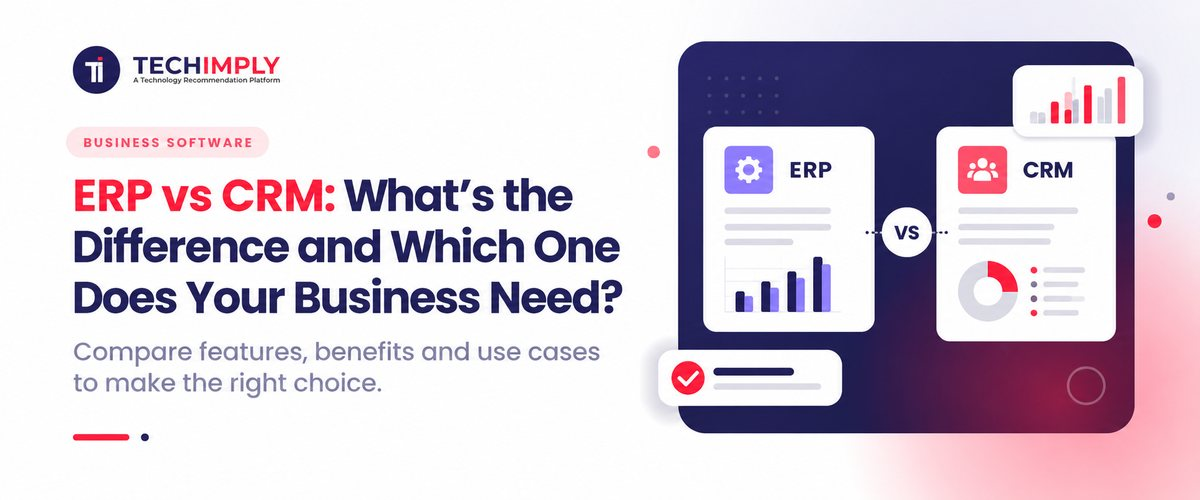
The difference is straightforward. CRM software includes the management of customer relationships, sales, marketing and customer service, whereas ERP software covers inwards functions like finance, procurement, inventory, and manufacturing.

Looking for ERP Software?
Check out Techimply's best ERP software in India for your business.
ERP vs CRM at a Glance
|
Area |
ERP |
CRM |
|
Primary focus |
Internal operations and resources |
Customers and revenue-facing activities |
|
Core users |
Finance, operations, procurement, HR, supply chain |
Sales, marketing, customer service |
|
Common data |
Accounts, inventory, purchasing, orders, production |
Leads, contacts, opportunities, interactions |
|
Main goal |
Improve operational control and efficiency |
Improve sales, engagement, and retention |
|
Typical starting point |
Complex or fragmented operations |
Lead management and sales follow-up |
The distinction is useful, but modern platforms can blur the line. Some ERP systems include CRM modules, while CRM platforms can connect with finance, commerce, and service applications. That is why ERP vs CRM should be approached as a business decision rather than a feature-counting exercise.
What Is ERP Software?
Enterprise Resource Planning is abbreviated as ERP. Critical corporate activities are combined into one platform by an ERP system: data and processes run together.
Depending on the business, ERP features may cover:
- Accounting and financial management
- Inventory and warehouse management
- Procurement and supplier management
- Sales orders and invoicing
- Manufacturing and production planning
- Human resources and payroll
- Supply chain management
- Reporting and analytics
Let's say that there is a manufacturer based in Pune who gets raw material from various suppliers and has multiple warehouses to sell products via distributors. If you don't use an ERP system, your purchasing, stock, production, invoicing and accounting can all be in separate files or applications. ERP software can link those processes together, thereby allowing teams to work off more uniform operational data.
That doesn't imply that all small business require large ERP platforms. If your company is small and has a small amount of transactions, it is better to get a specific software that is either accounting, inventory or business management.If your company is small and has a small amount of transactions, it is better to obtain focused accounting software, inventory software or business management software until when your company becomes more complex, a broader system is necessary.
What Is CRM Software?
CRM is an acronym for Customer Relationship Management. A CRM (Customer Relationship Management) system helps to arrange and control information on leads, clients, and communications throughout the sales and service life cycle.
Common CRM features include:
- Lead and contact management
- Sales pipeline tracking
- Opportunity management
- Follow-up reminders
- Communication history
- Marketing automation
- Customer service and support
- Sales forecasting and reporting
Let's take an example of a B2B services business based in Ahmedabad with a rapidly expanding sales force. It can be collected through its website, referrals, WhatsApp chats, events, and digital campaigns. With a CRM system, sales staff can have a single location where they can enter those leads, log opportunities, set follow-up appointments and check customer activity.
The value of CRM software is not simply storing contact details. It helps standardize the sales process and provides managers with a clear view of the sales pipeline.
ERP vs CRM: What Is the Main Difference?
The simplest ERP vs CRM comparison is to think about what they both do. ERP is more about the internal processes such as finance, inventory, procurement, manufacturing etc., while CRM is more about customers, sales, marketing and services.
For instance, during the process of closing an order, the salesperson can log the details of the customer, opportunity, communications, and deal status. The ERP can then manage the inventory, order processing, invoicing, accounting and fulfilment.
This is why ERP and CRM are usually complementary rather than competing systems.
ERP vs CRM: Key Differences by Business Function
The ERP vs CRM difference becomes clearer when you compare the systems by the teams and processes they support.
Finance and Accounting
ERP software is more suitable for accounting, budgeting, financial reporting, payables, receivables, and transaction management. Sales value or financial information linked to customers is typically not the main system of accounting and is instead displayed on the CRM.
Sales and Marketing
CRM is built to be used by leads, opportunities, campaigns, conversations with customers, and sales forecasting. While ERP systems will be able to handle sales orders and invoices, CRM systems will delve further into the customer journey.
Inventory and Procurement
ERP systems usually handle inventory levels, purchasing, suppliers, warehouse processes and transactions. In the case of an ERP integration, the product or availability data can be provided by the CRM system, though inventory management is typically a matter of the ERP system.
Customer Service
Customer records, customer cases, customer requests and customer interactions are kept in CRM systems. This provides a context to service teams when responding to a customer.
Reporting and Planning
Both systems offer reporting capabilities, although the results vary. ERP reporting is about operational and financial performance, and CRM reporting is about pipeline, sales activity, conversion, customer engagement and retention.
Do You Need ERP or CRM First?
So now the ERP vs CRM question becomes practical.
Choose CRM first if your biggest problems are related to sales and customer management, such as:
- Leads are kept in spreadsheets, email, chat, etc.
- Salespeople miss follow-ups.
- Managers cannot see the sales pipeline clearly.
- Customer information is stored in different places.
- Marketing and sales teams struggle to share customer data.
Choose ERP first if the bigger problems are operational, such as:
- Inventory numbers are unreliable.
- Finance spends too much time reconciling data.
- Purchasing is difficult to track.
- Departments maintain conflicting records.
- Production, warehouse, or supply chain processes are becoming difficult to coordinate.
For some companies, it's both. A CRM system may be necessary for a growing distributor, manufacturer, retailer or multi-location company for customer-facing processes, whereas ERP may be needed for the operations behind the sales.
Do You Know?
A CRM can help track a potential sale, while an ERP can help manage the process after the sale, such as the order, invoice, inventory movement and payment. Combining both provides a fuller picture of the customer and business for teams.
How ERP and CRM Work Together
The ERP vs CRM decision does not have to end with choosing one system permanently. Many businesses use both and integrate them.
A simple workflow might look like this:
Lead → Opportunity → Closed Deal → Sales Order → Inventory Check → Invoice → Payment
The CRM is typically used for the front-facing aspects of the customer interaction, and the ERP for the back-end aspects, such as operational and financial. Order and account information can then be transferred back to the CRM for sales and service teams to access relevant data.
For example, Zoho documents two-way integration between its ERP and CRM products, including synchronization of customers, vendors, and products.
ERP CRM integration can reduce duplicate data entry, improve visibility between sales and finance, and connect customer activity with actual business transactions. However, integration needs planning. Businesses should define ownership of customer records, consistent field definitions, duplicate handling, and which system is the source of truth for each data type.

ERP vs CRM for Indian Businesses
The ERP vs CRM choice can look different for an Indian SME than for a large multinational.
If lead follow up and sales visibility is the primary challenge for a small services business, then it may benefit more from CRM software that provides immediate returns. An ERP could be more appealing for a manufacturer. Because inventory, procurement, production, accounting and fulfilment are very interwoven.
Indian businesses should also consider:
- GST and tax-related workflows
- E-invoicing requirements where applicable
- Multi-location inventory
- Indian accounting practices
- Payroll and compliance needs
- UPI and payment integrations
- Local implementation and support
- Integration with existing accounting or business tools
The purpose is not to pick software simply because it's the longest software on the list. The goal is to choose a system tailored to your teams' workflows.
What Should You Consider Before Buying ERP or CRM Software?
Before comparing vendors, document the problem you want the software to solve.
Ask:
- Which process creates the most manual work?
- Where is important business data currently stored?
- Which teams need access to the same information?
- What reports are difficult to produce today?
- Which existing applications must integrate with the new system?
- How many users and locations will the system support?
- Who will own implementation, training, and administration?
ERP vs CRM: Which Costs More?
ERP software can typically extend to a wider scope of business processes and departments, and this can be the reason for the high cost. The pricing of CRM systems tends to be more sales and marketing-oriented. But, the actual cost will vary based on users, modules, customization, integrations, implementation and support.
When you're ready to compare platforms, check out ERP Software on Techimply and CRM Software on Techimply according to your business needs.
ERP vs CRM: Which One Does Your Business Need?
However, if your primary pain is on leads, sales, customer communication and retention, CRM is generally the starting point of choice.
ERP software might be better suited if your primary focus is finance, inventory, procurement, production, supply chain or operational control.
When sales volumes are decreasing and complexity is also a factor, it's possible that ERP and CRM could be a good combination. The preferred one is the one that helps you deal with your biggest business issue without a lot of unnecessary complexity..
Conclusion
ERP and CRM address different aspects of business, and the ERP vs CRM choice should begin with the business problem and not the software type. CRM can be used to manage customers and sales, and ERP can be used to integrate other functions within the organization, like finance, inventory, procurement, production, etc.
For many growing Indian businesses, the long-term answer may be both. What matters is that the system that addresses the most critical issue is put into place before adding or upgrading software as the business grows.
Related Reads-
- Odoo vs ERPNext: Which Open-Source ERP Should You Choose?
- Best AI CRM Platforms in 2026: Features, Pricing & Tools
- What is ERP Software? A Beginner’s Guide for Buyers
- 7 Best WhatsApp CRM Tools for Business in 2026
- B2B CRM Software: Features, Benefits & How to Choose
- ERP Implementation Mistakes to Avoid in 2026 Guide