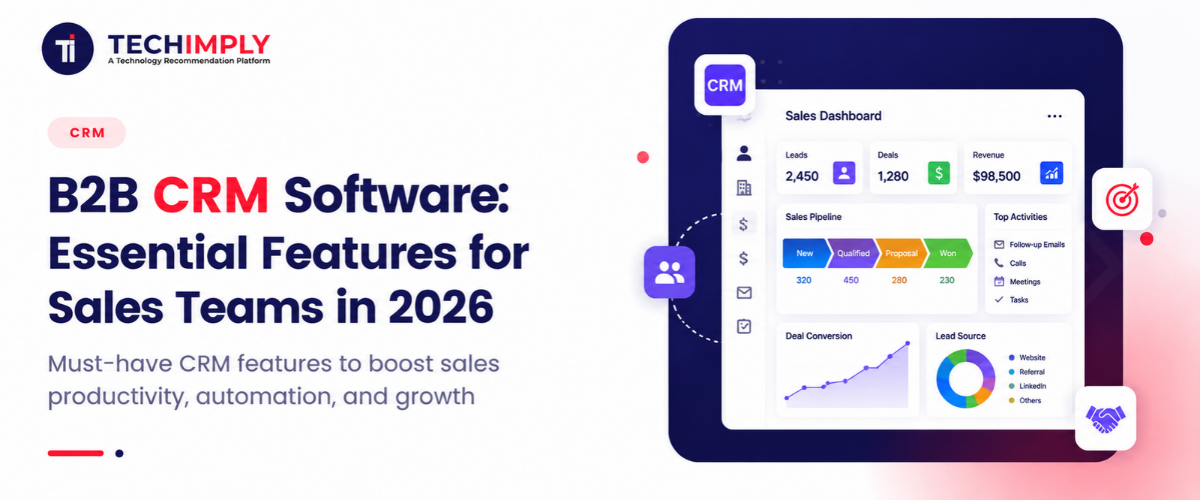
B2B sales teams in 2026 are managing increasingly complex buying journeys. A single deal can involve several decision-makers, multiple departments, and a long series of calls, emails, meetings, and follow-ups. At the same time, customer information is often scattered across spreadsheets, email inboxes, LinkedIn, marketing platforms, and other sales tools. Keeping track of every interaction while making sure no lead or opportunity falls through the cracks can quickly become difficult.
B2B CRM software brings this information together in one place. It is a customer relationship management platform designed to help businesses manage leads, accounts, contacts, sales opportunities, customer interactions, and sales processes across complex B2B buying journeys.
Modern CRM platforms also help sales teams work smarter, not simply stay organized. Sales reps can automate repetitive tasks, track opportunities through the pipeline, identify high-value prospects, and use AI-assisted insights to decide where to focus their time. For sales managers, a B2B CRM provides greater visibility into pipeline health, team performance, and potential revenue. As B2B selling becomes more data-driven and relationship-focused, having the right CRM can make the difference between a sales process that feels scattered and one that is predictable and scalable.

Looking for CRM Software?
Check out Techimply's CRM Software for your business.
What Is B2B CRM Software?
B2B CRM software is a customer relationship management platform designed to help businesses manage relationships with other businesses. It brings leads, contacts, company information, conversations, sales activities, and opportunities into one place, giving sales teams a clearer view of each prospect and customer.
A B2B CRM system helps teams manage relationships throughout the sales journey. Sales representatives can capture new leads, qualify prospects, maintain account and contact records, track emails and meetings, schedule follow-ups, and monitor opportunities as they move through the sales pipeline. Managers can use the same information to understand pipeline health, measure team performance, and make more informed sales forecasts.
Unlike a basic contact-management tool, a CRM does more than store names, phone numbers, and email addresses. It connects customer information with activities, deal stages, tasks, automation, reporting, and communication history. This gives sales teams context around each relationship and helps them decide what action to take next.
B2B sales also tend to be more complicated than straightforward consumer purchases. A single deal may involve several stakeholders, multiple departments, lengthy negotiations, and a series of interactions before a decision is made. That is why businesses need a CRM with capabilities built around accounts, opportunities, pipelines, collaboration, and long-term customer relationships.
How Does a B2B CRM System Work?
The typical B2B CRM workflow follows the customer's journey from the first interaction to ongoing growth:
Lead → Qualification → Account/Contact → Opportunity → Sales Pipeline → Deal → Customer → Retention/Expansion
It starts with lead capture from sources such as website forms, campaigns, referrals, or sales outreach. Once a lead is qualified, the CRM organizes the relevant account and contact information. Sales teams can then track activities, manage the opportunity through different pipeline stages, and automate routine tasks such as reminders and follow-ups.
When a deal closes, the CRM continues to provide value. Teams can track customer interactions, identify follow-up opportunities, monitor account health, and use reporting to find opportunities for retention, upselling, or expansion.
Why Do Sales Teams Need B2B CRM Software in 2026?
B2B sales teams are navigating a more complicated buying environment in 2026. Prospects rarely make purchasing decisions based on a single conversation. Deals can involve several decision-makers, from department heads and finance teams to executives and procurement, each with different priorities and expectations. Keeping track of these relationships becomes difficult when information is spread across different tools and communication channels.
Longer sales cycles and multiple customer touchpoints add another layer of complexity. A prospect may interact with a salesperson through email, calls, meetings, webinars, social media, and marketing campaigns before becoming a customer. A B2B CRM brings these interactions together, helping sales representatives understand the history of an account and follow up with the right context.
Accurate forecasting is also becoming increasingly important. Sales managers need a reliable view of pipeline activity, deal stages, expected close dates, and potential risks to make realistic revenue projections. At the same time, growing adoption of automation and AI is changing how sales teams prioritize leads, summarize interactions, identify opportunities, and handle repetitive work.
Centralized customer data also helps sales and marketing teams stay aligned. When both teams can work from consistent information, marketing can better understand lead quality while sales can see where prospects are coming from and how they have engaged with the business.
The value of modern B2B CRM software is not simply storing customer information; it is turning customer data and sales activity into actionable insights that help teams make better decisions and move opportunities forward.
10 Essential Features of B2B CRM Software for Sales Teams
Not every CRM platform is built with the needs of B2B sales teams in mind. Because business sales often involve multiple stakeholders, longer deal cycles, and a large volume of customer information, the right platform needs to do more than store contact details. Here are the essential features to look for when evaluating B2B CRM tools in 2026.
1. Lead and Contact Management
A good CRM starts with a reliable way to manage leads and contacts. Sales teams should be able to capture leads from different sources and keep their information in centralized records. This makes it easier to see who a prospect is, how they entered the sales funnel, and what interactions have already taken place.
Lead qualification is equally important. Teams can use relevant customer information and engagement activity to determine which prospects are worth pursuing. A complete contact history also helps representatives understand previous emails, calls, meetings, and other interactions before reaching out.
Duplicate management is another small but important feature. Removing duplicate records keeps customer data cleaner and prevents different sales representatives from working on the same prospect without realizing it.
2. Account and Company Management
B2B selling is rarely about one individual. A salesperson may be communicating with a manager, a technical specialist, a procurement representative, and an executive within the same company. A B2B CRM should therefore organize contacts around the accounts they belong to.
Account management features can show company-level activity, account ownership, associated contacts, open opportunities, and previous interactions in one view. More advanced systems may also support parent and child accounts, making it easier to manage corporate groups with multiple subsidiaries or business units.
This account-centric approach gives sales teams a broader understanding of the customer rather than treating every contact as a separate relationship.
3. Sales Pipeline and Opportunity Management
Sales teams need a clear picture of where every opportunity stands. Pipeline management provides that visibility by organizing deals according to defined sales stages, from initial qualification through negotiation and closing.
A visual pipeline can show deal values, expected close dates, probability, current stage, and assigned sales representative. Reps can quickly identify which opportunities require action, while managers can spot gaps in the pipeline and assess whether the team is on track to meet its targets.
Opportunity management also creates consistency. When everyone follows the same stages and criteria, sales managers have a more reliable view of the business and can identify deals that are moving unusually slowly.
4. Sales Automation
Salespeople spend a significant amount of time on repetitive administrative work. CRM automation can reduce some of this workload by handling routine activities based on predefined rules.
For example, a CRM can automatically assign new leads to the appropriate representative, create follow-up tasks, send notifications, or trigger an email sequence after a specific action. Sales teams can also set reminders for important follow-ups so promising opportunities do not get forgotten.
Workflow automation is particularly useful when the same process happens repeatedly. Instead of relying on individual reps to remember every step, the CRM can help keep the process moving while allowing salespeople to focus more of their time on conversations and relationship building.
5. AI-Powered Sales Intelligence
AI is becoming an increasingly important part of B2B CRM software in 2026. Rather than simply recording information, modern CRM platforms can use customer and sales data to help teams interpret what is happening across their pipeline.
Potential capabilities include AI-assisted lead scoring, predictive forecasting, automated data entry, conversation summaries, and next-best-action recommendations. AI can also help identify opportunities that may be at risk based on changes in activity, engagement, or deal progress.
For sales representatives, this can mean less time searching through records and more time acting on relevant information. For managers, AI-assisted insights can help highlight pipeline patterns that might otherwise be difficult to spot. The exact capabilities vary between platforms, so businesses should evaluate AI features based on how well they fit their actual sales process rather than choosing a CRM simply because it includes an AI label.
6. Reporting and Sales Analytics
A CRM should make sales data easier to understand, not simply collect it. Reporting and analytics give managers a way to measure what is happening across the sales organization.
Useful reports can cover pipeline value, conversion rates, sales velocity, win and loss rates, revenue forecasts, and individual representative performance. Source attribution can also help teams understand which marketing channels or campaigns are generating quality opportunities.
These insights can support better decisions. For example, if conversion rates are falling at a particular stage, managers can investigate whether prospects are receiving the right information or whether the sales process needs adjustment. Over time, consistent reporting can also help teams identify trends and improve forecasting accuracy.
7. Email and Communication Tracking
Important customer information often lives inside conversations. Email and communication tracking helps bring that context into the CRM instead of leaving it buried in individual inboxes.
Depending on the platform, teams may be able to connect email accounts, log calls, track meetings, and maintain a history of customer interactions. This gives sales representatives a clearer picture of previous conversations before they contact a prospect again.
Follow-up reminders can also help prevent opportunities from going cold. When communication history and upcoming tasks are visible from the same customer record, representatives can spend less time looking for information and more time preparing for the next conversation.
8. Integrations
A CRM rarely operates on its own. Sales teams typically use a collection of tools for marketing, communication, customer support, finance, and reporting. Integrations allow relevant information to move between these systems instead of forcing employees to enter the same data manually.
Common integrations include marketing automation platforms, email and calendar tools, ERP systems, customer support software, communication platforms, and business intelligence applications.
The goal is to create a connected workflow. For example, sales representatives should be able to see relevant marketing engagement, while customer-facing teams can access information about existing accounts and opportunities. When systems work together, businesses can reduce data silos and create a more consistent customer experience.
9. Mobile and Remote Sales Capabilities
Sales work does not always happen behind a desk. Representatives may be traveling to customer meetings, attending industry events, working remotely, or speaking with prospects from different locations.
Mobile CRM access allows salespeople to view account information, update records, add notes, check opportunities, and complete tasks while they are away from their computers. This is particularly useful after an in-person meeting when details are still fresh and need to be recorded quickly.
A strong mobile experience can also help ensure that customer data stays current. Instead of waiting until a representative returns to the office, important updates can be added closer to the time they happen.
10. Data Security, Permissions, and Compliance
B2B CRM systems can contain sensitive customer, sales, and business information, making data security an important consideration when choosing a platform. Businesses should understand how a CRM protects information and controls who can access it.
Role-based access allows organizations to give employees appropriate permissions based on their responsibilities. Data permissions can restrict access to specific records or functions, while audit trails can provide visibility into important changes made within the system.
Businesses should also consider data protection, backup capabilities, and relevant compliance requirements before selecting a CRM. These features may not directly generate revenue, but they are essential for maintaining trust and managing customer information responsibly.
For B2B buyers, a CRM should therefore be evaluated not only for its sales capabilities but also for how well it supports data governance, security, and compliance as the organization grows.
B2B CRM vs. B2C CRM: Does B2B CRM Work Just Like B2C CRM?
Does B2B CRM Work Just Like B2C CRM?
No. While both B2B and B2C CRM platforms are built to manage customer relationships, they support very different types of buying journeys. B2B CRM systems are generally designed for complex accounts, longer sales cycles, multiple stakeholders, and relationship-driven sales processes. B2C CRM platforms, on the other hand, typically focus on individual consumers, higher volumes of interactions, and shorter purchase journeys.
For example, a B2B salesperson may need to manage several contacts within one company, track their individual roles in a deal, and keep a record of months of conversations before an opportunity closes. A B2C business may be more focused on an individual's preferences, purchase history, marketing engagement, and likelihood of making another purchase.
| Factor | B2B CRM | B2C CRM |
| Customer structure | Companies and multiple contacts | Individual consumers |
| Sales cycle | Often longer | Often shorter |
| Decision-makers | Multiple stakeholders | Usually an individual or household |
| Pipeline | Opportunity and account-driven | Often transaction-driven |
| Account management | Critical | Generally less complex |
| Deal value | Typically higher | Typically lower |
| Personalization | Often account-based and role-specific | Primarily individual-based |
| Sales process | Usually consultative and relationship-driven | Often more transactional |
The distinction becomes particularly important for businesses with complex sales processes. A B2B CRM needs to show the relationship between a company, its contacts, open opportunities, previous interactions, and future activities. It should also give sales teams enough context to understand how different stakeholders influence a purchasing decision.
That does not mean B2C CRM is less capable. Rather, each type of CRM is designed around different customer journeys. Choosing between them should depend on how a business sells, how customers make purchasing decisions, and how much relationship and account complexity the sales team needs to manage.
How to Choose the Best B2B CRM Software
Choosing the best B2B CRM software is not about picking the platform with the longest feature list. A CRM may look impressive on paper but still be a poor fit if it does not match the way your sales team actually works. Before comparing different B2B CRM solutions, businesses should consider how well each platform fits their current processes and future needs.
8 Factors to Evaluate B2B CRM Software
- Ease of use: Sales representatives should be able to learn the platform quickly and update customer records without adding unnecessary administrative work.
- Sales pipeline capabilities: Look for flexible deal stages, opportunity tracking, forecasting, and clear pipeline visibility that match your sales process.
- Automation: Check whether the CRM can automate repetitive tasks such as lead assignment, reminders, follow-ups, and workflows.
- AI capabilities: Consider useful AI features such as lead scoring, summaries, forecasting assistance, and recommendations, rather than choosing a platform based on AI branding alone.
- Integrations: Make sure the CRM works well with the email, marketing, calendar, ERP, customer service, and other tools your team already uses.
- Reporting and analytics: Strong reporting should help managers understand conversion rates, pipeline health, sales performance, and revenue forecasts.
- Scalability: The system should be able to support more users, accounts, data, and increasingly complex sales processes as the business grows.
- Pricing and total cost of ownership: Look beyond the subscription price. Consider implementation, customization, integrations, training, support, and future upgrades.
Ultimately, the best B2B CRM is the one that fits your organization's sales process, team structure, budget, and growth plans. More features do not automatically mean more value. A CRM that salespeople actually use consistently will usually deliver more value than a feature-heavy platform that makes everyday selling unnecessarily complicated.
B2B CRM Tools vs. B2B CRM Solutions: What's the Difference?
The terms B2B CRM tools and B2B CRM solutions are often used interchangeably, but there is a slight difference in how they are typically used. B2B CRM tools generally refer to the software capabilities or platforms that help teams manage specific parts of the customer relationship, such as lead tracking, sales pipelines, communication, or reporting.
B2B CRM solutions take a broader approach. They are designed to address an organization's overall sales and customer-management needs, often bringing several CRM capabilities together in one platform or connected system.
The right option depends on what a business needs. A small team with a straightforward sales process may only need a basic CRM for managing contacts and deals. A growing sales organization may benefit from a sales-focused CRM with automation and forecasting, while larger companies may require an enterprise CRM with advanced permissions, integrations, and scalability.
Some businesses may also need a CRM combined with marketing automation to connect lead generation with sales, or customer service capabilities to manage the relationship after a deal closes. The goal is to choose a solution that fits the complete customer journey rather than adding tools simply for the sake of having more features.
Benefits of Using a B2B CRM for Sales Teams
The right B2B CRM software can do more than organize customer records. It gives sales teams a structured way to manage prospects, opportunities, and accounts while helping managers make better decisions. For businesses comparing B2B CRM solutions or the best B2B CRM software, these are some of the most valuable benefits:
- Better lead management: B2B CRM tools bring leads into one place, making it easier to qualify prospects, assign them to the right sales reps, and track their progress.
- Shorter sales cycles: Automated workflows, timely reminders, and clear pipeline stages can help sales teams keep opportunities moving instead of letting deals stall.
- Improved follow-up: A B2B CRM system keeps communication history, tasks, and follow-up dates together, reducing the chance of missed opportunities.
- Higher sales productivity: Automation takes care of repetitive administrative tasks, allowing representatives to spend more time selling and building relationships.
- Better forecasting: Pipeline data and sales analytics give managers a clearer view of expected revenue and potential risks.
- Stronger account relationships: Teams can track multiple contacts, interactions, and opportunities within the same company.
- Improved sales and marketing alignment: Shared customer data helps both teams understand lead quality and coordinate their activities.
- More accurate customer data: Centralized records and duplicate management reduce inconsistent or outdated information.
- Better visibility for sales managers: Managers can see pipeline health, rep performance, conversion trends, and deal progress from a single platform.
Ultimately, the best B2B CRM is one that turns customer data into useful insights and helps the entire revenue team work more efficiently.
Final Takeaway
B2B sales are becoming more complex, and sales teams need more than a database to keep up. A modern B2B CRM software can bring customer data, account activity, sales opportunities, and communication into one place while helping teams work more efficiently.
As sales processes evolve, features such as AI-powered insights, automation, analytics, integrations, and account management are becoming increasingly valuable. However, the best B2B CRM is not necessarily the one with the longest list of features. It is the one that fits your sales process, supports your team, and can grow with your business.
Before making a decision, consider your team's daily workflow, customer journey, and long-term goals. Explore the right B2B CRM solution to see how it can help your sales team build stronger relationships and close deals more efficiently