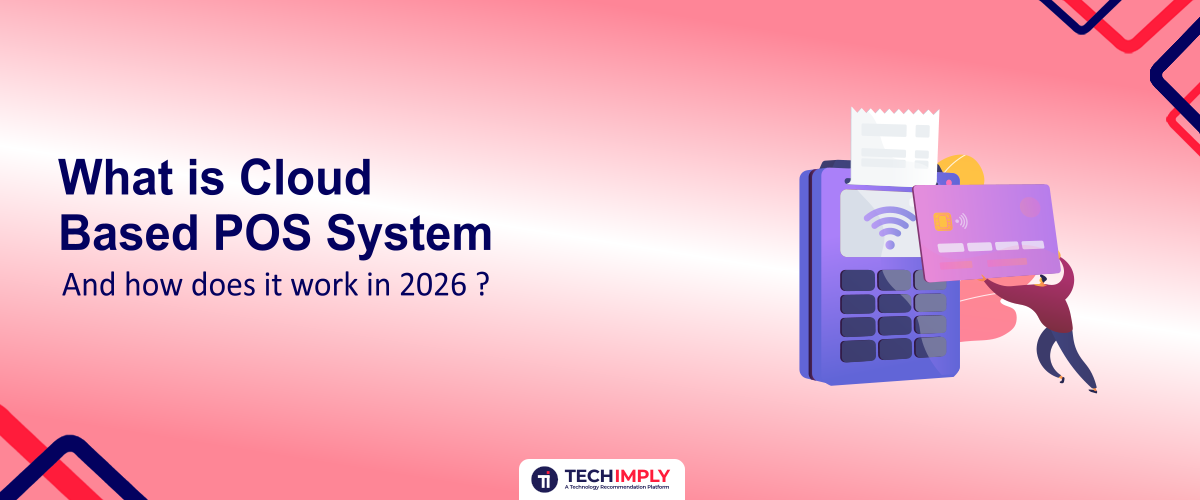
A cloud-based POS system is point-of-sale software that stores and synchronizes sales, inventory, customer, payment, and business data through cloud infrastructure instead of relying entirely on a local server. It allows businesses to manage transactions, track inventory, access reports, and monitor operations across connected devices and locations, often in real time.
In 2026, cloud-based POS systems have become more than digital cash registers. Businesses increasingly operate across physical stores, websites, mobile apps, online ordering platforms, and delivery channels, making centralized data and real-time visibility essential. Restaurants can connect POS systems with online ordering, kitchen operations, and delivery services, while retailers can synchronize inventory across stores and online channels. Multi-location businesses can also use centralized dashboards to monitor sales and performance from anywhere.
Modern cloud-based POS software can also include automated reporting, customer management, advanced inventory tools, integrations, and AI-powered analytics. This makes cloud POS a core business management platform rather than simply a tool for processing payments.

Looking for POS Software?
Check out Techimply's POS Software for your business.
What Is a Cloud-Based POS System?
A cloud-based POS system is a point-of-sale solution that uses cloud infrastructure to store, process, and synchronize business data. POS stands for Point of Sale, the place or system where a customer completes a purchase. Unlike traditional POS systems that may depend heavily on a local computer or server, a cloud-based POS allows authorized users to access business information through internet-connected devices.
In a traditional POS setup, data is primarily stored and managed on local hardware:
Customer → POS terminal → Local server → Local database
With a cloud-based point of sale system, transaction and business information is synchronized with a cloud platform:
Customer → POS device → Internet → Cloud platform → Central database → Dashboard, apps & integrations
This means sales, inventory, customer records, product information, payments, and reports can be synchronized across connected devices and locations. For example, if a retailer sells a product at one store, the transaction can update the centralized inventory records, allowing authorized staff at another location to view the latest stock information.
Another important point is that cloud-based POS software does not always require a constant internet connection. Many modern systems offer an offline mode that allows businesses to continue processing certain transactions when connectivity is temporarily unavailable. Once the connection is restored, supported data can be synchronized with the cloud.
This combination of centralized data, remote accessibility, integrations, and offline capabilities makes cloud-based POS systems useful for restaurants, retailers, grocery stores, and other businesses operating across multiple sales channels.
How Does a Cloud-Based POS System Work?
A cloud-based POS system connects the point of sale with a centralized cloud platform, allowing transaction, inventory, customer, and business data to be processed and synchronized across authorized devices. While the exact workflow varies by provider and industry, most cloud-based POS systems follow these six basic steps.
Step 1: The Customer Places an Order
The process begins when a customer purchases a product or places an order. This can happen through a traditional checkout counter, a restaurant table, a QR-code ordering system, an online store, or a delivery channel.
For example, a retail customer may scan a product at checkout, while a restaurant customer may order through a server, QR menu, website, or integrated delivery platform.
Step 2: The POS Records the Transaction
The POS system records the information required to complete and manage the sale. Depending on the business and configuration, this can include:
- Products or menu items
- Quantities
- Prices
- Discounts and promotions
- Taxes
- Customer details
- Payment method
- Order or transaction information
The system then calculates the final amount and generates the appropriate receipt or order record.
Step 3: Transaction Data Is Synchronized With the Cloud
After the transaction is recorded, supported data is synchronized with the cloud platform. Authorized users can then access updated information through POS terminals, computers, tablets, mobile devices, dashboards, or connected business applications.
For multi-location businesses, this centralized approach can make it easier to monitor sales and operations across different stores or outlets.
Step 4: Inventory Is Updated
The POS can automatically adjust inventory based on the completed transaction.
For example:
100 units in stock → 2 units sold → 98 units remaining
In restaurants, inventory management can go deeper. Where the system supports recipe or ingredient-level tracking, selling one menu item can reduce the associated ingredients from inventory based on the configured recipe.
Step 5: Payment Is Processed
The payment stage depends on the POS provider, payment processor, location, and supported integrations. Depending on the setup, businesses may accept methods such as:
- Credit and debit cards
- Digital wallets
- UPI
- Cash
- Contactless payments
- Split payments
Not every cloud-based point of sale system supports every payment method, so businesses should verify payment compatibility before choosing a provider.
Step 6: Reports and Analytics Are Generated
Once the transaction is completed, the cloud platform can use the collected data to generate business reports and analytics. Depending on the system, owners and managers may be able to monitor:
- Sales and revenue
- Inventory levels
- Best-selling products
- Employee performance
- Customer activity
- Refunds and returns
- Taxes
- Location-level performance
For example, a retailer with three stores can use a centralized dashboard to compare sales across locations, while a restaurant owner can identify popular menu items and monitor outlet performance.
This is one of the main advantages of a cloud-based POS system: individual transactions become centralized business data that can help owners make faster, more informed operational decisions.
Cloud POS vs Traditional POS: What’s the Difference?
The main difference between a cloud-based POS system and a traditional or on-premise POS system is where the software and business data are primarily hosted and how the system is maintained. Traditional POS systems often depend on local computers or servers, while cloud-based POS software uses cloud infrastructure to store and synchronize data.
| Feature | Cloud-Based POS | Traditional/On-Premise POS |
| Data storage | Primarily stored and synchronized through cloud infrastructure | Primarily stored on local computers or servers |
| Remote access | Usually available through authorized internet-connected devices | Often limited to the local network or installed devices |
| Software updates | Usually managed and delivered by the provider | Often requires manual updates or IT involvement |
| Multi-location management | Easier to centralize across locations | Can require more complex server and network setup |
| Hardware dependency | Generally lower, depending on the system | Often higher |
| Scalability | Usually easier to scale as the business grows | May require additional infrastructure |
| Offline capability | Depends on the provider and configuration | Often available through locally hosted systems |
| Maintenance | Much of the infrastructure maintenance is handled by the provider | More maintenance may be the business's responsibility |
Reporting Pricing model | Often centralized and available in near real time Subscription or SaaS pricing is common | Frequently focused on local data, depending on setup License, hardware, maintenance, or support costs may apply |
Which POS model is better?
Neither model is automatically better for every business. A cloud-based point of sale system can be a strong choice for businesses that need remote access, centralized data, multiple locations, integrations, and easier scalability. Traditional POS systems may still be suitable for businesses that prioritize local control, have limited connectivity, or have existing on-premise infrastructure.
The right choice depends on the business's size, connectivity, security requirements, number of locations, hardware needs, integrations, and total cost of ownership.
What Features Should a Cloud-Based POS System Have?
A modern cloud-based POS system is more than a tool for processing sales. In 2026, businesses increasingly use cloud-based POS software to connect sales, inventory, payments, customers, employees, reporting, and third-party applications in one ecosystem. The exact features vary by provider, industry, and subscription plan, but these are the key capabilities to consider.
1. Sales and Billing
The POS should make it easy to create orders, calculate taxes and discounts, process returns, and generate digital or printed receipts.
2. Inventory Management
Businesses can track stock levels, product movements, purchases, and low-stock items. Advanced systems may also support batch, expiry, or ingredient-level tracking.
3. Payment Processing
A POS can connect with supported payment providers to process cards, digital wallets, contactless payments, cash, and other region-specific methods.
4. Customer Management and CRM
Customer profiles can store purchase history and other permitted information, helping businesses provide personalized service and targeted offers.
5. Employee Management
Features may include employee profiles, roles, permissions, shifts, time tracking, and sales performance.
6. Real-Time Reporting
Cloud dashboards can provide visibility into sales, revenue, inventory, refunds, products, and other business metrics.
7. Multi-Location Management
Businesses with multiple stores or outlets can manage locations through centralized dashboards and compare performance across branches.
8. Online Ordering
Restaurants and retailers can connect online ordering channels with their POS to reduce manual order entry and keep product or menu information synchronized where supported.
9. Delivery Integrations
Restaurant and food businesses may connect their POS with supported delivery platforms, logistics services, or direct-ordering systems.
10. Accounting Integrations
Connections with accounting and financial software can help synchronize sales, payments, taxes, and other relevant financial data.
11. Loyalty and Marketing
Loyalty programs, customer rewards, promotions, and marketing tools can help businesses encourage repeat purchases.
12. Offline Mode
Many modern cloud POS platforms provide some form of offline functionality, allowing supported operations to continue during temporary connectivity problems. Capabilities vary by provider.
13. Security and User Permissions
Role-based access, authentication, audit records, and other security controls can help restrict sensitive functions and business information to authorized users.
14. API and Third-Party Integrations
APIs and integration tools allow businesses to connect the POS with ecommerce platforms, accounting systems, CRM tools, delivery services, ERP platforms, and other applications.
15. AI-Powered Analytics and Automation
AI is becoming an additional feature layer within modern POS platforms rather than the definition of a cloud-based point of sale system. Depending on the provider, AI-powered tools may support demand forecasting, sales predictions, inventory alerts, automated reporting, product recommendations, and anomaly detection.
Together, these capabilities can turn a cloud POS from a simple checkout tool into a connected business management platform. However, businesses should evaluate the specific features included in each provider's plan rather than assuming every cloud-based POS system offers the same functionality.
What Are the Benefits of a Cloud-Based POS System?
A cloud-based POS system can give businesses greater visibility, flexibility, and control over day-to-day operations. Instead of keeping important sales and operational information tied to a single local system, cloud-based POS solutions can connect data across authorized devices, locations, and business applications.
Real-Time Business Visibility
Owners and managers can monitor sales, inventory, transactions, and other key metrics through centralized dashboards, depending on the system and configuration.
Remote Access
Authorized users can access supported POS information from different locations and devices, making it easier to monitor a business without being physically present at the store or outlet.
Centralized Data
Sales, inventory, customer, employee, and reporting data can be brought together in one platform, reducing the need to manage disconnected systems.
Simpler Multi-Location Management
Businesses operating multiple stores or restaurants can use centralized tools to compare locations, manage products, and monitor performance more efficiently.
Automatic Software Updates
Cloud POS providers typically manage software updates centrally, reducing the need for businesses to manually install every update.
Better Inventory Visibility
Sales transactions can be connected with inventory data, helping businesses monitor stock levels, identify low-stock products, and make purchasing decisions based on current information.
Easier Integrations
Cloud-based POS software can connect with supported accounting, ecommerce, CRM, delivery, payment, and other business applications.
Scalability
As a business adds products, users, locations, or sales channels, a cloud-based POS can often be expanded without requiring the same level of local infrastructure as traditional systems.
Data-Driven Decision-Making
Centralized reports can help businesses identify sales trends, popular products, inventory movement, and location-level performance, allowing managers to make decisions based on available business data.
Reduced Dependence on Local Infrastructure
Because much of the software infrastructure is managed through the cloud, businesses may have less need to maintain their own local servers and related infrastructure.
These benefits do not guarantee higher revenue or lower costs for every business. The actual value of a cloud-based point of sale system depends on the provider, features, integrations, connectivity, business size, and how effectively the system is implemented.
How Does a Cloud-Based POS System Work for Restaurants?
A cloud-based POS system for restaurants connects ordering, billing, kitchen operations, payments, inventory, and customer information through a centralized platform. Instead of treating each function as a separate process, the POS can synchronize relevant data across authorized devices and restaurant locations.
A typical restaurant workflow looks like this:
Table/QR/Online Order → POS → Kitchen/KDS → Payment → Inventory → Customer Data → Reporting
Table and Order Management
Restaurant staff can create orders against specific tables, seats, or customer accounts. QR-based and online ordering can also send orders directly into the POS when supported.
KOT and Kitchen Display
The POS can send relevant order information to the kitchen for preparation. Restaurants may use printed KOTs (Kitchen Order Tickets) or a Kitchen Display System (KDS) to organize and track incoming orders.
Menu and Modifier Management
Restaurants can manage menu items, prices, variations, add-ons, and modifiers. For example, a customer may order a pizza and select additional toppings or request specific preparation instructions.
Billing and Payments
The POS can calculate taxes, discounts, and service charges and support features such as split bills. Available payment methods depend on the provider and payment integrations.
Inventory and Ingredient Tracking
Where recipe-level inventory is supported, selling a menu item can automatically reduce the configured quantities of ingredients. This helps restaurants monitor stock and identify items that may need replenishment.
Online Ordering and Delivery
Supported integrations can connect the POS with online ordering and delivery channels, reducing manual order entry and helping synchronize menu and order information.
Customer and Loyalty Management
Restaurants can maintain customer profiles, purchase history, and loyalty information where these features are available, helping support repeat-customer programs.
Multi-Outlet Management
Restaurant groups can use centralized dashboards to monitor sales, menus, inventory, and performance across multiple outlets, depending on the POS platform.
Example: A customer orders two dishes through a QR menu. The order enters the POS, the kitchen receives it, the relevant inventory is updated, the bill is generated, and payment is recorded. The completed sale can then appear in the restaurant's reporting dashboard.
How Do Cloud-Based POS Systems Work for Retail?
Cloud-based POS systems for retail connect checkout, product catalogs, inventory, purchasing, customer management, and reporting through a centralized platform. When a product is sold, the transaction can update relevant inventory and sales data, helping retailers maintain better visibility across stores and sales channels.
A typical retail workflow includes:
- Barcode scanning: Quickly identify products and retrieve their prices and details.
- Product catalog: Manage product names, SKUs, prices, variants, and categories.
- Stock management: Monitor inventory levels and product movements.
- Purchase orders: Create and track orders for replenishing stock.
- Supplier management: Maintain supplier information and purchasing records.
- Discounts and promotions: Apply configured offers at checkout.
- Returns and exchanges: Process eligible returns and exchanges while updating inventory.
- Customer loyalty: Track customer purchases and support loyalty programs where available.
- Omnichannel sales: Connect physical stores with supported ecommerce and online sales channels.
- Multi-store inventory: View and manage inventory across multiple retail locations.
- Employee permissions: Control which employees can access specific POS functions.
- Sales analytics: Monitor revenue, product performance, transactions, and other retail metrics.
Retail Grocery POS Cloud-Based System
A retail grocery POS cloud-based system has additional requirements because grocery businesses typically handle high transaction volumes and large product catalogs. Common capabilities can include barcode billing, fast checkout, weighing-scale integration, real-time stock levels, expiry tracking, batch management, supplier purchasing, promotions, and support for multiple checkout counters.
For example, when a grocery customer scans several products, the POS can calculate the bill, apply eligible promotions, process the payment, and update the corresponding inventory records. Where supported, weight-based products can be connected to compatible weighing scales.
For retailers with multiple stores, a cloud-based point of sale system can also provide centralized visibility into sales and inventory, making it easier to compare locations and coordinate stock management.
Can a Cloud-Based POS Support Food Delivery and Subscription Services?
Yes, a cloud-based POS for food delivery and subscription services can connect ordering, payments, inventory, kitchen operations, customer information, and delivery workflows through a centralized system. The exact capabilities depend on the POS provider and its available integrations.
A restaurant or food business may connect its POS with:
- Online ordering channels
- Delivery platforms
- Direct ordering websites or apps
- Recurring subscription orders
- Customer profiles and purchase history
- Scheduled orders
- Supported payment systems
- Inventory management
- Delivery status or logistics integrations
For subscription-based food businesses, recurring orders can be particularly useful. Instead of manually entering every order, supported systems can use subscription information to help create scheduled orders and connect them with inventory and fulfillment workflows.
A typical process can look like:
Subscription Customer → Recurring Order → POS → Inventory → Kitchen → Payment → Delivery → Customer History
For example, a customer subscribed to weekly meal deliveries may have their scheduled order created through an integrated system. The relevant items can flow into the POS and kitchen workflow, while inventory is updated and payment is processed according to the configured setup.
This makes cloud-based POS software potentially useful for restaurants, meal-preparation businesses, food subscription companies, and delivery-focused food operations that need connected order and customer data.
How Much Does Cloud-Based POS Software Cost?
The cost of cloud-based POS software varies significantly depending on the provider, business size, features, number of locations, and required integrations. There is no single price that applies to every business.
When evaluating the cost of a cloud-based POS system, consider these components:
- Monthly software subscription: The base fee for using the POS platform.
- Number of locations: Multi-store businesses may pay more for additional locations.
- Terminals and users: Pricing can depend on the number of POS devices, registers, or employee accounts.
- Hardware: Tablets, terminals, barcode scanners, receipt printers, cash drawers, and other equipment may cost extra.
- Payment processing fees: Card and other electronic payments may involve transaction or processing fees.
- Integrations: Some accounting, ecommerce, delivery, or third-party integrations may require additional fees.
- Implementation and setup: Complex businesses may have onboarding, configuration, migration, or training costs.
- Support: Premium customer support or dedicated services may be charged separately.
- Premium modules: Advanced inventory, loyalty, analytics, or other functionality may require higher-tier plans.
The cheapest POS is not necessarily the lowest-cost POS. Businesses should compare the total cost of ownership, including software, hardware, payments, integrations, support, and upgrades, against the features they actually need.
Before choosing a provider, request a complete pricing breakdown and check for additional fees that may not be included in the advertised subscription price.
Is a Cloud-Based POS System Secure?
A cloud-based POS system can provide strong security controls, but being cloud-based does not automatically make a POS system secure. Security depends on the provider's architecture, configuration, authentication methods, payment infrastructure, and the business's own security practices.
Key security considerations include:
- Encryption: Data should be protected during transmission and, where appropriate, while stored.
- Authentication: Strong authentication helps prevent unauthorized access to accounts.
- Role-based permissions: Businesses can limit what employees are allowed to view or change.
- Backups: Regular backups can help protect business data against certain failures or incidents.
- Access controls: Administrators should be able to control who can access systems and sensitive information.
- Audit logs: Activity records can help businesses identify and investigate important changes or transactions.
- Payment security: Payment processing should use appropriate security measures and supported payment infrastructure.
- Provider security practices: Businesses should review the provider's security policies, infrastructure, monitoring, and incident-response practices.
- Compliance requirements: Depending on the country, industry, and payment methods, businesses may need to consider applicable data-protection, payment, tax, or other regulatory requirements.
Before selecting cloud-based POS software, ask the provider how data is protected, where it is stored, how access is controlled, what happens during an outage, and how security incidents are handled.
The goal is not simply to choose a cloud POS, but to choose a provider with appropriate security controls and configure and operate the system responsibly.
How to Choose the Best Cloud-Based POS System?
Choosing the best cloud-based POS system depends on your business requirements rather than simply selecting the provider with the most features. Before comparing cloud-based POS software options, evaluate how each system fits your current operations and future growth.
Use this checklist before making a decision:
- Industry support: Does the POS provide features designed for your industry, such as restaurant, retail, grocery, or delivery operations?
- Offline capability: Can the system continue supporting essential operations during an internet outage?
- Payment methods: Which cards, digital wallets, UPI, cash, contactless payments, and other methods are supported in your region?
- Accounting integration: Can it connect with your accounting or financial software?
- Delivery integration: Can restaurants connect supported delivery platforms and ordering channels?
- Multi-location management: Can you manage multiple stores or outlets from one platform?
- Data portability: Can you export your business and transaction data if you change providers?
- Cancellation terms: What happens to your data, subscriptions, and integrations when you cancel?
- Hardware requirements: Which terminals, scanners, printers, cash drawers, or other devices are required?
- Transaction fees: Are there payment-processing, platform, or other transaction-related charges?
- Customer support: What support channels, hours, onboarding, and training are included?
- Backups: How is business data backed up and recovered?
- Security: What authentication, permissions, encryption, monitoring, and other security controls are available?
- API and integrations: Does the system offer an API or integration tools for connecting other applications?
- Scalability: Can the platform support additional products, users, locations, and sales channels as your business grows?
For retailers specifically, the best cloud-based retail POS should balance checkout speed, inventory management, omnichannel capabilities, reporting, integrations, security, and total cost rather than simply offering the longest feature list.
Conclusion - Is Cloud POS Right for Your Business?
A cloud-based POS system can simplify sales, inventory, payments, reporting, and multi-location management. In 2026, it can also connect online ordering, delivery, ecommerce, and business analytics. Choose a solution based on your industry, required features, security, integrations, pricing, and scalability to ensure it supports your long-term business needs.