Handling checkout counters manually or relying on outdated cash registers can quickly become a bottleneck for modern businesses. Long billing queues, sluggish item lookup, calculation mistakes, and messy stock registers frustrate customers and drain potential revenue. Today's consumers expect quick checkouts, transparent receipts, and flexible payment methods.
Transitioning to a modern POS billing machine solves these operational challenges by integrating transaction handling, real-time inventory tracking, multi-mode digital payments, and sales reporting into a single platform. Whether you operate a bustling neighborhood pharmacy, a high-volume supermarket, a neighborhood retail outlet, or a busy restaurant, upgrading your billing infrastructure is essential for sustainable growth.
This guide covers everything you need to know about choosing, implementing, and optimizing a POS billing machine, exploring types, features, market pricing, and buying strategies.

Looking for POS Billing Software?
Check out Techimply's POS Billing Software for your business.
What Is a POS Billing Machine?
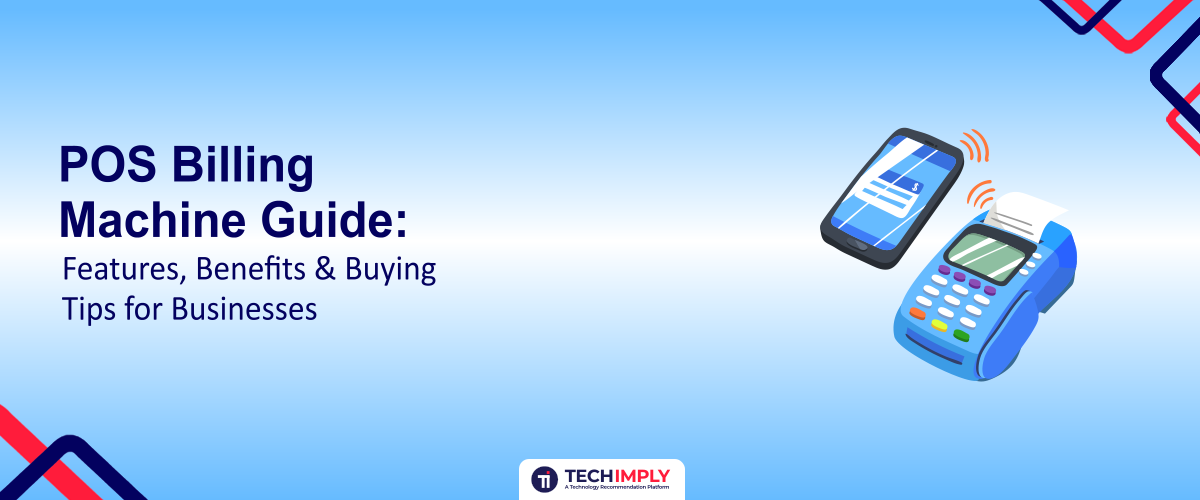
A POS billing machine (Point of Sale billing system) is an integrated hardware and software solution used to process customer sales, calculate bills, manage inventory levels, and print invoices.
POS stands for Point of Sale—the exact physical or virtual location where a transaction is finalized. A modern pos machine for billing replaces traditional cash registers by combining computer software and transaction hardware.
The software records the transaction, updates stock databases, and computes taxes automatically, while the hardware peripherals (like touchscreens, receipt printers, and barcode scanners) facilitate smooth interactions with the customer.
How Does a POS Billing Machine Work?
The operational flow of a pos billing system is designed to minimize manual input and speed up the checkout process:
- Product Selection: Items are identified either through a pos billing machine with barcode scanner or via touch-screen catalogue buttons.
- Bill Generation: The system instantly compiles the items, applies applicable discounts, and calculates total taxes.
- Payment: The customer pays via cash, card, UPI, or digital wallet.
- Receipt: A thermal receipt printer generates a physical or digital invoice.
- Inventory Update: The software instantly deducts the sold items from active inventory.
- Sales Report: The transaction data feeds automatically into daily revenue and tax reports.
POS Billing Machine vs Traditional Billing
|
Feature |
POS Billing |
Traditional Billing |
|
Automated billing |
Yes |
Limited |
|
Inventory tracking |
Yes |
Manual |
|
Barcode scanning |
Yes |
Usually manual |
|
Sales reports |
Real-time |
Manual |
|
Payment integration |
Yes |
Limited |
Key Features of a POS Billing Machine
A robust pos billing ecosystem offers a comprehensive set of features designed to make store management effortless.
Touch Screen Display
A responsive touch interface speeds up billing operations dramatically. Cashiers can tap categories and items directly rather than memorizing complex product codes. A high-quality touch screen billing machine reduces training time for new staff and minimizes checkout errors, making it particularly popular in fast-paced retail and hospitality environments such as a touch screen billing machine for restaurant operations.
Barcode Scanner Integration
Speeding through long checkouts requires reliable scanning hardware. A pos billing machine with barcode scanner support allows cashiers to scan item barcodes instantly, pulling pricing and product details straight into the billing queue without manual typing.
Inventory Management
Modern systems do more than just print bills; they maintain a live ledger of your stock. Features include real-time stock tracking, automated low-stock alerts, category management, and automatic inventory reduction upon every sale.
Multiple Payment Options
Modern buyers expect payment flexibility. A versatile pos machine billing setup supports cash, debit/credit cards, UPI QR codes, and digital wallets, ensuring you never miss a sale due to rigid payment limitations.
Sales & Business Reports
Gain deep visibility into your business performance with automated reporting tools. Track daily sales, product-wise movement, employee performance, tax summaries, and payment method breakdowns.
GST-Compatible Billing
For businesses operating in regulated tax environments, generating compliant invoices is mandatory. Modern systems compute itemized taxes automatically and print compliant tax invoices with proper structure and records.
Customer & Staff Management
Build lasting customer relationships by maintaining a database of buyer contact details, purchase history, and loyalty points. Concurrently, secure your operations by assigning role-based permissions to different staff accounts.
Benefits of Using a POS Billing Machine
Integrating a modern pos billing system provides tangible advantages that directly boost operational efficiency and profitability.
Faster Billing
By replacing manual item lookup and calculations with barcode scanning and touch buttons, checkout speeds increase significantly, reducing customer wait times during peak hours.
Fewer Billing Errors
Automating price lookups, tax calculations, and discounts eliminates human math errors, ensuring accurate totals on every bill and protecting profit margins.
Better Inventory Control
Linking your billing directly with stock management prevents unexpected stockouts, flags dead stock, and minimizes shrinkage or internal discrepancies.
Improved Business Insights
Detailed sales reports give owners clear data on best-selling items, slow-moving inventory, peak shopping hours, and revenue trends, supporting smarter purchasing decisions.
Better Customer Experience
Faster checkouts, transparent invoicing, and payment flexibility create a smooth, professional shopping experience that builds customer loyalty.
Easier Business Management
Business owners can monitor store performance, cash drawers, and sales metrics remotely or via centralized dashboards rather than relying entirely on manual paper registers.
POS Billing Machine for Different Types of Businesses
Different industries require tailored setups to match their specific workflows.
POS Billing Machine for Supermarket
Supermarkets handle massive product catalogues and high customer volumes. A specialized pos billing machine for supermarket environments features rapid barcode scanning, multi-counter synchronization, electronic weighing scale integration, and heavy-duty receipt printing.
POS Billing Machine for Restaurants
Hospitality enterprises have unique demands like table management, split billing, modifier selections (e.g., extra toppings), and kitchen order routing. A reliable touch screen billing machine for restaurant use connects directly to kitchen thermal printers to streamline front-of-house and back-of-house communication.
POS Billing Machine for Retail Stores
Clothing boutiques, electronics stores, and general retail outlets benefit from centralized inventory tracking, size/color variant management, and customer loyalty programs.
POS Billing Machine for Small Businesses
Smaller shops and pharmacies benefit from compact, all-in-one standalone or small Android POS terminals that occupy minimal counter space while covering essential billing and tax features.
How to Choose the Right POS Billing Machine
Selecting the right device requires evaluating your operational workflow and long-term business goals.
1. Choose Hardware Based on Your Business
Evaluate the processor, RAM, storage, and screen size. High-volume stores need robust multi-core processors and responsive touch displays, whereas smaller shops can operate efficiently on streamlined entry-level hardware.
2. Check POS Software Features
Ensure the software handles your core requirements: fast billing, automated inventory management, tax calculations, detailed reporting, and multi-user access.
3. Consider Barcode Scanner Compatibility
If you stock packaged goods, verify that your chosen pos billing machine with barcode scanner integration is seamless and supports standard USB or wireless scanners.
4. Check Printer Compatibility
Look for integrated or external high-speed thermal receipt printers that feature reliable auto-cutters and straightforward paper roll loading.
5. Look at Connectivity Options
Ensure the hardware provides the necessary connection ports, including Wi-Fi, Ethernet, Bluetooth, and USB ports for peripheral attachments.
6. Consider Ease of Use
The software and hardware interface should be intuitive so that new staff can be trained quickly during busy onboarding periods.
7. Check Warranty & After-Sales Support
Physical hardware requires reliable technical support. Choose vendors that offer dependable warranty coverage, spare parts availability, and responsive customer service.
8. Consider Scalability
Choose a system that can grow with your business by allowing you to add extra billing terminals, expand user accounts, or link multiple store locations over time.
POS Billing Machine Price in India: What Determines the Cost?
Understanding the pos billing machine price helps you budget effectively without compromising on essential operational needs. The pos billing machine price in india varies based on several core factors:
- Hardware specifications (RAM, processor, storage capacity)
- Display type and touchscreen capability
- Included POS software features or subscription models
- Attached peripherals like barcode scanners, thermal receipt printers, and cash drawers
- Brand reputation and after-sales support quality
|
POS Setup |
Best For |
What It May Include |
|
Basic POS |
Small businesses |
Billing + basic reporting |
|
Touchscreen POS |
Retail/restaurants |
Touch display + POS software |
|
Barcode POS |
Retail/supermarkets |
POS + barcode scanner |
|
Advanced POS |
Growing businesses |
Inventory + analytics + multi-user |
What Should You Check Before Comparing POS Prices?
Always verify whether the quoted price includes software licensing fees, peripheral accessories, and installation support, or if those carry recurring subscription charges.
POS Machine Billing: Hardware You Need
A complete pos machine billing setup typically relies on several coordinated hardware components:
- POS Terminal: The core processing and display unit running the billing software.
- Barcode Scanner: Handheld or presentation scanners used for rapid product identification.
- Receipt Printer: Thermal printers that generate clear customer invoices instantly.
- Cash Drawer: A secure, automated cash storage box linked directly to the receipt printer or POS terminal.
- Payment Device: Terminals or soundboxes used to process digital card and UPI transactions.
Common Mistakes to Avoid When Buying a POS Billing Machine
- Buying solely based on the cheapest upfront price tag.
- Ignoring software compatibility and reporting capabilities.
- Choosing underpowered hardware that lags during peak hours.
- Overlooking the quality of vendor after-sales support and warranty terms.
- Neglecting barcode scanner or peripheral integration options.
- Failing to account for future business expansion and multi-counter needs.
- Ignoring recurring software licensing or cloud hosting costs.
- Failing to verify data backup and security features.
WEP POS Billing Machine: What Should You Check?
If you are evaluating established hardware brands such as a wep pos billing machine, verify compatibility with your preferred billing software, check port availability for your specific peripherals (like weighing scales or barcode scanners), and ensure that local technical service support is readily available in your area.
POS Billing Machine Buying Checklist
- Suitable touchscreen or display size
- Reliable, user-friendly POS software
- Barcode scanner compatibility
- Receipt printer support and print speed
- Real-time inventory management features
- Automated tax and GST billing capabilities
- Multiple digital payment options
- Comprehensive sales and performance reports
- User accounts and permission controls
- Warranty coverage and technical support
- Scalability for future expansion
- Clear total cost of ownership (hardware + software)
Final Verdict: Is a POS Billing Machine Worth It?
Investing in a reliable POS billing machine transforms chaotic checkout counters into organized, high-efficiency revenue centers. By delivering faster checkouts, automated inventory management, fewer manual errors, and comprehensive business reporting, these systems pay for themselves over time.
Choose your POS setup based on your specific business type, daily transaction volume, software requirements, and long-term growth goals rather than focusing solely on the lowest initial price point. Equip your business with the right system today to enhance customer satisfaction and drive operational excellence.