A new hire’s first morning usually goes one of two ways. Either they are working within ten minutes of sitting down, or they are stuck sending IT a stream of "still waiting for access" messages while three separate account setup emails sit unread in an inbox they cannot open yet.

Looking for Single Sign-On Software?
Check out Techimply's List of the Best Single Sign-On Software in India for your business.
Multiply that lost time across every new hire, every password reset, and every re-login after a session times out, and the cost is bigger than it looks day-to-day. Let’s explore specifically what changes, on both the productivity side and the security side, once single sign-on is actually running.
How Much Time Does Login Friction Actually Cost a Team?
Individually, none of it looks dramatic. A password reset takes a few minutes. Re-entering credentials after a session times out takes seconds. A new application rollout that requires yet another account takes a short setup email. However, when aggregated over a team of fifty for a year, this becomes a continuous, silent drain instead of a single expense.
The pattern is consistent across most businesses that later add SSO: it is rarely one big painful incident that triggers the decision. It is the accumulation of small friction points that eventually makes the case on its own.
How Does SSO Change the Login Experience Day to Day?
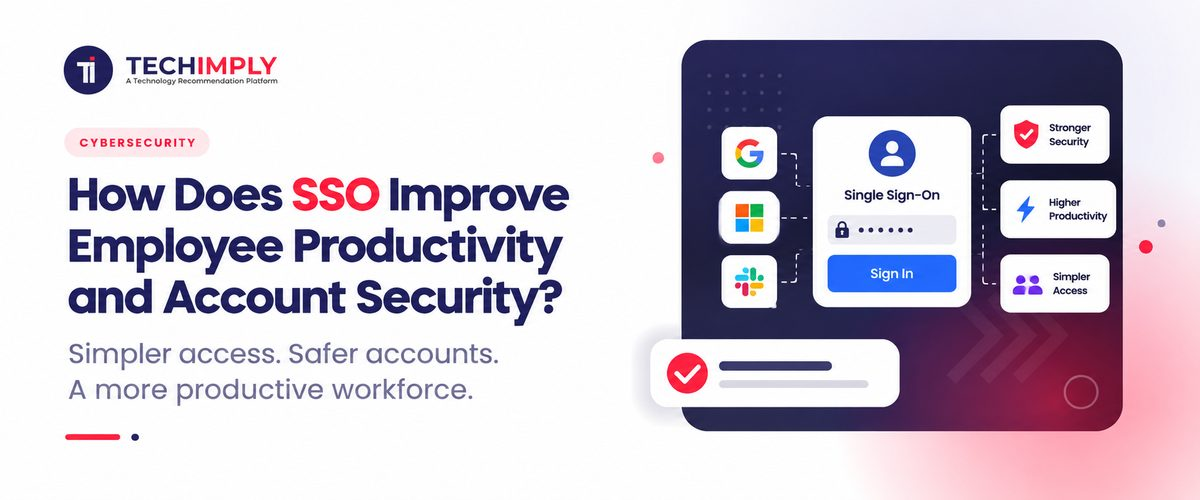
So connected, the employee logs in once at the beginning of a session and can navigate over multiple integrated tools without having to re-enter login info for each of them. The jump from the CRM software to the reporting dashboard to the private wiki occurs without a login dialog box in the interim.
This is a small change per action but a large one across a working day, particularly for roles that jump between many tools: sales, support, and operations staff especially. Fewer interruptions per hour is not a dramatic productivity story on its own, but it removes a category of friction that used to be treated as simply unavoidable.
Do You Know?
Many identity providers let a business set different authentication requirements for different applications through the same SSO setup. A low-risk internal wiki might only need a password, while the finance system behind the same login screen can require a second factor every time, without the employee needing to manage two separate systems.
How Does SSO Reduce the Business’s Real Attack Surface?
Every separate password an employee manages is a separate opportunity for something to go wrong: reused across services, written down somewhere insecure, or phished through a fake login page mimicking one specific application. A business running thirty applications with separate logins is really managing thirty different weak points, most of them outside IT’s visibility entirely.
Single sign-on consolidates that sprawl into a smaller number of credentials that you can actually secure effectively. Fewer passwords around implies lower risk of staff causing minor errors that quickly grow into big incidents, plus it gives security heads one steady place to check instead of many scattered unwatched spots.
Does SSO Make Onboarding and Offboarding Faster?
This is where the productivity and security system genuinely overlap rather than sitting side by side. Provisioning a new employee through a connected identity provider means granting access to a group of applications in one action instead of creating a dozen separate accounts by hand. The new hire reaches a working state faster, and IT spends less time on repetitive setup.
The reverse matters even more. When someone leaves, disabling one central identity can cut off access to every connected application immediately, rather than depending on someone remembering to individually disable accounts across a dozen different systems, some of which are easy to forget entirely. This is where access governance and SSO reinforce each other: a clean, centralized login system makes periodic access reviews genuinely possible instead of a manual, error-prone exercise.
How Does Pairing SSO With Biometric Authentication Change Things Further?
SSO reduces how many passwords exist. Biometric authentication changes what proves identity at the moment of login. They work together to make a login that is both handily quick and significantly more robust than just a password or PIN in isolation. Just a fingerprint or face scan on a laptop or smartphone can be quicker than any password, yet eliminate the vulnerability of that password being lost or brute-forced.
This combination is now common on modern devices that already include the hardware, making it a lighter lift to add biometric authentication to an SSO login flow than it was a few years ago, when it typically required separate dedicated hardware.
Does SSO Reduce Helpdesk and IT Support Load?
Password reset requests are consistently one of the most common tickets any IT helpdesk handles, and they are almost entirely preventable once the number of passwords in circulation drops. By using effective ticketing software, IT teams can streamline the process. Fewer passwords mean fewer reset requests, freeing up IT time for work that needs human judgment rather than a scripted reset process.
This is a real, measurable operational saving, though it depends heavily on how many applications a business actually connects to SSO. A partial rollout covering only a handful of tools will show a partial version of this benefit, and IT teams tracking ticket volume before and after a rollout usually see the drop concentrated specifically in the reset category rather than spread evenly across all ticket types.
Where Does SSO Alone Fall Short on Security?
It's misleading to claim that SSO addresses all security issues on its own, and it certainly doesn't. By centralizing login through a single identity management system, the identity provider account becomes a particularly attractive target. This is precisely why robust authentication for that sole account is even more crucial, rather than less, once SSO is implemented.
SSO also does not replace dedicated controls for administrator and system-level accounts. A database administrator or a server-level account with elevated rights typically needs tighter handling than SSO alone provides, which is the specific gap privileged access management is built to cover. The two work well together rather than as substitutes for one another.

Pro-tip
Measure the problems you want SSO to solve before deployment. If password resets, access tickets, or inconsistent authentication policies are major issues, record their current levels so the organization can compare them after rollout.
Does Single Sign-On Change How Password Management Habits Work?
Even with single sign-on in place, password management does not disappear entirely. There is generally still one set of credentials that stands, namely the one that protects the identity provider account itself, and it warrants more attention than any of the passwords it replaced, not less. A weak or reused password for that single account defeats many of the benefits single sign-on was hired to deliver.
A few other applications are often not included in a single sign-on solution, as they are applications outside the scope, perhaps a legacy or merely a smaller and older or less-used application that the vendor has not yet integrated. All the password rules still apply to those applications lying outside the single sign-on solution, which is why even a partially rolled-out single sign-on still needs the same password policy to run in parallel.
How Can Businesses Measure SSO's Impact?
Instead of assuming SSO improved productivity, businesses can monitor practical indicators. Useful measures include:
- Password reset volume
- Authentication-related help desk tickets
- Time spent resolving account access problems
- Number of applications integrated with central authentication
- Employee onboarding time
- Employee offboarding time
- MFA (multifactor authentication) adoption
- Number of unmanaged application accounts
For example, if authentication-related help desk tickets fall after implementation, that provides a more useful signal than simply reporting that the company deployed SSO.
Productivity should also be considered alongside security. An implementation that reduces login friction but leaves unnecessary application access untouched has solved only part of the problem.
Conclusion
The productivity increase from single sign-on exists yet remains small, sensed mostly as less resistance rather than a major shift. The security improvement functions similarly: reduced password counts, quicker user removals, and one central view replacing multiple dispersed ones. No advantage appears completely during a partial single sign-on launch, making the apps selected initially nearly equal in importance to the choice to implement single sign-on generally.
Related Reads :
- How Does CIAM Improve Customer Login and Account Security?
- Why Banks and NBFCs in India Are Prioritizing Privileged Access Management Under RBI and SEBI Rules
- Top Privileged Access Risks Businesses Face Today
- Top No-Code vs Low-Code: Differences, Examples & Guide
- What Is IAM and Why Is It Important for Business Security?