The majority of security failures do not begin when a malicious actor bypasses a digital barrier. They occur when a user enters credentials normally because they possess a password that was obtained illegally in the past. The user accesses an account that an administrator failed to deactivate following a transition in professional responsibilities.

Looking for Identity & Access Management Software?
Check out Techimply's List of the Best Identity & Access Management Software in India for your business.
The importance of Identity & Access Management, abbreviated as IAM, is clear because of this fact. It is a significant acquisition for an expanding corporation, but it often receives less scrutiny than software that detects viruses or improvements made to network security barriers.
What is IAM Software?
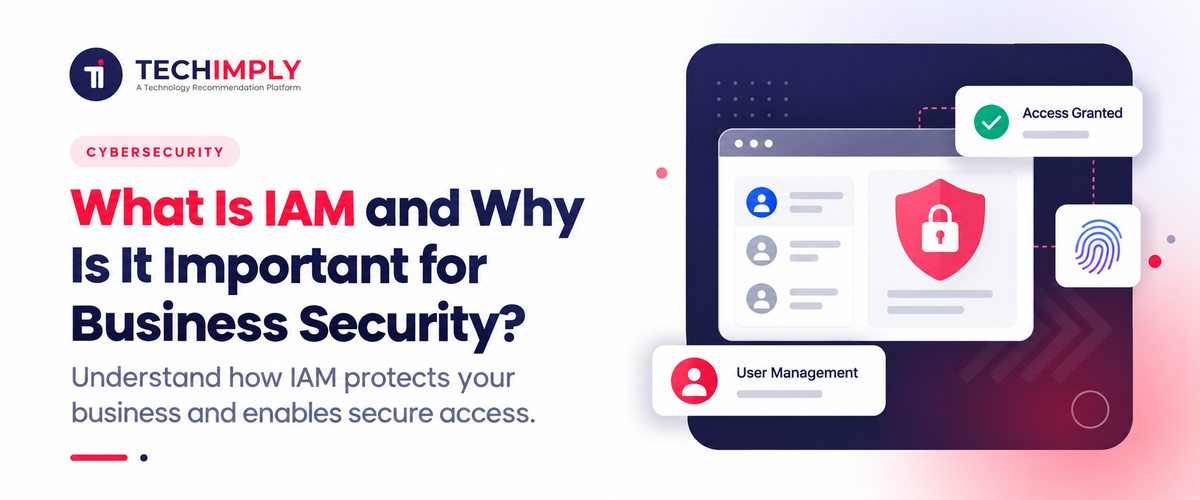
Identity & Access Management is the set of protocols and technical frameworks that a company employs to verify the identity of a user; these systems also regulate the user's permissions after they successfully authenticate. To describe IAM accurately, one would say it is the digital interface that exists between an employee and every workplace technology. It determines if the employee may enter a system and defines the specific data they are permitted to view.
Put simply, IAM helps answer four questions:
- Who is requesting access?
- Can the identity be trusted?
- What is the identity allowed to access?
- Should that access continue?
The concept appears uncomplicated when discussed - in actual operations, however, most organizations gather a disorganized collection of login credentials, spreadsheets that document permissions, and accounts that administrators have forgotten - this is the specific environment that IAM software is designed to organize.

Pro-tip
Before you evaluate different IAM software options, you should document your specific employees, software applications, protected data assets, and existing rules for entry - this provides your technical staff with a precise understanding of the problems the software must address. By doing this, you avoid purchasing a service that is selected only because of the capabilities advertised by a vendor.
How Does Identity and Access Management Work?
The easiest way to understand IAM is to follow an access request from beginning to end.
1. Identity is Created
The beginning of the process is an identity. This might stand for an application, device, customer, employee, contractor, or other part of a system. Identity information for workers might include their name, department, job role, employee ID, and other characteristics used to define access.
2. Authentication Verifies the Identity
Authentication addresses the question: "Are you truly who you say you are?" One way to verify your identification is with a password. Multi-factor authentication (MFA), security keys, biometric authentication, or other techniques can also be used in contemporary IAM environments. MFA is especially helpful, as a stolen password alone shouldn't automatically grant an attacker access to privileged data.
3. Authorization Determines Permissions
Authentication and authorization are often confused, but they perform different jobs. Authentication verifies identity. Authorization determines permissions. For example, an employee may successfully sign in to the company's systems. That does not mean the employee should automatically be able to access payroll records. IAM policies can determine which applications, files, databases, or functions that employee can use.
4. Access is Controlled
The organization then applies access rules. The concept of giving an identity only the access necessary to fulfill its legitimate duties is known as least privilege, which is a shared principle. The IAM approach of AWS includes the inclusion of fine-grained permissions and least-privilege access. An account being compromised can result in less damage.
5. Access is Reviewed and Changed
IAM does not stop after someone receives access. Employees change roles. Contractors finish projects. Applications are replaced. New systems are introduced. People leave organizations. Access therefore needs to be updated, reviewed, and eventually removed. This lifecycle is one reason IAM becomes difficult to manage manually as an organization grows.
Why Is IAM Important for Business Security?
Business security is directly connected to IAM, as common examples include credentials being stolen, excessive privileges being granted, or accounts remaining active for an extended period. Organizations prioritize the following reasons for investing in IAM.
1. It Reduces Unauthorized Access
IAM allows businesses to define who can access particular resources instead of giving broad access to everyone. A sales executive might need CRM access, while an accountant needs financial applications. Neither necessarily needs unrestricted access to every internal system. This separation reduces unnecessary exposure.
2. It Supports Least-Privilege Access
A user's access to a system does not automatically grant them access solely to its contents. Role- or attribute-based access decisions can be backed by IAM to improve the accuracy of permissions and align with job requirements. A company's decision to hold sensitive customer data, financial, or employee information on its books is influenced by the distinction.
3. It Strengthens Authentication
Most IAM platforms also accept MFA and SSO authentication methods. A centralized authentication experience provides users with access to multiple connected applications through single sign-on, while MFA adds another verification step beyond the user's password. By implementing the right approach, both security and login experience can be enhanced.
4. It Makes Onboarding and Offboarding Easier
The absence of centralized identity processes may necessitate an IT administrator to create separate accounts and assign permissions. A different issue arises in reverse when an employee steps down. By automating or integrating provisioning and deprovisioning workflows, IAM can streamline the process and ensure consistent access changes.
5. It Improves Visibility Into Access
The use of IAM can facilitate the identification of inappropriate or outdated access by providing a more comprehensive overview of identities and permissions. The significance of using multiple SaaS applications in conjunction with on-premises and cloud systems is particularly significant when a business has employees working for it.
6. It Supports Security and Compliance Processes
Access records and identity controls can also support audits and internal security reviews. IAM does not automatically make an organization compliant with every regulation. Compliance depends on the specific regulation, implementation, controls, and evidence required. However, identity and access controls can form an important part of a broader security and access governance program.
Why Attackers Go After Identity Before Anything Else
Security research over the past couple of years has been fairly consistent on one point: a large and growing share of breaches involve legitimate, valid credentials rather than a system being hacked open in the traditional sense. Phishing and stolen or reused credentials keep showing up as the two leading ways attackers get their first foothold, and once they are in using a real login, they tend to look far less suspicious to standard monitoring tools than a more obvious external attack would.
This is really the whole argument for identity management in one sentence: if most attackers are walking in through the front door with a real key, spending everything on the walls around the building solves the wrong half of the problem.
Do You Know?
IAM is not limited to human employees. Modern identity environments can also include applications, workloads, devices, APIs, bots, and other non-human identities. Google Cloud and IBM both now explicitly address identity management for workloads and AI-related identities as part of modern IAM environments.
Where Privileged Access Management Fits Into the Picture
A smaller subset of accounts- system administrators, database owners, and similar high-level roles- carries enough access to cause serious damage if compromised. PAM, which is a more tightly controlled layer, is typically added to standard IAM for better control over access.
Privileged access management often involves the use of credential vaulting, session recording, and time-bound approval for sensitive actions, subjecting these accounts to a level of scrutiny that is too extreme for typical employee login but necessary for one that can directly access core systems or customer data.
What Should Businesses Consider Before Implementing IAM?
Although the implementation of IAM could be advantageous, this shouldn't simply mean purchasing software and installing it. Start by identifying the systems that contain confidential information and determining who's using them.
Then consider:
- Which identities need access?
- Which applications need to be connected?
- Which permissions are genuinely required?
- How will new users receive access?
- How quickly should departing users lose access?
- Where should MFA be mandatory?
- How will privileged accounts be handled?
- How will access be reviewed?
- What audit information needs to be retained?
Integration can also become a significant consideration. An IAM system should therefore be compatible with the applications, directories, cloud security services, and authentication standards already in use within a business. Indian small and medium-sized enterprises may find it more advantageous to begin with a well-defined list of valuable applications rather than reinventing every identity process at once.
Conclusion
Treating IAM as a background infrastructure is effortless, making it undetectable when functioning properly and only noticeable when things aren't right. If identity is often the root cause of a breach, it's not necessarily the sophisticated attack mechanism, so the quiet infrastructure is worth as much attention as any other core component in how businesses protect customer data and their systems.