A Surat books distributor uses Tally to manage books, Excel to manage inventory, WhatsApp to manage orders and another application to manage payrolls. It holds together until month-end close takes two weeks and nobody can say which godown has the stock a customer just ordered. That's when owners begin to think about ERP vs accounting software, which is understandable, as both tools promise to handle your finances.
They solve other problems. Here’s your guide to ERP and accounting software, broken down in simple terms using clear examples from India. We’ll look at how local rules—like e-invoicing under the GST system—shape your software choices, and how to figure out if your business is better off with ERP or standard accounting software right now.
What Is Accounting Software?
Accounting software program enables you file, managel your commercial enterprise's economic transactions.It automates numerous the manual bookkeeping, fee tracking, reviews technology and daily accounting.
Some of the most popular accounting software programs that businesses use in India are GST invoicing systems, cash flow management tools, bank statement reconciliation, accounts payable and receivable management, as well as financial reporting features.
For example, a small consultancy in Ahmedabad—they could use accounting software to whip up client bills, log expenses, keep tabs on who still owes them money, and check their profit-and-loss statement at month’s end.
Common accounting software features include:
- Invoicing and billing: Create sales invoices, record purchases, and track payments.
- GST accounting: Maintain tax-related records and generate relevant reports.
- Financial reporting: Prepare profit and loss statements, balance sheets, and cash flow reports.
- Bank reconciliation: Match recorded transactions against bank statements.
- Receivables and payables: Track customer dues and supplier payments.
- Expense management: Record operating costs and organize financial records.

Looking for Accounting Software?
Check out Techimply's List of best Accounting Software in India for your business.
What Is ERP Software?
ERP is an acronym for Enterprise Resource Planning. It can be hard to keep everyone in your team up to date if you're managing sales, inventory, purchase and finance separately. These functions are all packaged into ERP software, allowing your team to access the same information as opposed to having to update multiple records.
ERP System can come with finance, inventory management, procurement, sales, production planning, warehouse management, HR and customer relationship management. These modules will vary according to software and configuration.
Let's assume a manufacturer from Pune has received an order for 500 units. The team shall review the materials available, ascertain the production capacity, make any necessary purchases when supplies are limited, coordinate the production schedule and compile the bill of materials.
These activities can be linked with an appropriate ERP system. The sales order can be used to update stock requirement, material purchase can track material purchase, and production completed can update stock records. Then, financial transactions can be recorded accordingly in the entries of the financial system, depending on the configuration of the system.
Common ERP software features include:
- Financial management: Manage accounts, expenses, budgets, and financial reporting.
- Inventory management: Track stock across warehouses, branches, and product categories.
- Purchase management: Manage suppliers, purchase orders, and goods receipts.
- Sales and order management: Follow orders from confirmation through fulfilment.
- Production planning: Coordinate materials, schedules, and manufacturing activities.
- Business reporting: Combine financial and operational information for better visibility.
Looking for ERP software?
Check out Techimply's List of best ERP software in India for your business.
ERP vs Accounting Software: Key Differences
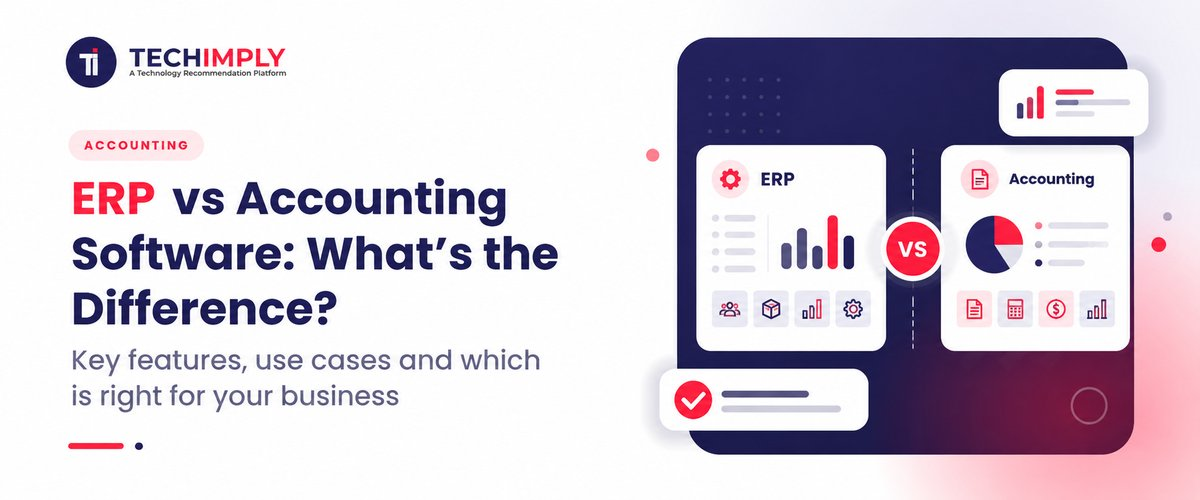
The primary distinction between ERP vs accounting software is that, accounting software focuses on financial management, whereas ERP integrates financial management with broader business activities.
|
Area |
Accounting Software |
ERP Software |
|
Primary purpose |
Manage financial transactions and reporting |
Manage end-to-end business operations |
|
Core focus |
Bookkeeping, invoicing, GST, receivables, payables |
Finance, inventory, sales, procurement, HR, production, CRM |
|
Data scope |
Mostly financial data |
Financial and operational data |
|
Users |
Accounts team, finance team, business owner |
Finance, sales, purchase, warehouse, production, HR, management |
|
Inventory |
Basic stock tracking in many tools |
Detailed inventory, batch, warehouse, and movement tracking |
|
Reporting |
Financial reports |
Financial plus operational and cross-department reports |
|
Implementation |
Usually quicker and simpler |
Requires planning, data migration, and training |
|
Cost |
Lower upfront cost |
Higher cost, though cloud ERP has made pricing more accessible |
|
Best suited for |
Small businesses with simple operations |
Growing or complex businesses with multiple functions |
Do You Know?
A goods receipt can link to inventory and payment to suppliers in an ERP system, minimizing the need for manual updating.The workflow will be determined by the ERP configuration and activated modules.
How does the same transaction work in each system?
Suppose there is a business where 100 units of raw material is bought.
In accounting software, your team will enter the supplier invoice, post the financial accounts, and follow up on the payment. If the software has inventory, the staff can also log the amount of inventory received.
The purchasing process may connect the ERP system with the purchase order, goods receipt, stock update, supplier invoice and accounts payable. This helps to decrease the duplication of data entry into different systems.
The distinction is not simply the number of features. It is how information flows between business activities.
Benefits of Accounting Software
However, for companies that require solid financial management but aren't dealing with numerous interrelated processes, accounting software is still a viable option.
1. Easier financial recordkeeping
All transactions, invoices, expenses and financial reports can be viewed in a single place.
2. Support for GST-related work
There are products available which can assist you to prepare GST invoices and organize records required for filing GST returns. Check the details of compliance required before purchasing a product.
3. Lower implementation effort
An ERP deployment for a larger company may need to be mapped out and configured in much more detail than a smaller business accounting system.
4. Better payment visibility
It will help you keep tabs on unpaid invoices and outstanding supplier payments to know which ones need to be paid and to better schedule cash flow.
5. Familiar workflows for finance teams
If the employees' main role is bookkeeping, billing and financial reporting, then the focus accounting tools can be simpler to adopt.
However, there are situations where the accounting software is not sufficient to provide the necessary level of coordination where the stock, procurement, manufacturing and sales team all have information that needs to be coordinated.
Benefits of ERP Software
The benefits of ERP software become more apparent when a business needs financial information and operational data to work together.
1. Shared business information
Access to relevant information from a shared system will eliminate the need for spreadsheets and rekeying information.
2. Better inventory visibility
An ERP system with the right inventory integration can enable you to manage stock at different sites, understand goods movement, and determine when to replenish stock.
3. Connected purchasing and sales
Purchasing can be driven by sales orders and/or stock availability.This allows teams to make better plans, based on more than just manual updates.
4. Improved operational reporting
The data can be analyzed side by side, like purchase costs, stock levels, order status and financial results.
5. Support for business growth
When the ERP solution chosen supports more complex workflows, more locations, and more departments and needs, ERP software can deal with these.
These benefits depend on proper implementation, accurate data and relevant workflows and the participation of employees. Implementing any ERP software system doesn't necessarily guarantee that the system will enhance the operations.
Which Is Better for Small Businesses in India?
There is no one right or wrong answer. The right one is determined by the types of business activities that are to be handled.
When accounting software is the better choice
For small service businesses, independent consultancies and businesses that trade in one location with simple financial operations, accounting software might be enough.
Choose it when you mainly need to:
- Generate invoices and maintain accounts.
- Track GST-related records and expenses.
- Monitor payments from customers and dues to suppliers.
- Prepare financial statements for business reviews.
- Manage a relatively simple inventory, if applicable.
A small organization of consultants, for instance, may not require production planning, warehouse management, or cross department workflows. It doesn't necessarily require the use of an extra tool designed for accounting purposes.
You may also Check- How to Choose the Right Accounting Software for Your Business
When ERP software makes more sense
ERP starts to be worth considering when managing multiple functions with multiple systems seems inefficient.
Consider ERP software if you:
- Manage inventory across multiple warehouses or branches.
- Need to connect purchasing, sales, and stock movement.
- Run manufacturing operations with material and production requirements.
- Want departments to work with shared, up-to-date information.
- Spend considerable time reconciling spreadsheets and records from different systems.
In the case of a Gujarat-Maharashtra based distributor, for instance, they would need to keep stock in different warehouses, ensure that the goods from the suppliers are delivered and that the customers pay the bills. These workflows are connected with each other using an ERP system with the correct modules. These workflows can be linked together by an ERP that has the proper modules.
ERP vs Accounting Software: Cost and Implementation
The initial subscription or licence fee is only one part of the total cost of ownership.
Implementation of accounting software generally has a limited scope. You can expect to pay for subscriptions, user access, data migration, support and any extra features you need.
The implementation of ERP software can also come with additional expenses, as the project might require process mapping, configuring the system, integrating it with other applications, training staff, migrating data, and providing support during the implementation. The total can be expanded with customization and with more modules.
Before choosing either option, consider these questions:
- What will the software cost over three years, including support and upgrades?
- Will it work with your existing accounting, banking, payroll, or sales systems?
- How much historical data needs to be migrated?
- How much time will employees need for training?
- Can the vendor demonstrate your actual business workflows?
- What happens if the implementation takes longer than planned?
If you go for a cheaper tool, it might need a bit of manual work or extra integrations. On the other hand, bigger, more powerful systems might just be pricier than what your business can handle.
How to Choose Between ERP and Accounting Software
Use these steps to narrow down your options.
Step 1: Write a list of your present issues. Identify what the top challenges are for you – whether they're financial records, GST reporting, late payments, stock, cross-departmental coordination or anything else.
Step 2: Map your workflows. Trace the steps of a typical transaction through the process. For instance, follow a customer order, as it impacts the stock, order, delivery, invoice and collection.
Step 3: Identify mandatory and optional parts. Look for functions – identify those that need to be done now and which can be postponed. DO NOT purchase modules you don't plan to use.
Step 4: Check integration requirements. If accounting software is used with other business applications, check if the accounting software can reliably share information with the other systems. An ERP could also require integrations with specialty applications.
Step 5: Find the sum of all the costs. Include licensing, implementation, migration, training, maintenance, support.
Step 6: Test realistic scenarios. Use your business requirements with vendors to show a purchase, a stock adjustment, an invoice, a payment and a report.

Pro-tip
Prior to any vendor demonstration, follow one ‘real life order' from enquiry to payment, and document all the people, spreadsheets, and systems involved. Give each vendor that map and have them show that flow. It reveals gaps quicker than any of the feature checklists.
Conclusion
It's up to what your business requires at this moment whether you choose ERP vs accounting software. If the bulk of your work involves handling the bills, bookkeeping, GST records and financial reports, accounting software could be all you require. However, when it comes to buying, inventory, production, sales and finance should be able to share information; ERP software can combine these activities in one system.
Before you make the decision consider what is lacking in your current setup. Keep a close eye on your spending and choose software that will help you with these problems, but doesn't break the bank; as soon as you need the more powerful software, upgrade.
Also Read-
- Top Construction ERP vs Project Management: Key Differences
- Free ERP vs Paid ERP Software in India (2026): Complete SME Guide
- Best Pharma ERP Software India 2026: Boost Efficiency & Growth
- Best Real Estate ERP Software for Small Builders in India 2026 |
- Top 10 Challenges in Implementing Pharma ERP System in India (2026)
- How ERP Software Can Improve Financial Management and Reporting
- How ERP Software Improves Data Security and Compliance
- Top Accounting Software to Reduce Manual Data Entry
- Top Expense Tracking vs Accounting: Best Guide for Businesses
- Top Accounting Journal Entry Guide: Types, Format & Examples
- Best Guide to Migrate From Tally Without Breaking Reconciliation
- Automate Payment Reminders & Reduce Overdue Invoices
- Accounts Payable vs Accounts Receivable Explained
- Top 10 Types of Accounting Software in India for 2026