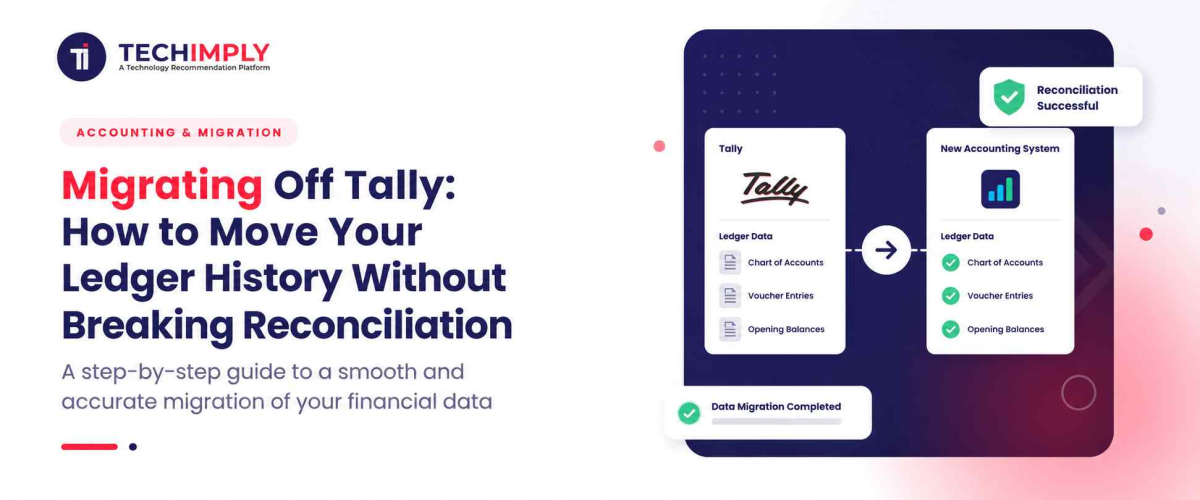
Migrating an enterprise balance sheet baseline into a fresh cloud-based Accounting Software module is a strategic operational change that demands absolute precision. The overarching objective when Migrating Tally historical records is to preserve absolute transaction visibility and total audit compliance throughout the entire platform conversion timeline. Commercial ledgers do not function as isolated datasets; they operate as integrated double-entry balance sheets where historical tracking columns must remain perfectly balanced across successive fiscal periods.

Looking for Accounting Software?
Check out Techimply's List of the Best Accounting Software in India for your business.
When transferring heavy corporate accounts and detailed Tally data files, organizations frequently encounter complex formatting errors, split tracking sequences, or broken bank ledger histories. Failing to configure initial import schemas meticulously can result in broken invoice series, missing journal line rows, and distorted financial trends. By developing a comprehensive understanding of the underlying data structures, modern finance teams can systematically eliminate entry bottlenecks, prevent balance mismatches, and maintain absolute reporting accuracy across the transition window.
Why Businesses Choose to Migrate Away From Tally
1. Limitations of Tally in Modern Business Operations
While legacy desktop accounting packages effectively supported localized business bookkeeping during pre-digital market phases, their core database structures struggle to handle modern operational workloads. The traditional flat-file storage design lacks the dynamic flexibility required to deliver instant cross-sectional analysis or fluid multi-dimensional filtering across shifting cost centers. Internal corporate specialists often find themselves trapped within rigid data architectures that make Financial Analysis Software and manual exports into external sheets necessary to isolate specific departmental profitability trends.
According to a recent annual research study published by the Institute of Financial Operations & Leadership (IFOL), approximately 58% of mid-market corporate finance directors noted that legacy desktop platforms limit their capability to supply live, interactive data feeds to executive decision-makers. This structural delay leaves expanding companies highly vulnerable to sudden shifts in logistics pricing, inventory valuations, or regional market fluctuations.
2. Integration Capabilities Gap with Other Business Tools
Modern corporate environments rely heavily on interconnected, automated software networks where central sales channels, live web store interfaces, physical warehouse platforms, and HR systems must exchange real-time operational details. Legacy desktop setups do not contain native REST API web connectivity, creating major data visibility gaps across active business branches. This disconnect forces employees to engage in manual data entry routines across separate software hubs, which inflates transactional costs and introduces a high risk of operational entry mistakes.
3. Scalability Concerns for Growing Organizations
As an enterprise opens new branch offices, handles a higher volume of daily invoices, and establishes complex multi-subsidiary corporate models, desktop-based engines frequently hit clear performance limits. Heavy company data folders can experience substantial file access delays during peak operational shifts, long report generation intervals, and an increased vulnerability to database index crashes when multiple users log entries simultaneously. Expanding operations require a high-capacity database architecture that processes large transactional loads smoothly without compromising routine administrative speeds.
4. Need for Cloud-Based Accounting Solutions
In today's highly flexible commercial ecosystem, financial management teams require uninterrupted, secure access to corporate general ledgers from any destination worldwide. Relying entirely on localized software packages anchors critical fiscal documents to single pieces of office hardware, making distributed operations inefficient and insecure. Transitioning to a true cloud-based Accounting Software environment removes local hardware dependencies, provides automated remote backups, offers high-level disaster protection, and delivers immediate balance sheet visibility to international leadership teams.
Preparing Your Data Before Migration
1. Auditing Your Current Tally Ledger and Transaction History
Establishing a state of absolute data readiness requires a thorough, exhaustive purification of your existing corporate database before generating any extraction files. Your corporate controllers must meticulously analyze all internal vouchers and masters to isolate and correct long-standing ledger errors, unapplied customer deposits, and unadjusted year-end adjustments. Cleaning your general ledger fields at this stage prevents your staff from importing historic input errors or unmapped account names into your new, pristine data environment.
2. Identifying Reconciliation Discrepancies Before Transfer
Before beginning the data extraction stage, your finance team must confirm that every active account balances perfectly against verified external source records. Accounting staff must execute a strict pre-migration check that encompasses:
- Reconciling internal stock valuations against independent physical warehouse counts.
- Clearing long-standing open entries from all corporate banking statements.
- Confirming outstanding trade balances directly with primary clients and suppliers.
- Validating internal tax liability accounts against regional government filing histories.
Resolving these structural variances before data movement prevents confusing balance sheet calculations during post-migration system checks.
3. Creating a Comprehensive Data Backup Strategy
To shelter your organization against unexpected file degradation or server delivery errors, your IT specialists must implement a multi-layered data protection protocol supported by reliable Backup Software. System administrators must compile an archival, highly encrypted transaction backup of the entire database folder and transfer it onto an isolated offline drive or a secure remote repository. Preserving an untouched, verified duplicate of your historical records guarantees a dependable recovery baseline if you experience significant data corruption during the import phase.
4. Documenting Your Chart of Accounts and Hierarchies
Every corporate software environment builds its accounting summaries upon a unique configuration of ledger sets, operational codes, and tracking parameters. To secure an accurate transition, you must document your existing chart of accounts architecture down to the smallest detail. This requires constructing a complete structural map of how your asset, liability, equity, revenue, and overhead accounts are organized. Having a clear blueprint of these accounting relationships simplifies the task of configuring your new platform to enforce your corporate rules flawlessly.
An independent global application study published by Gartner indicates that roughly 45% of large-scale enterprise system transfers encounter budget overruns and operational delays due to poor data cleanup and inadequate preparation before data extraction. Dedicating sufficient resource hours to comprehensive master file purification is an absolute necessity to insulate your company from these costly corporate bottlenecks.
Step-by-Step Migration Process
1. Exporting Ledger Data From Tally Correctly
The first practical phase of the system migration is extracting your historical operational journals into verified structured formats, such as XML documents or multi-column spreadsheets. Depending on the current release level of your software infrastructure, your technical staff may need to move data through a standardized mid-tier workspace, like a dedicated Tally.ERP 9 migration utility or a TallyPrime latest release platform, to ensure structural files export without structural flaws. Access the data management utility, select your desired historical date ranges, and export your customer directories, vendor profiles, and historical journals separately.
2. Mapping Tally Accounts to Your New Accounting System
Once your historical database files have been successfully generated, you must adapt your legacy data fields to match the validation criteria of your new cloud platform. This critical configuration stage requires aligning your legacy ledger names, tax classifications, and localized branch codes with the corresponding data columns in your updated system. Investing adequate time in detailed column mapping ensures that when you execute the commands to migrate transactions, every journal row inputs smoothly without breaking your reporting hierarchy.
3. Handling Multi-Year Historical Data Transfer
Relocating several consecutive years of granular corporate financial histories demands a highly structured approach to prevent data overlap or loss. Rather than attempting to import your entire historic database in a single massive file, your operators should move files incrementally, starting with the oldest open fiscal period. If your team is extracting data from an older deployment, such as a legacy Tally.ERP 9 Release 5.0 installation or a TallyPrime Release 2.1 framework, verifying your trial balances at the conclusion of each imported year ensures your trend calculations remain perfect.
When evaluating a migration to the latest release systems or completely new enterprise architectures, processing data files in distinct blocks is the best method to preserve complete visibility over your balance sheet. Monitoring your internal corporate guidelines during each phase ensures that your financial history remains completely accurate, fully auditable, and aligned with national tax accounting regulations.
4. Ensuring Transaction Sequence Integrity During Migration
A widespread issue encountered during accounting platform transitions is the scrambling of transaction chronological order, which can fracture internal document tracking series. To eliminate this issue, you must adjust your new platform's transaction configuration settings to allow manual number tracking overrides during the data upload phase. This setting ensures that your original voucher numbering formats remain perfectly intact for your historical sales receipts, vendor bills, and adjustments, protecting your company from regulatory compliance audits.
Maintaining Reconciliation During and After Migration
1. Verifying Account Balances Match Before and After Transfer
Immediately following the final data import step, your financial control team must confirm that your financial balances match perfectly across both systems. Generate an extensive trial balance report inside your new Accounting Software environment and check its ending figures side-by-side against your historical balances. Confirming that your total debits and credits match down to the exact paisa provides definitive proof that your core business information has transitioned without data loss or computational errors.
2. Reconciling Bank Statements Across the Migration Window
Shifting your operational baseline can severely disrupt your active bank clearance routines if your team does not handle the transition window with care. Your corporate bookkeepers must look closely at outstanding clearings, deposits in transit, and uncashed checks through Bank Reconciliation Software during the week of the system cutoff. Manually reviewing your newly imported banking rows against actual bank statements for that transition window ensures that no duplicate entries or missing adjustments compromise your liquid asset rows.
3. Handling Pending Transactions and Clearing Accounts
Ongoing business activities will naturally have unresolved items, such as open customer invoices, unpaid supplier bills, and pending deposit credits during a platform transition. To isolate these entries clearly, establish a temporary system migration clearing account to balance your open operational documents. As these pending customer and vendor payments naturally settle over the following weeks, your team can systematically clear out the temporary entries, keeping your permanent accounts accurate.
4. Testing Data Accuracy in Your New System
Before fully launching your new platform for daily business accounting, your staff must execute realistic practice scenarios to verify system workflows. Have your data operators generate dummy sales invoices, log mock vendor bills, and run custom cash flow reports. Verifying that the platform computes localized taxes accurately, deducts warehouse stock correctly, and delivers clean analytical charts through Business Intelligence Software gives your executive leadership team greater confidence in the new platform's operational reliability.
Troubleshooting Common Migration Issues
1. Resolving Missing or Incomplete Transaction Records
During large-scale data transfers, you may occasionally encounter dropped lines or missing journal data caused by tiny file encoding differences. If your new platform's import log flags validation failures, use your system migration summary sheet to zero in on the precise date ranges or voucher series that failed to upload. You can then quickly re-export those specific blocks from your primary transaction backup folder and re-upload them to fix the data gaps without affecting the rest of your clean data entries.
2. Fixing Reconciliation Mismatches Post Migration
If your post-migration general ledger yields unexpected balance sheet differences, your controllers must use a systematic filtering method to locate the root cause. Section your trial balance analysis by asset types, checking your accounts receivable, accounts payable, and asset values individually against your old records. Most post-migration balance differences are caused by simple field type errors, such as a text attribute attempting to load into a strict numeric column, which your database administrator can rapidly fix.
3. Managing Tax Code and GST Data Transfers
Migrating your corporate tax history requires meticulous care across Tax Preparation Software and the new accounting environment to maintain compliance with current Goods and Services Tax (GST) statutes. You must confirm that your historical GST details, verification profiles, correct corporate GSTIN/UIN registries, and comprehensive HSN/SAC summary rows align perfectly with the automated tax modules of your new system. Securing perfect synchronization across these critical tax categories prevents reporting compliance errors and allows your team to compile your monthly GST returns without manual data corrections.
According to an exhaustive PricewaterhouseCoopers (PwC) operational report examining enterprise software transitions, businesses that employ automated parameter verification routines during data migration experience a 70% decrease in transactional errors during their first post-migration tax filing cycle. This metric emphasizes how critical thorough data field checking is before authorizing your final system launch.
4. Addressing Currency and Multi-Company Scenarios
For large enterprises managing multi-currency international trades or overseeing multiple independent business subsidiaries, database transitions include added layers of complexity. Your financial control team must confirm that your historical foreign currency exchange rates, realized gain/loss variables, and inter-company balances match perfectly across both ledger systems. Correctly establishing your updated company data management rules ensures that your automated corporate consolidations stay accurate across all global business divisions.
Conclusion
Migrating your foundational Tally data ledger databases over to a progressive, cloud-native Accounting Software package is a milestone achievement that significantly amplifies an organization's long-term administrative capacity. While the data transfer process demands rigorous planning, exhaustive cleanup, and absolute structural precision, implementing a standardized migration framework completely shields your business history, keeps your bank clearings accurate, and prevents painful operational downtime.