I’ve seen businesses keep their expenses under control but still struggle with messy accounting. You might have accounting software recording every transaction, yet your employees are still chasing receipts, sending reimbursement claims on WhatsApp, or waiting for approvals.
That’s where understanding expense tracking vs. accounting software becomes important. Both of these tools can be similar, but they address different issues. If you're running a small Indian business, your accounting software might suffice. However, as your workers multiply, you'll find that expense tracking software can make receipts and approvals, employee spending, and reimbursements much easier to handle.

Looking for Accounting Software?
Check out Techimply's best Accounting Software in India for your business.
What Is Expense Tracking Software?
Expense tracking software helps to keep you track of and record your business spending. Record expenses, upload receipts, and create expense reports in one place – no more saving receipts in folders or updating spreadsheets.
For instance, if you are going from Ahmedabad to Mumbai for a client meeting, you can record all your travel, hotel and meal expenses and upload the receipts.
Expense Management Software will allow your manager to approve and authorize the claim and your finance team to process the reimbursement.
This makes business expense tracking easier, especially when several employees spend money for the company.
What Is Accounting Software?
Accounting software provides much more than just a record of your expenditures. It allows you to record and organise your business finances in one place.
Use it to control invoices, client payments and bills, taxes, bank transfers and monetary reviews. It also allows you to visualize how much you make, spend, owe and earn as profit.
With accounting software, you can easily answer questions like:
- How much did you earn this month?
- How much do customers still owe you?
- Which bills do you need to pay?
- How much are you spending?
- Are you making a profit or loss?
So, with expense tracking software, you are mainly tracking the expenses of your business while accounting software provides you an overall picture of the business finances.
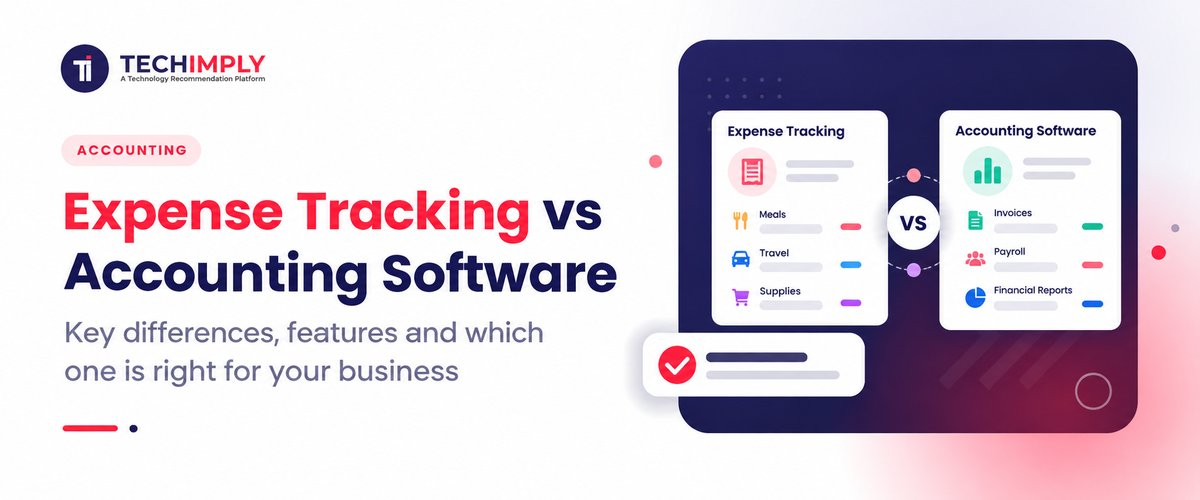
Expense Tracking vs Accounting Software: What Is the Difference?
The simplest way to understand expense tracking vs accounting software is to look at their purpose.
|
Area |
Expense Tracking Software |
Accounting Software |
|
Main purpose |
Track and manage business spending |
Manage the overall financial records |
|
Focus |
Expenses, receipts, approvals, reimbursements |
Income, expenses, accounts, taxes, reports and financial records |
|
Receipt capture |
Usually a core feature |
May be available |
|
Employee reimbursements |
Usually supported |
May be limited or available through a module |
|
Approval workflows |
Common |
May be available depending on the product |
|
Financial statements |
Usually limited |
Core capability |
|
General ledger |
Usually not the main focus |
Core capability |
|
Tax and accounting |
Limited or connected to accounting |
Core function |
|
Best suited for |
Managing employee and business spending |
Managing overall business finances |
The important point is that expense management software and accounting software are not necessarily competing products.
They often work together.
An expense platform can collect receipts, apply spending policies, route claims for approval, and then send the approved information to the accounting system. This reduces the need for finance teams to enter the same information twice.
Looking for Expense Tracking Software?
Check out Techimply's best Expense Tracking Software for your business.
When Is Expense Tracking Software Enough?
A dedicated expense tracking software platform can be useful when your main problem is visibility into spending rather than complete financial management.
It may be a good fit if your business has:
- Several employees claiming reimbursements
- Frequent travel and business expenses
- Many receipts to organize
- Multiple people making purchases
- Approval rules for employee spending
- Corporate cards or multiple payment methods
- A need for detailed expense reports
- Managers who need visibility into department spending
In the case of a 30 person consulting firm, for instance, they might already have accounting software that serves small business requirements. However, if consultants are often sent to client sites, the finance team could have to spend hours gathering receipts and verifying reimbursement claims.
A dedicated expense platform can solve that specific problem without replacing the accounting system.
When Is Accounting Software Enough?
A freelancer, small agency, retailer, or owner-managed business may have relatively simple spending. If the owner records expenses directly and there are only a few transactions, the expense features inside accounting software may be sufficient.
Modern accounting platforms can already provide expense categorization, receipt storage, bank feeds, reporting, and other basic expense features. For example, accounting platforms such as Zoho Books include expense tracking alongside broader accounting capabilities.
In that situation, buying separate expense tracking tools could create another subscription and another system to manage without solving a major problem.
Do You Know?
Expense tracking and accounting overlap, but they solve different problems. An expense tracker can tell you where money was spent, while accounting software puts those transactions into the wider financial picture of the business.
When Should You Use Both?
For growing companies, using both can make sense.
Think about the workflow:
Employee spends money → Receipt is captured → Expense is categorized → Policy is checked → Manager approves → Employee is reimbursed → Approved transaction moves to accounting
A dedicated expense system can manage the front part of this process, while the accounting platform remains the financial system of record.
This setup becomes particularly useful when employees, departments, locations, or approval levels increase.
For example, an Indian IT company with employees in Bengaluru, Pune, Mumbai, and Delhi may have different managers approving travel and business expenses. Finance still needs those approved transactions reflected correctly in the company's accounting records.
That is where expense tracking and accounting integration becomes important.
Your receipts, approvals and reimbursements are managed by a dedicated expense system and your accounting software takes care of the financial records. Prioritize the systems and determine if they will be able to communicate with each other, and that your finance team will not need to enter the same data twice.
What Features Should You Look For?
If you are evaluating expense management software, do not start with the longest feature list. Start with the problem your finance team is trying to solve.
Receipt Capture
Receipts must be easily uploaded or scanned by employees. Some platforms automatically extract information like merchant name, date and amount using the OCR.
Expense Categorization
You should be able to set up spending categories in the system, like travel, meals, office supplies, software, fuel and other business expenses.
Expense Approval Workflow
If your managers need to approve the spending, search for an expense approval workflow that will route claims by department, cost, location, or other criteria.
Employee Reimbursements
For businesses with employee claims, expense reimbursement software can simplify the process from submission through approval and payment.
Reporting
Look for useful expense reports, not just lists of transactions. Finance teams may need reports by employee, department, project, category, vendor, or period.
Accounting Integration
This is one of the most important features when you already use accounting software. The expense system should be able to transfer approved and categorized transactions without creating another manual data-entry job.
What Should Indian Businesses Consider?
Although the fundamental difference between the two is the same in India, however their local financial process is different.
Indian businesses may need to consider GST-related records, invoices, receipts, employee reimbursements, and documentation that needs to be shared with an accountant or CA.
GST systems also provide businesses with information related to input tax credit. For example, GSTR-2B provides an auto-drafted statement showing input tax credit information based on supplier filings. This makes accurate transaction and document records important when expenses are part of the wider tax and accounting process.
That does not mean an expense tracker automatically makes a business GST compliant. Tax treatment depends on the transaction and applicable rules, so businesses should rely on their accountant or tax professional for specific compliance decisions.
For businesses comparing dedicated solutions, you can explore Expense Management Software on Techimply to compare available platforms and their capabilities.
Expense Tracking vs Accounting Software: Which One Should You Choose?
There is no single answer for every business.
If the challenge you're facing is tracking employee expenses, receipts, reimbursements, approvals, or visibility of expenses, then expense tracking software is the right tool for you.
Choose accounting software when you need to manage the broader financial side of the business, including income, expenses, invoices, accounts, taxes, reconciliation, and financial reporting.
Choose both when your accounting system works well but your employee spending process has become difficult to manage.
A useful way to decide is to ask:
- How many people submit business expenses?
- How often do employees need reimbursement?
- Are receipts being lost or submitted late?
- Do managers need to approve expenses?
- Is finance entering the same information more than once?
- Does your current accounting platform already solve these problems?
If the answer to most of these questions is no, your existing accounting software may be enough.
If several answers are yes, dedicated business expense management software may be worth considering.

Pro-tip
Record the use of finance tools by your team for one month before purchasing another finance tool. Observe the amount of time it takes to collect receipts, to check claims, to obtain approvals, to enter data and to prepare reports.
If most of the work happens before a transaction reaches your accounting system, dedicated expense software may solve a real process problem. If the work is already simple, improving your existing accounting setup may be the better choice.
Conclusion
The choice between expense tracking vs accounting software comes down to scope.
Expense tracking software focuses on controlling and recording business spending, especially receipts, employee expenses, approvals, and reimbursements. Accounting software manages the wider financial records of the business.
If you're running a small business that doesn't have complicated transactions, then one accounting software may suffice. A single-use program like Quickbooks or Freshbooks may be sufficient for a small business or if you're an employee getting reimbursed regularly, or have several departments or a lengthy approval process.
The goal is not to have more finance software. It is to have a process where expenses are captured correctly, approved on time, and transferred into your accounting records without unnecessary manual work.
Related Reads-
- Fix Messy Expense Reports with Smart Expense Tracking Software
- Automate Payment Reminders & Reduce Overdue Invoices
- Accounts Payable vs Accounts Receivable Explained
- Manage Your Books in 5 Clicks With Easy Accounting Software
- Free vs Paid Accounting Software: Which Is Better in 2026?
- Accounting Terms and Concepts for Small Business Success
- 8 Best AI Accounting Software in India for Small Businesses (2026) |
- Best Accounting Software for Small Retail Businesses in 2026 (Top Picks)
- Best Real Estate Accounting Software for Investors | Compare 2026 Tools
- Top 10 Types of Accounting Software in India for 2026