
zenzap

zenzap

The All-in-One Team Communication App

0.0
Rating out of 5 Based on 0 reviews

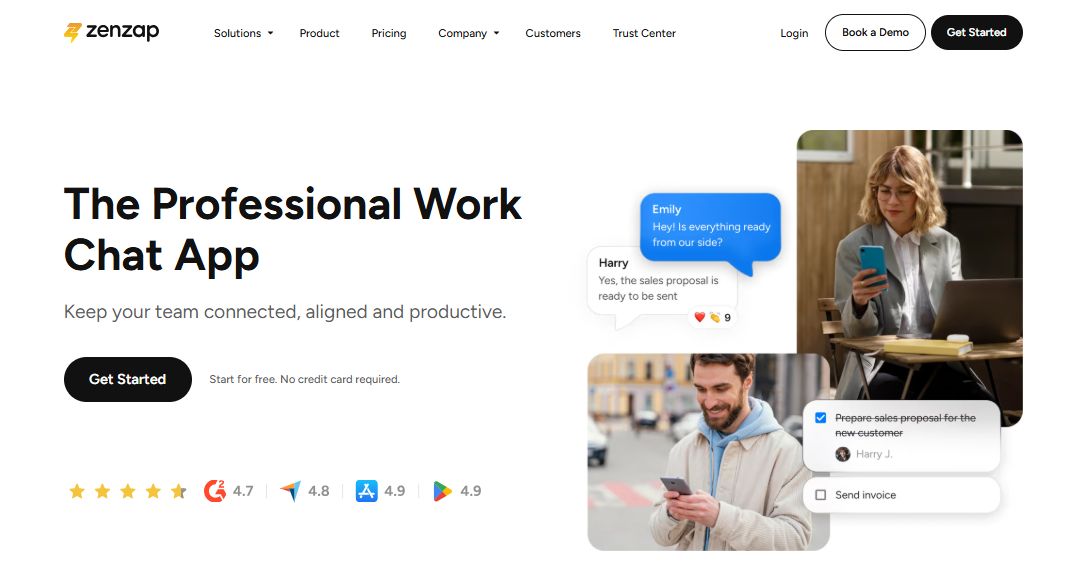
Zenzap is a professional team communication app designed to unify messaging, task tracking, calendar/scheduling, and secure data access in a single platform. It is built by Loop Connect LTD for businesses of all sizes—including startups, SMBs, and enterprise-level organizations—in sectors like healthcare, hospitality, education, franchises etc. It supports cross-platform usage: mobile (iOS & Android), web browsers, and desktop (Windows & macOS). Zenzap offers a free plan plus paid tiers (Pro, Business+, Enterprise) that unlock additional storage, administrative controls, integrations, data security, customer support, etc. Users can organize chats by project, topic, or team; assign tasks in-chat; schedule messages; set working hours; integrate calendars; and control permissions. Security features include role-based access, ability to revoke access instantly, keeping data off personal devices, encrypted storage, compliance with regulatory/privacy standards. Zenzap aims for a clean, intuitive UX so teams can onboard quickly with minimal training. It’s positioned as an alternative to combining multiple tools (chat + tasks + scheduling) by consolidating them into one workspace to reduce switching between apps and communication noise.

Pricing of zenzap

Free Forever - For teams that need structured, professional communication

USD 0
USD 0.00

Month

Buy Now
  • Team access & permissions control
  • Cloud secured business data
  • Unlimited group chats
  • Unlimited built-in to-dos
  • Admin content moderation
  • Working hours & notification control
  • Scheduled messages
  • Organized chat folders
  • Chat calendar integration
  • WhatsApp groups migration
  • Customer support
  • 1 GB secure file storage

Pro - For teams that need advanced task management, security and admin control

USD 39
USD 0.00

month

Buy Now
  • Up to 20 users
  • Everything in Free plus:
  • Team personal details privacy
  • Media sharing & download control
  • Group chat creation permissions
  • Workspace invite management
  • WhatsApp import restrictions
  • Task checklist templates
  • Tasks to calendar sync
  • Sub-task breakdown
  • Smart task sorting & filtering
  • Files malware scanning
  • Team onboarding & training
  • Advanced customer support
  • 100 GB secure file storage

Business+ - For teams that need integrations, API access and complete workflow control

USD 10
USD 0.00

user/month (billed monthly)

Buy Now
  • Everything in Pro plus:
  • Integrations with other apps
  • API integration access
  • Unlimited secure file storage
  • Enhanced privacy & data control
  • Data archiving
  • Priority customer support
  • Admin analytics dashboard

Enterprise

USD Request a demo
USD 0.00

Year

Buy Now
  • Everything in Business+ plus:
  • Custom integrations
  • SAML SCIM and SSO
  • Organization chart & phone book
  • Enterprise encryption key management
  • Audit logs
  • 24-7 enterprise CSM
  • Tailored onboarding

Awards & Badges Received

Get More Awards & Badges from Techimply
Badge-1
Badge-2
Badge-3

Key Features of zenzap

Key Features:
  • Chat History
  • Proactive Chat
  • Supervise Chats
  • Interactive Chatbots
  • Video Chat
  • Persistent Chat
  • Live Chat
  • Chat (Messaging)

Key Specification

Other Categories: Live Chat Software Collaboration Tool Live Chat Software For Mac Live Chat Software For PC Live Chat Software For Free Collaboration Software For Mac Cloud Communication Platforms Team Collaboration Software
Deployment: Cloud Hosted,Hybrid,Any
Customer Support: Phone,Email,Live Chat
Customization: Yes
Languages Support: English

Who uses zenzap

StartUps
StartUps
SMEs
SMEs
Agencies
Agencies
Enterprises
Enterprises

Company Details

Company Name: Loop Connect LTD
Headquarter:
Website: Visit Website go-to-link
Social Media:

zenzap Description

In modern organizations, communication fragmentation and tool overload are common pain points—multiple chat apps, separate task managers, different calendars, notifications all over the place. Zenzap seeks to address this by providing a unified workspace that blends chat, tasks, calendar/scheduling, and data controls so that teams stay aligned without switching tools or losing context.

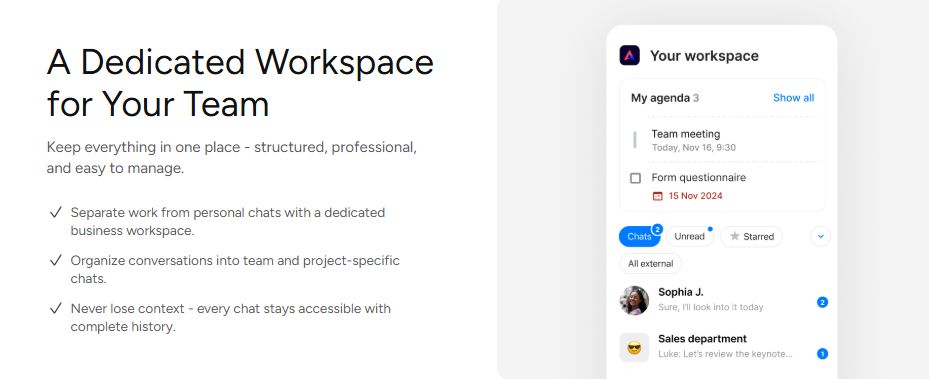
At its core, Zenzap provides structured team chats: you can set up channels or chats according to projects, departments, or topics. Within those discussions, any message can be turned into a task (or “to-do”) with assignments, due dates, and status tracking. This means decisions, follow-ups or action items emerge directly from conversations rather than being lost in separate task apps. Users can also schedule messages for later, respecting working hours boundaries; this helps teams avoid burnout, reduce off-hours noise, and maintain clarity on when messages arrive.

Calendar integration is native: events, meetings or due dates can be synced with external calendars (e.g. Google, Outlook). This connects task deadlines and scheduled messages so that important things don’t fall through the cracks. File sharing, group chats, migration support (e.g. for WhatsApp groups) are included so teams can centralize not just messaging but history and media too.

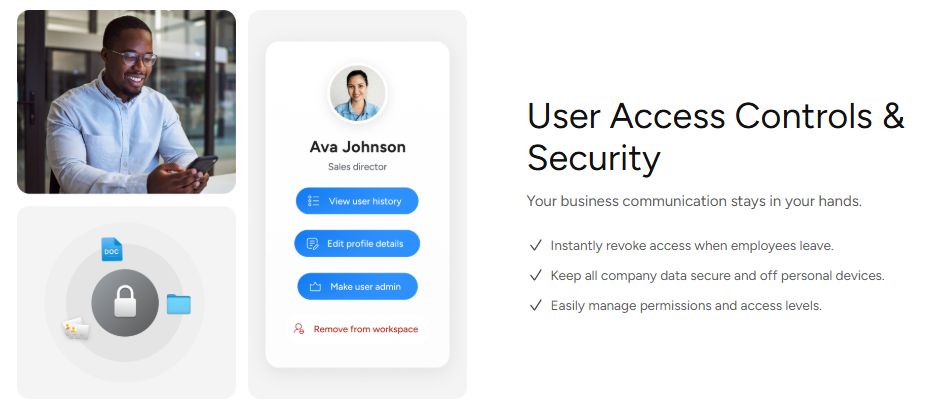
Security is a key focus. There are role-based permissions, access revocation for offboarding, protection of data (files stored in cloud rather than on personal devices), strong encryption, and privacy controls (e.g. who can see what among team members). For industries like healthcare, education or finance, this helps with regulatory/compliance requirements.

For onboarding, Zenzap emphasizes ease: minimal training needed, intuitive interface, familiar chat-based UX. New members can be added quickly, and when someone leaves, access can be withdrawn immediately. There are different tiers of support and features: the Free version gives essential tools; Pro adds more storage & advanced task tools; Business+ and Enterprise unlock enterprise-level controls, integrations, audit logs etc.

Overall, Zenzap is meant for teams who want clarity, structure, security and less app fatigue—keeping work chats, task-management, calendar alignment, and security all under one roof so that communication is seamless, efficient, and disciplined.

Key Features & Specifications:

Structured Messaging
Keep discussions focused by organizing chats into dedicated channels for projects, departments, or topics. This reduces clutter, preserves context, and makes it easy for teams to locate important conversations.

In-Chat Task Creation
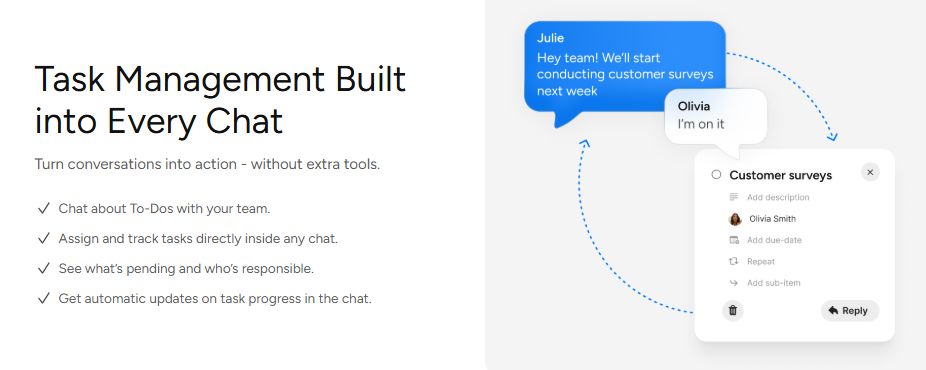
Turn any chat message into a task with assignee, due date, and progress tracking. This ensures that action items from conversations are never overlooked and are tracked until completion.

Scheduled Messages & Working Hours
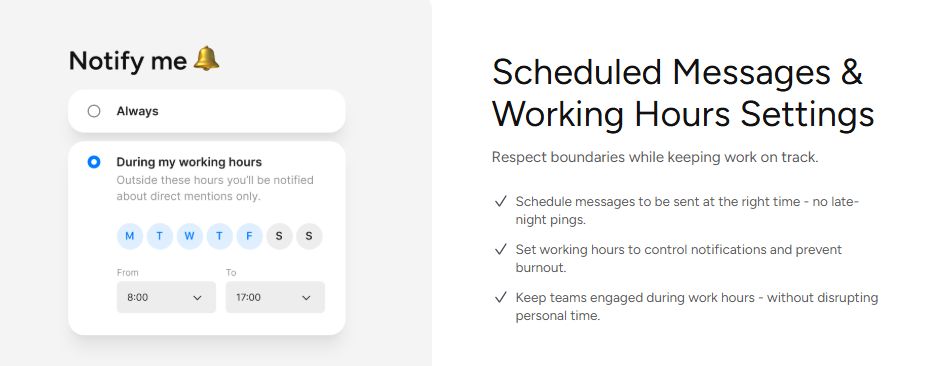
Write now, send later. Schedule messages to go out at the right time, while respecting working hours to prevent unnecessary after-hours notifications and maintain healthy work-life balance.

Calendar Integration
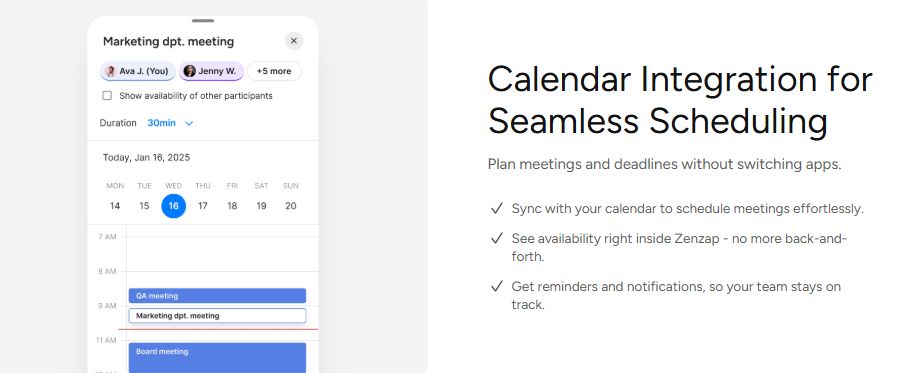
Sync seamlessly with Google Calendar or Outlook. Tasks and events appear across systems, so deadlines, meetings, and reminders stay connected and visible in one streamlined workflow.

File Sharing & Secure Storage
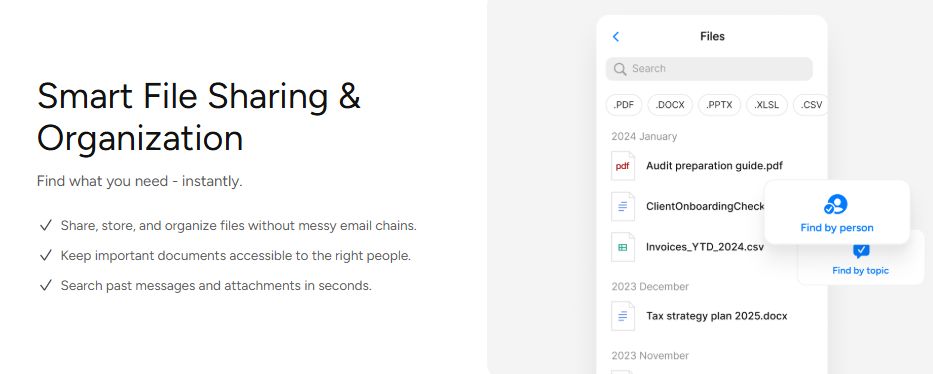
Easily share files, documents, and media within chats. Data is stored securely in the cloud, preventing leakage through personal devices and providing safe access for authorized users.

Security & Permission Control
Protect sensitive business information with encryption, role-based permissions, and instant access revocation. Ideal for industries requiring compliance and strict data governance.

Onboarding & Offboarding
Quickly add new members and safely revoke access when someone leaves. The system preserves data while ensuring only active team members have access to resources.

Cross-Platform Support
Stay connected wherever you are. Zenzap works seamlessly across web, desktop, and mobile devices, keeping communication, tasks, and schedules in sync in real time.

Alternative

Zendesk AI

From closed tickets to real resolutions with AI agents

0.0
Rating out of 5 Based on 0 reviews

Zoho SalesIQ

Conversations that convert, connections that last

0.0
Rating out of 5 Based on 0 reviews

Paradox

Every great hire starts with

5.0
Rating out of 5 Based on 1 reviews

zenzap Video/Screenshots

zenzap Key Clients

User Reviews

no-reviews
Share your experience! Be the very first reviewer. Write a Review

Frequently Asked Questions (FAQs)

The user group of zenzap are as follows :

  • Startups
  • SMEs
  • Agencies
  • Enterprises

zenzap has 4 plans,

  • Free Forever - For teams that need structured, professional communication USD 0 Month
  • Pro - For teams that need advanced task management, security and admin control USD 39 month
  • Business+ - For teams that need integrations, API access and complete workflow control USD 10 user/month (billed monthly)
  • Enterprise USD Request a demo Year

zenzap is allowed 30 Days Free Trial.

The key featuers of zenzap are as follows :

  • Chat History
  • Proactive Chat
  • Supervise Chats
  • Interactive Chatbots
  • Video Chat
  • Persistent Chat
  • Live Chat
  • Chat (Messaging)

zenzap pricing model : Yearly,Monthly

zenzap is Cloud Hosted,Hybrid,Any Software.

Yes

zenzap offers Phone,Email,Live Chat support.

zenzap provides Help Guides,Video Guides,Blogs,Webinars,Case Studies,Whitepapers for the software training.