Alloy Navigator

By Alloy Software

0.0
Rating out of 5 Based on 0 reviews

What is Alloy Navigator?

Alloy Navigator is an all-inclusive IT Service Management (ITSM) and IT Asset Management (ITAM) answer. This effective alloy software platform automates and streamlines complicated IT methods—from managing assist desk tickets and incident decision to monitoring the whole lifecycle of each hardware and software program asset. Built on an clever workflow automation engine, Alloy Navigator is designed to provide considerate answers for your toughest IT challenges, ensuring compliance and performance across your entire business enterprise.

Pricing of Alloy Navigator

Alloy Navigator Explorer

USD 19.00
USD 0.00

Per Month

Buy Now
  • Asset Management
  • Automation
  • IT Help Desk
  • Knowledge Base
  • Network Discovery
  • On Premises
  • Self Service Portal

Alloy Navigator Express

USD 49.00
USD 0.00

Per Month

Buy Now
  • Approvals
  • Change Management
  • Consumables
  • Named or Concurrent User Licensing
  • On Premises or Cloud
  • Software Licensing

Alloy Navigator Enterprise

USD 79.00
USD 0.00

Per Month

Buy Now
  • Management & CMDB
  • On Premises or Cloud
  • Project Management
  • Service Catalog
  • Advanced Workflow Automation
  • Configuration
  • ITIL

Key Features of Alloy Navigator

Key Features:
  • Configuration Management
  • Contract/License Management
  • Inventory Management
  • Maintenance Management
  • Supplier Management
  • Compliance Tracking
  • Cost Tracking
  • Requisition Management
  • Audit Management
  • Procurement Management

Key Specification

Other Categories: License Management Software IT Project Management Software Asset Tracking Software IT Asset Management Software
Deployment: Cloud Hosted,Hybrid,On Premise,Any
Customer Support: Phone,Email,Live Chat
Languages Support: English

Who uses Alloy Navigator

StartUps
StartUps
SMEs
SMEs
Agencies
Agencies
Enterprises
Enterprises

Company Details

Company Name: Alloy Software
Headquarter: United States
Social Media:

Alloy Navigator Description

Who Uses Alloy Navigator?

Alloy Navigator is an appropriate alloy device for companies of all sizes, from mid-marketplace to big enterprises, in particular those that require a robust, unified platform to handle complicated IT environments and regulatory compliance.

  • IT Service Desk Teams: Using the platform for efficient incident, trouble, and service request control.
  • Asset Managers: Professionals who want comprehensive visibility and control over all hardware, software, and contracts throughout the company.
  • IT Leadership (CIOs/IT Directors): Utilizing dashboards and analytics to make sure provider quality, control budgets, and put in force compliance.
  • Internal Users (End Users): Leveraging the Self-Service Portal for twenty-four/7 assist and resource requests.
  • Industries: Healthcare, Finance, Manufacturing, and Education, which depend upon its distinct reporting and ITIL-primarily based processes.

Why Choose Alloy Navigator? (The Alloy Advantage)

Choose Alloy Navigator as it unifies ITSM and ITAM, eliminating records silos and simplifying management complexity. It gives high customizability with out requiring complex scripting, enabling rapid adoption of quality practices like ITIL. With sturdy workflow alloy automation and modern alloy AI capabilities constructed directly into ticketing and asset approaches, Alloy Navigator facilitates groups gain faster decision times and maximize asset usage, whether deployed in the cloud or on-premises.

Key Benefits of Alloy Navigator

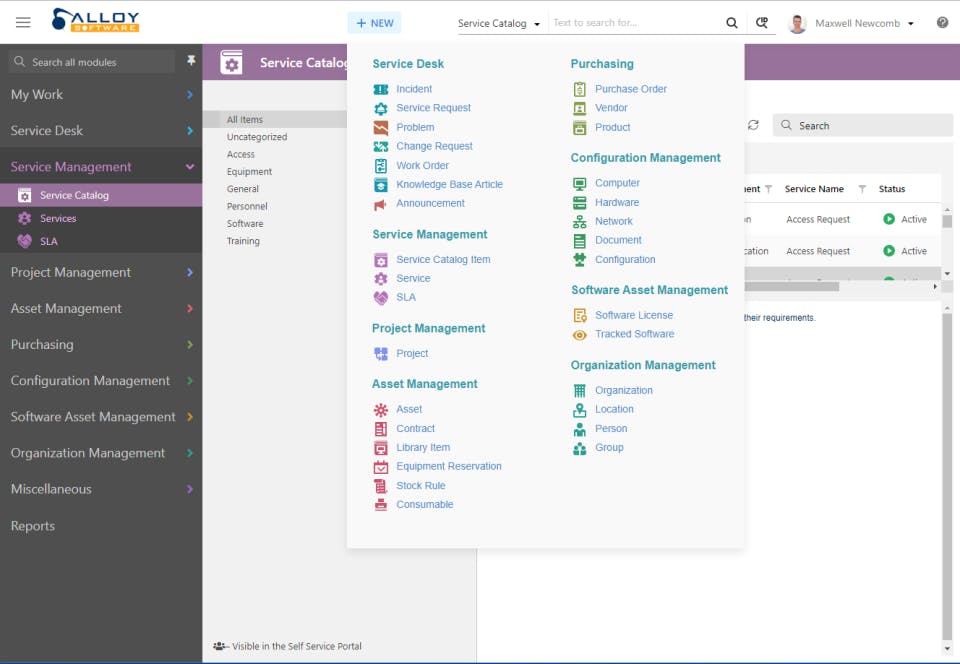
  1. Unified ITSM/ITAM: Merges the Service Desk (ticketing, incidents) and Asset Management (stock, lifecycle) right into a single, cohesive alloy itsm platform.
  2. Advanced Workflow Automation: Uses a drag-and-drop editor to layout and automate complicated IT and business strategies with out code.
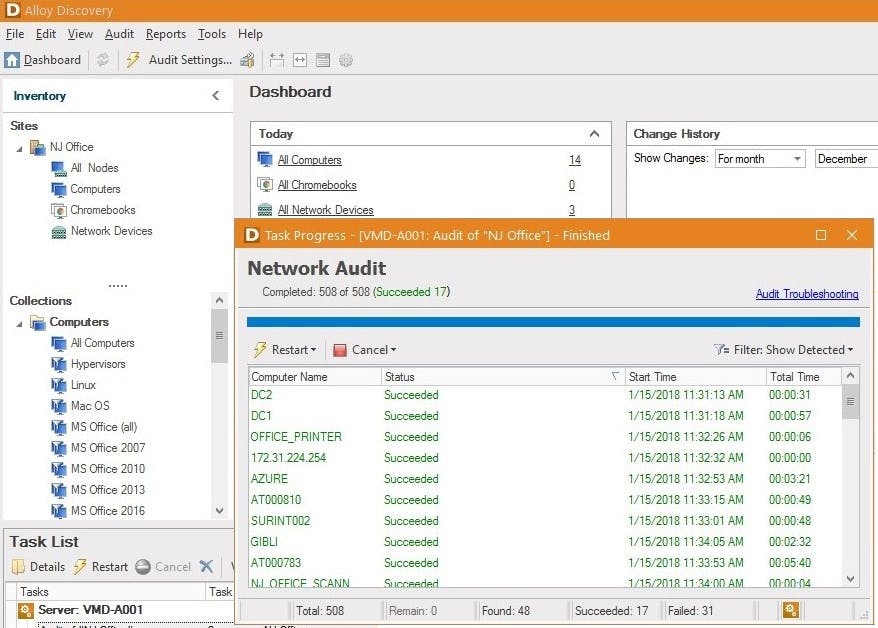
  3. Real-Time Network Discovery: Automatically audits your complete network to maintain an accurate and up-to-date Configuration Management Database (CMDB).
  4. AI-Powered Efficiency: Alloy AI courses cease-users within the Self-Service Portal and assists technicians by way of summarizing tickets and suggesting answers.
  5. Flexible Deployment: Supports both Cloud (SaaS) and On-Premises installation alternatives to meet strict safety and compliance necessities.

How to Use Alloy Navigator?

Alloy Navigator streamlines IT operations into a cohesive workflow:

  1. Ticket Creation: End-customers publish tickets via the Self-Service Portal, e-mail, or phone. The alloy software routinely routes and prioritizes the request.
  2. Asset Linking: The device mechanically links the incident price ticket to the affected configuration object (CI) or asset within the CMDB, giving the technician complete context (e.G., carrier records, license repute).
  3. Process Resolution: Technicians use ITIL-based totally workflows for Incident, Problem, or Change Management, leveraging the included Knowledge Base and alloy navigator documentation for instant decision.
  4. Tracking & Reporting: Managers use the interactive dashboards to monitor key metrics, track SLAs, and generate comprehensive reviews for compliance and price range making plans.

Powerful Features of Alloy Navigator

  1. ITIL Processes: Out-of-the-field support for Incident, Problem, Change, and Release Management based on ITIL high-quality practices.
  2. Configuration Management Database (CMDB): Automatically map relationships between property, services, and customers for complete IT operational attention.
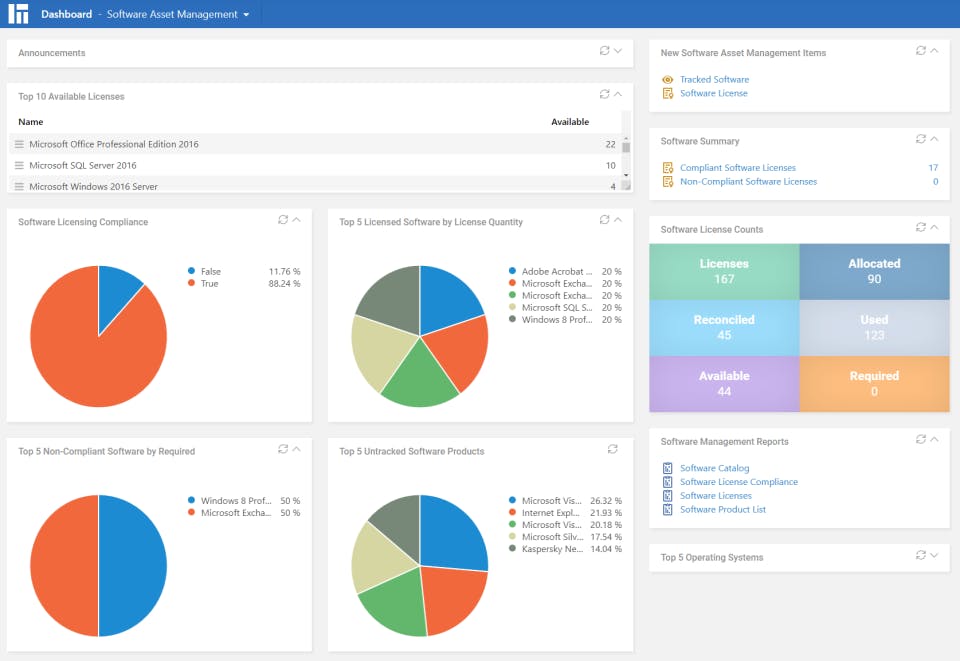
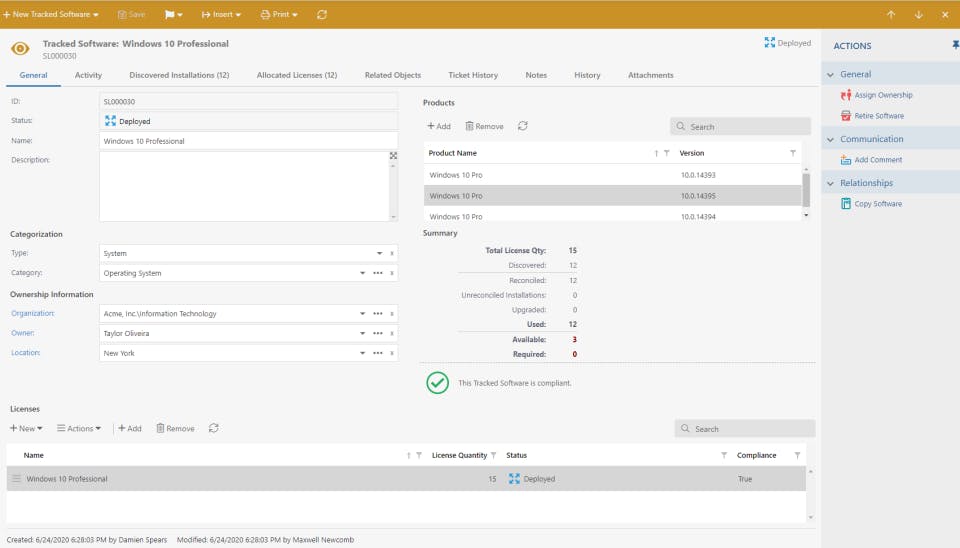
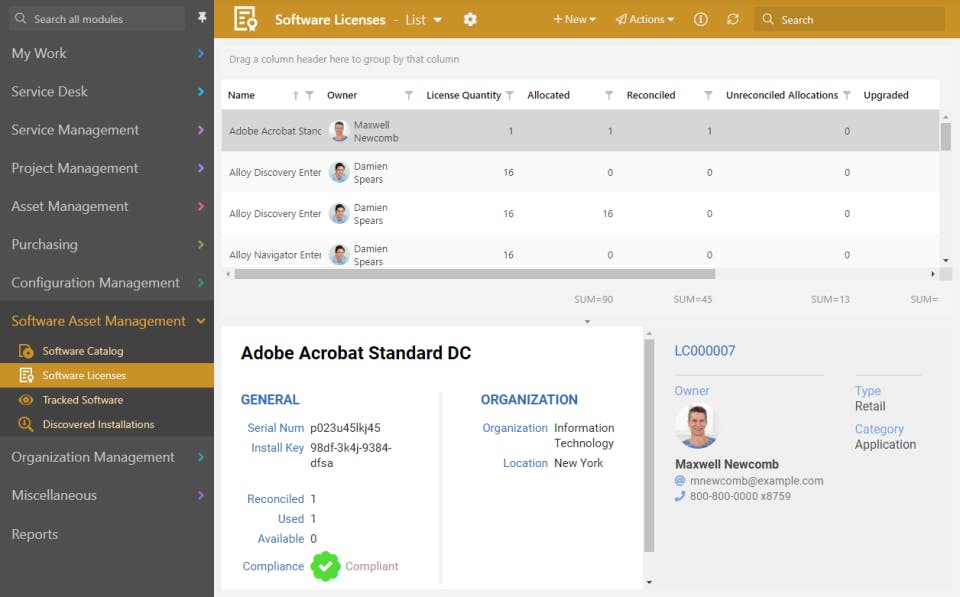
  3. Software Asset Management (SAM): Tracks license entitlements, usage, and compliance to minimize over-shopping and felony risks.
  4. Self-Service Portal: A custom branded portal where quit-users can log tickets, music popularity, and locate answers in the Knowledge Base.
  5. Mobile App for Technicians: Provides full functionality for technicians to manage tickets and belongings on the pass.
  6. AI-Driven Support: Features like AI summarization, cautioned moves, and dynamic understanding advent decorate agent productivity.

How to Get Demo of Alloy Navigator?

To see the overall power of the unified ITSM and ITAM features, you have to:

  • Request a Free Trial: Alloy offers a fully-functional, danger-loose loose trial tailored on your unique organizational needs, with devoted help team of workers to be had for the duration of the trial period.
  • Book a Live Demo: Schedule a live, personalised walkthrough with an Alloy carrier expert to attention on the features most applicable for your enterprise strategies.

Alternative

Freshdesk

Cloud-based Customer Support Software

4.3
Rating out of 5 Based on 10 reviews

Zendesk AI

From closed tickets to real resolutions with AI agents

0.0
Rating out of 5 Based on 0 reviews

Atera

All-in-one IT management with built-in AI agents

0.0
Rating out of 5 Based on 0 reviews

Alloy Navigator Video/Screenshots
User Reviews

no-reviews
Share your experience! Be the very first reviewer. Write a Review

Frequently Asked Questions (FAQs)

The user group of Alloy Navigator are as follows :

  • Startups
  • SMEs
  • Agencies
  • Enterprises

Alloy Navigator has 3 plans,

  • Alloy Navigator Explorer USD 19.00 Per Month
  • Alloy Navigator Express USD 49.00 Per Month
  • Alloy Navigator Enterprise USD 79.00 Per Month

Alloy Navigator is allowed 0 Days Free Trial.

The key featuers of Alloy Navigator are as follows :

  • Configuration Management
  • Contract/License Management
  • Inventory Management
  • Maintenance Management
  • Supplier Management
  • Compliance Tracking
  • Cost Tracking
  • Requisition Management
  • Audit Management
  • Procurement Management

Alloy Navigator pricing model : Yearly,Monthly,Onetime(Perpetual License)

Alloy Navigator is Cloud Hosted,Hybrid,On Premise,Any Software.

Alloy Navigator offers Phone,Email,Live Chat support.

Alloy Navigator provides Help Guides,Blogs,Webinars,On-Site Training for the software training.