In a single interaction, an agent might have to answer a call, update a ticket, search the knowledge base and then schedule a follow-up. The switch between applications slows you down, and can cause context switch with the customer.
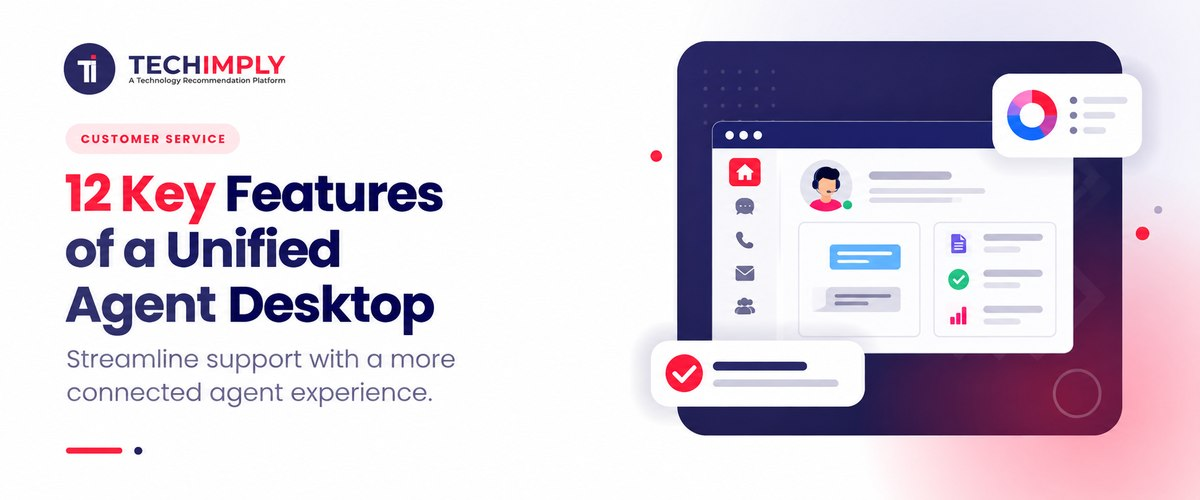
A Unified Agent Desktop brings these tasks into one place, giving you access to customer data, communication channels, CRM tools, and call controls from a single interface. Here are 12 Unified Agent Desktop features to consider when evaluating agent workspace software.

Looking for call center software?
Check out Techimply's List of best Call Center Software in India for your business.
What Is a Unified Agent Desktop?
A Unified Agent Desktop provides a single point of contact to handle customer interactions and tools needed to address them. With agent desktop software, agents can have all their telephony, CRM, ticketing, email, chat, and knowledge resources on a single screen.
For example, at the time of a customer call discussing an unclosed case, a Contact Center Agent Desktop can showcase the customer's profile, previous interactions, existing case, call controls, and related knowledge articles, in a single location.
The goal is simple: less application switching and more customer context when you need it.
12 Key Features of a Unified Agent Desktop
1. Single-Screen Agent Workspace
The most significant benefit of a Unified Agent Desktop is an agent workspace in a single screen that allows you to see the conversation, the customer record, history of interactions, the details of the case and the controls of the call all in one place.
A good Unified Agent Workspace shows the information you need without cluttering the screen. AWS, for example, combines agent tools, customer profiles, cases, contact controls, and guidance in a single workspace.
2. Omnichannel Communication
Businesses can be contacted by phone, text, e-mail, chat, and WhatsApp and other messaging applications. An Omnichannel Agent Desktop allows agents to do this on a single workspace.
Modern agent workspaces can support voice and digital interactions together. Vonage, for example, documents support for voice, SMS, WhatsApp, webchat, and email within its Agent Workspace.
3. 360-Degree Customer View
Anyone shouldn't be asking to get basic information that has already been given. A 360 degree view of the customer unites all contact data, tickets, purchases, conversations, preferences and the customer's current cases into a single workspace.
You can spot the problem and reply to it with the correct context with real-time customer data. In an e-commerce scenario, an agent will be able to see the customer's order, delivery status, past complaint and chat history before taking a call for delivery.
4. CRM Integration
CRM integration ties the Unified Agent Desktop to the CRM system where customers' data resides.
Agents can get customer information via the workspace instead of having to manually look it up in another CRM app. Some platforms also support screen pops, CRM updates, and interaction logging.
Vonage's Agent Workspace, for example, can display CRM information through its Customer 360 panel and allow agents to retrieve, create, and update CRM data.
For businesses evaluating Unified Agent Desktop software, CRM compatibility should therefore be one of the first integration checks.
5. Customer Interaction History
Customer interaction history gives agents a timeline of previous conversations and actions.
A customer may have sent in an email to support yesterday, had a chat with a support agent this morning and called again in the afternoon. Each interaction may be a new case if there is no shared history.
A Unified Agent Desktop can bring this customer interaction history into the agent workspace so the next representative can understand what has already happened.
Vonage, for instance, provides interaction history covering previous calls, chats, and emails.
6. Integrated Call Controls and CTI
For voice-based teams, a Call Center Agent Desktop needs more than a customer profile. Agents also need integrated call controls.
Common controls include:
- Answering and ending calls
- Hold and retrieve
- Mute
- Transfer
- Consultation
- Call recording
- Outbound calling
CTI integration connects telephony functions with the desktop and CRM environment. This reduces the need to operate a separate phone application while updating customer records.
Modern agent desktop software can provide these controls directly inside the browser or workspace. Vonage, for example, supports call controls and transfer functions within its Agent Workspace.
7. Knowledge Base Integration
Agents cannot remember every product specification, policy, troubleshooting step, or process.
Knowledge base integration gives them access to approved information while they handle an interaction. The information doesn't have to be in a separate knowledge portal, it could be in an agent workspace instead.
This is helpful for technical support, banking, telecom, insurance, and other businesses with clearly defined procedures and time tables.
A Unified Agent Workspace can also be linked to the customer's current issue and to the knowledge article that is relevant to that issue, making it easier to locate relevant information, than searching through an entire knowledge library.

Interesting Fact
A Unified Agent Workspace doesn’t require you to replace every existing system. AWS, for example, lets you connect third-party and internal applications, so agents can access the tools they already use from a more unified workspace.
8. AI Agent Assist
AI is becoming an important part of modern Unified Agent Desktop software.
An AI agent assist feature can analyze an active interaction and suggest the relevant knowledge article, suggested responses, summaries, etc. or next action.
Some platforms also offer real-time transcription, sentiment analysis and automated summary. Within its Agent Workspace, Vonage records features like real-time transcription, sentiment, summarization and AI-assisted disposition.
The goal is not to replace the agent. It is to reduce the amount of searching, typing, and repetitive work required during and after an interaction.
9. Workflow Automation
A Unified Agent Desktop becomes more useful when routine steps can happen automatically.
Based on the type of interaction, customer information, IVR input, case status, etc., workflows can be automated to perform an action.
For example, a billing-related call could automatically open the customer's billing record and present the correct workflow to the agent. A completed interaction could also trigger follow-up tasks or update the related case.
AWS supports configurable step-by-step guides that can be triggered according to conditions such as queues or IVR inputs.
This type of customer service automation reduces repetitive manual steps and helps agents follow consistent processes.
10. Customizable Agent Workspace
Different teams do not need the same information.
A sales support agent might require CRM records and order information, whereas a technical support agent might require troubleshooting tools and a knowledge base. An agent workspace can be customized and rearranged with widgets, fields, and applications as desired by the administrator, based on their team's workflow.
For instance, Zendesk offers contextual workspaces that can display various tools, forms, apps, and knowledge searches to certain groups of agents.
Agent workspace software is especially important when it is being utilized throughout various departments where customization is a key feature.
11. Real-Time Analytics and Agent Performance Data
A Unified Agent Desktop can also connect agents and supervisors with performance information.
Agent performance analytics can vary by platform, but it may include metrics such as number of interactions, response time, handle time, agent queue status, and many others.
Based on these findings, supervisors can let them know about their workload issues, training needs, or workflow slowdown.
The key is to make it actionable. If supervisors are not able to link numbers to operational issues, a dashboard containing dozens of numbers isn't very useful.
12. Productivity and Business Tool Integrations
Another feature we're looking at is business tool integrations. You could already have CRM, ticketing, payment, calendars or other business applications in place in your call center. The best Unified Agent Desktop software will offer integration through APIs or widgets, embedded apps, or third party integration.
For example, NICE works with CRM systems such as Salesforce, Microsoft Dynamics, and Zendesk. You need not replace any of your existing systems for you can be able to integrate your existing systems through the Unified Agent Desktop.
What Should You Look for in Unified Agent Desktop Software?
The right Unified Agent Desktop is not simply the one with the longest feature list. Start with the problems agents face every day.
|
Requirement |
Feature to Prioritize |
|
Too much application switching |
Single-screen agent workspace |
|
Customers repeat information |
|
|
Multiple support channels |
|
|
Manual CRM updates |
CRM integration |
|
Slow information lookup |
Knowledge base integration |
|
High after-call workload |
AI summaries and workflow automation |
|
Complex phone handling |
CTI and integrated call controls |
|
Different team workflows |
Customizable agent workspace |
|
Limited operational visibility |
Agent performance analytics |
|
Existing business applications |
API and third-party integrations |
Pro-tip
Before choosing agent desktop software, map one customer interaction from start to finish. Check how many apps, searches, and manual updates agents need. Then see whether the Unified Agent Workspace can simplify those steps.
Who Can Benefit From a Unified Agent Desktop?
A UID (Unified Agent Desktop) is helpful for contact centers with a high number of interactions or multiple contact methods. It can work well for customer support, BPOs, banks, telecom, e-commerce, health care, etc., service-intensive organizations.
If you are comparing broader platforms for your contact center, you can explore Techimply's list of Best Contact Center Software in India and compare solutions based on features and business requirements.
Unified Agent Desktop vs Traditional Agent Desktop
The main difference is how you work. With a traditional setup, you may have to switch between telephony, CRM, ticketing, and knowledge applications to handle one customer request. A Unified Agent Desktop brings these tools together around your workflow.
You don't need to change all the applications. Rather, the agent workspace brings the systems you already use together, providing you with customer data, communications history and business tools all in one place. This translates to reduced screen switching and more customer support.
Conclusion
With a Unified Agent Desktop, you can have the tools, customer information and workflows you need all in one place. Everyday tasks can be easier and less time spent on screen switching with the right Unified Agent Desktop features like omnichannel communication, CRM integration, AI agent assist, workflow automation, analytics, and CTI.
To select Unified Agent Desktop software, keep in mind how well the software integrates with your team's process, and not the number of features it provides. Right platforms should enable you to find information quicker, work more efficiently and help customer issues in less effort.
Related Reads
- 5 Best AI Note Takers for Phone Calls in 2026
- Why Cloud Call Centers Matter for Modern Businesses
- UAE Phone Number Format & Dialing Code Guide
- How To Check Call History Of Any Number Online? - Try For Free!
- How to Find a Phone Number Owner? [6 Free & 3 Paid Methods]
- What is a Cloud Contact Center software and How Does it Work?
- Call Analytics Feature for Cloud Call Center Software