The start of a work week at a business with fifty employees involves a recurring process. An employee opens a laptop and enters credentials for eight or nine different software accounts before they begin work - those accounts include email, the customer relationship management system, the project management tool, the human resources portal, and the digital storage drive. By the time technical support staff receive the first request for assistance, the issue is often a forgotten password. Single sign-on exists to eliminate those repetitive login steps.

Looking for Single Sign-On Software?
Check out Techimply's List of the Best Single Sign-On Software in India for your business.
Single sign on (SSO) modifies this process by centralizing authentication within one identity management system. After a staff member signs in to this primary account, the identity provider confirms that the staff member is already verified when they open other linked programs. For a company that is increasing in size, this is more than a simple way to enter accounts. SSO changes how administrators handle rights for corporate software, when identity verification takes place, and how technical teams oversee employee access to digital tools.
What Is Single Sign-On (SSO)?
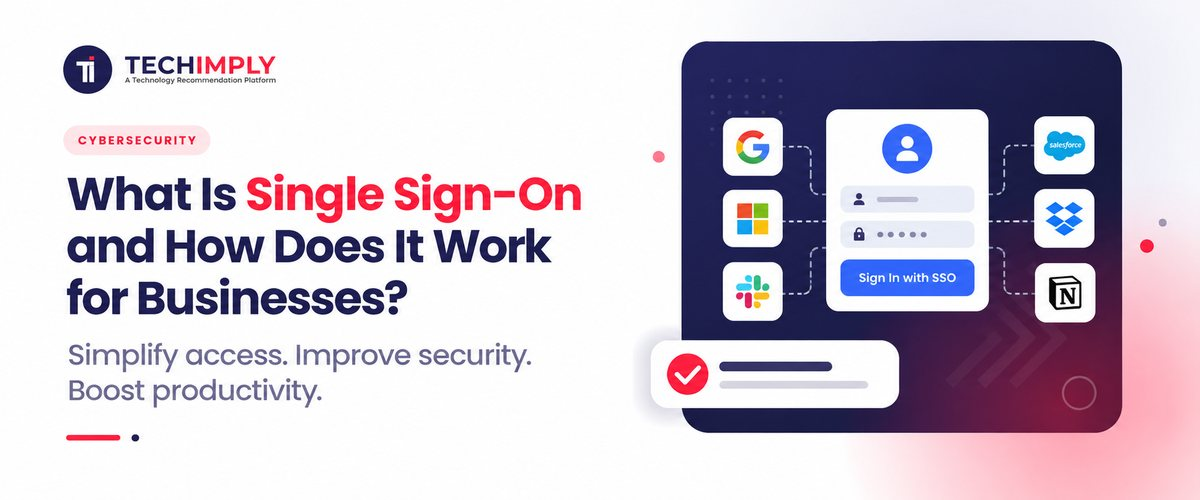
Single sign-on (SSO) permits a team member to log on to multiple connected tools or applications without having to remember passwords for each one. Single sign-on means that each tool or application does not double-check a user's authentication. The identity provider, or authentication service, handles the login. This makes password management easier for employees, who use fewer passwords for applications, and easier for the IT infrastructure to maintain.
Every linked program then relies on that single confirmation instead of performing an independent check. The practical result is one login screen in the morning instead of a dozen scattered across the day. The employee is not remembering fewer passwords by accident. The system is architected so that most applications never ask for a separate one at all.
Do You Know?
The identity provider in a single sign-on setup does not usually store separate passwords for each connected application at all. Many applications never see a password from the user in the first place, only the signed token confirming who they are.
How Does Single Sign-On Work?
The mechanics are more approachable than they sound. Three parties are involved: the user, the identity provider, and the application the user is trying to reach, often called the service provider.
- The user tries to open an application, for example, the company’s project management tool
- The application checks whether the user already has a valid session and, if not, redirects them to the identity provider instead of showing its own login form
- The user proves their identity to the identity provider, usually with a password plus a second factor
- The identity provider sends back a signed token confirming who the user is
- The program verifies that the digital token originates from the authorized identity provider and permits the staff member to enter.
- On the next program, the system uses the same identity provider session again, and as a result, the staff member is not required to provide credentials a second time.
That signed token is the part doing the real work. It is what enables a dozen unconnected apps to trust one login event instead of each one checking the user by themselves; it is also why single sign-on scales so considerably better than any manual password-sharing workaround could ever achieve.
What Problem Does SSO Solve for Growing Businesses?
The productivity angle gets most of the attention, but the underlying problem is really about password management at scale. A company that runs thirty apps, each with its own login, is essentially asking every employee to handle thirty distinct sets of login information. Most individuals are unable to do that safely.
They reuse passwords, record them, or select something simple to remember and simple to guess. Single sign-on removes most of those passwords from the picture entirely. There is usually just one credential to manage well, protected by stronger authentication, instead of thirty weak ones scattered across different systems with no consistent policy behind any of them.
How Is SSO Different From a Password Manager?
This is a common point of confusion, since both promise to reduce how many passwords someone has to remember. A password manager keeps individual passwords for each application and automatically inputs them as needed. The applications are unaware that a password manager is in use, and each continues to manage its own separate account and credentials.
Single sign-on removes the separate password altogether for most connected applications. The application never requested one in the first place; thus, no credential is being autofilled. With a password manager, IT still has to turn off dozens of individual accounts one by one; a well-connected single sign-on system may help to cut off access to every linked application by turning off one identity. That difference matters most when an employee departs.
What Are the Main Types of SSO Businesses Use?
Not every SSO setup looks the same, and the right one depends on who is logging in and where.
- Workforce SSO, where employees log into internal business applications through one company-managed identity provider
- Federated SSO, where two separate organisations trust each other’s identity systems, common in partnerships and supply chain integrations
- Social or consumer login, whereby a customer-facing program enables consumers to log in using an existing account from another supplier instead of creating a new one.
Most companies initially refer to Workforce SSO when they bring up the subject, and it usually forms part of a larger identity and access management plan that includes permissions, roles, and regular access reviews in addition to login. Customer-facing login, while related in mechanism, is usually managed as a separate concern with its own tools and its own priorities.
What Should a Business Check Before Adopting Single Sign-On?
A few practical questions tend to matter more than the marketing material on any given SSO platform.
- Does the application you rely on most actually support SSO, or will it remain a separate login regardless of what you buy?
- Can the platform pair SSO with a second factor, whether an authenticator app or biometric authentication, rather than relying on a single credential alone
- How quickly can an administrator revoke access across every connected application when someone leaves
- Does the platform give clear session and login logs, since that visibility matters for both security management and any future compliance work?
- What happens if the identity provider itself is briefly unavailable, and is there a fallback for critical systems

Pro-tip
List every program your staff really use daily and check SSO capability for each one separately before releasing single sign-on across the company. It is often found that two or three regularly used tools are not yet supported, therefore altering the rollout sequence more than any feature comparison would.
How Long Does a Single Sign-On Rollout Usually Take?
The timelines for connecting applications can differ based on the number involved, but a common pattern emerges. Usually, the fastest phase is connecting the main apps most of the team uses daily. Less often used tools, on the other hand, often relied upon by only one or two people, usually take longer to integrate, as their absence is only felt when someone especially needs them.
Many companies see the introduction of single sign-on as a continuous project instead of a one-time change; they give apps top priority based on their importance instead of holding off till all tools are totally ready to get the advantages. Small businesses can use it too; for them, the benefit usually shows up more quickly since a smaller IT staff has less capacity to manually handle password reset requests.
When Should a Business Consider SSO?
SSO becomes more relevant as the number of business applications increases. A company with five employees and two applications may have no compelling reason to introduce a sophisticated identity architecture. Things take a different turn when a business has hundreds of SaaS apps, regular hiring, remote access, contractors, and several teams working across several platforms.
A business should assess:
- How many applications require employee logins
- How access is currently provisioned and removed
- Whether employees reuse passwords
- Whether MFA is consistently applied
- How quickly former employees lose application access
- Which applications support SAML or OIDC
- Who manages identity and access policies
The answers help determine whether a single sign-on platform would solve an actual operational problem rather than simply adding another security system.
Conclusion
Single sign-on is a login architecture, not a single product feature, and it changes how identity is managed across every connected application rather than fixing one login screen at a time. For a business juggling a growing list of tools and a shrinking amount of patience for password reset tickets, that shift in architecture tends to matter more than any individual feature on a single sign-on platform’s pricing page.
Related Reads :
- How Does CIAM Improve Customer Login and Account Security?
- Why Banks and NBFCs in India Are Prioritizing Privileged Access Management Under RBI and SEBI Rules
- Top Privileged Access Risks Businesses Face Today
- Top No-Code vs Low-Code: Differences, Examples & Guide
- What Is IAM and Why Is It Important for Business Security?

.png "Role of Tablets in Enhancing Healthcare Efficiency")