Domo

The AI and DataProducts Platform

0.0
Rating out of 5 Based on 0 reviews

What is Domo?

Domo is a cloud-based business intelligence (BI) and data visualization platform designed to help organizations make data-driven decisions in real time. It connects seamlessly to a wide variety of data sources—cloud services, on-premise systems, and spreadsheets—to centralize and unify data in one platform. With its user-friendly interface and powerful analytics tools, Domo transforms complex data into interactive dashboards, charts, and visualizations. It enables teams to collaborate, share insights, and act on real-time metrics. Domo is highly scalable, making it suitable for startups, large enterprises, and everything in between. Whether you're looking to monitor KPIs, automate reporting, or build custom apps, Domo provides a flexible solution for modern data needs.

Pricing of Domo

Free

USD 0.00
USD 0.00

Buy Now
  • Try out the Domo platform for 30 days. No credit card required.
  • Full platform
  • Unlimited users
  • Onboarding support
  • Self-service education
  • One training session

Paid

USD 0.00
USD 0.00

Buy Now
  • Only pay for what you use and scale with confidence.
  • Full platform for unlimited users
  • Dedicated account team
  • Custom add-ons available
  • Volume discounts
  • Support packages
  • AWS private link
  • Free self-service education
  • HIPAA-compliant environment

Key Features of Domo

Key Features:
  • Time on Site Tracking
  • Goal Setting / Tracking
  • Data Management
  • ETL
  • Multiple Data Sources
  • Dashboard
  • Web Services
  • KPI Monitoring
  • Employee Management
  • Feedback Management
  • 360 Degree Feedback

Who uses Domo

Personal
Personal
StartUps
StartUps
SMEs
SMEs

Company Details

Company Name: Domo
Headquarter: Utah United States
Social Media:

Domo Description

Why Choose Domo?

Domo stands out as a comprehensive solution for businesses looking to harness the power of data. Its ability to integrate with hundreds of data sources means companies can break down data silos and achieve a unified view of performance. With real-time dashboards and alerts, users are empowered to make fast, informed decisions. Domo’s drag-and-drop interface allows even non-technical users to create powerful visualizations and reports. Additionally, its mobile-first approach ensures that insights are always accessible, whether you're in the office or on the go. Organizations choose Domo for its speed, scalability, and collaborative features that bring data to life across departments.

Benefits of Domo

  • Real-time Insights – Access up-to-the-minute data to make timely decisions.
  • Data Centralization – Unify data from various sources in one platform.
  • Improved Collaboration – Share dashboards and reports across teams easily.
  • Mobile Access – Analyze and manage data from anywhere with Domo’s mobile app.
  • Scalable Architecture – Works efficiently for small teams and large enterprises alike.
  • Faster Decision-Making – Get alerts and automate workflows to act quickly.
  • Custom App Building – Create custom apps and tools to suit unique business needs.
  • No-Code/Low-Code Tools – Empower non-technical users to build reports and dashboards.

How to Use Domo

Using Domo begins with connecting your data sources—such as databases, Best CRM Software platforms, social media, or spreadsheets—into the platform. Once connected, Domo ingests and organizes this data for analysis. Users can then create dashboards using drag-and-drop tools to build visualizations like charts, graphs, and KPIs. Custom alerts and automated workflows can be set up to notify stakeholders of changes or trigger actions based on data trends. Teams can collaborate directly within Domo by commenting on dashboards or sharing insights. Additionally, advanced users can leverage Domo’s data transformation tools (ETL), machine learning capabilities, or build custom apps using Domo App Studio. The platform is designed to fit various skill levels—from data analysts to business users.

Features of Domo

  • Data Integration – Connects with over 1,000 data sources.
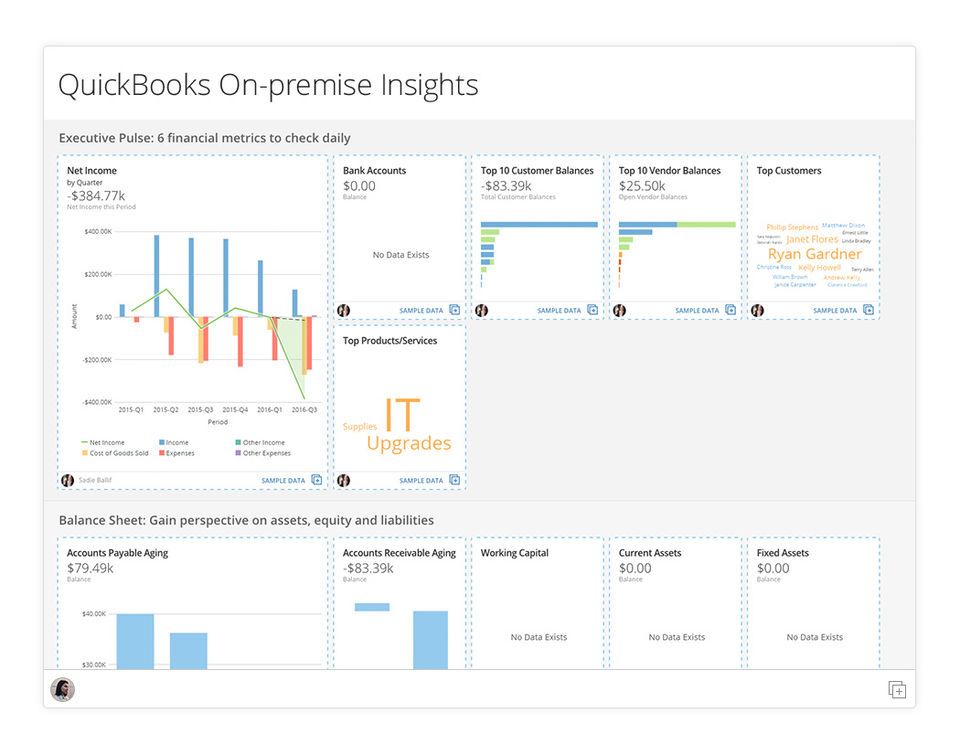
  • Interactive Dashboards – Real-time visualizations and KPI tracking.
  • ETL Tools – Built-in drag-and-drop data transformation tools.
  • Alerts & Notifications – Automated alerts based on data changes.
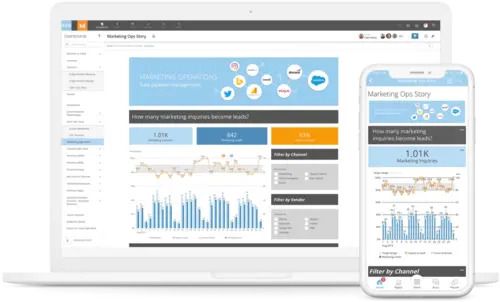
  • Mobile App – Full-featured mobile experience.
  • Custom App Development – Build tailored apps using Domo App Studio.
  • Collaboration Tools – Commenting, sharing, and team interaction within dashboards.
  • AI & Machine Learning – Built-in tools for predictive analytics.
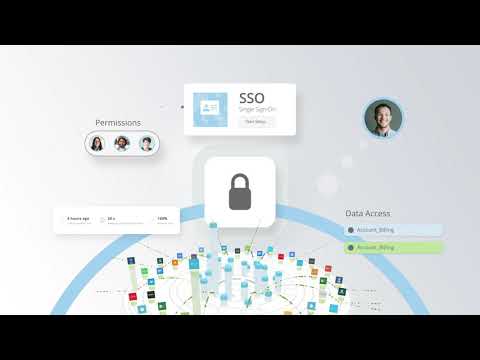
  • Governance & Security – Role-based access and compliance controls.

What Makes Domo Different?

Domo differentiates itself through its all-in-one platform that combines data integration, transformation, visualization, and collaboration in a single ecosystem. Unlike many BI tools that focus solely on dashboards or reporting, Domo offers full-stack capabilities, including app development and real-time alerts. Its strength lies in speed: Domo can ingest, process, and visualize data faster than many traditional BI tools. Its mobile-first design ensures that decision-makers are always connected to key insights, no matter where they are. Additionally, Domo emphasizes user empowerment through no-code tools, enabling business users to extract value from data without relying heavily on IT. This blend of accessibility, scalability, and innovation sets Domo apart in the BI landscape.

Who Can Benefit from Domo?

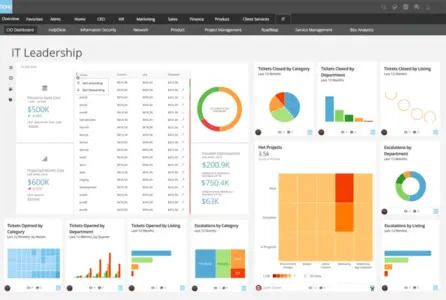
Domo is highly versatile and benefits a wide range of users and industries. Executives can monitor company-wide performance metrics in real time. Sales teams can track pipelines, conversions, and customer data more effectively. Marketing teams benefit from campaign performance dashboards and ROI tracking. Finance departments can visualize budgeting and forecasting data with ease. Operations and logistics teams gain insights into supply chain and workflow efficiencies. IT departments use Domo for system monitoring and governance. Whether you're a small business or a global enterprise, Domo adapts to your needs, making it a valuable tool for any team that relies on data for strategic decisions.

Is Domo Easy to Use?

Yes, Domo is designed to be user-friendly, especially for non-technical users. Its intuitive drag-and-drop interface allows users to build dashboards, transform data, and generate reports without writing code. For those with technical expertise, Domo also offers advanced tools and scripting options. The platform provides guided setup processes, in-app tutorials, and a rich library of templates to help users get started quickly. Moreover, its mobile app ensures that users can interact with their data on the go. While there is a learning curve for mastering more advanced features, Domo's accessibility and helpful support resources make it approachable for most business users.

What Support Does Domo Offer?

Domo offers a wide range of support options to ensure user success. These include 24/7 customer support, a comprehensive knowledge base, video tutorials, and community forums where users can exchange tips and solutions. Depending on their subscription plan, customers can access live chat, email, and phone support. For more personalized assistance, Domo provides dedicated account managers, onboarding services, and custom training sessions. The platform also includes in-product guidance and a help center for quick answers. Additionally, Domo University offers self-paced learning modules and certification programs to help users deepen their skills.

Alternative

monday.com

Made for work, designed to love

3.9
Rating out of 5 Based on 10 reviews

Wrike

One platform to streamline all workflows

4.2
Rating out of 5 Based on 10 reviews

Lattice

Join 5,000+ forward-thinking teams using Lattice’s HR and AI tools to manage people, pay, and performance — all on one trusted platform.

0.0
Rating out of 5 Based on 0 reviews

Domo Video/Screenshots

Domo Key Clients
User Reviews

no-reviews
Share your experience! Be the very first reviewer. Write a Review

Frequently Asked Questions (FAQs)

The user group of Domo are as follows :

  • Personals
  • Startups
  • SMEs

Domo has 2 plans,

  • Free USD 0.00
  • Paid USD 0.00

Domo is allowed 7 Days Free Trial.

The key featuers of Domo are as follows :

  • Time on Site Tracking
  • Goal Setting / Tracking
  • Data Management
  • ETL
  • Multiple Data Sources
  • Dashboard
  • Web Services
  • KPI Monitoring
  • Employee Management
  • Feedback Management
  • 360 Degree Feedback

Domo pricing model : Yearly,Monthly

Domo is Online Software.

Yes

Domo offers Phone,Email,Live Chat,Online (Ticket) support.

Domo provides Help Guides,Blogs for the software training.