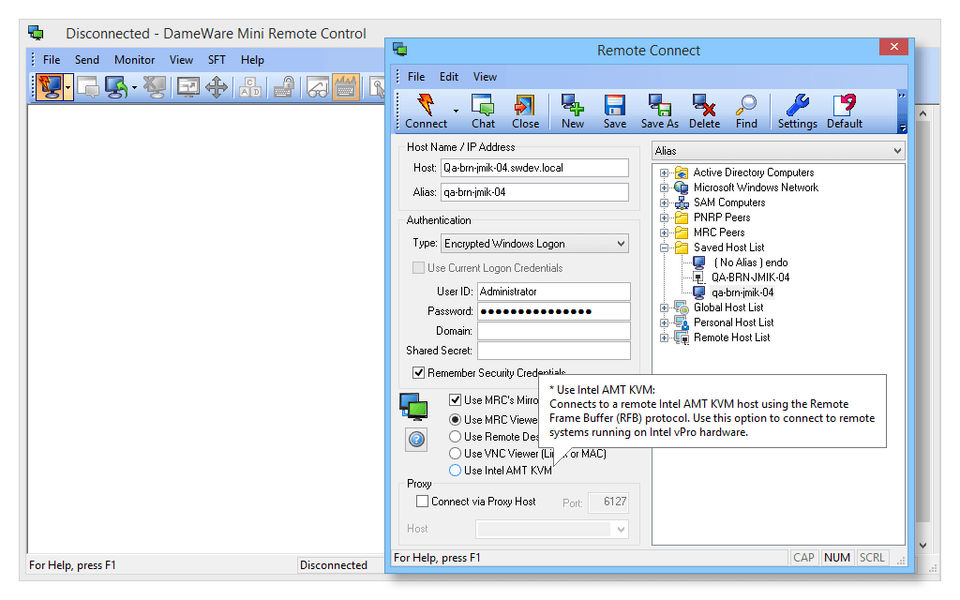
What is Dameware Mini Remote Control? Dameware Mini Remote Control is a remote control software that helps you with customer support and your help desk needs. You can remotely control Windows, Linux, and Mac OS X computers, laptops, and servers from a single console. You can also remotely connect to out-of-band computers with Intel® vPro™ with AMT, Wake-on LAN, and KVM support.
Pricing of Dameware Mini Remote Control
- Remote desktop control
- File transfer
- Screen sharing
- Remote administration
- In-session chat
- Wake-on-LAN
- Multi-OS support
- Smart-card authentication
- Remote screenshots
- Active Directory integration
Key Features of Dameware Mini Remote Control
Key Features:
Key Specification
| Other Categories: | Remote Access Software Remote Access Software For Mac Remote Access Software For PC |
|---|---|
| Deployment: | Cloud Hosted |
| Customer Support: | Online (Ticket),Business Hours |
| Customization: | No |
| Languages Support: | English |
Who uses Dameware Mini Remote Control

SMEs

Enterprises
Company Details
| Company Name: | Dameware Mini Remote Control |
|---|---|
| Headquarter: | Austin, Texas United States |
| Social Media: |
Dameware Mini Remote Control Description
Most Popular Software


ManageEngine Remote Access Plus
Enterprise Remote Control and IT Support Software for Instant, Secure IT Troubleshooting – Anytime, Anywhere.
 0.0



Alternative
ManageEngine Remote Access Plus
Enterprise Remote Control and IT Support Software for Instant, Secure IT Troubleshooting – Anytime, Anywhere.
0.0
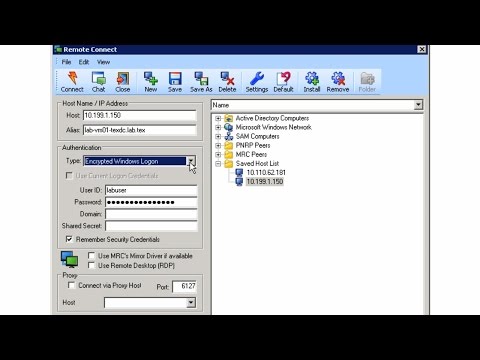
Dameware Mini Remote Control Video/Screenshots


User Reviews

Frequently Asked Questions (FAQs)
The user group of Dameware Mini Remote Control are as follows :
- SMEs
- Enterprises
Dameware Mini Remote Control has 1 plans,
- Startup plan USD 370
Dameware Mini Remote Control is allowed 0 Days Free Trial.
The key featuers of Dameware Mini Remote Control are as follows :
- Remote Control
- Screen Sharing
- Multi-Platform Support (Windows, Mac, Linux)
- Mobile Device Support
Dameware Mini Remote Control pricing model : Onetime(Perpetual License)
Dameware Mini Remote Control is Online Software.
No
Dameware Mini Remote Control offers Online (Ticket),Business Hours support.
Dameware Mini Remote Control provides Help Guides,Video Guides,Blogs for the software training.