
Laplink

Laplink

Don't Wait

0.0
Rating out of 5 Based on 0 reviews

Laplink Everywhere is a remote access and support platform designed to help individuals and organizations connect securely to computers from any location. It enables real-time remote control of desktops and laptops, allowing users to view screens, transfer files, run applications, and troubleshoot systems as if they were physically present. The software is useful for IT teams providing help desk support, managed service providers, tech support staff, and anyone who needs reliable remote access to systems for maintenance, updates, or problem resolution.

Security and usability are core priorities for Laplink Everywhere. It offers encrypted connections, authentication options, access controls, and user-based permission settings, making it suitable for enterprise deployments as well as small business or individual use. The platform supports both on-demand remote support sessions and scheduled remote access for routine tasks. By consolidating remote control, file transfer, and session management into a single interface, Laplink Everywhere helps reduce downtime, accelerate support resolution, and minimize the need for physical site visits.

Pricing of Laplink

no-pricing
For get detailed pricing as per your requirements.

Key Features of Laplink

Key Features:
  • Data Security
  • Real Time Monitoring
  • Network Security
  • Remote Monitoring & Management
  • Remote Access/Control
  • Remote Support
  • Security Management
  • Access Controls/Permissions
  • Known Issue Management
  • Remote Control
  • Access Control
  • SLA Monitoring
  • Server Monitoring
  • IP Address Monitoring
  • User Roles And Permissions

Who uses Laplink

StartUps
StartUps
SMEs
SMEs
Agencies
Agencies
Enterprises
Enterprises

Company Details

Company Name: LAPLINK SOFTWARE INC.
Headquarter: Bellevue, Washington United States
Website: Visit Website go-to-link
Social Media:

Laplink Description

In modern business and technology environments — especially with the rise of remote work, distributed teams, and cloud-based systems — the ability to access and manage computers remotely is essential. Traditional methods, such as physical visits, VPN access, or fragmented tools, can be slow, insecure, and difficult to administer. Laplink Everywhere is designed to address these challenges by providing a comprehensive remote access and support platform.

At its core, Laplink Everywhere allows a technician, administrator, or authorized user to establish a secure remote session with another computer over the internet. Once connected, the user can see the remote screen, control the keyboard and mouse, interact with applications, and resolve issues in real time. This provides a seamless experience for both support personnel and end users, enabling troubleshooting, installations, training, and system configuration without geographic constraints.

Security is a foundational element of the platform. Remote sessions use encrypted communications to protect data in transit and prevent unauthorized access. Administrators can establish user roles, define permissions, and enforce authentication policies, ensuring that remote access complies with organizational security standards. Comprehensive session logs and audit trails help with accountability and support governance or compliance requirements.

Laplink Everywhere also includes support-oriented features such as file transfer, which enables moving files between local and remote systems without external tools; remote printing, which allows documents on the remote machine to be printed via a local printer; and chat during sessions, which facilitates communication between technician and end user. Scheduled access capabilities allow support teams to routinely connect to managed systems for updates, maintenance, or monitoring.

Because it combines remote control, collaboration tools, and secure access into one platform, Laplink Everywhere is valuable for help desks, IT operations teams, support providers, and any organization that needs efficient, secure, and versatile remote access. It reduces operational costs, improves support response times, and enhances user satisfaction by enabling fast resolution of issues regardless of location.


Key Features & Specifications

Remote Access & Control

  • Secure remote control of desktops and laptops

  • Real-time screen viewing and interaction

  • Support for multiple concurrent remote sessions

  • Cross-platform compatibility for various operating systems

Security & Governance

  • Encrypted remote sessions for security

  • Role-based access controls and user permissions

  • Authentication options for secure access

  • Activity logs and session records for auditing

Support & Collaboration Tools

  • File transfer between local and remote systems

  • Remote printing to local printers

  • In-session chat for communication

  • Session scheduling for routine support and maintenance

Operational Efficiency

  • Centralized session and user management

  • On-demand support and scheduled access options

  • Tools for routine maintenance and patching

  • Designed to reduce downtime and support costs

Alternative

NinjaOne

Automate the hardest parts of IT

0.0
Rating out of 5 Based on 0 reviews

Getscreen.me

Access Anywhere: Instant Browser-Based Remote Desktop Software

0.0
Rating out of 5 Based on 0 reviews

SuperOps.ai

Your Friendly Neighborhood


4.2
Rating out of 5 Based on 10 reviews

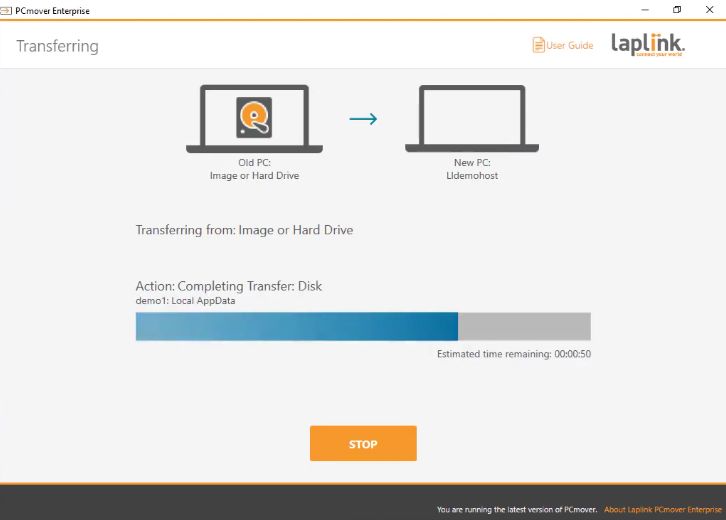
Laplink Video/Screenshots

User Reviews

no-reviews
Share your experience! Be the very first reviewer. Write a Review

Frequently Asked Questions (FAQs)

The user group of Laplink are as follows :

  • Startups
  • SMEs
  • Agencies
  • Enterprises

Laplink has 0 plans.

Laplink is not allowing Free Trial.

Laplink pricing model : Yearly,Monthly,Transaction

Laplink is Cloud Hosted,Hybrid,Any Software.

Yes

Laplink offers Phone,Email,Live Chat support.

Laplink provides Help Guides,Video Guides,Blogs,Webinars,Case Studies,Whitepapers for the software training.