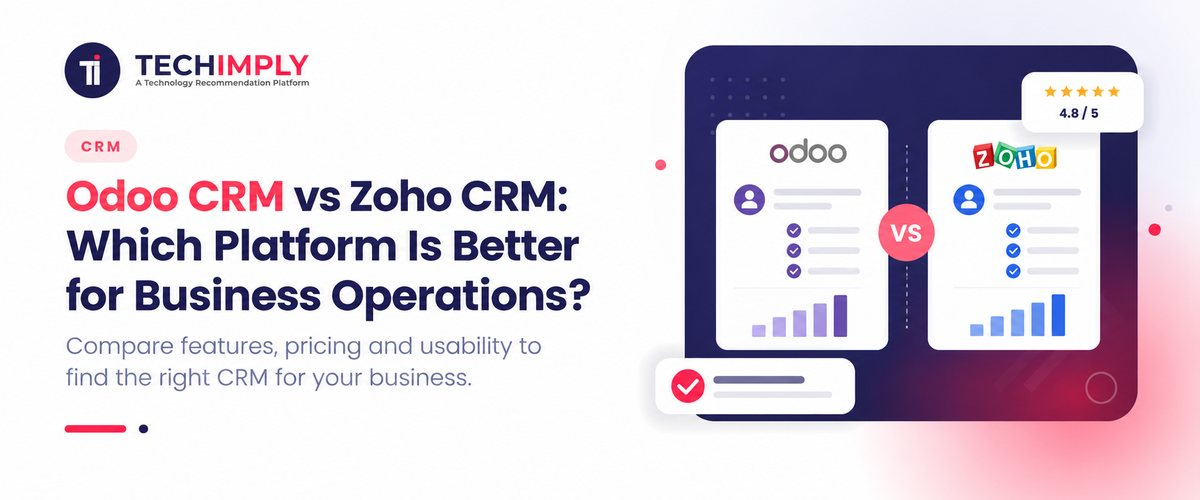
Choosing the right software for your business operations often comes down to a fundamental architectural question: Do you need a dedicated sales-first customer relationship management system, or do you need a business management ecosystem where CRM is deeply integrated with your inventory, accounting, manufacturing, and day-to-day operations?
When evaluating Odoo CRM and Zoho CRM, businesses are rarely just comparing user interfaces or basic pipeline boards. They are evaluating how well their sales software connects to the rest of their enterprise architecture. Odoo CRM appeals heavily to organizations looking for an open-source, modular ERP framework where CRM flows natively into accounting, manufacturing, and supply chain operations. Conversely, Zoho CRM is built as a powerhouse of sales execution, packed with advanced automation, multi-channel communication tools, robust analytics, and an extensive suite of standalone business applications.
This comprehensive guide analyzes odoo vs zoho crm, comparing features, pricing models, developer APIs, ease of implementation, and scalability to help you decide which platform best fits your operational requirements.
Odoo vs Zoho CRM: Quick Comparison
Before diving into granular details, this quick reference table contrasts the core operational philosophies of odoo vs zoho:
|
Criteria |
Odoo CRM |
Zoho CRM |
|
Core Focus |
CRM connected directly to an integrated ERP and operational ecosystem |
Comprehensive sales execution and customer relationship management |
|
Lead Management |
Leads, opportunities, custom stages, and scheduled activities |
Advanced lead scoring, assignment rules, workflows, and blueprints |
|
Sales Quotations |
Seamlessly integrated with Odoo Sales and Inventory modules |
Flexible configuration, dependent on custom fields or Zoho Finance apps |
|
Inventory & Manufacturing |
Native apps within the unified Odoo suite |
Typically requires integration with Zoho Inventory or external ERPs |
|
Customization |
Configurable modules, Python-based source code access, and studio tools |
Custom fields, workflow automation, deluge functions, and developer console |
|
Ecosystem |
Fully unified enterprise resource planning (ERP) modules |
Extensive cloud suite (Zoho One, Zoho CRM Plus, finance, marketing apps) |
|
Hosting Options |
Flexible options (Odoo Online, Odoo.sh, On-Premise/Self-Hosted) |
Cloud-hosted SaaS (secure multi-tenant architecture) |
|
Best Fit |
Businesses wanting sales tightly coupled with back-office operations |
Businesses prioritizing dedicated sales automation and CRM-led pipelines |
Note: Feature availability, limits, and exact licensing conditions vary based on your selected subscription tier, edition, and custom configuration.
What Is Odoo CRM Software?
Odoo CRM software is part of the broader Odoo suite a modular, open-source ERP system. Unlike traditional standalone CRMs that operate in a silo, Odoo CRM is architected to be the front-facing engine of a complete business management infrastructure.
Key Features of Odoo CRM Software
- Intuitive Pipeline Management: Visual Kanban boards allow sales teams to drag and drop opportunities through custom pipeline stages, track expected revenues, and monitor probabilities.
- Activity & Lead Scheduling: Automatic reminders, call logs, meeting schedulers, and email integration ensure sales reps never drop a follow-up.
- Integrated Quotation Generation: Transform leads and opportunities into professional sales quotations and invoices without leaving the app.
- Advanced Reporting & Dashboards: Real-time analytics provide insights into expected revenues, team performance, pipeline velocity, and lost-opportunity analysis.
How Odoo CRM Connects Sales, Inventory, and Invoicing
The primary advantage of Odoo CRM is its native integration framework. When a deal is marked as "Won" in Odoo CRM, the system can automatically trigger inventory checks, reserve stock, generate delivery orders in the warehouse module, and issue an invoice in Odoo Accounting. This eliminates double data entry and gives managers end-to-end visibility from initial lead capture to final revenue recognition.
What Is Zoho CRM?
Zoho CRM is a mature, cloud-based customer relationship management platform built to optimize sales pipelines, automate repetitive administrative tasks, and elevate customer engagement across multiple communication channels.
Key Features of Zoho CRM
- Omnichannel Lead & Contact Management: Capture leads seamlessly from websites, live chat, social media channels, and incoming emails.
- Sales Automation (Workflow Rules & Blueprints): Automate lead assignments, trigger instant follow-up emails, and enforce strict sales processes using Zoho's visual process builder (Blueprints).
- AI-Powered Sales Assistant (Zia): Predict customer behavior, identify anomalies in sales trends, score leads accurately based on engagement, and receive smart suggestions for the best time to contact prospects.
- Comprehensive Analytics: Pre-built and customizable reports track key performance indicators (KPIs), sales cycle duration, and conversion bottlenecks.
Zoho CRM Within the Wider Zoho Ecosystem
Zoho CRM integrates effortlessly with other applications in the Zoho suite such as Zoho Campaigns for email marketing, Zoho Desk for customer support, and Zoho Books for accounting. For organizations looking for total operational coverage, Zoho CRM Plus bundles these capabilities into an integrated customer experience platform.
Odoo vs Zoho CRM: Feature-by-Feature Comparison
Lead and Opportunity Management
- Odoo CRM: Focuses on a clean, fast, and lightweight pipeline experience. Lead qualification, tagging, and assignment are straightforward, relying heavily on Kanban workflows and activity-based scheduling.
- Zoho CRM: Excels in sophisticated lead management. It includes advanced lead scoring rules, territory management, automated round-robin lead assignment, and verification mechanisms to filter spam before it reaches sales reps.
Sales Automation and Workflows
- Odoo CRM: Uses automated actions and server-side rules to trigger activities or send emails when records change. Because it ties into the ERP core, automation can span across manufacturing and procurement rules.
- Zoho CRM: Features a highly visual and granular automation engine. Workflows, macros, and Blueprints allow sales leaders to mandate specific steps before a deal can progress to the next stage, minimizing rogue sales behaviors.
Reporting and Sales Forecasting
- Odoo CRM: Provides robust standard dashboards tracking revenue targets, lost reasons, and salesperson performance. Custom reports can be built easily using Odoo’s built-in filters and pivot views.
- Zoho CRM: Offers advanced analytics capabilities through both native reporting and integration with Zoho Analytics. It features deep sales forecasting tools that allow managers to set quotas, evaluate historical data, and project quarterly revenue accurately.
Customization and Flexibility
- Odoo CRM: Built on an open-source model. If a business needs a custom data field, a unique workflow constraint, or an entirely new module, developers can modify the Python source code or build custom apps.
- Zoho CRM: Highly customizable through point-and-click tools (custom fields, page layouts, validation rules) and programmable via Deluge scripting in the developer console. However, you are constrained by the SaaS boundaries of Zoho's cloud environment.
Integrations and Business Operations
- Odoo CRM: Shines when your business operations (inventory, manufacturing, point of sale, HR, e-commerce) need to live under the same software umbrella as your CRM.
- Zoho CRM: Excels when connecting best-of-breed front-office tools. It integrates smoothly with hundreds of third-party business applications (like G Suite, Microsoft 365, Mailchimp, and Stripe) alongside the native Zoho ecosystem.
Odoo CRM Pricing vs Zoho CRM Pricing
When evaluating Odoo CRM pricing and Zoho CRM pricing, businesses must look beyond base monthly subscription fees to calculate the true Total Cost of Ownership (TCO).
Odoo CRM Pricing: What Should Businesses Expect?
Odoo utilizes a unique pricing structure depending on the deployment model:
- Odoo Online (SaaS): Often features attractive per-user pricing or bundled app discounts, though certain advanced features or multi-app environments require paid plans.
- Odoo Enterprise: Billed per user, granting access to all integrated enterprise apps. However, implementing an ERP solution like Odoo often requires professional implementation partners, customization, and server hosting (such as Odoo.sh or on-premise infrastructure).
Zoho CRM Pricing: Plans and Feature Limits
Zoho CRM offers a tiered SaaS subscription model:
- Free Edition: Suitable for micro-businesses requiring basic contact management for a limited number of users.
- Standard, Professional, Enterprise, and Ultimate Tiers: Scalable paid plans that unlock advanced automation, custom modules, AI assistance (Zia), and higher API limits.
Which CRM Offers Better Value for Money?
If you only need a sales CRM, Zoho CRM's transparent per-user subscription plans provide exceptional out-of-the-box value with minimal initial setup overhead. However, if your business requires an integrated ERP, inventory management, and accounting system alongside your CRM, paying for disparate licenses across multiple software vendors will quickly exceed the cost of an integrated Odoo deployment.
Odoo vs Zoho One: Which Business Suite Is Better?
Many businesses comparing odoo vs zoho crm quickly expand their evaluation to enterprise suites: Odoo Enterprise versus Zoho One.
Odoo's Integrated ERP and CRM Approach
Odoo is a true modular ERP. Every application from CRM and Sales to Manufacturing (MRP), Purchase, Inventory, and Accounting was built from the ground up on the same database framework. Data flows seamlessly across departments without needing third-party connectors or middleware.
Zoho One's Connected Cloud Applications
Zoho One is an "operating system for business" containing over 45 integrated cloud applications spanning sales, marketing, support, accounting, HR, and collaboration. While Zoho covers nearly every business function imaginable, its applications are individual cloud services tied together via robust integration layers and single sign-on (SSO), rather than a single monolithic relational database structure.
Odoo vs Zoho One: Cost and Scalability Considerations
- Choose Odoo if your business has heavy operational complexities, such as manufacturing, complex multi-warehouse inventory, assembly routing, and integrated double-entry accounting.
- Choose Zoho One if your business is service-oriented, digital-first, and requires best-in-class sales, marketing, support, and administrative apps without managing server hosting or complex ERP implementation cycles.
Odoo CRM API, Integrations, and Customization
Technical extensibility is critical for connecting your CRM to lead capture forms, e-commerce stores, and custom client portals.
Odoo CRM API and Integration Options
Odoo exposes a robust XML-RPC and JSON-RPC API, allowing external applications to read, write, update, and delete records across any model. Because Odoo is open-source (in its Community edition and self-hosted Enterprise setups), developers have complete freedom to write custom Python scripts, override core methods, and build bespoke webhooks.
Zoho CRM API and Developer Capabilities
Zoho CRM provides comprehensive REST APIs, JavaScript SDKs, and widget frameworks. Developers can build custom extensions, automate workflows using Deluge scripting, and integrate external services securely. However, Zoho imposes strict API rate limits based on your subscription tier, which high-volume enterprise users must account for during architectural planning.
Ease of Use, Implementation, and Scalability
Which CRM Is Easier to Implement?
Zoho CRM wins on speed of deployment. Out of the box, a small sales team can configure pipelines, import leads, and start making calls within hours. Odoo CRM, while user-friendly at the surface level, requires careful process mapping. Because Odoo affects inventory, invoicing, and accounting workflows, implementing Odoo properly typically demands structured change management and partner assistance.
Which Platform Scales Better as the Business Grows?
Both platforms scale significantly, but in different directions:
- Zoho CRM scales effortlessly in terms of sales user growth, multi-channel marketing automation, and customer support unification.
- Odoo CRM scales infinitely across operational volume, enabling multi-company structures, complex supply chains, multi-warehouse distribution, and global manufacturing operations under a unified database.
Final Verdict
Choose Odoo CRM If:
- Your business bridges sales directly with inventory, manufacturing, procurement, or invoicing.
- You prefer an open-source foundation with the flexibility to self-host and customize source code.
- You want a single software ecosystem to run your entire enterprise operations.
Choose Zoho CRM If:
- Your primary goal is optimizing sales execution, lead scoring, and pipeline automation.
- You want a cloud-native SaaS platform that requires minimal technical administration to get started.
- You value a massive ecosystem of specialized business apps (Zoho One / Zoho CRM Plus) for marketing, support, and finance.



.jpeg "5 Ways to Make Your Payroll Software More Successful")