Access is an employee checking their email, a developer seeing a production server, and an IT administrator altering a database configuration. Still, the degree of risk is not comparable. One thing is letting an employee use a payroll program. Another is granting an administrator permission to modify the database for that application. Both call for identity and access controls; privileged access calls for more protections.
That is where the distinction between IAM and PAM becomes important. The company's access is managed by Identity and Access Management (IAM), but Privileged Access Management(PAM) focuses on accounts and sessions with more privileges. Understanding the difference helps businesses decide where stronger access controls are needed and where standard identity controls are enough.
What Is IAM and What Does It Control?
The management of digital identities and the control of access to resources such as applications, systems, and data is referred to as Identity and Access Management Software.
A simple IAM workflow answers questions such as:
- Who is this user?
- How should the user authenticate?
- Which applications should they be able to access?
- What permissions should they receive?
- What happens when their role changes?
- When should their access be removed?
Consider a company with 100 employees in the manufacturing industry. Accounting software is essential for the finance team, while CRM access is necessary for sales and infrastructure tools. Instead of allowing everyone to use the same set of systems, IAM could designate access according to the job roles of employees.
The common IAM capabilities include user provisioning, authentication, single sign-on (SSO), multi-factor authentication (MFA), role-based access control, password policies, and access management throughout the lifecycle of a user. Almost every organization that manages multiple users and applications has IAM security as a standard feature.
Do You Know?
A privileged account does not always belong to a system administrator. Help desk accounts, service accounts, cloud identities, database accounts, and other identities can also have powerful permissions. That is why privileged access needs to be identified based on what an account can do, not simply on the person's job title.
What Is PAM and Why Is It Different?
The specialty of Privileged Access Management is more pronounced. Accounts with high permissions are the primary targets of PAM, as they can cause significant changes to systems and applications, databases, networks, or cloud infrastructure.
Consider a database administrator who can delete records, change configurations, create accounts, or modify permissions. That account presents a much greater risk than a standard employee account that can only view a few business applications. PAM security is designed around this difference in risk.
An administrator cannot be granted permanent access to all systems they manage with a PAM system as it can restrict privileged access, protect administrative credentials, monitor unauthorized sessions, and provide access only when necessary. PAM strategies may incorporate just-in-time access, which involves activating elevated permissions for a specific time and then eliminating them.
Common PAM capabilities include:
- Privileged account discovery and management
- Credential vaulting
- Just-in-time or time-limited access
- Session monitoring and recording
- Approval workflows
- Privileged password management
- Detailed audit trails
- Alerts for suspicious privileged activity
The important point is that PAM does not replace IAM. It addresses a narrower and higher-risk part of the access environment.
IAM vs PAM: What Is the Actual Difference?
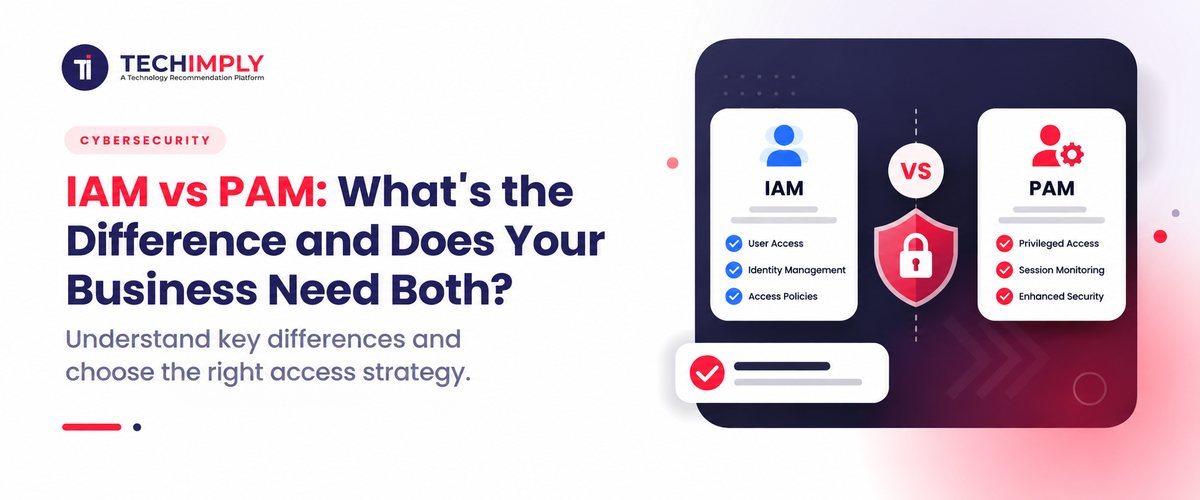
The difference between IAM and PAM comes down to the type of access each controls.
|
Area |
IAM |
PAM |
|
Main focus |
Identity and access across the organization |
Privileged and elevated access |
|
Users |
Most users and identities |
Administrators and other privileged identities |
|
Main goal |
Give users appropriate access |
Reduce the risk of powerful access |
|
Common controls |
SSO, MFA, provisioning, RBAC |
Credential vaulting, JIT access, session monitoring |
|
Access level |
Standard and role-based access |
Elevated or administrative access |
|
Monitoring |
Login and identity activity |
Detailed privileged activity and sessions |
|
Risk addressed |
Unauthorized or excessive access |
Misuse or compromise of high-impact privileges |
The two are closely linked. The domains of authentication, authorization, access control, and identity security are all involved. The difference is how deeply they control access and which identities they are protecting. Think about an employee in an IT department.
IAM may determine that the employee can access the company's cloud platform because of their job role. PAM can add another layer when that person needs administrator-level access to production resources.
How IAM and PAM Work Together
IAM and PAM work better as connected layers rather than competing systems. Suppose an Indian SaaS company has 200 employees. Access to email, collaboration tools, HR applications, and other business systems is available through IAM for every employee. The infrastructure team is responsible for managing cloud servers and databases as well.
IAM decides which resources the employee typically has access to and establishes their identity. PAM takes over when that employee needs elevated permissions for a sensitive task.
For example, an infrastructure engineer might normally have access to monitoring tools. If they need administrator privileges to troubleshoot a production server, PAM can require approval, provide temporary access, and record the privileged session.
Once the task is finished, the elevated permission can expire. This creates a useful separation between normal access and privileged access. The user does not need permanent administrator rights simply because they occasionally perform administrative work.
That is also why organizations should not treat IAM and PAM as isolated projects. While PAM strengthens controls around the most sensitive accounts, understanding what IAM is and why it is important for business security highlights how it provides the broader identity foundation needed to protect modern digital environments. Together, they create a unified defense strategy that manages standard workforce access while tightly securing elevated privileges.
When Does a Business Need PAM?
Not every small business needs a dedicated PAM platform on day one. If a company has a small IT environment, few administrative accounts, limited infrastructure, and minimal sensitive systems, strong IAM controls may cover many of its immediate needs.
The situation changes as the environment becomes more complex. PAM becomes more relevant when a business has:
- Multiple administrators managing critical systems
- Production servers or databases
- Cloud infrastructure with powerful administrative roles
- Shared or legacy privileged accounts
- External vendors requiring administrative access
- Large numbers of privileged accounts
- Sensitive systems that require detailed activity monitoring
- A need to reduce permanent administrator privileges
The number of employees is not the only factor. A 30-person technology firm with many staging settings could find PAM more useful than a 200-person company with basic IT infrastructure. The major issue is not just, "How many staff members do we have?" It is, "How much damage could occur if one highly privileged account were compromised or misused?" That inquiry offers a far more natural beginning for evaluating privileged access.
Common Mistakes When Comparing IAM and PAM
A frequent error is thinking that IAM naturally offers every PAM capability. IAM can limit who has access, but privileged access usually calls for more safeguards on how that access is provided, used, monitored, and withdrawn. High-risk accounts especially benefit from PAM platforms' credential vaulting and session recording capabilities.
Giving administrators permanent access since it is convenient is another error. Although permanent rights simplify administration, they also raise the ramifications of hacked credentials. Just-in-time access gives another option by only granting increased rights when they are required.
A third error is stressing just human managers. Service accounts, automation identities, and other non-human identities with strong permissions are also present in modern settings. Additionally, these identities require close access restrictions.
Finally, businesses sometimes buy cloud security software before mapping their existing access structure. That can leave unnecessary accounts and excessive permissions untouched. A better starting point is to identify which identities exist, what they can access, which accounts have elevated privileges, and where permanent privileged access is still being used.
IAM vs PAM: Which One Does Your Business Need?
For most organizations, the choice is not really IAM vs PAM. IAM provides the broader foundation for managing identity and access. PAM adds specialized controls for the accounts that carry greater privileges and therefore greater potential impact.
If your business is still building basic identity controls, start by establishing a reliable IAM foundation. Users should have identifiable accounts, appropriate permissions, strong authentication, and access that changes when their roles change.
If the organization already has mature IAM controls and several users or systems with administrative privileges, PAM may be the next logical layer. Larger businesses may need both from the beginning because their access environment is already complex. Should control be matched to risk? There are instances where employees do not require identical permissions, and accounts with access to the system should not be able to modify that system.

Pro-tip
Before purchasing a PAM system, go through your privileged accounts and record what each one can view. Particularly search for shared administrator accounts, permanent elevated rights, unused accounts, and outside access. This helps your staff to better see where PAM controls can bring the most value.
Conclusion
The main difference in IAM vs PAM comes down to scope and risk. IAM manages identities and access across the organization. PAM focuses on privileged access where a compromised account could have a much greater impact. IAM can determine that an employee is allowed to access a particular system. PAM can control how that employee receives elevated permissions to administer that system, for how long, and what happens during the privileged session. For businesses with growing IT environments, treating PAM as a specialized layer within the wider identity security strategy can provide more precise control over the accounts that matter most.
Related Reads :
- What Is IAM and Why Is It Important for Business Security
- How to Implement IAM in a Growing Business Without Disrupting Operations
- Best Identity vs Access Management: Key Differences
- Best Identity Management for Employee Lifecycle Explained
- Top CIAM vs IAM Differences for Customers & Employees
- Best Identity Management Software Cost in India