A company evaluates a tool listed under identity management, signs the contract expecting it to control which employees can open which apps, and finds out three months later that it does none of that. It creates and stores user records well, but permissions were never part of what it does. This mix-up happens more often than most procurement teams admit, and it usually traces back to one thing: identity management and access management getting treated as two names for the same product.
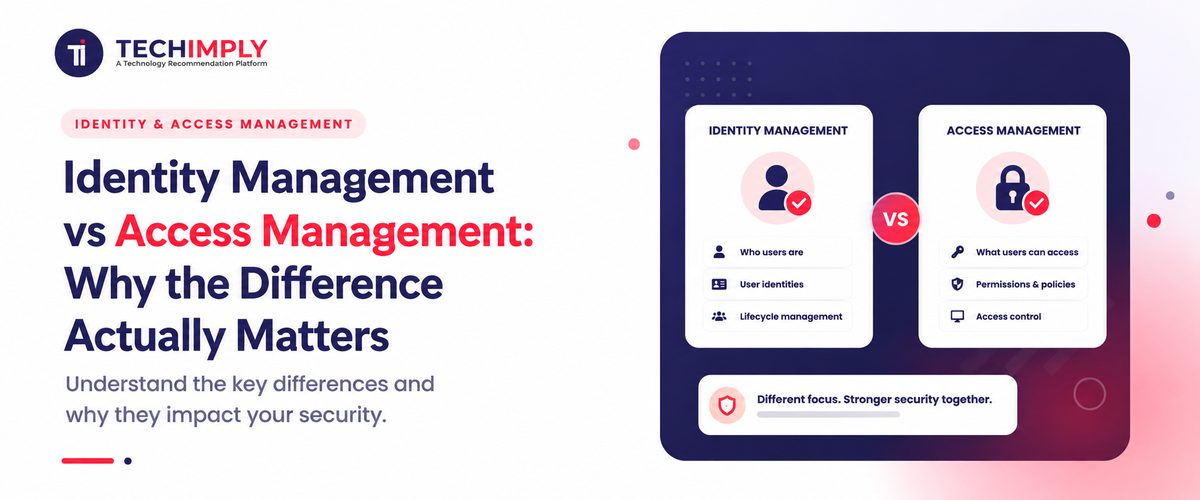
This is why identity management and access management are often discussed together but should not be treated as the same function. Identity management is concerned with establishing and maintaining digital identities. Access management focuses on deciding what those identities are allowed to use. Together, they form important parts of a broader identity and access management (IAM) framework. ISO and NIST both distinguish identity administration from the privileges and access associated with those identities.
What Is Identity Management?
The process of identity management involves creating, maintaining, changing, and retiring digital identities within the computer systems of an organization. A digital identity consists of data including the name of a staff member, an identification number, a department, a job title, a manager, an email address plus authentication details.
The corporation Microsoft defines identity management as the administration of data points that establish and verify the identity of a user. Think of it as maintaining the organization's answer to:
"Who is this person or entity?"
As an example, an employee named Priya joins a manufacturing company located in Bengaluru. Her identity record displays her name, job title, and department.
- Employee ID: EMP1048
- Department: Finance
- Job role: Accounts Manager
- Manager: Finance Director
- Location: Bengaluru
- Employment status: Active
That information becomes identity data that other systems can use when making access decisions. This is where identity management software becomes useful. The software centralizes identity data and automates parts of the identity lifecycle. It removes the need for technicians to manually create as well as update accounts across many applications.
What Is Access Management?
Access management starts with a different question:
"What is this identity allowed to do?"
Once a system establishes and authenticates an identity, access management determines if a staff member is allowed to enter an application, view a file, use a database, or perform an action.
Access management is the practice of administering the rights of users to digital resources. It allows authorized staff to reach necessary resources or prevents unauthorized staff from gaining entry.
For Priya, access management might determine that she can:
- View accounting software
- Approve invoices up to a defined limit
- Access finance reports
- Use the company's ERP system
- Access a restricted finance folder
It might also prevent her from accessing engineering systems or changing administrator settings. So while identity management maintains the identity, access management applies the rules around that identity.
Do You Know?
For controlled Indian companies, identity and access management are a critical component of cybersecurity. Organizations would have to show that user identities are handled well and that access to systems and data is limited in line with set roles, duties, and security needs.
Who You Are Versus What You Can Touch
Identity management is concerned with a single question: who is this person, and is their record in our systems accurate and current? In this process, the software creates a user profile and keeps the job title next to the department fields accurate. It retires the record when the professional relationship between a staff member and the organization ends.
Access management then addresses a different requirement - it determines what resources a staff member is allowed to reach after the system confirms their identity. This includes SSO login enforcement, permission assignment, and the conditions under which access is granted, such as requiring a second verification step for sensitive systems or blocking logins from unrecognized locations.
The two are related the same way a passport office and a border checkpoint are related. One confirms and maintains who you are on paper. The other decides, at the moment you show up, whether you are let through and how far.
Identity Management vs Access Management: The Real Difference
The distinction gets easier to hold onto once you see the two disciplines answering different questions side by side:
|
Question It Answers |
Identity Management |
Access Management |
|
Core question |
Who is this person, and are they still supposed to exist in our systems? |
What is this person allowed to reach, and under what conditions? |
|
Typical actions |
Creating, updating, and retiring a user record |
Granting, restricting, or revoking permissions |
|
Failure mode |
A retired employee still exists as an active record somewhere |
An active, verified employee can reach something they should not |
|
Common tools |
HRMS-linked directories, identity governance platforms |
Single sign-on, role-based policies, conditional access |
Where the Two Terms Get Blurred in Everyday Conversation
Most confusion does not come from a lack of technical understanding; it comes from vendors and buyers using identity management as a catch-all term for anything related to identity and access management. A product page that says manage user identities might mean full lifecycle governance, or it might mean nothing more than a login screen with a user database behind it.
Authentication and authorization suffer from a related mix-up.
- Authentication: The process of verifying that a user or entity is who they claim to be, typically by checking a password, OTP, security key, biometric authentication method.
- Authenticator: A credential, device, or mechanism used to prove that identity, such as a password, security key, authenticator app, or biometric factor.
- Authorization: The decision made after authentication about what the authenticated user or entity is allowed to access or do.
Identity management largely governs the data behind authentication, while access management governs authorization. Mixing them up in a requirements document is precisely how a company ends up purchasing an application that authenticates cleanly but has no notion of role-based access and equalizes all known users at the broadest scope.
The Buying Mistake This Confusion Leads To
The most expensive version of this mix-up happens during procurement. A team writes a requirements document that asks for identity management software when what they really need is granular access control, and the shortlist that comes back doesn't actually close the gaps they identified.
A good test before you look at any vendor, before you worry whether one product is better than another, for example: if your fundamental issue is stale accounts, duplicate identities, or no insight into what user logins exist today, you have an identity problem.
If your concern is that people who clearly should exist in the system can still reach things they should not, such as a support agent viewing finance records, you have an access problem. Many mid-sized Indian businesses eventually need both, but starting the search with the wrong label wastes a procurement cycle that could have been avoided.
This matters practically because the two problems get fixed by different features. An identity problem is usually solved by connecting your HR system to your directory so accounts update automatically. An access problem is usually solved by defining roles and mapping permissions to those roles rather than to individuals. A vendor demo built around one will look impressive and still leave the other gap completely open.
A Simple Employee Lifecycle Example
The difference becomes clearer when you follow the employee experience across the entire lifecycle.
1. Joining the company
An employee joins the marketing team. Identity management creates their account and records relevant identity attributes. Access management then applies the rules that determine which applications they should receive.
2. Changing roles
After a year, the employee moves into product management. Identity management updates the person's department and role. That change can trigger new access policies. Old marketing permissions may need to be removed while product-related permissions are added.
3. Temporary access
The employee needs access to a finance report for a specific project. Access management can provide limited permission without turning the employee into a permanent member of the finance group.
4. Leaving the organization
The employee resigns. The identity management system either inactivates the identity or triggers deprovisioning workflows. The access management system then has to revoke current sessions, application access, and permissions as per company policy.
This lifecycle is one of the biggest reasons organizations choose to purchase identity access management software instead of simply managing identities and access through spreadsheets, email and manual IT tickets.
Where Privileged Access Falls in This Split
Privileged access management (PAM) is a specialized area that focuses on high-risk accounts with administrative or system-level privileges. Governing a smaller and more vulnerable group- accounts with administrative or system-level authority- PAM software provides extra safeguards above typical access management, like credential vaulting, session recording, and time-bound approval for sensitive actions.
PAM software offers a more focused inquiry for the few accounts that might do significant damage if compromised: what more level of control and monitoring is in place, whereas access management asks what a typical employee can access and identity management asks who someone is. Businesses that only think in terms of identity and access management often discover their privileged accounts, the ones with the most damage potential, were never covered by either.
Bringing Both Together Without Losing the Distinction
None of this implies that identity management and access control have to live in different, unconnected systems. Most current systems manage both; their integration is quite helpful since access choices are only as strong as the identification data driving them. Working off an old identity record, a permission system will continue to grant access to someone who should have lost it weeks ago, leaving inactive users logged into critical operational tools like your CRM system.
The point is not to separate them operationally into two unrelated projects. The goal is to keep the difference obvious enough such that when something breaks, whether it's an account that should have been closed or a permission that was never revoked, the team knows right away which field fell short and who is in charge of correcting it.

Pro-tip
Before creating a requirements document for any IAM acquisition, compile your most recent three access-related events or audit results and categorize each into either identity or access. Most people fall into one bucket, so let that define your priority.
When Should a Business Invest in Identity Management Software?
Not every little company needs a sophisticated IAM setup on day one. Ten-person businesses with a few applications could be able to control accounts using more basic tools.
The need becomes more pressing when:
- Employee numbers are growing quickly
- IT manages dozens of applications
- Employees frequently change roles
- Contractors require temporary access
- Remote or hybrid work is common
- Offboarding is still manual
- Access reviews are difficult
- The company handles sensitive customer or financial information
- Compliance requirements are increasing
At that point, identity management software can reduce repetitive administration while creating a more consistent process for identities and access.
Conclusion
Identity management and access management are so frequently combined that it can seem superfluous to separate them until an audit or an event demands the difference to count. Knowing which one you are actually solving for, before a vendor demo rather than after a failed evaluation, is what keeps the difference from becoming an expensive lesson.

.jpg "The Best Image to Text Converters that Helps the Students in Assignment Writing")