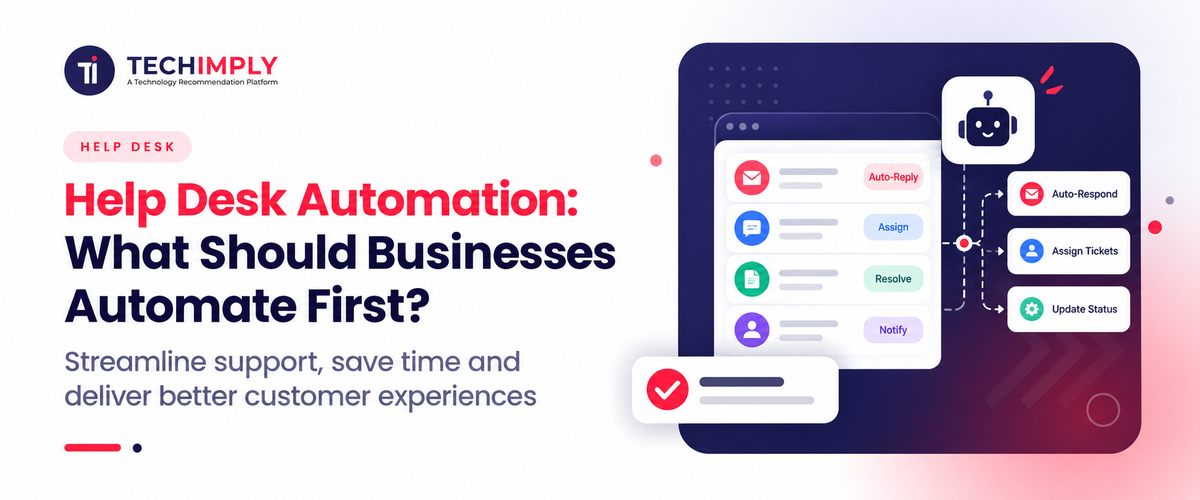
As support tickets continue to accumulate, it's easy to think that it's best to automate all of it. But it's more ideal to start by automating the tasks that your team is doing repeatedly such as ticket routing, assignment, SLA alerts, and notifying them of regular updates.
This guide brings your understanding of Help Desk Automation to the next level, and covers what you should automate first and what you should leave for your support team.
Key Takeaways
- Start by automating the support tasks your team repeats every day.
- Ticket routing, assignment, alerts, and routine updates are good places to begin.
- Let self-service handle simple questions so your team can focus on bigger issues.
- Keep complex or sensitive customer problems with your support team.
- You don't need AI to get started. Basic automation can already save your team time.
- Start small, see what works, and add more automation as your support process grows.

Looking for Help Desk Software?
Check out Techimply's List of the best Help Desk Software in India for your business.
What Is Help Desk Automation?
Help Desk Automation is the automation of repetitive support tasks with software, rules, workflows, and now, in more recent times, with AI.
A simple automation follows a pattern:
Trigger → Condition → Action
For instance, the system can detect the type of ticket, route it to the appropriate team, prioritize it, and send a message to the customer to notify them when a new ticket is submitted.
Modern systems could accomplish more. They can mark tickets, evaluate importance, suggest ideas, search a knowledge base for replies, raise tickets, or help with redundant tasks.Today, self-service, workflow automation, and AI are increasingly being integrated into modern service desk systems.
The key is that automation is not about taking people out of the support.
The important point is that automation does not mean removing people from support. It means removing unnecessary manual steps so agents can spend more time on issues that need judgment.
What Should Businesses Automate First?
Not all help desk jobs should be automated. Begin with work that is frequent, predictable, time consuming, and easily "checked.
1. Ticket Routing and Assignment
This is often the best place to begin.
If tickets end up in the same queue, there might be a need for someone to read and comprehend each ticket and determine who should take it. This manual triage gets to be a pain as the number of tickets grows.
Automated ticket routing can route billing questions to the finance support team, technical issues to the IT support team and account questions to the customer success team.
Alternatively, ticket assignment can be automated by workload, department, skill, language, customer type or priority. For instance, Zoho Desk offers assignment rules which include direct, round-robin, load-based and skill-based rules.

Why automate it first?
Because the rule is usually easy to define, the benefit is visible quickly, and the risk is relatively low when routing criteria are clear.
2. Automatic Ticket Acknowledgements
Customers should not have to wonder whether their request reached the support team.
An automated acknowledgement will inform you that your ticket was received, and let you know what to do next, such as when to expect a reply, or where to get additional information.
This is a small automation, but it takes a repetitive action off the shoulders of the agents, and provides customers with instant confirmation.
For example:
“We've received your request. Your ticket number is #4582. Our support team will review it and respond within one business day.”
The message does not need to solve the problem. It simply keeps the customer informed while the support process begins.
3. SLA Alerts and Escalations
After they are routing properly, the next step should be to make sure that important tickets aren't lost in the system.
An automated SLA can track the response and resolution times and alert agents or managers if a ticket goes over the target time.
For example, if 2 hours remain to the agent's response deadline on a priority customer ticket, the system could send a warning to the agent assigned to the ticket, or even escalate the ticket to a team lead.
This is particularly useful for businesses that have contractual support commitments or different service levels for different customer groups. Help desk platforms commonly provide SLA and escalation automation as part of their workflow capabilities.
4. Repetitive Status Updates
Support teams often spend a surprising amount of time writing messages such as:
- “Your request has been received.”
- “We have escalated this to our technical team.”
- “Your replacement has been shipped.”
- “We are waiting for additional information.”
- “Your issue has been resolved.”
These updates can often be triggered automatically when a ticket reaches a particular stage.
This is a good example of help desk workflow automation because the trigger and response are predictable.
The important part is to keep automated messages useful and specific. Customers should feel informed, not as if they are receiving meaningless template emails.
5. Common Questions Through Self-Service
Once basic ticket workflows are automated, look at the questions your team answers repeatedly.
Common examples include resetting a password, order status, return policies, instructions for your accounts, software setup, bill dates and basic troubleshooting.
Customers, or employees, can locate answers to their questions without opening a ticket, if the KB is properly maintained. That's where self-service in the help desk comes in handy.
But self-service is only possible if information is of good quality. An outdated FAQ can cause additional frustration for customers than having an agent respond to the ticket in question.
|
Priority |
Task to Automate |
Why It Comes First |
|
1 |
Ticket routing |
Removes manual triage |
|
2 |
Ticket assignment |
Gets requests to the right person |
|
3 |
Acknowledgement emails |
Gives customers an immediate response |
|
4 |
SLA alerts |
Reduces missed deadlines |
|
5 |
Status updates |
Removes repetitive communication |
|
6 |
Common questions |
Supports self-service |
|
7 |
Routine IT requests |
Automates repeatable internal processes |
|
8 |
AI-assisted responses |
Adds automation to more complex interactions |
Not all eight need to be implemented at once. Begin with 1 or 2 workflows, see the outcome and build on that.
Do You Know?
A knowledge base isn't just for the customers. It's also an excellent source of troubleshooting steps, policies and best practices that can be shared among the internal support team. This can help to provide uniform self-service and agent-assisted support.
What Should You Automate Next?
Once the basics are working well, you can automate more complex support tasks.
1. IT Requests and Routine Service Tasks
Repeat requests like software access and installation, account issues, device support can be managed with IT help desk automation. For instance, a request can be reviewed, forwarded for approval, delegated to the appropriate person, and tracked automatically.
2. Customer Support Workflows
Customer support automation can integrate tickets into CRM, billing or orders. In case of a delayed order, the system may be used to retrieve the order status and provide the agent with the appropriate information..
3. AI-Based Ticket Classification and Responses
AI-driven help desk automation can classify a ticket, determine its priority and/or sentiment and even propose a response. Can respond to simple questions, more complex ones such as billing disputes should be referred to a person.
What Should Not Be Automated First?
This is where many automation projects go wrong.
Avoid starting with tasks that involve:
- Complex complaints
- Sensitive billing disputes
- High-value customer relationships
- Security incidents
- Unusual technical problems
- Cases requiring negotiation or judgment
- Situations where incorrect information could create serious consequences
The more predictable a process is the better it works for automation. If your agents will have to make decisions based on context or customer history or exceptions regularly, the workflow may not be ready for automation.
A useful rule is simple:
Automate the process, not the responsibility.
The system can collect information, suggest an answer, or escalate a case. A person can still make the final decision.
A Simple Order for Help Desk Automation
Pro Tip:
Take your last 100 support tickets and group them by task type. Look for the requests that appear repeatedly and follow almost identical steps. Your most frequent, predictable category is usually a better automation candidate than the most technically impressive one.
How To Introduce Automation Without Hurting Support Quality
Good Help Desk Automation should make your support faster, not less personal.
Start by finding the repetitive steps that take up your team’s time. Then use help desk automation software to automate them one at a time.
- Manual: Ticket arrives → agent reads → categorizes → assigns → sends acknowledgement.
- Automated: Ticket arrives → system categorizes → assigns → sends acknowledgement → agent starts working.
This lets your team spend less time on routine tasks and more time helping customers.
Once launched, monitor response time, resolution time, ticket backlog and customer feedback. When tickets get misdirected or information is repeated, make a workflow change.
Choosing Help Desk Automation Software
Don't base your help desk automation software assessment on the number of automation features that are stated.
Look at how easily your team can actually build and maintain workflows.
- Ticket routing and assignment rules
- SLA and escalation controls
- Knowledge base and self-service
- Email and chat integrations
- CRM and business application integrations
- Reporting and automation analytics
- AI capabilities and human handoff
- Role-based permissions
- Audit logs
- Ease of configuration
- Pricing as ticket volume and users increase
Your existing tools matter too. A platform that connects well with your CRM, email, communication tools, or IT systems may be more useful than one with more features but poor integration.
How Indian Businesses Can Approach Help Desk Automation
For Indian businesses, Help Desk Automation can make support more consistent as ticket volumes grow across cities, languages, and channels.
When you're selecting the best help desk automation software, consider the channels your customers use, an easy to use reporting tool, integrations with other programs, and a solid support team in India. Multilingual support, automation and integrations can be valuable advantages for customer service teams. Customer service teams can benefit from multilingual support, automation, and seamless integrations..
Simplicity is the objective: automate repetitive support work, yet maintain human support when needed.
Conclusion
The best way to start Help Desk Automation is to automate the most repetitive tasks in your team such as routing, assigning, notifying, and making routine status updates.
You don't have to do everything automation all at once. Begin with a small scale, involve people in complicated situations and introduce more automation as your support process grows in reliability.
Related Read-
- Best Help Desk Tools 2026 | Top 10 Software to Boost Support
- Key Help Desk Metrics to Measure IT Support Performance
- Essential Help Desk Features That Boost Customer Satisfaction
- How to Choose the Right Help Desk Software
- Supporting Customers: The Role of Help Desk Software
- Streamline Your Workflow: The Benefits of Help Desk Software
- The Role of Artificial Intelligence in Modern Help Desk Systems
- Increasing Help Desk Performance for Smooth User Experiences
- Top 10 Help Desk Features: Boost Customer Support
- What is an eCommerce Help Desk and Do You Need One?


.png "Essential Reasons to Investing in a Cloud HR software")