VNC Connect

The world’s safest remote access software

0.0
Rating out of 5 Based on 0 reviews

What is VNC Connect?

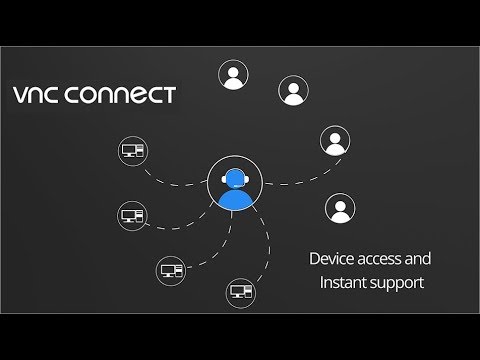
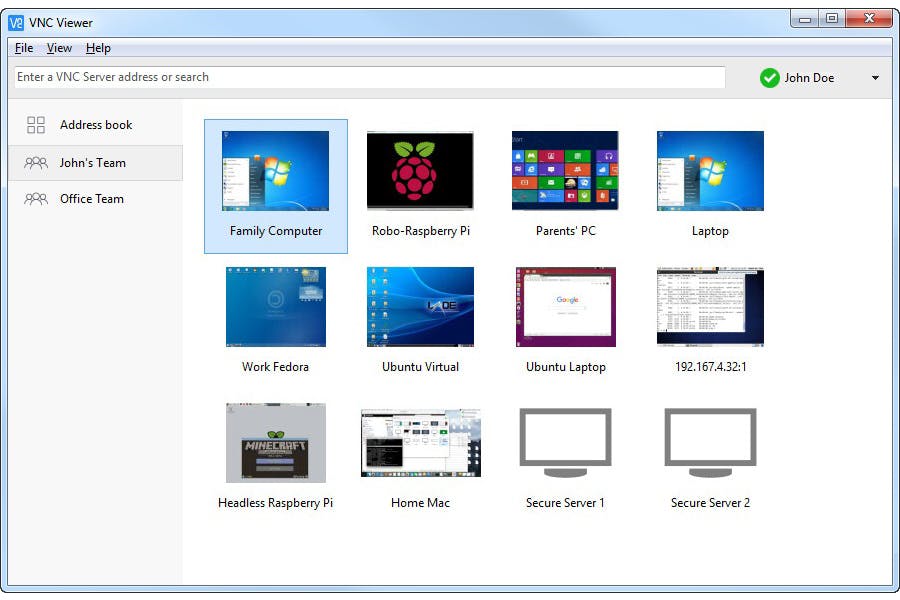
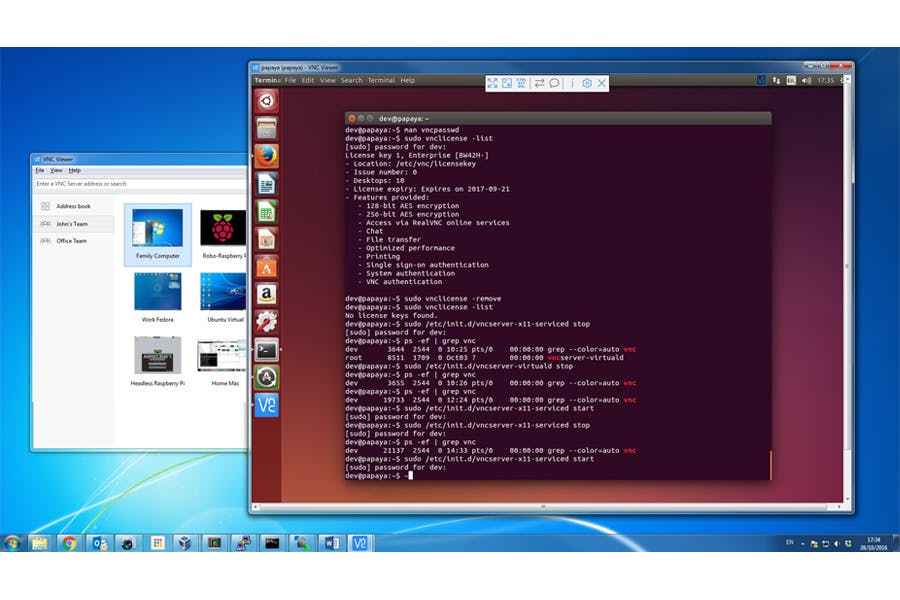
VNC Connect is the modern-day, professional-grade far flung access solution from RealVNC, the corporation that invented the authentic VNC (Virtual Network Computing) generation. It is a powerful realvnc connect platform that includes VNC Server (mounted at the tool you need to manipulate) and RealVNC Viewer (the purchaser app). It allows customers to safely view and control a laptop or device remotely from anywhere within the international, facilitating the whole lot from IT guide to far flung paintings.

Pricing of VNC Connect

Device Access (Professional)

USD 3.39
USD 0.00

Per Month

Buy Now
  • Cloud Connectivity
  • End-to-End Encryption
  • Realvnc Support via Chat/Email/Phone
  • Remote Audio
  • Screen Recording
  • Unlimited Number of Connecting Users
  • Unlimited Users and Concurrent Sessions
  • Up to 256-Bit-AES Full Session Encryption

Device Access (Enterprise)

USD 4.82
USD 0.00

Per Month

Buy Now
  • Centralized Management
  • Cloud Connectivity
  • End-to-End Encryption
  • Mass Deployment
  • Point-to-Point Connections
  • Private
  • Realvnc Support via Chat/Email/Phone
  • Remote Audio
  • Screen Recording
  • Unlimited Number of Connecting Users
  • Unlimited Users and Concurrent Sessions
  • Up to 256-Bit-AES Full Session Encryption

Instant support (Professional)

USD 16.99
USD 0.00

Per Month

Buy Now
  • Cloud Connectivity
  • End-to-End Encryption
  • Simple Session Code Authorization
  • Up to 3 Concurrent Remote Access Sessions

Instant support (Enterprise)

USD 33.49
USD 0.00

Per Month

Buy Now
  • Branding and App Customization
  • Cloud Connectivity
  • Comprehensive Session History
  • End-to-End Encryption
  • Simple Session Code Authorization
  • Up to 10 Concurrent Remote Access Sessions With Enhanced Security and Logging

Free

USD 0.00
USD 0.00

Buy Now
  • For up to 5 devices
  • Cloud connections only
  • For up to 5 devices
  • Cloud connections only

Professional

USD 0.00
USD 0.00

Buy Now
  • 24/7 attended and unattended access
  • Cloud connections only
  • Desk-side install required
  • Discounts for volume
  • Up to 3 concurrent sessions each
  • Attended access only
  • Cloud connections only
  • No install
  • zero footprint
  • RealVNC branding
  • 24/7 attended and unattended access
  • Cloud connections only
  • Desk-side install required
  • Discounts for volume
  • Up to 3 concurrent sessions each
  • Attended access only
  • Cloud connections only
  • No install
  • zero footprint
  • RealVNC branding

Enterprise

USD 0.00
USD 0.00

Buy Now
  • 24/7 attended & unattended access
  • Cloud and direct connections
  • Remote deployment options
  • Discounts for volume
  • Up to 10 concurrent sessions each
  • Attended access only
  • Cloud connections only
  • No install
  • zero footprint
  • Custom branding
  • 24/7 attended & unattended access
  • Cloud and direct connections
  • Remote deployment options
  • Discounts for volume
  • Up to 10 concurrent sessions each
  • Attended access only
  • Cloud connections only
  • No install
  • zero footprint
  • Custom branding

Key Features of VNC Connect

Key Features:
  • Screen Sharing
  • Real-Time Chat
  • File Sharing
  • Session Transfer

Key Specification

Other Categories: Remote Support Software Remote Access Software
Deployment: Cloud Hosted,Hybrid,On Premise,Any
Customer Support: Phone,Email,Live Chat
Languages Support: English

Who uses VNC Connect

StartUps
StartUps
SMEs
SMEs
Agencies
Agencies
Enterprises
Enterprises

Company Details

Company Name: Realvnc
Headquarter: Cambridge, United Kingdom
Social Media:

VNC Connect Description

Who Uses VNC Connect?

VNC Connect is a trusted tool for global faraway get right of entry to, utilized by hundreds of thousands of human beings and thousands of IT groups:

  • IT Professionals & Helpdesks: For delivering fast, effective faraway help and dealing with devices without needing to journey.
  • Remote Workers: Professionals desiring steady, seamless access to their office laptop or specialized paintings applications from home or on the street.
  • Engineers & Developers: For keeping, controlling, and troubleshooting headless servers, industrial machinery, and specialized systems (consisting of Linux and Raspberry Pi).
  • Individuals: Users who leverage the realvnc loose Lite plan for non-public, non-commercial use, such as supporting circle of relatives or accessing a domestic laptop.

Why Choose VNC Connect? (The RealVNC Advantage)

Choose VNC Connect for its mixture of background, safety, and extensive platform help. Unlike basic answers, RealVNC Connect offers robust cease-to-end 256-bit AES encryption and granular access controls, making sure every consultation is stable. Its particular capability to seamlessly switch among cloud connections and direct (LAN) connections offers maximum flexibility and reliability for any community situation.

Key Benefits of VNC Connect

  1. High-Grade Security: Utilizes built-in 256-bit AES encryption and Multi-Factor Authentication (MFA) to protect touchy statistics.
  2. Cross-Platform Versatility: A unmarried answer works throughout Windows, macOS, Linux, Raspberry Pi (PiOS), and cellular devices (through realvnc viewer apk).
  3. Flexible Connectivity: Allows steady connections over the Internet via the cloud carrier or through conventional Direct (IP) connections.
  4. Device Access & Remote Support: Supports each unattended Device Access and just-in-time On-Demand Assist for end-user aid.
  5. Simplified Client Access: The realvnc viewer is available for realvnc viewer windows and mobile, making connections easy from any tool.

How to Use VNC Connect?

To establish a stable far flung consultation, you need components:

  1. Server Setup: Install VNC Server at the laptop you want to manipulate. Log in in your RealVNC account (the usage of your realvnc login or account credentials).
  2. Viewer Setup: Install the RealVNC Viewer app (e.G., down load the realvnc viewer apk for Android or the Windows customer) at the device you need to connect from.
  3. Connect: Open the RealVNC Viewer and log in. Your far flung computers will seem inside the tool listing through the cloud connection. Click on the preferred device and enter the desired credentials to begin your secure faraway consultation.

Powerful Features of VNC Connect

  1. File Transfer and Remote Printing: Easily flow documents among devices and print documents from the remote machine in your neighborhood printer.
  2. In-Session Chat and Annotations: Real-time chat for communication and annotation equipment for visually guiding remote customers at some point of aid.
  3. Session Recording and Audit Logs: Capture remote periods for compliance, education, or audit trails (Premium plans).
  4. Multi-Monitor Support: View and control more than one monitors of the far off pc, optionally breaking them out into separate local windows.
  5. Granular Access Control: Define custom consumer roles and permissions to manipulate exactly who can get right of entry to which device and what they could do.
  6. Mass Deployment Tools: Enables large organizations to efficaciously roll out the software program across loads of devices through Group Policy.

How to Get Demo of VNC Connect?

VNC Connect offers tremendous approaches to attempt the software program:

  • 14-Day Free Trial: RealVNC gives a loose trial for his or her industrial plans, giving you 14 days of get right of entry to to all top class functions with out requiring credit card info.
  • Lite Plan (Free for Personal Use): If you are searching out easy, non-commercial faraway access, you may initiate the realvnc unfastened Lite plan which is unfastened for personal use to connect to up to three gadgets.

Alternative

Zendesk Remote

By Zendesk Remote

0.0
Rating out of 5 Based on 0 reviews

Getscreen.me

Access Anywhere: Instant Browser-Based Remote Desktop Software

0.0
Rating out of 5 Based on 0 reviews

Zoho Assist

Enterprise-grade Remote Support and Unattended Remote Access Software

0.0
Rating out of 5 Based on 0 reviews

VNC Connect Video/Screenshots

User Reviews

no-reviews
Share your experience! Be the very first reviewer. Write a Review

Frequently Asked Questions (FAQs)

The user group of VNC Connect are as follows :

  • Startups
  • SMEs
  • Agencies
  • Enterprises

VNC Connect has 7 plans,

  • Device Access (Professional) USD 3.39 Per Month
  • Device Access (Enterprise) USD 4.82 Per Month
  • Instant support (Professional) USD 16.99 Per Month
  • Instant support (Enterprise) USD 33.49 Per Month
  • Free USD 0.00
  • Professional USD 0.00
  • Enterprise USD 0.00

VNC Connect is allowed 0 Days Free Trial.

The key featuers of VNC Connect are as follows :

  • Screen Sharing
  • Real-Time Chat
  • File Sharing
  • Session Transfer

VNC Connect pricing model : Yearly,Monthly,Onetime(Perpetual License)

VNC Connect is Cloud Hosted,Hybrid,On Premise,Any Software.

VNC Connect offers Phone,Email,Live Chat support.

VNC Connect provides Help Guides,Video Guides,Blogs for the software training.