4.1
What is Visma eAccounting?
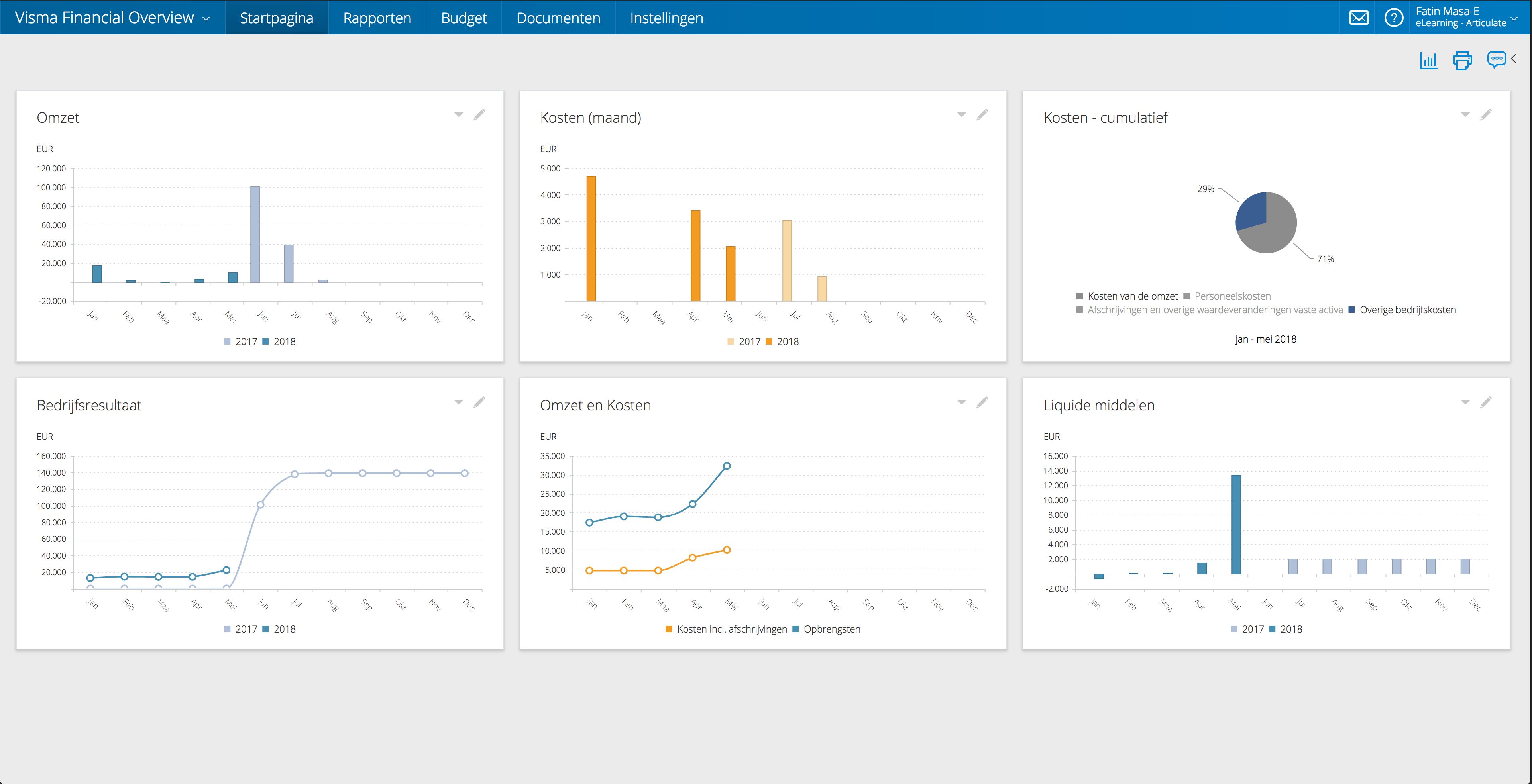
Visma eAccounting is cloud-based accounting software from Visma for small businesses and their accountants. It covers invoicing, bookkeeping, bank reconciliation, VAT reporting, and financial reports in one browser-based system. A mobile app lets users capture receipts, and the business can give its accountant direct access to the same data.
Pricing of Visma eAccounting

Key Features of Visma eAccounting
Key Features:
Key Specification
Who uses Visma eAccounting

Personal

StartUps

SMEs

Agencies

Enterprises
Company Details
| Company Name: | Visma |
|---|---|
| Headquarter: | Amsterdam, Netherlands |
| Website: |
Visit Website 
|
| Social Media: |
Visma eAccounting Description
Most Popular Software


Alternative


Visma eAccounting Video/Screenshots


User Reviews
Write a ReviewI have recommended this software to all my friends with small companies.
Very Good.
What you like the most about Visma eAccounting?
User friendly system. Free for small companies. Great support.
What you like the least about Visma eAccounting?
Rating breakdown
- Mihir Prasad Business Manager At Uflex Pvt Ltd
Visma for Accounting.!
really easy to navigate.!
What you like the most about Visma eAccounting?
It is so simple to use and really intuitive. I have no experience in payroll and only have a small business so it is great to know that I can use it quickly and easily.
What you like the least about Visma eAccounting?
Rating breakdown
- Mohit Prasad Lab Manager At Sudarshan Chemicals Pvt Ltd
Extremly easy to use with all the features I need.
Easy to navigate, use and file reports from.
What you like the most about Visma eAccounting?
I find visma the best accounting software. The layout is very easy to use and I have never had any issues with any of the funcationality of the Software.
What you like the least about Visma eAccounting?
Rating breakdown
- Mehul Patel Project Manager At Sahil Polycab
Visma-eAccounting.!
Ease of use and functionality. Doesn't feel that if you do something you shouldn't, that the whole world will crash.
What you like the most about Visma eAccounting?
Just to say the system is easy to use, it does what it says on the packet and if there is something that you don't understand it is so easy to work through the system and get it sorted.
What you like the least about Visma eAccounting?
Rating breakdown
- Neeraj Patel Web Operater At Welspun Pvt Ltd
Amazingly Visma.!
Simple functionality.!
What you like the most about Visma eAccounting?
Ease of use, no complicated drivel! I found it so user friendly!!
What you like the least about Visma eAccounting?
Rating breakdown
- Namrata Pandey Product Manager At Hindustan Zinc
Frequently Asked Questions (FAQs)
The user group of Visma eAccounting are as follows :
- Personals
- Startups
- SMEs
- Agencies
- Enterprises
Visma eAccounting has 0 plans.
Visma eAccounting is not allowing Free Trial.
Visma eAccounting pricing model : Yearly
Visma eAccounting is Online Software.
Yes
Visma eAccounting offers Phone,Email,Live Chat,Online (Ticket) support.
Visma eAccounting provides Help Guides,Video Guides,Blogs,Webinars for the software training.