Slack

Made for people. Built for productivity

0.0
Rating out of 5 Based on 0 reviews

What is Slack?  

Slack is a popular team communication and collaboration platform that helps companies manage messaging, document sharing, and assignment discussions in one place. Made for modern teams, Slack allows instant messaging, video calls, and connections with many workplace tools for smooth productivity. Users can easily log into Slack to stay connected from anywhere using the Slack app.  

Pricing of Slack

no-pricing
For get detailed pricing as per your requirements.

Key Features of Slack

Key Features:
  • Remote Access/Control
  • Live Chat
  • Collaboration Tools
  • Video Conferencing
  • Meeting Management
  • Video Chat
  • Remote Support

Who uses Slack

StartUps
StartUps
SMEs
SMEs
Agencies
Agencies
Enterprises
Enterprises

Company Details

Company Name: Slack
Headquarter: United States
Social Media:

Slack Description

Why Choose Slack?  

Companies choose Slack because it centralizes communication and improves collaboration across departments. Whether your team works remotely or in the office, Slack ensures all messages, updates, and files are accessible in one organized platform. With a simple setup, strong integrations, and secure data management, Slack has become a trusted tool for businesses of all sizes. Teams can quickly get started with Slack signup and manage communication through both desktop and mobile using the Slack app.  

Benefits of Slack

  • Centralized Communication: Keep all your messages and documents in one easy-to-reach workspace.
  • Enhanced Productivity: Collaborate effectively with channels, threads, and direct messages.
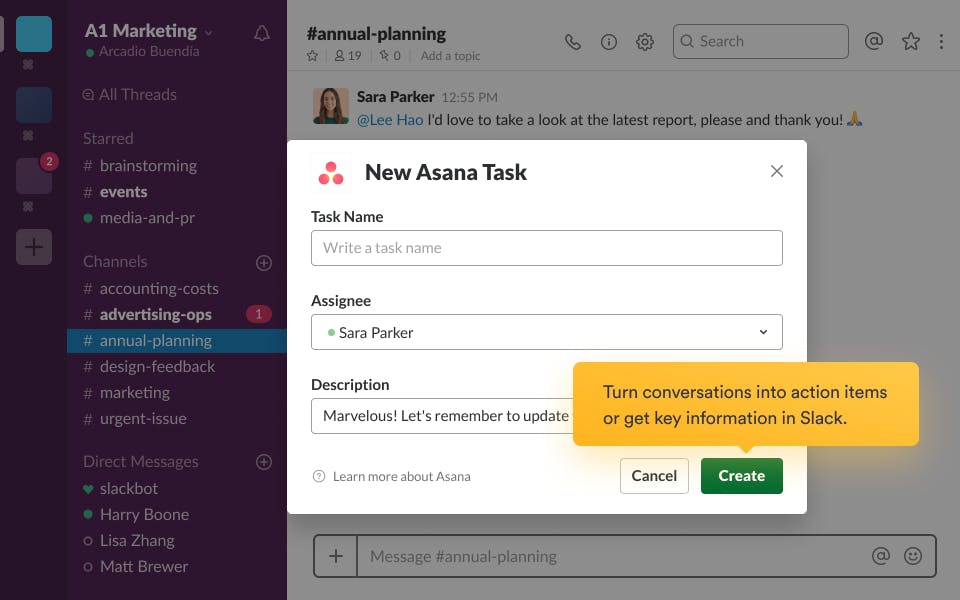
  • Integrations with Popular Tools: Connect with apps like Google Drive, Zoom, Trello, and Asana.
  • Easy Access Anywhere: Use the Slack app on computers or mobile devices.
  • Real-Time Notifications: Stay informed about updates and mentions instantly.
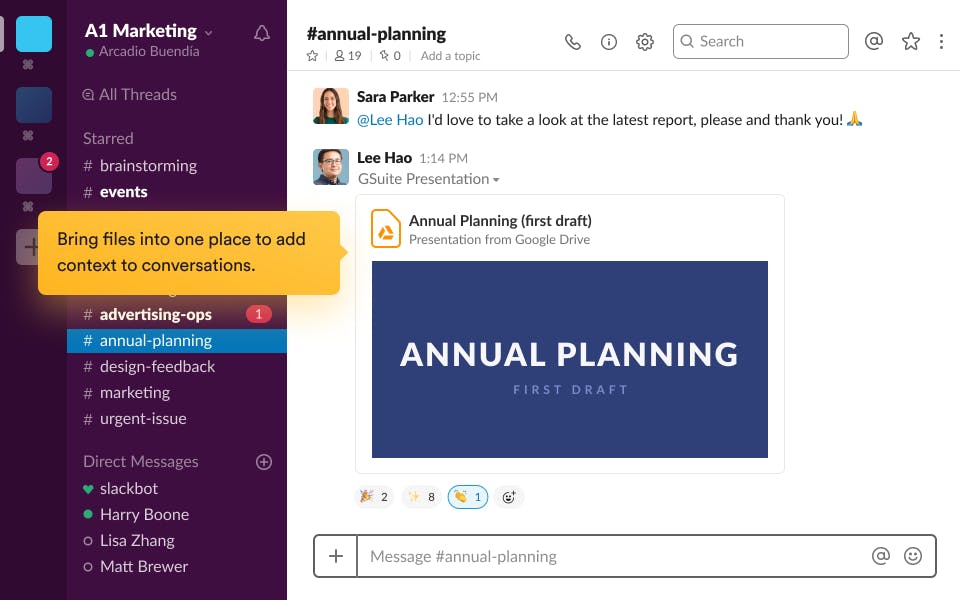
  • File Sharing & Collaboration: Share files, media, and links easily.
  • Quick Setup: Simple Slack installation and onboarding process.
  • Flexible Plans: Affordable and scalable Slack pricing for every business size.

How to Use Slack

  • Visit the official website and complete Slack signup to create your workspace.
  • Access your account through the Slack login page or by downloading the Slack app.
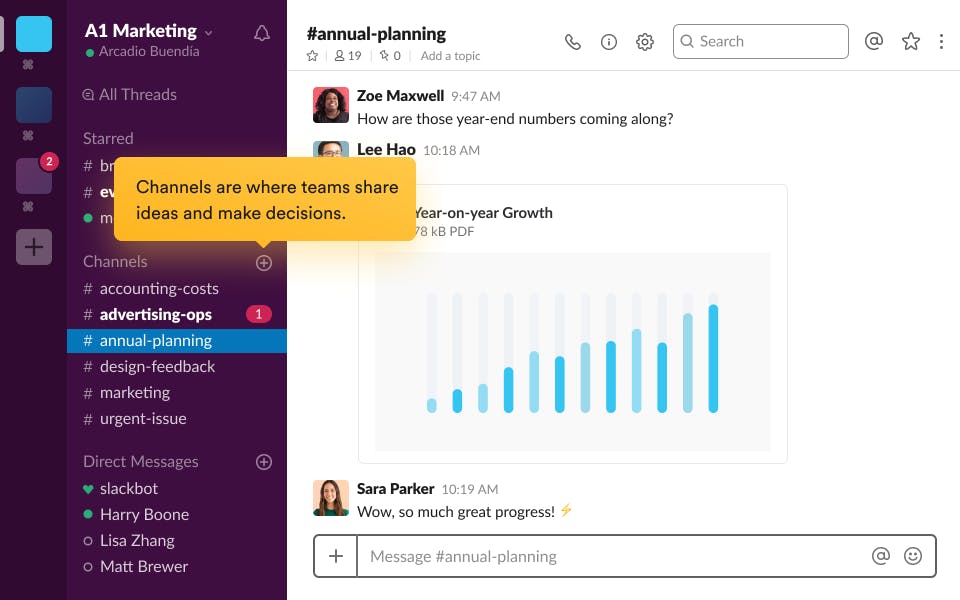
  • Create channels for specific projects or groups.
  • Invite team members and start sending messages or sharing documents.
  • Integrate productivity tools like Google Calendar or Zoom for smoother workflows.
  • Customize notifications and themes to personalize your workspace.

Features of Slack

  • Team Channels: Organize conversations by project, topic, or department.
  • Direct Messaging: Send private or group messages directly.
  • File Sharing: Upload and share documents easily within conversations.
  • App Integrations: Connect with tools your team already uses for smoother workflows.
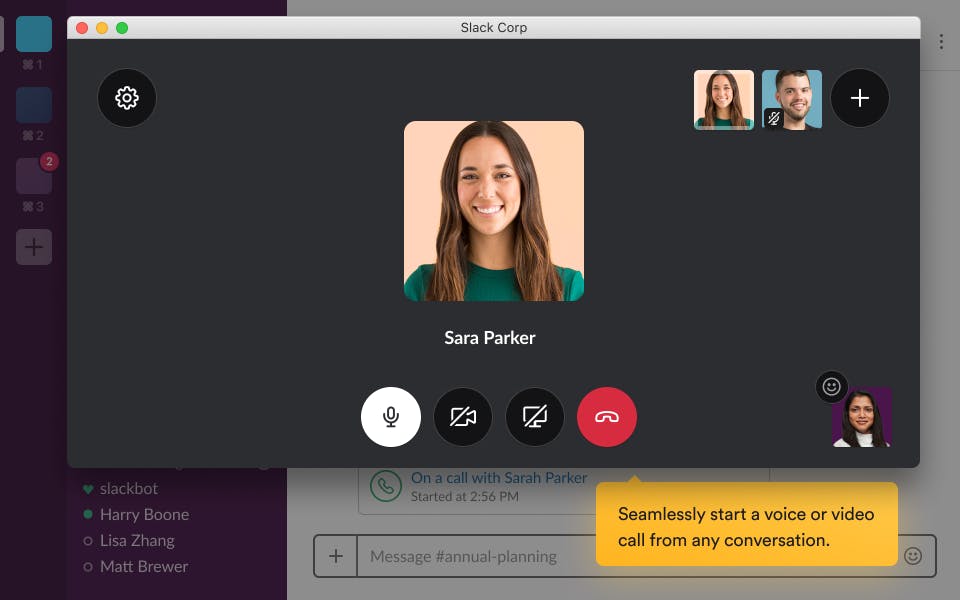
  • Voice & Video Calls: Communicate face-to-face directly from the Slack app.
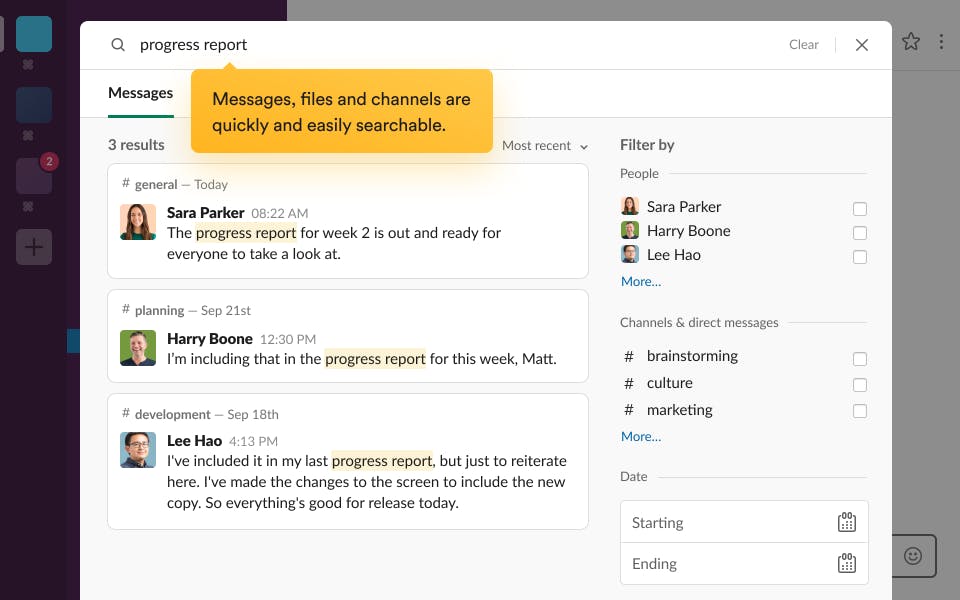
  • Searchable History: Quickly find messages, files, and links from past conversations.
  • Cross-Platform Support: Accessible via desktop, mobile, and web.
  • Security & Compliance: Enterprise-level data protection and privacy.

Slack Demo  

Experience the power of Slack in action by requesting a customized Slack demo. Discover how its channels, automation, and integrations enhance communication and team productivity. Contact Techimply today to schedule your Slack demo and explore its key features tailored to your business needs.  

Slack Pricing  

Slack pricing is designed for teams of all sizes, from startups to large organizations. Pricing varies based on the number of users, features, and integration needs. For specific pricing details or a custom quote, contact Techimply for pricing.

Alternative

Zendesk Remote

By Zendesk Remote

0.0
Rating out of 5 Based on 0 reviews

Getscreen.me

Access Anywhere: Instant Browser-Based Remote Desktop Software

0.0
Rating out of 5 Based on 0 reviews

Zoho Assist

Enterprise-grade Remote Support and Unattended Remote Access Software

0.0
Rating out of 5 Based on 0 reviews

Slack Video/Screenshots

User Reviews

no-reviews
Share your experience! Be the very first reviewer. Write a Review

Frequently Asked Questions (FAQs)

The user group of Slack are as follows :

  • Startups
  • SMEs
  • Agencies
  • Enterprises

Slack has 0 plans.

Slack is allowed 0 Days Free Trial.

Slack pricing model : Yearly,Monthly,Onetime(Perpetual License)

Slack is Cloud Hosted,Hybrid,On Premise,Any Software.

Yes

Slack offers Phone,Email,Live Chat support.

Slack provides Help Guides,Video Guides,Blogs,On-Site Training for the software training.