
SCREENish

SCREENish

AI face verification and proof of work for remote teams

0.0
Rating out of 5 Based on 0 reviews

AI face verification and fake-activity detection on top of time tracking with screenshots and activity levels for Windows, macOS, Linux and Android: you know who worked and that the work was real. Privacy-first and consent-based, $5 per user per month with everything included.

Pricing of SCREENish

no-pricing
For get detailed pricing as per your requirements.

Key Features of SCREENish

Key Features:
  • Attendance Management
  • Time Tracking
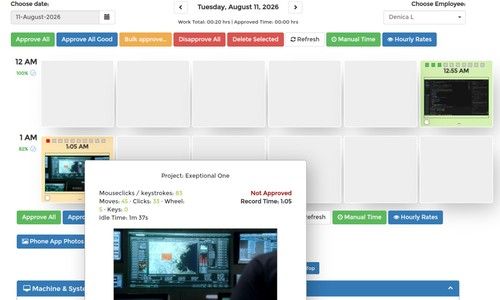
  • Auto Screenshot, Application Usage
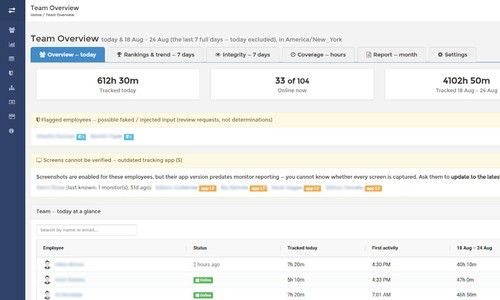
  • Dashboard
  • Productivity Measurements
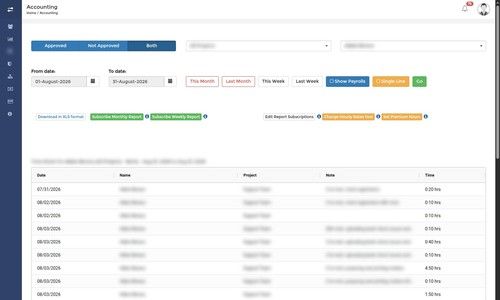
  • Reports
  • App Usage
  • Timesheet Management
  • Overtime Calculation
  • Offline Time Tracking
  • Multiple Billing Rates
  • Mobile Time Tracking
  • Billable & Non-billable Hours
  • Automatic Time Capture
  • Employee Database
  • Gps Location Tracking

Key Specification

Other Categories: Attendance Management Software Time Tracking App & Software Employee Monitoring Software
Deployment: Cloud Hosted
Customer Support: Email,Live Chat
Customization: Yes
Languages Support: English

Who uses SCREENish

StartUps
StartUps
SMEs
SMEs
Agencies
Agencies
Enterprises
Enterprises

Company Details

Company Name: SCREENish LTD
Headquarter: Plovdiv , Plovdiv Bulgaria
Social Media:

SCREENish Description

SCREENish is the time tracker with AI that proves who is working and that the work is real.

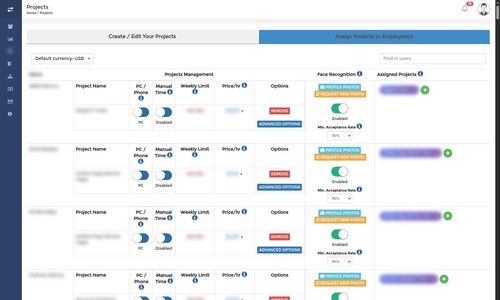
An AI model matches the person at the keyboard to the photo you approved and shows a match rate every hour beside the screenshots. No buddy punching, no shared logins, no secretly subcontracted work.

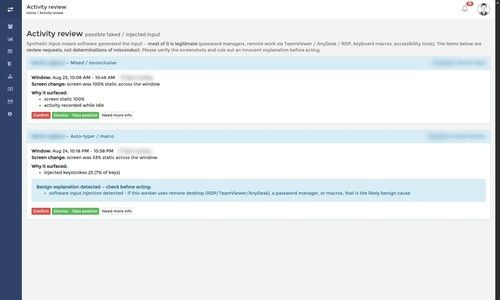
Activity Review catches auto-clickers, mouse jigglers, auto-typers and other automation and hands every case to a human, never an automatic penalty. Idle time is measured per block.

A second AI model, smart blur, finds and hides passwords and private data in screenshots. No keystroke logging, consent-based monitoring, employees can delete their own screenshots.

Offline tracking keeps the hours a dropped connection would lose and syncs later. Active programs and window titles are recorded per day.

Plus screenshots with activity levels on Windows, macOS and Linux, Android GPS, timesheets, payroll calculation, client sharing and Team Huddle.

SCREENish Video/Screenshots

User Reviews

no-reviews
Share your experience! Be the very first reviewer. Write a Review

Frequently Asked Questions (FAQs)

The user group of SCREENish are as follows :

  • Startups
  • SMEs
  • Agencies
  • Enterprises

SCREENish has 0 plans.

SCREENish is allowed 0 Days Free Trial.

SCREENish pricing model : Monthly

SCREENish is Online Software.

Yes

SCREENish offers Email,Live Chat support.

SCREENish provides Help Guides,Blogs for the software training.