0.0
What is QuickBooks Time?
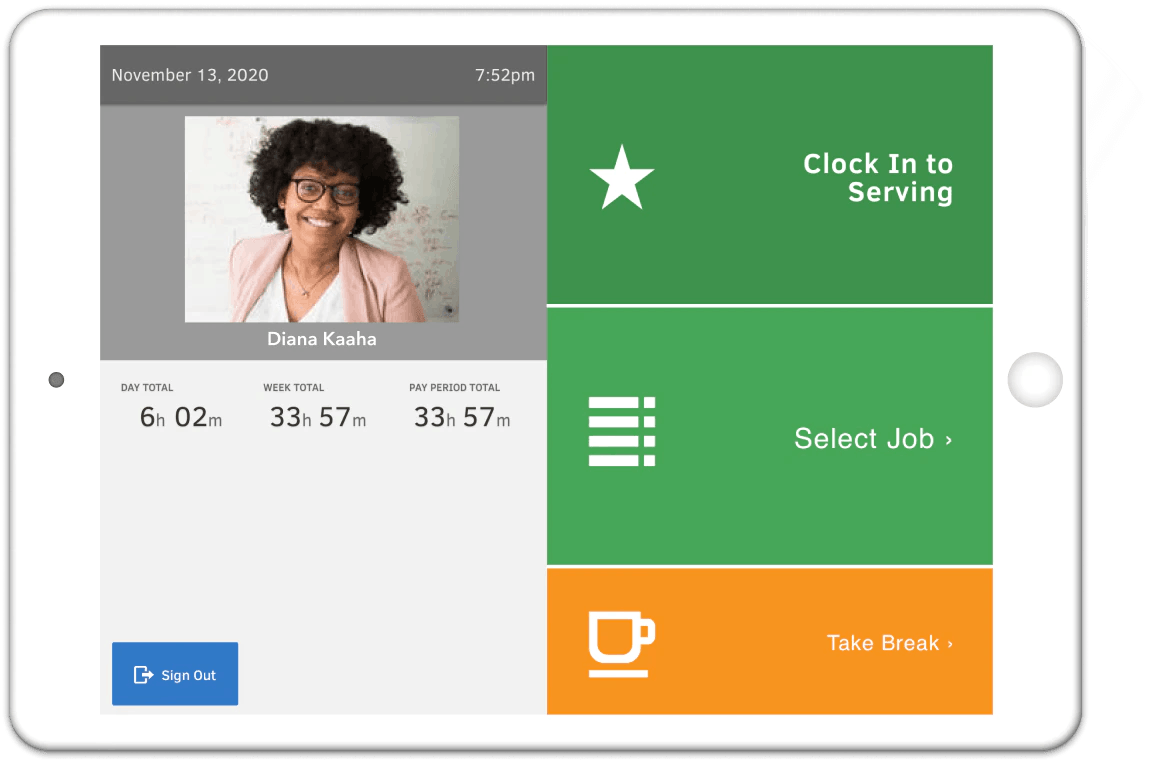
QuickBooks Time, formerly known as TSheets, is Intuit’s time tracking solution designed for businesses with hourly, mobile, and field-based teams. Employees can clock in and out through the QuickBooks Workforce mobile app, web browser, or a Time Kiosk tablet at their job site. Geofencing reminders help employees clock in or out when entering or leaving designated locations, while GPS location data is recorded only during working hours. Managers can review and approve timesheets, create employee schedules, monitor who is working, and sync tracked hours with QuickBooks for payroll and invoicing. A QuickBooks Online account is required to use the software.
Pricing of QuickBooks Time
- 1 Admin
- Mobile app for tracking
- submitting and approving time
- GPS-enabled time tracking
- Payroll and invoicing integration
- Job and shift scheduling
- Time-off management
- Alerts and notifications
- Customer support
- 1 Admin
- Everything in Time Premium
- Mileage tracking
- Project tracking
- Project estimates vs. actuals reporting
- Project activity feed
- Timesheet signatures
- Geofencing
Key Features of QuickBooks Time
Key Features:
Key Specification
| Other Categories: | Payroll Software Time Management Tool & Software Time Tracking App & Software Employee Scheduling Software Project Management Software With Time Tracking Payroll & Benefits Software Time Clock Software |
|---|---|
| Deployment: | Cloud Hosted,Hybrid,On Premise,Any |
| Customer Support: | Phone,Email,Live Chat |
| Languages Support: | English |
Who uses QuickBooks Time

StartUps

SMEs

Agencies

Enterprises
Company Details
| Company Name: | Intuit |
|---|---|
| Headquarter: | United States |
| Social Media: |
QuickBooks Time Description
Most Popular Software



Alternative


QuickBooks Time Video/Screenshots



User Reviews

Frequently Asked Questions (FAQs)
The user group of QuickBooks Time are as follows :
- Startups
- SMEs
- Agencies
- Enterprises
QuickBooks Time has 2 plans,
- Time Premium USD 20 Per Month
- Time Elite USD 40 Per Month
QuickBooks Time is allowed 0 Days Free Trial.
The key featuers of QuickBooks Time are as follows :
- Mobile Access
- Employee Scheduling
- Resource Management
- Reporting/Analytics
- Automated Scheduling
- Vacation/Leave Tracking
- Schedule Distribution
- Online Time Clock
- Timesheet Management
QuickBooks Time pricing model : Yearly,Monthly,Onetime(Perpetual License)
QuickBooks Time is Cloud Hosted,Hybrid,On Premise,Any Software.
QuickBooks Time offers Phone,Email,Live Chat support.
QuickBooks Time provides Help Guides,Video Guides,Blogs,Webinars for the software training.