OpenTimeClock

TRACK EMPLOYEE TIME FROM ANYWHERE

0.0
Rating out of 5 Based on 0 reviews

OpenTimeClock is a cloud-based time and attendance tracking software designed to help businesses of all sizes manage employee work hours, breaks, and overtime efficiently. By providing a centralized platform, OpenTimeClock simplifies workforce management, ensuring accurate timekeeping and compliance with labor regulations.

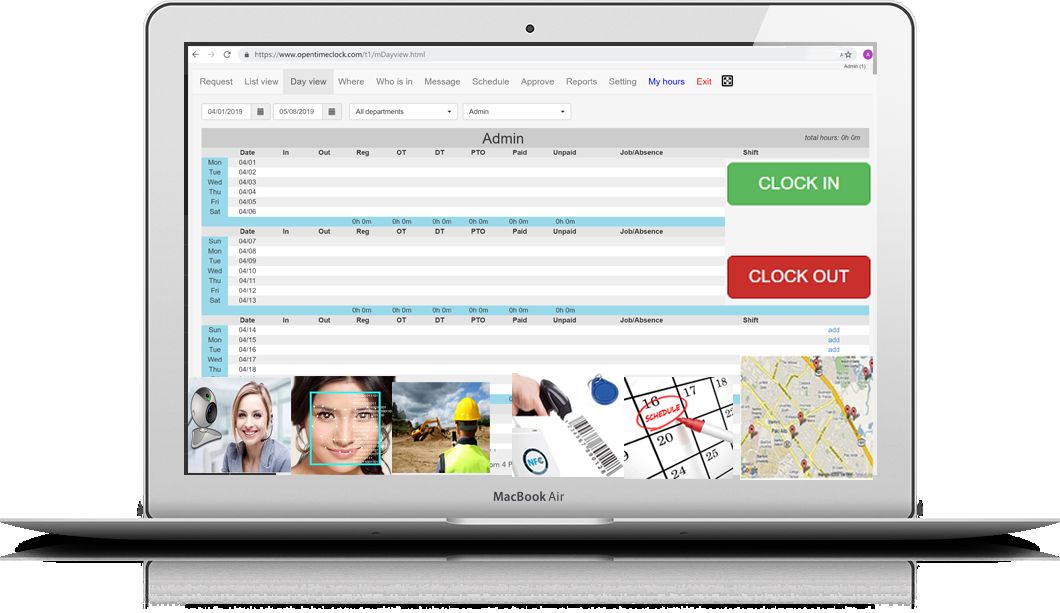
One of the primary functions of OpenTimeClock is to record employee clock-ins and clock-outs, allowing employers to monitor attendance in real-time. This feature is particularly beneficial for organizations with remote or distributed teams, as employees can log their hours from various devices, including desktops, tablets, and smartphones.

The software supports biometric integrations, such as fingerprint scanners and facial recognition, to enhance security and prevent time theft. Additionally, OpenTimeClock offers GPS tracking, enabling employers to verify the location of clock-ins, which is especially useful for mobile or field-based staff.

OpenTimeClock also provides scheduling capabilities, allowing managers to create, modify, and share work schedules with employees. This ensures that staffing needs are met while minimizing conflicts and overtime costs. Employees can view their schedules, request time off, and receive notifications about schedule changes through the platform.

Pricing of OpenTimeClock

Free Plan

USD 0.00
USD 0.00

Month

Buy Now
  • Unlimited users
  • Free technical support
  • Toll-free phone call
  • Access from web browsers
  • Native app for Windows
  • Clock Interface
  • Avoid Buddy Punch
  • Multiple shifts
  • Shift plan schedule
  • Job plan schedule
  • Jobs tracking
  • View GPS locations in Google maps
  • Paid time off auto accruals
  • Manager Approvals
  • Real time
  • Edit Lock
  • Convenient Employee Self Services
  • Notification
  • iFrame Code
  • 30 days free trial on reports
  • 5 years history data storage

Paid Plan

USD 39.00
USD 0.00

Month

Buy Now
  • Unlimited users
  • Free technical support
  • Toll-free phone call
  • Access from web browsers
  • Native app for Windows
  • Clock Interface
  • Avoid Buddy Punch
  • Multiple shifts
  • Shift plan schedule
  • Job plan schedule
  • View GPS locations in Google maps
  • Paid time off auto accruals
  • Manager Approvals
  • Real time
  • Edit Lock
  • Convenient Employee Self Services
  • Notification
  • iFrame Code
  • 5 years history data storage
  • 30 days free trial on reports
  • All reports access

Sponsor Link Plan

USD 0.00
USD 0.00

Contact us

Buy Now
  • Unlimited users
  • Free technical support
  • Toll-free phone call
  • Access from web browsers
  • Native app for Windows
  • Clock Interface
  • Avoid Buddy Punch
  • Multiple shifts
  • Shift plan schedule
  • Job plan schedule
  • View GPS locations in Google maps
  • Paid time off auto accruals
  • Manager Approvals
  • Real time
  • Edit Lock
  • Convenient Employee Self Services
  • Notification
  • iFrame Code
  • 5 years history data storage
  • 30 days free trial on reports
  • All reports access
  • Custom development

Awards & Badges Received

Get More Awards & Badges from Techimply
Badge-1
Badge-2
Badge-3

Key Features of OpenTimeClock

Key Features:
  • Absence Management
  • Applications Management
  • Attendance management
  • Employee Scheduling
  • Employee Self Service Management
  • Expense Tracking
  • FMLA Tracking
  • Invoices
  • Leave Management
  • Overtime Tracking
  • Payroll Integration
  • Project Time Tracking
  • Self Service Portal
  • Time & Attendance Management
  • Time Tracking
  • Time sheet Management

Key Specification

Other Categories: Time Management Tool & Software Time Tracking App & Software
Deployment: Cloud Hosted,Hybrid
Customer Support: Email
Customization: Yes
Languages Support: English

Who uses OpenTimeClock

Personal
Personal
StartUps
StartUps
SMEs
SMEs
Agencies
Agencies

Company Details

Company Name: OpenTimeClock
Headquarter: Singapore, United States
Social Media:

OpenTimeClock Description

OpenTimeClock is a comprehensive time and attendance management system that caters to the diverse needs of businesses across various industries. By leveraging cloud technology, it offers a scalable and accessible solution for tracking employee work hours, managing schedules, and ensuring compliance with labor laws.

Core Functionality

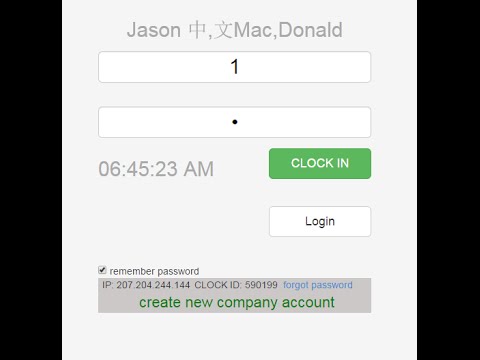
At its core, OpenTimeClock enables employees to clock in and out using multiple methods, including:

  • Web-based interface: Accessible via any internet-connected device, allowing employees to log their hours remotely or on-site.
  • Biometric devices: Integration with fingerprint scanners and facial recognition systems to verify employee identity and prevent buddy punching.
  • Mobile applications: GPS-enabled clock-ins through smartphones, providing location data to confirm the authenticity of remote entries.

These diverse clock-in options ensure that businesses can implement the system in a manner that best suits their operational requirements.

Scheduling and Shift Management

OpenTimeClock offers robust scheduling tools that empower managers to:

  • Create and edit work schedules: Define shifts, assign employees, and adjust schedules as needed.
  • Handle recurring shifts: Set up repeating schedules to simplify the planning process.
  • Manage time-off requests: Employees can submit leave requests through the platform, which managers can approve or deny, ensuring transparency and proper staffing levels.

By centralizing scheduling, OpenTimeClock helps reduce conflicts, overstaffing, or understaffing issues, leading to more efficient operations.

Compliance and Reporting

To assist businesses in maintaining compliance with labor regulations, OpenTimeClock provides:

  • Accurate record-keeping: Detailed logs of employee work hours, breaks, and overtime.
  • Customizable rules: Set up specific policies for breaks, overtime calculations, and pay rates to align with company policies and legal requirements.
  • Reporting tools: Generate various reports, such as attendance summaries, payroll reports, and compliance audits, facilitating informed decision-making and streamlined payroll processing.

These features ensure that businesses can adhere to legal standards and avoid potential penalties associated with labor law violations.

User Experience and Customization

OpenTimeClock is designed with a focus on user-friendliness, featuring:

  • Intuitive dashboards: Both managers and employees can navigate the system with ease, accessing relevant information quickly.
  • Customization options: Tailor the platform to meet specific business needs, including branding elements, custom fields, and personalized notifications.

This adaptability ensures that the software can align with the unique workflows and preferences of different organizations.

Integration and Compatibility

Recognizing the importance of seamless operations, OpenTimeClock offers:

  • Integration capabilities: Connect with popular payroll systems, HR platforms, and other business applications to streamline data flow and reduce manual entry.
  • API access: For businesses with specific requirements, API access allows for custom integrations and extended functionality.

By facilitating these integrations, OpenTimeClock enhances overall operational efficiency and data accuracy.

Security and Reliability

To protect sensitive employee information, OpenTimeClock implements:

  • Data encryption: Ensuring that all data transmitted and stored is secure.
  • Regular backups: Protecting against data loss and enabling quick recovery in case of system failures.
  • Access controls: Role-based permissions to restrict access to sensitive information, ensuring that only authorized personnel can view or modify data.

These security measures provide peace of mind to businesses, knowing that their data is protected against unauthorized access and potential breaches.

In conclusion, OpenTimeClock stands as a versatile and robust solution for businesses seeking to optimize their time and attendance management. Its comprehensive features, ease of use, and adaptability make it a valuable asset in enhancing workforce management and operational efficiency.


Key Features & Specifications

Key Features of OpenTimeClock:

  1. Multiple Clock-In Methods:

    • Web-based interface accessible from any device.
    • Biometric integrations, including fingerprint and facial recognition.
    • GPS-enabled mobile applications for location-verified entries.
  2. Advanced Scheduling:

    • Create, edit, and manage employee work schedules.
    • Handle recurring shifts and manage time-off requests.
    • Notify employees of schedule changes through the platform.
  3. Comprehensive Reporting:

    • Generate attendance summaries, payroll reports, and compliance audits.
    • Customizable reports to meet specific business needs.
  4. Integration Capabilities:

    • Seamless integration with popular payroll and HR systems.
    • API access for custom integrations and extended functionality.
  5. User-Friendly Interface:

    • Intuitive dashboards for managers and employees.
    • Customization options to align with company branding and workflows.
  6. Security Measures:

    • Data encryption and regular backups.
    • Role-based access controls to protect sensitive information.

Specifications:

  • Deployment: Cloud-based, accessible via web browsers and mobile applications.
  • Supported Devices: Desktops, laptops, tablets, smartphones; compatible with biometric devices.
  • Mobile Platforms: iOS and Android applications available.
  • Languages Supported: Multiple languages to accommodate diverse workforces.
  • Customer Support: 24/7 support through email, phone, and live chat.
  • Pricing Model: Subscription-based, with various plans to suit different business sizes and needs.

Alternative

TimeMate

Get the Best Time & Attendance Solution for your Business

0.0
Rating out of 5 Based on 0 reviews

Shiftbase

Solve today's chaos, grow tomorrow.

0.0
Rating out of 5 Based on 0 reviews

Clockwise

Overview and convenience in your time tracking

4.2
Rating out of 5 Based on 10 reviews

OpenTimeClock Video/Screenshots

User Reviews

no-reviews
Share your experience! Be the very first reviewer. Write a Review

Frequently Asked Questions (FAQs)

The user group of OpenTimeClock are as follows :

  • Personals
  • Startups
  • SMEs
  • Agencies

OpenTimeClock has 3 plans,

  • Free Plan USD 0.00 Month
  • Paid Plan USD 39.00 Month
  • Sponsor Link Plan USD 0.00 Contact us

OpenTimeClock is not allowing Free Trial.

The key featuers of OpenTimeClock are as follows :

  • Absence Management
  • Applications Management
  • Attendance management
  • Employee Scheduling
  • Employee Self Service Management
  • Expense Tracking
  • FMLA Tracking
  • Invoices
  • Leave Management
  • Overtime Tracking
  • Payroll Integration
  • Project Time Tracking
  • Self Service Portal
  • Time & Attendance Management
  • Time Tracking
  • Time sheet Management

OpenTimeClock pricing model : Monthly

OpenTimeClock is Cloud Hosted,Hybrid Software.

Yes

OpenTimeClock offers Email support.

OpenTimeClock provides Help Guides,Blogs for the software training.