N-sight

By N-able

0.0
Rating out of 5 Based on 0 reviews

What is N-sight?

N-sight is a comprehensive Remote Monitoring and Management (RMM) platform developed by N-able (formerly SolarWinds MSP). It's designed to help IT service providers (MSPs) and IT departments efficiently manage and monitor their clients' or their own IT infrastructure, including endpoints, networks, and security. N-sight integrates various tools and functionalities into a single platform to streamline IT management tasks, automate processes, and enhance service delivery.

Pricing of N-sight

Basic

USD 99.00
USD 0.00

Per Month

Buy Now

Key Features of N-sight

Key Features:
  • Configuration Management
  • Contract/License Management
  • Inventory Management
  • Audit Management

Key Specification

Other Categories: Patch Management Software Msp Software IT Asset Management Software
Deployment: Cloud Hosted,Hybrid,On Premise,Any
Customer Support: Phone,Email,Live Chat
Languages Support: English

Who uses N-sight

StartUps
StartUps
SMEs
SMEs
Agencies
Agencies
Enterprises
Enterprises

Company Details

Company Name: N-able
Headquarter: United States
Social Media:

N-sight Description

Why Choose N-sight?

Organizations choose N-sight for several reasons:

  • Unified Platform: It combines essential IT management tools like remote monitoring, remote access, patch management, automation, ticketing, and billing into one integrated solution.
  • Efficiency and Automation: N-sight helps automate routine tasks, freeing up IT professionals to focus on more strategic initiatives and reducing manual errors.
  • Proactive Monitoring: Real-time monitoring and alerting capabilities allow for the early detection and resolution of potential issues, minimizing downtime.
  • Enhanced Security: Integrated security features like patch management, antivirus integration, and web protection help safeguard IT environments.
  • Scalability: The platform is designed to scale with the growth of the IT environment and the number of clients managed.
  • Remote Management Capabilities: Robust remote access tools enable technicians to efficiently support and troubleshoot devices from anywhere.
  • Improved Service Delivery: Streamlined workflows and integrated ticketing and billing enhance the overall efficiency and professionalism of IT service delivery.
  • Comprehensive Reporting: N-sight offers detailed reporting on system health, performance, security status, and service delivery metrics.
  • Integration Ecosystem: It integrates with a wide range of other IT management and security tools, providing a flexible and customizable solution.
  • Support for Multiple Platforms: N-sight supports various operating systems, including Windows, macOS, and Linux, as well as mobile devices.

Benefits of N-sight

The benefits of implementing N-sight include:

  • Increased Operational Efficiency: Automation and centralized management reduce the time and effort required for IT management tasks.
  • Reduced Downtime: Proactive monitoring and fast remote access facilitate quicker issue resolution and minimize disruptions.
  • Stronger Security Posture: Consistent patch management and integrated security tools help protect against cyber threats.
  • Improved Customer Satisfaction: Efficient service delivery and proactive support lead to happier clients.
  • Cost Savings: Automation reduces the need for manual intervention and potential costs associated with downtime and security incidents.
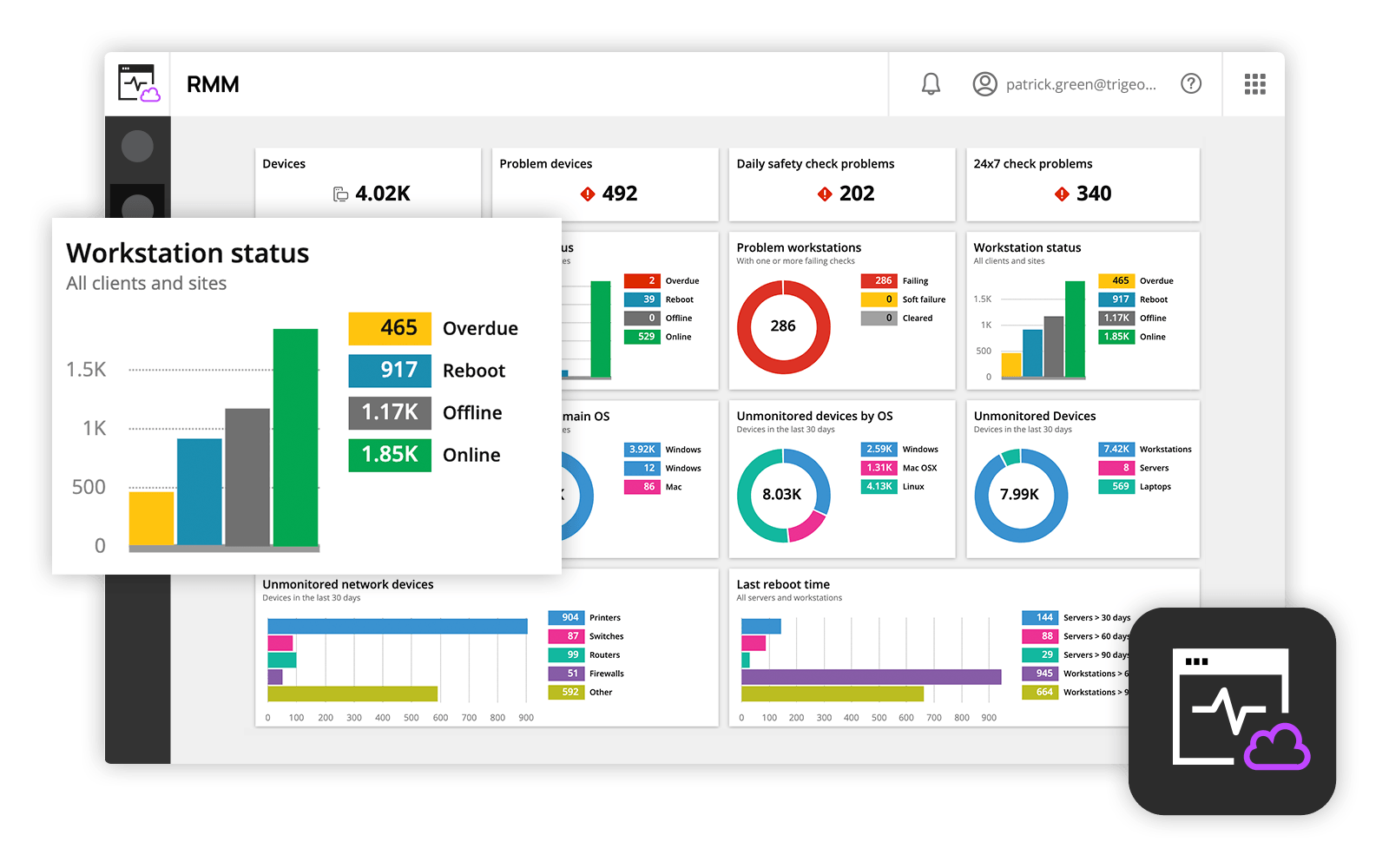
  • Better Visibility and Control: A single dashboard provides a comprehensive view of the entire IT environment.
  • Streamlined Billing and Invoicing: Integrated ticketing and billing features ensure accurate and efficient financial management for MSPs.
  • Enhanced Team Productivity: Automation and efficient tools empower IT teams to be more productive.
  • Data-Driven Decision Making: Comprehensive reporting provides insights for informed IT management and strategic planning.

How to Use N-sight?

Using N-sight typically involves these key steps:

  1. Agent Deployment: Install the N-sight monitoring agent on the devices (servers, workstations, etc.) you want to manage. This agent collects data and enables remote access.
  2. Access the Dashboard: Log in to the N-sight web-based dashboard using your credentials.
  3. Navigate the Interface: Familiarize yourself with the different sections of the dashboard, including device overviews, alerts, monitoring checks, automation policies, ticketing, and reporting.
  4. Configure Monitoring: Set up monitoring checks for various aspects of your devices and network, such as performance, services, and disk space. Configure alerts to be notified of potential issues.
  5. Implement Patch Management: Define patch management policies to automate the deployment of updates for operating systems and third-party applications.
  6. Utilize Remote Access: Use the integrated remote access tools (like Take Control) to connect to and troubleshoot managed devices remotely.
  7. Create Automation Policies: Leverage the Automation Manager to create scripts and policies for automating routine tasks, such as reboots, service restarts, and software deployments.
  8. Manage Ticketing (for MSPs): Use the integrated ticketing system (MSP Manager) to track and manage support requests, schedule tasks, and bill clients.
  9. Generate Reports: Run reports on various aspects of your IT environment and service delivery to gain insights and track performance.
  10. Configure Security Features: Set up and manage integrated security features like managed antivirus and web protection.
  11. Manage Devices and Assets: Organize and manage your devices and assets within the N-sight platform using filters, groups, and tags.
  12. Integrate with Other Tools: Configure integrations with other tools you use, such as PSA (Professional Services Automation) software.

Features of N-sight

N-sight boasts a wide array of features, including:

  • Remote Monitoring and Management (RMM): Real-time monitoring of endpoints, servers, and networks with customizable checks and alerts.
  • Patch Management: Automated patching for Windows, macOS, Linux, and third-party applications.
  • Remote Access and Support: Integrated tools like Take Control for secure attended and unattended remote access.
  • Automation and Scripting: Drag-and-drop automation with pre-built scripts and the ability to create custom scripts.
  • Ticketing and Service Desk (via MSP Manager integration): Comprehensive ticketing system for managing support requests.
  • Billing and Invoicing (via MSP Manager integration): Tools for tracking billable time and generating invoices.
  • Asset Management: Discovery and inventory of hardware and software assets.
  • Reporting and Analytics: Customizable reports on system health, performance, security, and service delivery.
  • Security Features: Integration with antivirus, endpoint detection and response (EDR), managed detection and response (MDR), web protection, and backup solutions.
  • Apple Device Management: Specific features for managing and supporting macOS and iOS devices.
  • Network Management: Tools for network device discovery and monitoring.
  • Mobile Apps: Mobile applications for technicians to manage and monitor systems on the go.
  • Customer Portal: A brandable portal for clients to submit tickets and track their status.
  • API and Integrations: Robust API for integration with other IT management and business tools.
  • Multi-Platform Support: Management capabilities for Windows, macOS, Linux, iOS, and Android devices.

Alternative

ManageEngine Patch Manager Plus

All-around patching solution

0.0
Rating out of 5 Based on 0 reviews

ManageEngine Patch Connect Plus

Redefine SCCM and Intune management

0.0
Rating out of 5 Based on 0 reviews

NinjaOne

Automate the hardest parts of IT

0.0
Rating out of 5 Based on 0 reviews

N-sight Video/Screenshots

User Reviews

no-reviews
Share your experience! Be the very first reviewer. Write a Review

Frequently Asked Questions (FAQs)

The user group of N-sight are as follows :

  • Startups
  • SMEs
  • Agencies
  • Enterprises

N-sight has 1 plans,

  • Basic USD 99.00 Per Month

N-sight is allowed 0 Days Free Trial.

The key featuers of N-sight are as follows :

  • Configuration Management
  • Contract/License Management
  • Inventory Management
  • Audit Management

N-sight pricing model : Yearly,Monthly,Onetime(Perpetual License)

N-sight is Cloud Hosted,Hybrid,On Premise,Any Software.

N-sight offers Phone,Email,Live Chat support.

N-sight provides Help Guides,Video Guides,Blogs,Webinars for the software training.