Customer expectations have changed. People want businesses to respond quickly, provide personalized assistance, and communicate through channels they already use every day. For many companies, WhatsApp has become one of those essential channels.
However, managing customer conversations on WhatsApp without connecting them to a customer relationship management (CRM) platform can quickly become difficult. Messages can get missed, customer information can become scattered, and sales teams may spend hours manually updating records.
This is where WhatsApp CRM Software can make a significant difference. By connecting WhatsApp with a CRM, businesses can bring conversations, customer information, sales activities, and follow-ups into one connected workflow.
What Is a WhatsApp CRM?
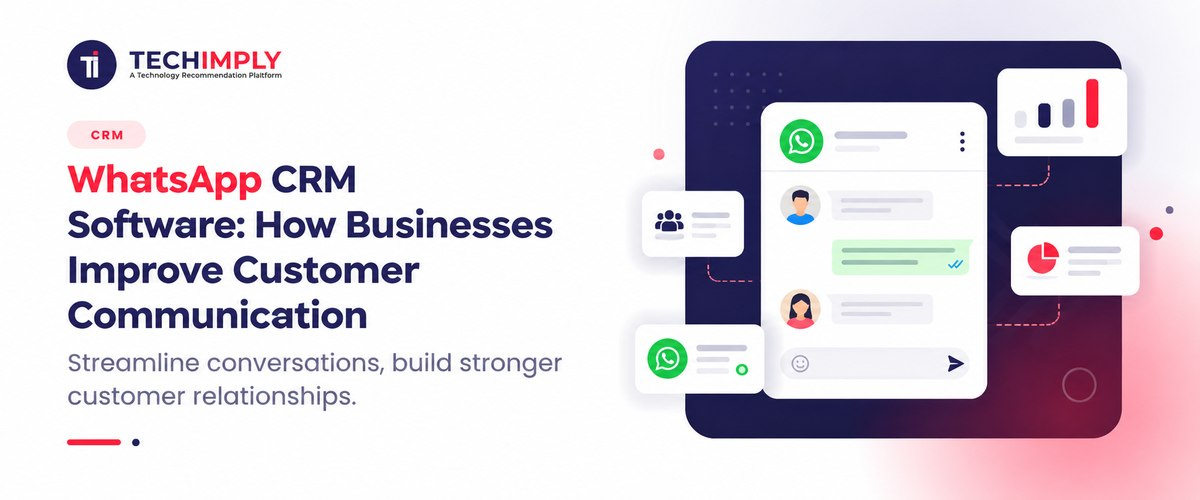
A WhatsApp CRM is a system that connects WhatsApp Business with a CRM platform so businesses can manage customer conversations alongside customer data.
Instead of keeping WhatsApp conversations separate from sales and support records, businesses can connect messages with contact profiles, leads, deals, tickets, and customer history.
A typical WhatsApp CRM setup allows teams to:
- View customer information while responding to WhatsApp messages
- Track conversations and previous interactions
- Assign conversations to sales or support representatives
- Automatically capture new leads
- Trigger follow-ups based on customer activity
- Send notifications and updates
- Monitor conversation and sales performance
The result is a more organized customer communication process. Teams no longer have to switch repeatedly between WhatsApp and their CRM to understand who a customer is or what has already been discussed.
Why Businesses Need WhatsApp CRM Integration
WhatsApp is useful because conversations are immediate and familiar. But when message volumes increase, relying on individual phones or disconnected inboxes becomes challenging.
WhatsApp CRM integration solves this problem by connecting conversations with structured customer information.
For example, imagine that a prospective customer asks about pricing on WhatsApp. With an integrated system, the sales representative can see the customer's previous interactions, lead status, assigned salesperson, and other relevant information without searching through multiple systems.
This creates a more contextual customer experience.
Businesses can also automate repetitive activities. A new lead can be captured in the CRM, assigned to the appropriate salesperson, and followed up through WhatsApp according to predefined workflows.
According to WATI's guide, CRM and WhatsApp integration can centralize conversations and customer information while supporting automated follow-ups, lead qualification, notifications, and performance tracking.
How CRM WhatsApp Integration Works
The basic process is straightforward.
1. Connect WhatsApp Business
The business connects its WhatsApp Business account through a supported WhatsApp Business API or Cloud API solution.
Depending on the CRM and technology stack, the connection may use a native integration, third-party platform, or custom API.
2. Sync Customer Information
Once connected, customer information can move between WhatsApp and the CRM.
When a new customer contacts the business, the system can create or update a corresponding CRM record. Existing customers can be matched with their existing profiles.
3. Capture Conversations
Customer messages and responses can be associated with CRM records. Sales and support teams can therefore access conversation history while working with the customer's profile.
This is particularly useful when multiple employees interact with the same customer.
4. Automate Workflows
CRM workflows can trigger WhatsApp actions.
For example:
- A new lead can receive an automated welcome message.
- A sales representative can receive an alert when a lead responds.
- A customer can receive an order update.
- A follow-up message can be triggered after a predefined period.
- A support request can be routed to the appropriate team.
5. Track Results
Businesses can monitor response times, conversations, lead activity, campaign performance, and other relevant metrics.
This information helps teams identify where customers are dropping out of the sales process and which communication strategies are producing better results.
Key Benefits of a CRM for WhatsApp
A well-designed CRM for WhatsApp can improve customer communication in several ways.
1. Centralized Customer Information
Customer information is easier to access when conversations and CRM records are connected.
Sales representatives can see relevant details such as previous interactions, lead status, purchase history, and customer preferences without searching through separate applications.
2. Faster Customer Responses
Customers increasingly expect quick responses.
When representatives have customer information and conversation history available in one place, they can spend less time searching for context and more time responding.
This can make customer interactions faster and more relevant.
3. Better Lead Management
Leads generated through WhatsApp can be automatically captured and organized in the CRM.
Businesses can then assign leads, classify them, monitor their progress, and create follow-up workflows.
This reduces the possibility of losing potential customers because a message was overlooked.
4. Automated Follow-Ups
Following up manually with every customer is time-consuming.
Automation allows businesses to create workflows based on events such as new inquiries, abandoned purchases, appointment requests, or changes in deal status.
The sales team can focus on conversations that require human attention while routine communication is handled automatically.
5. Improved Team Collaboration
A shared communication environment helps prevent situations where two employees respond to the same customer or nobody responds at all.
Team members can assign conversations, add notes, and maintain visibility into customer interactions.
WATI's current CRM integration guidance highlights shared conversation management, synchronization, automation, and CRM context as important components of connected WhatsApp workflows.
6. Better Customer Experience
Customers do not want to repeat the same information every time they contact a business.
When WhatsApp conversations are connected with CRM data, representatives can understand previous interactions and provide more personalized support.
This creates a smoother experience across sales, service, and support.
WhatsApp Integration With Salesforce
For organizations already using Salesforce, WhatsApp integration with Salesforce can connect messaging activity with customer and sales data.
Sales teams can use the integration to understand customer conversations alongside account, lead, and opportunity information.
For example, a salesperson could receive a WhatsApp inquiry from an existing prospect and access relevant Salesforce information before responding.
Salesforce events can also be used to trigger WhatsApp communication. A change in opportunity stage, lead assignment, or another CRM event could initiate an appropriate customer notification or follow-up.
WATI's integration documentation describes Salesforce workflows in which account, deal, and activity information can be surfaced alongside WhatsApp conversations, while CRM events can trigger WhatsApp messages.
For enterprises with longer sales cycles and multiple customer touchpoints, connecting WhatsApp and Salesforce can help create a more complete view of customer engagement.
What to Look for in the Best CRM With WhatsApp Integration
Choosing the right platform depends on the size of your business, existing technology stack, and communication requirements.
When evaluating the best CRM with WhatsApp integration, consider the following features.
Official WhatsApp Business API Support
Choose a solution that works with the official WhatsApp Business Platform and supports compliant business messaging.
This provides a stronger foundation for scaling communication.
Two-Way Synchronization
The integration should ideally support data moving between WhatsApp and the CRM rather than functioning as a one-way messaging tool.
Two-way synchronization can reduce manual data entry and help teams maintain accurate customer records.
Conversation History
The ability to associate conversations with customer records is essential.
Representatives should be able to understand previous interactions before responding to customers.
Automation
Look for workflow capabilities that support automated messages, lead routing, notifications, reminders, and follow-ups.
Shared Team Inbox
A shared inbox can make WhatsApp communication easier to manage for larger teams.
Agents can assign conversations, collaborate internally, and avoid duplicate responses.
Reporting and Analytics
Businesses should be able to measure relevant metrics such as response times, message performance, lead activity, and conversions.
Scalability
The solution should be able to support increasing message volumes, additional users, multiple workflows, and growing customer databases.
Common Ways to Connect WhatsApp With a CRM
Businesses generally have three options for CRM integration with WhatsApp.
Native CRM Integration
Some CRM platforms provide direct WhatsApp integrations or supported connectors.
This approach can be relatively straightforward because the integration is designed around the CRM's existing workflows.
Third-Party Integration Platforms
A third-party WhatsApp platform can act as the connection layer between WhatsApp and the CRM.
This approach can be useful when businesses want additional capabilities such as automation, shared inboxes, chatbots, analytics, or integrations across multiple business applications.
Custom API Integration
Larger organizations may choose a custom integration.
A development team can connect WhatsApp APIs with the CRM and define exactly what information should be synchronized and which events should trigger specific actions.
Custom integrations provide flexibility but typically require greater technical resources and ongoing maintenance.
CRM WhatsApp Integration Use Cases
The benefits of connecting WhatsApp with a CRM extend across different departments and industries.
Sales
Sales teams can capture WhatsApp leads, assign them to representatives, automate initial responses, and track prospects throughout the sales funnel.
Customer Support
Support teams can connect customer conversations with existing profiles and tickets, helping agents understand previous interactions before responding.
E-commerce
Online retailers can use WhatsApp to send order updates, delivery notifications, product information, and customer support messages.
Real Estate
Real estate businesses can capture inquiries, qualify prospects, share property information, schedule visits, and assign leads to agents.
Education
Educational institutions can use WhatsApp to handle admissions inquiries, send reminders, share application information, and communicate with students.
Financial Services
Financial organizations can use connected messaging workflows for customer inquiries, notifications, reminders, and service updates, subject to applicable regulations and messaging requirements.
How WhatsApp CRM Systems Improve Productivity
The biggest productivity advantage of a WhatsApp CRM system is that it reduces the amount of manual work required to manage customer conversations.
Without integration, an employee might need to:
- Receive a WhatsApp message.
- Search for the customer in the CRM.
- Copy information between systems.
- Update the lead status manually.
- Remember to schedule a follow-up.
- Return to WhatsApp to continue the conversation.
With an integrated workflow, many of these steps can happen automatically.
The customer conversation can be associated with the CRM record, lead information can be synchronized, and workflow rules can handle routine follow-ups.
This does not eliminate the need for sales or support representatives. Instead, it gives them more time to focus on conversations that require judgment, empathy, and relationship-building.
How to Choose the Best WhatsApp CRM Software for Your Business
There is no single solution that is best for every organization.
Before choosing a platform, evaluate your requirements across five areas:
- Business size: A small business may need a simple shared inbox, while an enterprise may require complex workflows and multiple integrations.
- CRM platform: Check whether the solution integrates with your existing CRM, such as Salesforce, HubSpot, or Zoho.
- Automation needs: Determine whether you need basic notifications or advanced lead-routing and customer journeys.
- Team requirements: Consider the number of users, departments, locations, and WhatsApp numbers involved.
- Reporting: Identify which metrics you need to measure customer communication and sales performance.
The right platform should fit into your existing workflow rather than forcing your team to completely change how it works.
WhatsApp CRM vs. Traditional Customer Communication
Traditional customer communication often involves several disconnected tools.
A customer may submit a form, receive an email, contact the business on WhatsApp, and later speak with a salesperson by phone. If those interactions are not connected, employees may lack the context needed to provide consistent service.
A connected CRM WhatsApp integration creates a more unified customer journey.
Instead of treating WhatsApp as a separate messaging application, businesses can make it part of their broader sales, marketing, and support process.
The result is greater visibility, fewer repetitive tasks, and more consistent customer communication.
Final Thoughts
WhatsApp has become an important customer communication channel, but its full value comes from connecting conversations with the systems businesses already use.
A strong CRM WhatsApp integration can help companies centralize customer information, capture leads, automate routine communication, improve collaboration, and provide more personalized responses.
Whether you are connecting Salesforce, HubSpot, Zoho, or another CRM, the objective should remain the same: give your team the context and tools they need to communicate with customers efficiently.
As customer conversations continue moving toward messaging platforms, businesses that connect WhatsApp with their CRM can turn everyday conversations into structured, measurable customer engagement opportunities.