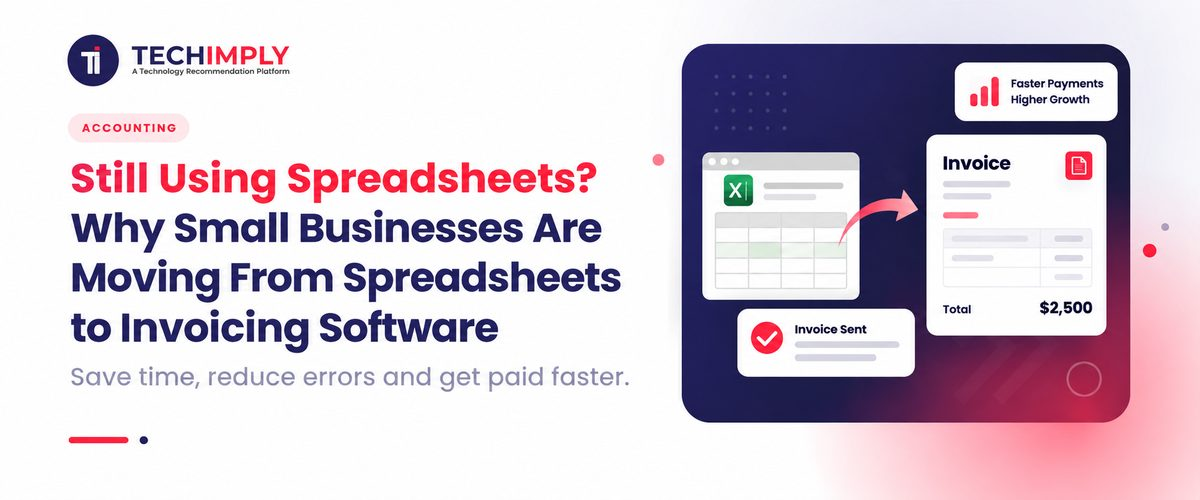
Only a few minutes are required to send an invoice. It can take a lot longer to keep track of whether it was paid, when it is due, and who should get a follow up.
That’s where spreadsheets start becoming difficult. A few invoices are easy to manage, but dozens of invoices can mean constant updates, missed follow-ups, GST calculations, and messy payment tracking.

Looking for Invoicing Software?
Check out Techimply's List of Best Invoicing Software in India for your business.
This is why invoicing software for small businesses is becoming a practical alternative to spreadsheet-based billing. The real question is simple: has your invoicing process outgrown Excel?
Why Small Businesses Still Use Spreadsheets for Invoicing
There's a reason why Excel and Google Sheets are still popular for billing.
They can be customized and made very flexible. The business owner can develop his/her own invoice template in excel and input all of the customer details, add products or services, process taxes, and save the file and without learning another application.
That's sufficient for businesses that only have a handful of invoices monthly.
Low cost and familiar
If you are already familiar with Excel, there is not much to learn. Create an invoice template and begin to use it right away.
Easy to customize
You can customize the layout, fields, formulas, branding and information on the invoice. One of the foremost benefits of using spreadsheet-based invoicing is that it offers flexibility.
Suitable for low invoice volume
If you have a handful of customers, predictable billing, and simple payment terms, invoice tracking in Excel can work perfectly well.
Useful for custom calculations
Spreadsheets are particularly useful when your billing involves unusual calculations. Project costing, commissions, revenue-sharing arrangements, or custom pricing models may be easier to model in Excel than in dedicated invoice software.
So, moving to small business invoicing software is not automatically the right decision for everyone. The problem begins when the spreadsheet becomes the system responsible for everything.
Where Spreadsheet Invoicing Starts to Break
A spreadsheet can record an invoice. It does not automatically manage the entire process around that invoice. This distinction becomes important as your business grows.
Creating invoices takes more time
Manual invoicing allows you to copy an old invoice, update the customer details, update invoice number, add products/services, compute tax, verify total, save and send the invoice.
Doing this once is easy. Doing it repeatedly every week is administrative work that adds up.
Payment tracking becomes harder
Invoice payment tracking often requires a separate sheet or manual status updates.
You may need to answer questions such as:
- Which invoices are still unpaid?
- Which customer has made a partial payment?
- Which invoices are overdue?
- How much is currently outstanding?
- When should I follow up?
You can build formulas to answer some of these questions. But someone still needs to maintain the underlying information.
Invoice numbering can become inconsistent
Manual numbering is another weak point.
Duplicate numbers or gaps may be present when multiple invoice files are created or edited by multiple users. Under the rules of GST invoice, serial numbers must be consecutive and unique for a financial year for GST registered businesses.
GST calculations depend on accurate formulas
Excel can calculate GST, but the formulas and invoice details need to be correct.
Details in a GST tax invoice can include supplier information, recipient information, GSTIN (if applicable), invoice number, invoice date, HSN code or accounting code, taxable value, tax rate, tax amount and place of supply (where applicable).
The repetitive calculations and data entry can be saved with the help of a dedicated GST invoice software platform, but the company will also need to ensure that the specific software has the functionality required for the company's GST workflows.
Payment follow-ups depend on memory
An Excel sheet may show that an invoice is overdue.
It will not necessarily remind you to contact the customer.
That's the reason why automated payment reminders feature is one of the things that businesses prefer when they switch from spreadsheets to invoice automation software. Reminders and payment tracking are features typically provided by the small-business invoicing systems used today.
Multiple users create version problems
Imagine your sales employee has one spreadsheet, your accountant has another, and you have a third copy on your laptop.
Which one is correct?
This is where invoice management in Excel becomes harder to control. Dedicated invoice management software generally keeps customer and invoice records within one system rather than relying on multiple files.
Spreadsheet vs Invoicing Software: What Is the Real Difference?
The biggest difference is not simply invoice design. It is what happens after the invoice is created.
|
Task |
Spreadsheet |
Invoicing Software |
|
Create invoices |
Manual entry |
Templates and saved records |
|
Invoice numbering |
Usually manual |
Often automated |
|
Customer information |
Entered or copied manually |
Saved and reusable |
|
Payment status |
Manual updates |
Centralized tracking |
|
Overdue invoices |
Need to check manually |
Dashboard or status tracking |
|
Payment reminders |
Manual |
Can be automated |
|
Recurring billing |
Repeated manually |
Can be scheduled |
|
GST calculations |
Formula-based |
Built-in tax features in suitable tools |
|
Reports |
Often manually prepared |
Built-in reports |
|
Team access |
File-based |
User access and permissions in many tools |
This is why spreadsheet vs invoicing software is really a question about workflow.
Excel gives you a flexible workspace. Online invoicing software gives you a structured billing workflow.
7 Signs Your Business Has Outgrown Spreadsheet Invoicing
There is no fixed invoice count that tells every business when to switch. The right time depends on how difficult your invoicing process has become. Rule is simple, switch when managing invoices takes more time than creating them.
You may need invoicing software for small businesses if you:
- Spend too much time creating and updating invoices.
- Manually track payments and overdue invoices.
- Regularly send recurring invoices.
- Forget payment follow-ups.
- Need GST or receivables reports frequently.
- Have multiple people handling billing.
For a freelancer who has 3 clients, they can get by using Excel. A small agency can have 40 clients and recurring billing payments, and have a few employees, and may require software to automate repetitive tasks and keep payments organized.
What Does Invoicing Software Automate?
The exact features differ between products, but invoice automation generally focuses on repetitive tasks that otherwise require manual work.
Invoice creation
Customer and product information can be saved and reused, reducing repeated data entry.
Automatic invoice numbering
Many tools assign invoice numbers based on predefined sequences, helping reduce manual numbering mistakes.
Payment tracking
Invoice tracking software can provide a clearer view of sent, paid, pending, and overdue invoices.
Automated payment reminders
Useful software will remind you of payment terms, due dates, and other reminders on your spreadsheet, rather than having to check the spreadsheet every morning. For instance, Zoho Invoice has the feature of reminders which are automated for Indian businesses.
Recurring invoices
If you bill customers monthly or quarterly, recurring invoices can be scheduled rather than recreated every billing cycle.
GST invoicing
India-focused GST invoicing software can support GST-related information and calculations. Zoho Invoice, for example, currently provides predefined GST, intra-state, and inter-state tax rates.
Reports
Instead of building a new spreadsheet report, invoice software for small business can provide information about outstanding invoices, sales, receivables, or other billing data.
Do You Know?
Creating an invoice is only the first step. Invoice automation software also helps track payments, outstanding amounts, and customer follow-ups.
Why Invoicing Software Makes Sense for Indian Small Businesses
1. GST-ready invoicing
Automated invoicing software solutions in India can assist in managing details connected with GST like GSTIN, HSN/SAC, Tax rate and tax amount, minimizing repetitive manual entry.
2. Easier payment collection
Many platforms support online payments through options such as UPI, cards, and net banking, making it easier for customers to pay directly from or alongside an invoice.
3. WhatsApp and email sharing
Businesses can send invoices through email or WhatsApp, depending on the software and plan, instead of sharing files manually.
4. Better payment visibility
Invoice payment tracking becomes easier when paid, unpaid, and overdue invoices are managed in one place instead of a separate spreadsheet.

Pro-tip
Prior to purchasing small company invoicing software, determine the 3 invoicing errands that consume the most time such as payment follow-ups, finding old invoices, and calculating the GST. Don't pay for features you require, select software that can solve them.
What to Look for in Invoicing Software
Do not choose software only because it has more features than Excel. Choose it because those features remove work from your current process.
|
Business Need |
Feature to Look For |
|
Faster billing |
Invoice templates |
|
Fewer calculation errors |
Automated tax calculations |
|
Better collections |
Payment tracking |
|
Fewer missed follow-ups |
Automated payment reminders |
|
Regular customers |
Recurring invoices |
|
GST requirements |
GST support |
|
Multiple employees |
User roles and permissions |
|
Better visibility |
Reports and dashboards |
|
Remote access |
Cloud or mobile access |
|
Customer communication |
Email, WhatsApp, or payment options |
Is Invoicing Software Worth the Cost for a Small Business?
The importance of invoice software is dependent upon the time you spend on your present process. Making and keeping track of invoices, sending reminders and reports, and making these still takes time and costs you little.
If these tasks only require a few minutes of your time each month, you may not need to use invoice software. However, when time spent on billing runs into hours a week, online invoicing software can begin to save a lot of time.
Be sure to consider factors other than cost when choosing options. Take into account the following attributes: what features you require, how much time you will save, the security, support, integrations, and the pricing that will change as your business expands.
How to Move From Excel to Invoicing Software
Switching systems does not have to be complicated.
1. Clean your existing data
Remove duplicate customers, old records, and incorrect payment information from your spreadsheet.
2. Export your customer information
Prepare customer names, contact details, GSTINs where applicable, payment terms, and other information you regularly use.
3. Set up your invoice format
Add your business details, logo, payment terms, tax settings, and preferred invoice layout.
4. Import products or services
If the software supports it, add your regular products, services, prices, and relevant tax information.
5. Test the workflow
Create a few sample invoices. Check numbering, calculations, customer information, payment terms, and tax details.
6. Start new invoices in the software
Keep your old Excel records as an archive, but use the new platform for future billing.
This approach makes the transition more manageable and lets you identify problems before the software becomes part of your everyday billing process.
Conclusion
While simple billing is suitable for small businesses, manual billing, payment tracking, reminders, GST calculation and reporting can be time-consuming as your business grows.
Invoicing software for small businesses can come to the rescue there. There's no hard and fast rule on how many bills you need to move, but the moment the chore of spreadsheet management starts to outweigh the work you need to do for the billing itself.
If the process you currently have is still basic, continue with it. If you're spending a lot of time on sheets, chasing payments and looking for records, it may be time to upgrade to a system designed for the purpose of invoicing.
Also Read-
- Why is Billing & Invoicing Software Important for Small Business?
- 7 Billing and Invoicing Software Every Professional Needs to Know
- What’s the difference between Billing and Invoicing?
- 5 Top Rated Billing And Invoicing Software For Small Businesses
- What to Look for When Buying Invoicing Software?
- Top 10 Easy To Use Billing and Invoicing Software in India
- 10 Reasons to Invest in Professional Invoicing Software
- 10 Reasons to Invest in Billing and Invoicing Software
- 7 Major Advantages of using Billing and Invoicing Software for Business