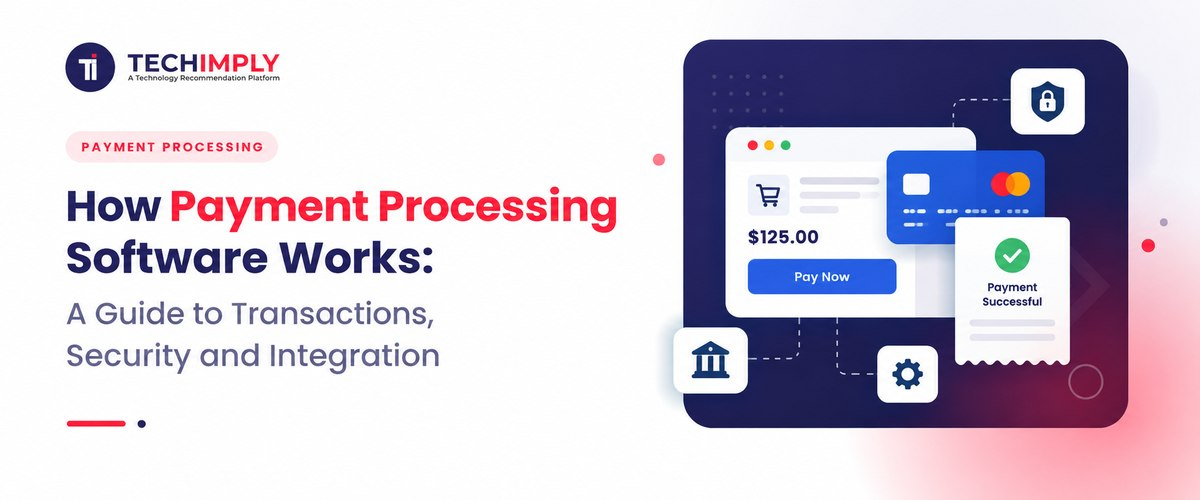
A tap, a short pause and an “Approved” message: that is all the buyer sees. During the pause, encrypted details travel through several systems. The customer’s bank checks the account, fraud controls weigh the risk and a response makes the return trip to the checkout.
Payment processing software keeps that exchange moving. Think of it as the bridge between a merchant’s checkout and the companies that move the money. It also keeps the record after checkout: whether a payment was captured, refunded or included in a particular payout. Finance teams rely on those records to match online payment processing activity with bank deposits.

Looking for Payment Processing Software?
Check out Techimply's List of the Best Payment Processing Software in India for your business.
Why learn the machinery if a provider manages it? Because an approval screen is only one checkpoint. A store can appear to take payments normally while creating duplicate charges, losing order confirmations or leaving staff unable to explain a payout. The sections below follow the full journey and show where security and integration decisions make a practical difference.
What Is Payment Processing Software?
Put simply, payment processing software carries a payment request to the right financial parties and brings their answer back. Its work continues after the answer: the platform tracks capture, settlement, refunds, and disputes. One product might handle only cards; another may also cover bank transfers, wallets, subscriptions, payment links, and shop terminals.
The term is broad. Payment Gateway Software securely transfers payment information from a checkout to a processor. A payment processor routes transaction messages between the merchant, card network, and banks. An acquiring bank or its partner provides the merchant relationship needed to accept card payments. A modern provider may place several of these services behind the same dashboard and API. That packaging is why people often use the names interchangeably even though the underlying jobs differ.
From the merchant’s point of view, payment processing software is the operating layer between “Pay now” and a reconciled bank deposit.
The Main Participants in a Payment Transaction
It helps to know who is involved before following the transaction itself.
- The customer, also called the cardholder, starts the payment.
- The merchant sells the product or service and receives the funds.
- The checkout, payment page or point-of-sale device collects the payment instruction.
- The payment gateway protects and transmits payment data from the merchant environment.
- The payment processor performs transaction processing and routes messages to the appropriate financial parties.
- The acquiring bank receives card transactions for the merchant. Some providers perform both acquiring and processing functions.
- The card network, such as Visa or Mastercard, carries authorization and settlement messages between the acquiring side and the customer’s bank.
- The issuing bank provided the customer’s card and makes the approval or decline decision.
Cards are only one route. A bank payment, local instant-payment scheme or wallet takes a different path. Each still has to answer three questions: Is the instruction valid? Did the payer authorise it? Did the money actually move?
How Payment Processing Software Works Step by Step
1. The customer initiates the payment
The starting point might be a website checkout, an app, an invoice link or a shop terminal. Along with the amount and currency, the payment processing software needs a merchant identifier and an order or invoice reference. That reference will matter later when somebody has to trace the sale.
Good software checks basic input quality first. It can catch an expired card, missing field or unsupported currency before sending an unnecessary request to the banking network.
2. Sensitive information is protected
Payment details must be protected while they are collected and transmitted. In a well-designed online payment processing setup, the merchant’s server does not need to handle raw card numbers directly. Hosted payment pages or secure payment fields can send card data straight to the payment provider, which returns a token representing that payment method.
A token is a stand-in for the card number. The merchant can keep that stand-in for a later charge without keeping the valuable number itself. Encryption deals with a different risk: it makes captured information unreadable to anyone who lacks the key. Sound payment security normally uses both ideas in the places where they fit.
In a physical environment, approved terminals may use point-to-point encryption so card data is encrypted from the moment it is captured. Mobile wallets can add their own device-specific tokens and customer authentication.
3. The authorization request is routed
The payment gateway passes the protected request to the processor or acquiring side. The processor identifies the relevant network and forwards the request. The network then routes it to the issuing bank.
The authorization message usually includes the amount, currency, merchant category, transaction type and information used for risk checks. The exact fields differ by payment method and region. The important point is that the payment processing system is moving a request for permission; money has not yet been deposited into the merchant’s account.
4. Authentication and fraud checks take place
The issuer can confirm that the account is open, the card is usable and sufficient credit or funds are available. Merchant fraud rules may also consider the device, transaction history, location, velocity and unusual purchasing behaviour.
Some online card transactions require or benefit from an additional customer authentication step. For example, 3-D Secure can ask the issuing bank to authenticate the buyer using a banking app, one-time code, password or biometric method. A risk-based flow may approve a low-risk transaction without visible interruption and challenge a riskier one.
Fraud controls should not be treated as a contest to block the most transactions. Overly aggressive rules reject genuine customers and reduce revenue. Effective payment processing software helps a business review both fraud losses and false declines.
5. The issuer approves or declines
The issuing bank returns a response through the network and processor. An approval normally includes an authorization code and may reserve the amount against the customer’s available balance or credit. A decline may be caused by insufficient funds, an expired card, suspected fraud, an incorrect security value or a temporary issuer rule.
The merchant usually receives a general decline category, not the issuer’s detailed reasoning. Checkout copy should stay honest. “Please check your details or try another payment method” is more useful than inventing a reason the bank never supplied. If the problem continues, the customer can contact the issuer.
6. The merchant captures the authorized payment
Authorization and capture can happen together, or they can be separate. A restaurant, retailer or digital service may capture immediately. A hotel, car-rental business or merchant shipping physical goods may authorize first and capture later when the final amount or fulfilment status is known.
An authorization is not permanent. If the business waits too long, the authorization can expire and the payment may need to be authorized again. Payment processing software should clearly distinguish authorized, captured, failed, cancelled and refunded states so staff do not mistake a reservation of funds for completed payment.
7. Clearing and settlement move the money
Captured transactions are submitted for clearing. During clearing, the participants exchange the final transaction records and calculate what each party owes. Settlement is the financial transfer between institutions. The merchant’s provider then funds the merchant account or bank account, usually after deducting agreed fees, refunds, reserves or adjustments.
Settlement timing varies. It can depend on the payment method, provider, business risk, currency, country, bank holidays and account history. A transaction marked “paid” in an order system may therefore appear in a bank payout one or more days later.
8. Reconciliation closes the operational loop
The finance team must match orders, transactions, fees and payouts. One payout may combine many sales, refunds and adjustments, so its bank amount rarely equals a day’s gross sales. Strong payment processing software provides the references, fee breakdowns and settlement reports needed to explain the net deposit.
What Happens After a Successful Payment?
A sale can later be refunded, cancelled before capture or disputed by the issuer. The payment integration must carry each change back to the order and accounting systems. Refunds remain separate events linked to the original sale, while disputes need their own status, deadline and evidence trail. Subscription Billing Software can manage recurring charges, renewal attempts and failed-payment recovery. Transaction processing is therefore a lifecycle, not one approval screen.
Essential Security Controls in Payment Processing Software
Payment security is shared across the provider, merchant, software developers and staff. Outsourcing card capture can reduce a merchant’s exposure, but it does not remove every responsibility.
PCI DSS scope and secure design
The Payment Card Industry Data Security Standard, or PCI DSS, provides baseline requirements for environments that store, process or transmit payment account data. The exact validation obligations depend on the merchant’s setup, transaction channels and provider relationships.
A hosted checkout or tokenized field reduces sensitive data touching merchant systems and can simplify compliance. The merchant must still manage access, website security, vendors and the correct validation process.
Encryption and tokenization
Transport encryption protects data moving between browsers, apps, terminals and servers. Encryption at rest protects stored sensitive information. Tokenization replaces valuable payment data with a reference that is far less useful if stolen from the merchant database.
Ask where decryption can occur, who controls the keys, which systems can access raw data and whether tokens are limited to a merchant or purpose.
Strong authentication and account protection
Customer authentication helps reduce unauthorized payments, but the merchant account needs protection too. Multi-factor authentication and narrowly defined staff roles are a sensible baseline. Keep an audit trail, and put a second approval around changes to the payout bank account. A criminal with administrator access may simply redirect tomorrow’s payout; stealing card numbers is not the only route to a loss.
Fraud prevention and monitoring
Useful controls include velocity limits, device intelligence, address or security-code checks where supported, allowlists, blocklists and rules for unusual amounts or locations. More advanced systems use machine-learning risk models.
Teams should track fraud, chargebacks, approvals and false declines together. Chargeback Software can help businesses manage disputes and keep supporting transaction records organised. A rule that blocks fraud but rejects many genuine orders may be a poor trade.
Secure webhooks and API credentials
A webhook is the provider calling the merchant’s system with news: the charge succeeded, the refund failed or a dispute opened. Do not accept that call at face value. Verify its signature, receive it over HTTPS and ignore malformed or stale events. Providers retry webhooks, so the same event must be safe to process twice without creating another order or refund.
Keep API keys out of source code. Test and production need separate credentials, and each credential should have only the access it needs. Logs are another common leak point; card data and credentials do not belong there.
Payment Integration Options
Hosted payment page
The customer is redirected to a provider-hosted page or sees a hosted checkout. This is usually the fastest option and can reduce the merchant’s handling of sensitive data. The trade-off is less control over design and the checkout journey.
Embedded secure fields
The form appears inside the merchant’s site, while the provider hosts or tokenizes sensitive fields. The merchant keeps a consistent design without receiving raw card details.
Direct API integration
An API-first payment integration offers control over marketplaces, subscriptions and routing. The business must be ready to maintain timeouts, duplicates and partial failures.
Payment links, invoices and virtual terminals
Payment links, invoice pages and virtual terminals can suit service businesses that do not need a custom checkout. Billing and Invoicing Software can also help organise invoices and payment records. Staff must never collect card details through insecure messages or notes.
In-person point of sale
An in-person setup can connect POS Software with a payment terminal. Use supported devices, control physical access and keep them updated. Test tips, returns, offline behaviour and cases where the terminal and order system disagree.
How to Build a Reliable Payment Integration
Sketch the awkward cases before writing the integration. What will the order show if the buyer closes the tab? What if the provider times out after charging the card? Decide how staff will handle a repeated webhook, a failed refund and a late settlement.
Give every order a unique internal ID and retain the provider’s transaction ID beside it. Payment creation and refunds also need idempotency keys; a retry should return the earlier result instead of repeating the financial action. A browser landing on a success page is not proof of payment. Use the provider’s server-side status or a verified webhook.
The sandbox test should include a decline, an authentication challenge, a broken connection, a double-click on the pay button, a partial refund and a dispute. Before going live, check less technical details too: supported currencies, payout timing, the name printed on card statements and the instructions customer support will follow.
After launch, monitor more than uptime. Watch authorization rates, payment latency, webhook failures, refund errors, fraud, chargebacks and reconciliation differences. A technically available payment processing system can still be performing poorly if valid customers cannot pay or finance staff cannot explain payouts.
Features to Compare Before Choosing a Provider
The review should cover:
- supported countries, currencies and locally preferred payment methods;
- online, in-person, recurring and invoice payment support;
- transparent transaction, currency conversion, dispute, and refund fees;
- payout timing, reserves, and settlement reporting;
- tokenization, authentication, fraud tools, and account security;
- API quality, software development kits, webhooks, and version policy;
- integrations with e-commerce, CRM, billing, and accounting systems;
- refund, dispute, and chargeback workflows;
- uptime, incident communication, support, and data portability.
The cheapest quoted rate does not always produce the lowest total cost. Poor approval rates lose genuine orders, and weak reports leave the finance team doing hours of manual matching.
Common Payment Processing Mistakes
One common mistake is marking an order paid because the customer reached a success page. The browser can be closed, redirected, or manipulated. The order system should confirm the payment through a trusted server response or verified event.
Retrying a timeout without idempotency is another. The first request may have succeeded even though its response was lost, so a repeat can create a duplicate charge.
Some teams fail to store the references needed to reconcile payouts. Others grant excessive dashboard access or leave a former employee’s account active.
Finally, some teams treat compliance as a certificate collected once a year. Payment security requires ongoing patching, access reviews, monitoring, vendor oversight, and staff training.
Conclusion
Payment processing software occupies an unusual position: customers judge it in seconds, while operations and finance may live with each transaction for weeks. It protects and routes the original instruction, follows the payment through capture and settlement, and preserves the trail needed for reconciliation.
A long list of payment methods is helpful, but it is not the final test. A dependable setup recovers safely from failures, keeps raw payment data away from systems that do not need it and leaves a clear record after the customer has gone. Checkout, security and finance are parts of the same workflow; design them that way.