


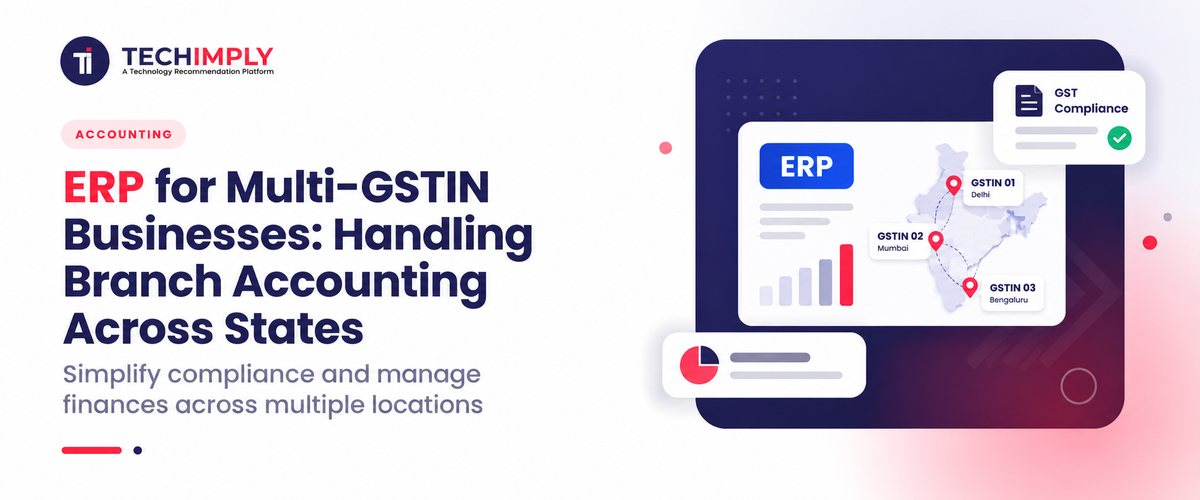
In order to manage branch accounting across states in the Indian market, it is necessary to use an ERP that can operate within the legal framework that states that different state registrations under the same PAN number have to be treated respectively as separate legal entities (Schedule I, CGST Act). A powerful multi-GSTIN ERP makes the process easier by using one database that can take care of interstate transfer of stocks as GST transactions with e-way bill and IRN e-invoicing generation, while at the same time it can deal with local accounting of CGST/SGST operations, taking care of the accounting for every state at the same time.
What is multi-GSTIN branch Accounting in ERP Software?
Multi-GSTIN branch accounting in an ERP means the software tracks money records and tax work for one firm that operates in more than one state in India. In the GST system, each state GST registration under the same PAN is treated as its own legal unit. Because of that, the ERP keeps one place for shared accounting details, but it also stores separate ledgers for each state. With this setup, the system can record sales within a state, where CGST and SGST apply. It can also handle branch activity across states. The ERP software then keeps tax dues, Input Tax Credit (ITC), and sales reports separate for each GST registration.
Multi-GSTIN branch accounting handles hard GST steps that people would have to do by hand. When goods or services move from one branch to another in a different state, the system counts it as a tax event. It then applies IGST and creates the required papers right away. This includes documents like e-invoices and e-way bills. It also keeps the central books in one place. Internal transfers are removed from the inter-branch entries. That lets the leadership team track results by state and also see one set of group reports, such as the balance sheet and profit and loss, updated as changes happen.
Did you know?
Schedule I under the CGST Act says a move of stock or services between two branches in different states is treated as a supply between two separate persons. So the business must raise a tax invoice and pay IGST on these internal moves. This is required even if there was no external sale to a customer. The branch that receives the goods or services can usually recover the tax as Input Tax Credit.
Why do multi-GSTIN Businesses need ERP for branch Accounting?
Running a business across several states in India can make one organization look like different legal entities for tax purposes. In that setup, keeping manual accounting software for each branch becomes too hard to sustain. Trying to handle it with spreadsheets often turns into constant rework. A good ERP becomes the main hub. It connects the rules in each state with the finance team at the main office. It also keeps the data in one place so reporting stays consistent. Without a focused ERP, many companies hit repeated delays in filings. They also see cash tightness and slower day-to-day operations in their branch network.
1. Reducing tax Conflicts and penalty Risk
When GSTINs are handled by hand across states, errors can slip in. Those mistakes can create tax differences that hurt profits. An ERP reduces this risk by applying the right GST split based on where the sale happens. It calculates CGST and SGST or IGST when needed. The system also supports e-way bills and e-invoices. It does this with the required IRN so documents match the reporting trail. It further keeps state-wise purchase records separate. That helps avoid ITC issues and reduces gaps versus what appears in GSTR-2B. With this structure in place, tax notices become less likely. Credit claims are less likely to get stuck. Branches are also less likely to face stops in e-way bill creation due to missing or wrong compliance data.
2. Cutting Friction in Stock Transfers Between Branches
In India, moving stock from a main warehouse to a state branch is treated as a taxable event. GST has to be paid right away, even if there is no sales income at that time. With a multi-GSTIN ERP, these cross-state transfers are handled with invoices that match GST rules. The system also records the IGST due for the move. When the stock lands at the branch, the ERP records it in the system and pulls the related ITC through the same set of records. With this full trace, tax credits do not stay unused for long, and the inventory picture stays consistent across states.
3. Getting One View of the Business Without Repeating Work
If there is no integrated multi-GSTIN setup, finance teams often deal with slow month-end tasks. They may merge separate spreadsheets or copy numbers from separate local accounts. That process can take weeks and still leads to errors. A single ERP keeps one shared data store for the branches. It also separates branch-wise profit and loss reporting. At the same time, it removes internal intercompany entries so revenue is not counted twice. Leaders then see updated margins by region, inventory levels across all state godowns, and group-level finance numbers. This helps teams expand into new states without adding extra admin load.
How does ERP manage accounting across multiple states?
An ERP system handles accounts for multiple states by using one database setup. It keeps separate ledgers for each state’s GSTIN. At the same time, it links all those ledgers under one corporate PAN. So you do not need different ERP setups in each branch. The ERP marks key records like warehouses, stores, customers, and suppliers with a state code and a tax ID. When a transaction comes in, the system uses the location details from that transaction. Then it sends the accounting entry to the right state books. Because of this, local sales, costs, and asset changes reach the state general ledger on their own. Local staff does not need to do extra steps.
The ERP also supports state tax work in a steady way. It applies tax rules during each transaction. It checks whether the invoice is intra-state or inter-state. Then it adds CGST and SGST or adds IGST. This decision follows the place of supply rules. The system keeps separate purchase and sales registers per state. It then creates GSTR-1 and GSTR-3B for each state. It also compares vendor invoices to the matching state GSTR-2B data. This is done to improve input tax preparation. For stock moves across states between company branches, the ERP raises tax-compliant invoices. It also generates IRN numbers for e-invoicing. It prepares e-way bills at the time goods are dispatched.
In corporate finance, an ERP runs the end-of-period close tasks. It sets up the elimination entries so people do not have to do it by hand. When one branch sells to another, or buys from it, the system captures those internal figures. It tracks the intercompany receivables and payables. This is done even if the activity goes across state lines. During the close, the ERP clears the internal balances. It also nets the inter-branch sales. This way, the same totals do not get counted two times. Head office can then review each state branch. They can also review the group results in one view. That includes one Profit and Loss summary and one consolidated Balance Sheet. You can access the view during the close, not after.
Which ERP Features matter most for multi-branch Tax Compliance?
1. Separate ledgers and tax books for each state
The system has to keep its own general ledger, sales register, and purchase register for every GSTIN. All GSTINs sit under one corporate PAN. With this setup, reports stay clear by segment. It also helps stop tax details of one state unit from mixing with another unit’s filings.
2. Tax rules based on where the supply happens
The ERP should check the customer, vendor, and dispatch locations each time. It must then apply the right tax split. For intra-state deals, it should use CGST and SGST. For inter-state deals, it should use IGST. This follows place-of-supply rules. It also avoids manual tax changes.
3. Inter-branch billing for stock moved across states
When stock moves between states, it counts as a taxable supply. The software must create the needed inter-branch invoice with the correct tax data. It should compute the IGST due for such moves. It should also send the details to the required government portals in real time. This is needed to get e-way bills and Invoice Reference Numbers at the time of dispatch.
4. Match GSTR-2B and reconcile ITC for multiple GSTINs
The system should pull vendor details for all state registrations. It then needs to match purchase invoices with the government GSTR-2B records. This reduces errors in claims. It helps stop wrong provisional credit flow. It also keeps Input Tax Credit locked or eligible based on each branch.
5. Input Service Distributor (ISD) setup support
The system has to handle required ISD steps. It should gather common vendor bills at the Head Office. Examples include corporate IT or ad-related costs. Then it must share the total ITC to the right state branches. This sharing should follow the turnover ratios set for each branch.
6. Direct e-filing API links for returns
The platform should connect to the GST portal through an API. This lets the finance team prepare returns in the ERP. It also helps them check the data and upload it. Returns include GSTR-1, GSTR-3B, and GSTR-9. No manual sheets are needed. Also, it avoids risky third-party conversion tools.
How does ERP simplify inter-branch transactions and Reconciliation?
1. Automated Mirror Entries
When one branch starts a transfer or assigns a service to another branch, the ERP makes the same entry in the other branch’s books. Manual typing is cut down a lot. Typos are less likely. Debit and credit totals line up across branches as the books update.
2. Inter-state IGST Invoices
For GST in India, movement between different state GSTINs counts as a taxable supply. The ERP builds the invoice in line with state GST rules. It works out the IGST amount. It also records the ITC entry for the branch that receives the goods. This keeps the tax ledgers aligned.
3. E-way bill and IRN e-invoicing
The system links to GST portals through APIs for these transfers. When items are ready to ship, it pulls the IRN needed for billing and invoicing. Then it creates the e-way bill parts for the shipment. Part-A and Part-B are handled as part of the flow. This reduces the need to log in to portals by hand.
4. Inter-company Elimination at Close
In the month-end or year-end close, the ERP checks internal items. It looks at sales, costs, amounts due from others, and amounts owed. Then it posts the offsetting elimination lines. This removes internal markups on stock and drops repeat billing between branches. The result is a set of consolidated financials that is cleaner.
5. Tracking stock in transit and Requisitions
As soon as goods leave the sending branch, the software records the movement. It puts the goods into a Stock-in-Transit area. The item stays there until the receiving branch takes it over.
What Challenges does ERP solve for multi-state Financial Reporting?
Stops duplicate postings when data from several branches is brought into one combined report. It also prints the right offset lines for intercompany share trades, shared service fees, and internal bills. As a result, group income and group expenses do not look bigger than they should.
1. Prevents the Segment totals from clashing with the group Figures.
Rather than combining spreadsheet files, each branch keeps its own working ledger. Later, those ledgers are pulled together into one final Profit and Loss and Balance Sheet for the board.
2. Reduces Cases where input tax credits do not get updated.
It captures IGST paid when stock moves from one state to another. Then it compares what the receiving branch shows with the GSTR 2B records. This way, the credit repair can be claimed and settled on time.
3. Helps fix Number Mismatches between state Books
It replaces separate branch spreadsheets with a shared live database. The setup uses one chart of accounts, one set of value rules, and the same accounting entries at each state site.
4. Standardized Valuation of Inter-Branch Inventory
Fixes mismatched profit reporting across branches by tracking stock that is still in transit. It also keeps the costing rules consistent at every state godown and distribution center. This includes items like land cost and arm’s length transfer pricing.
5. Automated Allocation of Shared Corporate Overhead
Makes it easier to split head office costs, such as IT, HR, and marketing, across state branches. It follows Input Service Distributor rules and the required cross-charge steps.

Pro-tip
Before you roll out the software, set one chart of accounts and one vendor master format for every state branch. This helps avoid duplicate master records. Also enable automated checks that match three documents every time. Use purchase orders, store receipts, and the vendor state GSTIN together. This prevents tax credits from being booked under the wrong state. Then do monthly automated GSTR-2B checks at each state branch and at the central PAN level. This can flag invoices that were not filed, and it reduces blocked working capital.
How do you choose the right ERP for multi-GSTIN operations?
1. Multi GSTIN Setup Plan
Pick an ERP where one legal owner can hold many GSTINs for different states in the same database. Keep the data separate by state rules, but let it roll up in one central place under the same PAN.
2. Native links for invoice and Transport
Make sure the system connects to the government sites by built-in API calls. It should create IRNs and Part A and Part B e-way bills right from the dispatch page. Avoid extra tools or connectors that sit in the middle.
3. Auto flow for stock moved Across States
Choose a setup that marks branch stock moves to another state as IGST cases. It should create the right tax invoices for value and then store the related ITC details for the receiving branch right away.
4. Match GSTR 2B and Guard ITC
Select an ERP that has a reconciliation feature. It should keep checking vendor invoices against the matching state GSTR 2B data. It must point out sellers with missing or wrong filings. It should stop ITC being claimed under the wrong GSTIN and help protect cash flow.
5. ISD Workflow must be Supported
Confirm the software can run Input Service distributor node rules. It should collect common head office vendor invoices. Then it should spread the pooled ITC to the state branches based on the turnover share method.
6. Consolidation with intercompany Cleanup
Look for consolidation tools that handle intercompany elimination on their own. It should post offset entries for internal stock price changes and for cross-charge bills. The goal is clear group accounts plus clean state-wise P&L views.
Conclusion
Implementing the right multi-GSTIN ERP is essential for managing multi-state branch accounting, ensuring statutory compliance, and streamlining inter-state stock transfers across India. To find the perfect ERP tailored to your enterprise needs, head over to Techimply, a leading recommendation platform where you can discover, compare, and buy any business software with confidence. Their verified user insights, side-by-side feature comparisons, and customized recommendations empower finance leaders to evaluate top-rated systems effortlessly, enabling you to make an informed, ROI-driven software investment that scales seamlessly with your expanding multi-state operations.


.jpg "Why Your Business Needs IT Support Services: Benefits And Tips For Selection")
.png "A Definitive Guide to the Costs of Colocation")


