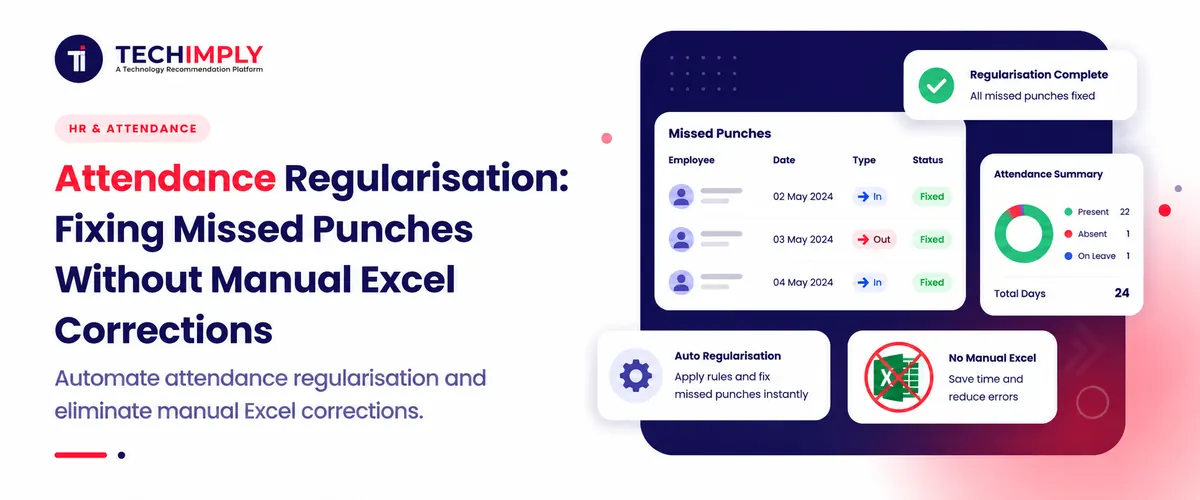
Let us look at a standard morning scenario inside any growing Indian corporate office. Your employees are racing against time to reach the office building's entrance. Their thoughts are on the morning stand-ups that await them. As they scurry up the escalators and through the traffic, swiping an ID badge against a wall-mounted reader is the last thing on their minds. By noon, your operations database is displaying a blank where an employee's arrival is due to be recorded. These common, everyday tracking gaps can lead to unfair salary cuts at the end of the month if left unmanaged. This is exactly why organizations use Attendance Regularisation as a formal mechanism to align digital timesheets with actual time spent on the warehouse or office floor.

Looking for Time And Attendance Software?
Check out Techimply's List of the Best Time and Attendance Software in India for your business.
Handling these data updates through loose email threads or physical desk notes creates a massive administrative bottleneck for human resource teams. Spending critical operational hours manually verifying missed biometric entries drains company productivity and constantly opens the door to expensive payroll compliance risks. Transitioning to an automated Time and Attendance Software engine replaces these manual spreadsheet corrections entirely, keeping your historical work logs accurate, secure, and ready for regulatory audits.
What Is Attendance Regularisation?
1. Attendance regularisation meaning
In the Indian context, Employee Management Software can help organizations maintain accurate employee records by allowing staff to update incorrect or incomplete information related to their daily work records. It usually rectifies a wrong record about the daily work hours of an employee, which could occur due to some technical error.
2. When employees need to regularise attendance
An employee needs to use an attendance regularisation workflow whenever their digital time card does not show a true record of their day. The most frequent causes include off-site client meetings, unexpected field service calls, branch office internet blackouts, or simple personal forgetfulness during a hectic morning.
3. Missed punch vs. attendance correction
While payroll administrators deal with both situations daily, they categorize them differently based on how the system captures the data:
- A missed punch occurs when an employee is physically at work but completely fails to use the biometric scanner or logging application, leaving a blank field in the daily database.
- An attendance correction happens when a time entry exists in the system but contains inaccurate details, such as a software error placing an employee under the wrong night shift rotation log.
4. Who can approve attendance regularisation?
HR Software can streamline the approval process by routing timesheet adjustment requests to the appropriate reporting manager or team lead for review and confirmation. This structure is the most practical choice because line managers have direct visibility into their team's daily routines. Once the supervisor verifies the request, the central human resource operations desk runs a quick policy check to sync the updated hours with the active payroll ledger.
Why Do Employees Miss Attendance Punches?
Forgot to clock in or out
Simple human forgetfulness remains the leading cause of incomplete timesheets. A team member running late for an important client presentation or an employee rushing out at the end of an exhausting shift can easily walk right past the scanner without thinking to log their time.
Biometric device failure
Hardware reliability is a recurring concern for operational managers in India and causes disruptions to physical biometric attendance systems. Power surges, dust in the fingerprint sensors, or local network failures can all cause biometric attendance systems that depend on physical presence to stop functioning properly and leave employees stranded.
Mobile app or network issues
On-the-ground field teams face constant connectivity hurdles. Local cellular dead zones, temporary server upgrades, or unexpected app crashes can block location-based mobile check-ins, creating immediate gaps in the company's central tracker.
Work from client locations
Consultants, auditors, and sales managers often have to travel to the customer’s corporate office or factory. When working outside the office, a specialist cannot use the attendance terminal at the company’s headquarters, which counts them as absent.
Remote or field work
Field engineers, logistics supervisors, and regional sales teams rarely step inside a traditional corporate office building. Since their core responsibilities keep them moving constantly, tracking their time through a single fixed office point is impossible. This mobility requires a highly flexible approach to attendance tracking to measure their true working hours accurately.
Shift timing confusion
In businesses that operate on a 24-hour basis such as IT help desks, BPOs, and manufacturing companies, the frequent change of shifts can cause great confusion to employees. Those who work non-stop at night, day, and afternoon can get mixed up with login credentials.
How Does Attendance Regularisation Work?
Workflow Management Software can help companies create a clear, automated process for managing check-in mistakes without relying on scattered messages, emails, or manual paperwork.
Employee submits a regularisation request
The process kicks off when an employee opens their self-service web dashboard or mobile app. They look up the specific date that contains the missing entry and open a digital ticket to request an attendance adjustment.
Employee selects the reason
The worker must select a clear reason for the missing log from an approved system menu, such as official outdoor duty, a technical hardware error, or personal forgetfulness. Document Management Software can help HR teams securely organize supporting files, such as customer meeting confirmations and other documents submitted with attendance correction requests.
Manager reviews the request
The system routes the pending ticket directly to the immediate supervisor’s dashboard. The manager reviews the submitted details, confirms the employee was actually working during those specific hours, and grants an attendance approval to validate the time card.
HR approves or rejects it
After the supervisor signs off, the ticket moves automatically to the central human resource team. HR checks the request against corporate guidelines, ensuring it falls within the allowed monthly limits before giving final clearance.
The attendance record is automatically updated
Once approved, the software updates the main database instantly, changing the employee's status from absent or incomplete to present. This automated update keeps all company records perfectly synced.
Problems With Managing Missed Punches in Excel
1. Manual data entry
Using manual spreadsheets to manage employee hours introduces significant operational risks. Manually copying rows, editing cells, and typing numbers often leads to accidental data deletions that ruin the accuracy of your historical records.
2. Delayed approvals
The system of tracking employee attendance by means of a spreadsheet may result in prolonged approval processes since any correction requests get lost in the sea of email traffic, requiring intensive follow-ups on the part of HR before payroll processing can begin.
3. Increased administrative work
Attendance tracking utilizing spreadsheets involves a substantial amount of paperwork, which makes it necessary for HR managers to spend much time checking email requests versus biometric time clock data, fielding employee inquiries, and manually updating the master spreadsheet on a monthly basis.
4. Lack of visibility
Static spreadsheets are challenging to use, making it hard for employees to track the status of their requests. This results in employees having to ask the HR team multiple times if their manager has approved a particular correction.
5. Payroll calculation errors
Gaps in spreadsheet records can lead to costly payroll mistakes. If a manager approves a correction via email but the update is missed in the final master spreadsheet, the employee may face incorrect salary cuts for unauthorized absence.
6. No proper audit trail
Audit Software can help organizations maintain a reliable record of changes to employee time records, making it easier to identify unauthorized modifications during internal reviews. This creates no means to prove, during official internal audits, that no unauthorized changes have been made to your log files.
How HR Software Automates Attendance Regularisation
Moving away from manual spreadsheets to an automated platform helps businesses handle daily check-in errors efficiently through a single, connected ecosystem.
1. Employee self-service requests
An automated attendance tracking system includes a dedicated portal where employees can manage their own records. Workers can view their log history, see missing entries, and submit correction requests directly, reducing basic administrative work for the HR team.
2. Mobile attendance correction
Modern HR attendance software offers mobile access, allowing field and remote employees to submit correction requests from any location. Field teams can submit updates directly from their smartphones right after a client meeting concludes.
3. Automated approval workflows
The application offers automated routing of requests. For example, when an employee initiates a correction request, their manager immediately receives the request in their dashboard, eliminating the need for additional steps such as internal email.
4. Notifications and reminders
Built-in alerts keep the correction process moving. The system automatically reminds managers to review pending requests and updates employees once their corrections have been processed, keeping everyone informed.
5. Real-time attendance updates
When a manager approves a correction, the platform updates the central database immediately. This real-time processing ensures that master ledgers always reflect accurate workforce numbers.
6. Payroll integration
A comprehensive Attendance Management Software platform connects directly with the company's payroll calculation engine. Verified corrections update the working-day metrics automatically, ensuring accurate salary calculations without manual data transfers.
How Attendance Regularisation Affects Payroll
Accurate time tracking is essential for precise monthly payroll management. Industry tracking reports show that companies using old manual spreadsheet methods frequently face payroll delays due to late attendance updates.
- Working-day calculations: The payroll system calculates gross monthly salaries based on verified days at work. Automated corrections prevent missing logs from being incorrectly recorded as unpaid leave.
- Leave deductions: When tracking is fully integrated, the system ensures that missing entries are updated correctly, preventing the automated system from deducting leave unnecessarily.
- Overtime calculations: By providing accurate information, you can ensure that overtime is calculated correctly to compensate the employees for the extra work done and help the business control its budget.
- Late-coming and absence policies: The software will automatically enforce the rules, reducing the risk of legal issues as it will only deduct the money or warn the employee after all regularisation attempts have been made.
- Payroll accuracy: Connecting your HR attendance management tool directly to your calculation engine eliminates manual data transfer risks, helping your finance team close monthly payroll cycles accurately and on time.
Features to Look for in Attendance Management Software
When choosing a modern time tracking system, prioritize these essential features to manage corrections efficiently:
- Missed punch correction: The platform should make it easy for employees to identify missing entry or exit logs and submit corrections directly through their dashboard.
- Regularisation workflow: Look for software that supports multi-stage routing, sending requests from employees to managers and then to HR teams automatically based on your company's structure.
- Manager approvals: The system should give managers a clear dashboard to review pending requests, check reasons, and approve adjustments quickly.
- Mobile access: A robust platform must offer responsive mobile access or a dedicated application, enabling field employees to use geo-verified location check-ins and submit corrections on the move.
- Attendance reports: Choose systems that provide clear attendance reporting tools, allowing management to track correction frequencies, spot chronic absenteeism patterns, and monitor overall punctuality.
- Audit trail: For reliable compliance, the software must maintain a permanent log of all adjustments, recording who requested the change, who approved it, and when the update occurred.
- Payroll integration: Ensure the platform connects directly with your payroll engine, allowing verified attendance data to flow into salary calculations without manual file exports.
Conclusion
Keeping track of all hours manually could cause several issues for growing businesses. Not only does it create a burden on the heads of human resources but also poses the risk of messing up the payroll of employees. Thus, it becomes essential for companies to invest in an automated employee attendance management software that could take care of all these burdens.