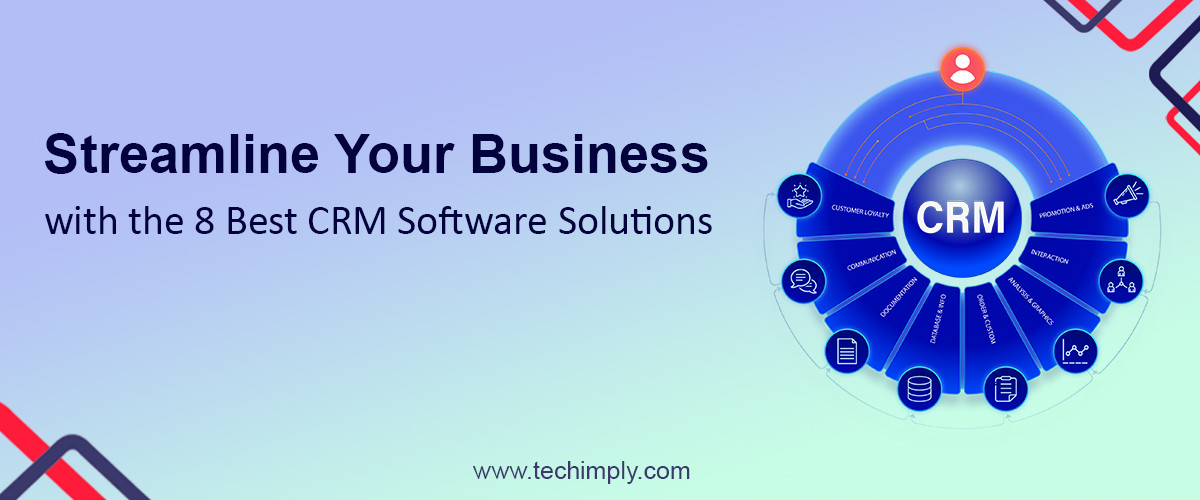
Are you looking to boost your business productivity and elevate customer engagement? Improving business efficiency through the use of (Customer Relationship Management) CRM software can have significant benefits. For a detailed understanding of the benefits CRM brings to businesses.
We understand that finding the perfect fit for your business needs is essential, and that's why we have compiled a list of the 8 best CRM solutions for you to consider. These platforms offer a wide range of features and benefits and also their drawbacks to give you a better understanding of each tool and also to enhance your sales management, marketing, and customer service efforts. Let's explore each of them in detail.
Salesforce
- Salesforce is a powerful CRM software with real-time insights and automation features.
- It simplifies sales and marketing processes, enabling data-driven decisions.
- The platform's automation capabilities free up time for more critical tasks.
- Salesforce offers a comprehensive suite of tools for business growth and customer satisfaction.
- Features include lead management, sales forecasting, email marketing, and customer service tools.
- Customizable dashboards and reports provide a clear view of business performance.
- Analytics capabilities help measure the effectiveness of marketing campaigns and sales efforts.
- Salesforce's cloud-based platform ensures secure and accessible data.
- It seamlessly integrates with other business tools for better collaboration and efficiency.
- The platform is scalable and suitable for startups to large enterprises.
- While Salesforce offers powerful features, its pricing can be relatively high, making it less accessible for small businesses with limited budgets.
- The platform's complexity may require additional training and onboarding time for users, especially those new to CRM software.
- Customizing Salesforce to suit specific business needs can be challenging, requiring the assistance of experienced administrators or developers.
- Some users have reported that the user interface can be overwhelming, potentially leading to a steeper learning curve for new users.
HubSpot CRM
- HubSpot CRM facilitates seamless communication and collaboration among marketing, sales, and customer service teams, fostering a more unified approach to customer interactions.
- The platform's user-friendly interface and intuitive design make it easy for users and customers to navigate and adapt quickly to the CRM system.
- HubSpot's lead generation tools help businesses identify and capture potential leads, streamlining the sales process and improving conversion rates.
- With email marketing software, businesses can engage with leads and customers at the right time, delivering personalized and relevant content to nurture relationships.
- This tool offers a free version of its CRM, making it an attractive option for startups and small businesses with limited budgets.
- The free version of HubSpot CRM has limitations in terms of features and customization options, which may not meet the needs of larger businesses with more complex requirements.
- While HubSpot CRM integrates well with other HubSpot tools, integrating with third-party applications outside the HubSpot ecosystem may require additional effort and resources.
- Some users have reported that the platform's email marketing capabilities lack advanced features and may not be as robust as standalone email marketing tools.
- As businesses scale and grow, they may outgrow the capabilities of the free version of HubSpot CRM, necessitating a shift to a paid plan, which can incur higher costs.
Zoho CRM
- Zoho CRM offers efficient workflow management, streamlining and optimizing business processes for increased productivity and smoother operations.
- The platform's customizable workflows enable businesses to automate repeated tasks, saving time and reducing manual effort for employees.
- Zoho CRM's lead management capabilities help businesses efficiently capture, track, and nurture leads, improving conversion rate and sales performance.
- With comprehensive contact management features, businesses can maintain detailed records of customer interactions, ensuring personalized and tailored customer service.
- Zoho CRM's mobile app offers on-the-go access to important data and customer information, empowering sales teams to stay connected and productive while away from their desks.
- Some customers have reported that the learning curve for Zoho CRM can be steep, especially for those new to CRM software or with limited technical expertise.
- While Zoho CRM offers a free version, it comes with restrictions in terms of features and data storage, which may not be sufficient for larger businesses or those with extensive databases.
- The platform's user interface may not be as visually appealing or intuitive as some other CRM solutions, potentially impacting user experience for certain individuals.
- As businesses scale and their data volume grows, they may need to upgrade to a higher-tier plan, which can result in increased costs.
Microsoft Dynamics 365
- Businesses can organize their data and streamline different elements of their operations thanks to the seamless connectivity that Microsoft Dynamics 365 offers with other Microsoft products.
- Businesses can improve team collaboration and communication by integrating with programs like Microsoft Office 365, SharePoint, as well as and Outlook. This promotes a more productive and connected work environment.
- The platform's unified sales capabilities enable sales teams to manage leads, opportunities, and customer interactions in a centralized system, improving visibility and accountability.
- The systems based on artificial intelligence insights and analytics offer useful information and takeable recommendations, assisting firms in making decisions and spotting development possibilities.
- According to some users, Microsoft Dynamics 365's initial configuration and setup process can be challenging and lengthy, requiring technical support and knowledge.
- Companies may require careful assessment of their needs and select the proper licenses due to the platform's complicated licensing structure, which could result in additional expenses.
- As Microsoft Dynamics 365 is a cloud-based solution, businesses reliant on unstable internet connectivity may experience disruptions in accessing and using the platform.
- While Microsoft offers regular updates and improvements, some users have mentioned that the platform's updates can lead to occasional compatibility issues with third-party applications.
- Microsoft Dynamics 365's reporting and analytics capabilities may not be as robust as some standalone business intelligence tools, which may limit in-depth data analysis for certain users.
Pipedrive
- Pipedrive offers a visual and customizable sales pipeline, allowing businesses to track their sales processes and prioritize leads effectively. With a clear overview of all deals at different stages, sales teams can easily identify potential bottlenecks and take necessary actions to keep deals moving forward.
- The platform's visual interface provides a user-friendly and intuitive experience, enabling sales representatives to easily update deal statuses, add notes, and set reminders for follow-ups.
- Pipedrive's customizable features allow businesses to tailor the pipeline stages and deal fields to align with their unique sales processes, ensuring seamless integration into their existing workflows.
- Sales teams can efficiently manage and track deals and opportunities in the pipeline, ensuring that no potential sale slips through the cracks. The platform's activity and communication tracking feature allows users to keep a record of all interactions with leads and customers, facilitating better communication and relationship management.
- While Pipedrive offers a robust sales pipeline management solution, businesses with complex sales processes or those requiring advanced automation may find the platform's capabilities somewhat limited.
- Pipedrive's reporting and analytics features, while useful, may not provide the same level of advanced data analysis and forecasting as some other CRM solutions.
- Although Pipedrive integrates with various third-party applications, some users have expressed the need for more extensive integration options with specific software they use in their sales and marketing workflows.
Insightly
- With Insightly, businesses can optimize lead routing and relationship linking, ensuring that leads are appropriately assigned to the right sales representatives for timely follow-ups and personalized interactions. The platform's lead routing automation reduces the chances of leads slipping through the cracks, increasing the chances of conversion and customer satisfaction.
- Insightly's relationship-linking feature helps businesses maintain a comprehensive view of their interactions with customers. By associating relevant contacts, organizations, and projects together, teams can better understand the context of customer interactions and tailor their engagement strategies accordingly.
- Some users have reported that Insightly's user interface and navigation can be overwhelming, particularly for new users. The platform's extensive features may require some time for users to fully grasp and utilize effectively.
- While Insightly's project management capabilities are beneficial for small to medium-sized businesses, larger enterprises or organizations with complex project requirements may find the platform's project management functionalities lacking certain advanced features.
- Insightly's pricing structure may be a concern for businesses with limited budgets, as certain advanced features may only be available in higher-tier plans.
- While Insightly integrates with various third-party applications, some users have expressed the need for more extensive integration options with specific software they use in their daily operations.
Freshsales
- Freshsales provides AI-driven lead scoring and email tracking features to help businesses boost productivity and identify high-potential leads efficiently.
- The platform's email tracking capabilities allow users to observe the performance of their email campaigns in real-time. By providing insights into email open rates, link clicks, and other engagement metrics, Freshsales enables businesses to gauge the effectiveness of their email communications.
- Freshsales includes built-in phone capabilities, enabling businesses to make calls directly from the CRM platform.
- With Freshsales' auto-dialer functionality, sales representatives can make multiple calls in quick succession, further enhancing efficiency and productivity during outbound calling activities.
- Freshsales' mobile app enables sales teams to stay connected and productive while on the move. Users can access customer information, update records, and manage tasks and activities from their mobile devices, ensuring they never miss an opportunity to engage with prospects or customers.
- Some users have noted that the reporting and analytics features in Freshsales could be more robust, offering more advanced data visualization and customization options.
- While Freshsales provides AI-driven lead scoring, some users may find that fine-tuning the scoring models to suit their specific business needs requires time and experimentation.
- Users have mentioned that while the mobile app is convenient for basic tasks, certain advanced features available on the web version may not be as accessible on mobile devices.
Nimble
- By seamlessly connecting to popular social media platforms, Nimble enables users to stay informed about their customers' activities, interests, and interactions on social media.
- This consolidated view brings together social media profiles, contact details, and communication history, offering a comprehensive understanding of each customer's journey and preferences.
- Users can respond to comments, messages, and interactions directly from the Nimble dashboard, saving time and ensuring timely responses to customer inquiries.
- The mobile app from Nimble enables users to interact with contacts and access client information while on the road.
- Users have complimented Nimble's user-friendly design for its straightforwardness and simplicity of use, making it usable by customers of various ability sets.
- Customer service on the site has won praise for being friendly and quick to respond to user questions and requests for assistance.
- Some users have expressed that the reporting and analytics capabilities in Nimble could be more advanced, offering more in-depth insights and customization options.
- While Nimble provides robust social media integration, users may find that certain integrations with specific social media platforms they use regularly could be enhanced.
- Businesses with large volumes of customer data may find certain limitations in Nimble's data storage capacity or data importing capabilities.
Conclusion
The performance of your company depends on your choice of CRM software. To make a sound decision, evaluate each alternative in light of your unique requirements, team size, and financial constraints. check out this CRM insightful guide.
By streamlining your business's procedures and transforming it with the appropriate CRM solution, you may increase customer satisfaction and expand your company. With these ten top CRM software options at your command, you'll be on the right track to long-term success in the cutthroat business environment.