wyBuild

wyDay — premium software development tools for high-tech companies

0.0
Rating out of 5 Based on 0 reviews

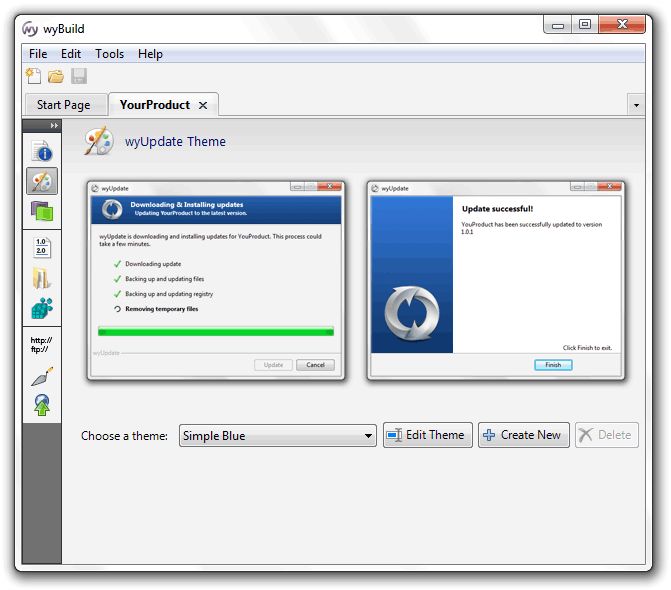
wyBuild is a powerful software update tool that enables developers to create and distribute software updates quickly and efficiently. It works in tandem with the wyUpdate tool to build update patches and deploy them to end users without the need for complex installer processes. wyBuild helps maintain application integrity while minimizing download sizes by generating only the necessary changes. Developers can explore the functionality through a wyBuild Demo, while affordable wyBuild Pricing makes it accessible for teams of all sizes. Popular wyBuild Features are frequently praised in numerous wyBuild Reviews for simplicity, speed, and flexibility.

Pricing of wyBuild

no-pricing
For get detailed pricing as per your requirements.

Key Features of wyBuild

Key Features:
  • Alerts/Notifications
  • Customization
  • Dashboard
  • Patch Testing

Key Specification

Other Categories: License Management Software Patch Management Software
Deployment: Cloud Hosted
Customer Support: Phone,Email,Online (Ticket)
Customization: No
Languages Support: English

Who uses wyBuild

Personal
Personal
StartUps
StartUps
SMEs
SMEs
Agencies
Agencies
Enterprises
Enterprises

Company Details

Company Name: wyBuild
Headquarter: Portsmouth,
Social Media:

wyBuild Description

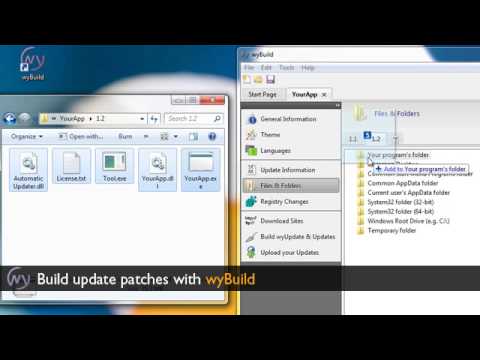
wyBuild is a lightweight, developer-focused software solution that simplifies the process of building and managing updates for Windows applications. It is designed to work seamlessly with the companion application, wyUpdate, to deliver patch-based updates without requiring full application reinstallations. This results in faster update times, reduced bandwidth usage, and an overall smoother experience for end-users.

With wyBuild, developers can generate compact patch files by identifying only the differences between software versions. This efficient approach significantly reduces the size of update packages and enhances the delivery process. Whether you're maintaining desktop applications or enterprise-level software, wyBuild ensures that updates are rolled out safely and reliably.

One of the key wyBuild Features is its rollback functionality, which ensures users can revert to a previous version if needed. The tool also includes support for code signing, ensuring updates are verified and secure. Developers can preview the entire update process with the wyBuild Demo, which provides a hands-on look at how the system operates, from update creation to deployment.

The straightforward interface of wyBuild allows teams to focus on software development rather than infrastructure, making it ideal for agile environments. wyBuild Pricing is competitive and flexible, offering licensing options suited for individuals, small teams, or large development organizations.

Numerous wyBuild Reviews commend the software for its efficiency, low system overhead, and seamless integration into existing development pipelines. These wyBuild Features, including version tracking, update rollback, and secure patch delivery, make it a trusted tool among developers who value performance and reliability.

Whether you're building a commercial application or an internal enterprise tool, exploring the wyBuild Demo, reviewing its powerful wyBuild Features, and checking out positive wyBuild Reviews can help you determine its fit for your software update needs.

Key Features & Specifications

  • Patch-Based Update Creation

  • Integration with wyUpdate for Deployment

  • Rollback Support for Safer Updates

  • Compact Patch File Generation

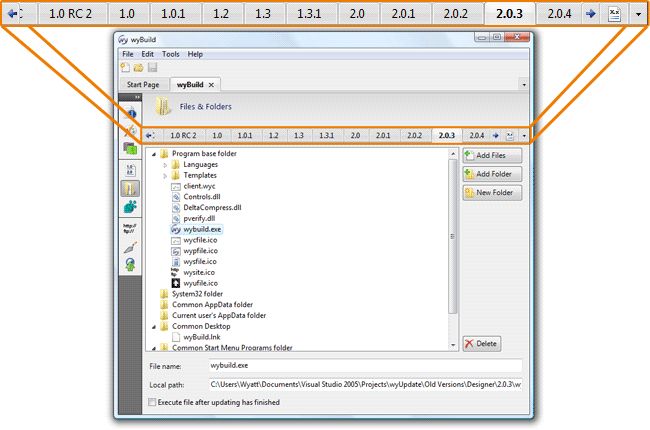
  • Version Comparison and Tracking

  • Code Signing Support for Security

  • Easy Integration into Build Pipelines

  • Lightweight and Developer-Friendly UI

  • Supports Silent Updates for End Users

  • Flexible Licensing and Affordable wyBuild Pricing

Alternative

ManageEngine Patch Manager Plus

All-around patching solution

0.0
Rating out of 5 Based on 0 reviews

ManageEngine Patch Connect Plus

Redefine SCCM and Intune management

0.0
Rating out of 5 Based on 0 reviews

NinjaOne

Automate the hardest parts of IT

0.0
Rating out of 5 Based on 0 reviews

wyBuild Video/Screenshots

wyBuild Key Clients

User Reviews

no-reviews
Share your experience! Be the very first reviewer. Write a Review

Frequently Asked Questions (FAQs)

The user group of wyBuild are as follows :

  • Personals
  • Startups
  • SMEs
  • Agencies
  • Enterprises

wyBuild has 0 plans.

wyBuild is allowed 0 Days Free Trial.

wyBuild pricing model : Onetime(Perpetual License)

wyBuild is Online Software.

No

wyBuild offers Phone,Email,Online (Ticket) support.

wyBuild provides Help Guides,Video Guides,Blogs for the software training.