Trello

Capture, organize, and tackle your to-dos from anywhere.

0.0
Rating out of 5 Based on 0 reviews

What is Trello?

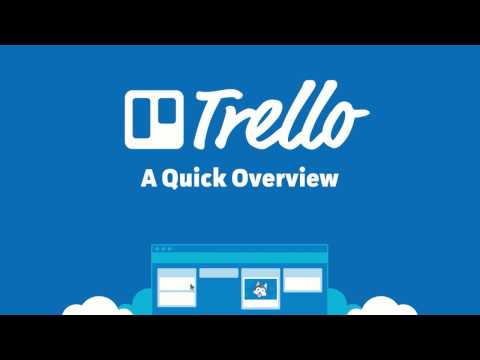
Trello is a user-friendly, relatively visual collaboration tool that permits teams and individuals to arrange, song, and manage tasks or workflows the use of the intuitive Kanban board machine. Think of it as a virtual whiteboard full of customizable lists and interactive playing cards. Accessible thru trello on-line in any browser, the trello computer app, or the cellular app, Trello simplifies project management by means of clearly visualizing each project, obligation, and stage of development at a look.

Pricing of Trello

Free

USD 0.00
USD 0.00

Free for up to 10 collaborators per Workspace

Buy Now
  • Unlimited cards
  • Up to 10 boards per Workspace
  • Quickly capture to-dos from email Slack and Teams
  • Inbox
  • Unlimited Power-Ups per board
  • Unlimited storage (10MB/file)
  • 250 Workspace command runs per month
  • Custom backgrounds & stickers
  • Unlimited activity log
  • Assignee and due dates
  • iOS and Android mobile apps
  • 2-factor authentication

Standard

USD 5.00
USD 0.00

Per user/month if billed annually ($6 billed monthly)

Buy Now
  • Unlimited boards
  • Quickly capture to-dos from email Slack and Teams — powered by AI
  • Planner
  • Advanced checklists
  • Card mirroring
  • Custom Fields
  • List colors
  • Collapsible lists
  • Unlimited storage (250MB/file)
  • 1000 Workspace command runs per month
  • Single board guests
  • Saved searches

Premium

USD 10.00
USD 0.00

Per user/month if billed annually ($12.50 billed monthly)

Buy Now
  • Atlassian Intelligence (AI)
  • Views: Calendar Timeline Table Dashboard and Map
  • Workspace views: Table and Calendar
  • Unlimited Workspace command runs
  • Admin and security features
  • Workspace-level templates
  • Collections
  • Observers
  • Simple data export

Enterprise

USD 17.50
USD 0.00

Per user/month - billed annually ($210.00 annual price per user)

Buy Now
  • Unlimited Workspaces
  • Organization-wide permissions
  • Organization-visible boards
  • Public board management
  • Multi-board guests
  • Attachment permissions
  • Power-Up administration
  • Free SSO and user provisioning with Atlassian Guard

Awards & Badges Received

Get More Awards & Badges from Techimply
Badge-1
Badge-2
Badge-3

Key Features of Trello

Key Features:
  • Collaboration Tools
  • Dashboard
  • Milestone Tracking
  • Portfolio Management
  • Project Planning
  • Reporting/Analytics
  • Resource Management
  • Task Management
  • Time & Expense Tracking
  • Requirements Management

Who uses Trello

StartUps
StartUps
SMEs
SMEs
Agencies
Agencies
Enterprises
Enterprises

Company Details

Company Name: Atlassian
Headquarter: Sydney, United States
Social Media:

Trello Description

Who Uses Trello?

Trello is noticeably flexible, utilized by over 40 million human beings globally, ranging from people handling non-public to-do lists to massive organisations coordinating go-purposeful groups.

  • Marketing Teams: Managing content calendars, campaign making plans, and social media scheduling.
  • Software Developers (Agile/Scrum): Tracking sprints, backlog, and characteristic progress.
  • Small Businesses & Startups: Organizing income pipelines, onboarding new hires, and tracking corporation dreams.
  • Individuals: Managing non-public obligations, domestic renovations, or tour plans.
  • Remote & Hybrid Teams: Relying at the visual nature of the boards for actual-time collaboration and assignment transparency.

Why Choose Trello? (The Trello Advantage)

Choose Trello for its unmatched simplicity and flexibility. Its core Kanban shape is easy to apprehend, leading to excessive group adoption costs, and the effective Power-Up surroundings (integrations) method you could amplify its capability to deal with almost any workflow. With Trello, you get rid of limitless e mail chains by means of centralizing discussions, files, and deadlines onto visible cards. The unfastened plan is robust, and the paid tiers offer advanced perspectives, making Trello an reachable and effective answer for company at any scale.

Key Benefits of Trello

  1. Instant Visual Clarity: The Kanban layout provides a direct, clear overview of what is being worked on and who is doing what.
  2. Increased Collaboration: Centralizes all mission communique, files, and updates on the applicable card, lowering reliance on e-mail.
  3. Powerful Automation (Butler): Features built-in, no-code automation to address repetitive duties like transferring cards, putting time limits, and sending notifications.
  4. Flexible & Adaptable: Easily personalize boards, lists, and playing cards with labels, backgrounds, and custom fields to fit any particular workflow.
  5. Access Anywhere: Fully practical thru the web (trello on-line), the trello laptop app, and local mobile apps (iOS/Android) for handling paintings on the move.

How to Use Trello?

After your trello login, the platform uses a easy hierarchy:

  1. Boards (Projects): Create a Board for each important assignment (e.G., "Website Redesign" or "Q4 Marketing Plan").
  2. Lists (Stages): Add Lists within the Board to represent stages of work (e.G., "To Do," "In Progress," "Review," "Done").
  3. Cards (Tasks): Create Cards inside the lists for individual duties. Click the Card to add information like descriptions, checklists, due dates, attachments, and assigned crew individuals.
  4. Track Progress: As paintings progresses, sincerely drag and drop the Card from one List to the subsequent. The entire group sees the update instantly.

Powerful Features of Trello

  1. Unlimited Cards & Storage: All plans (inclusive of Free) permit limitless cards, lists, and individuals.
  2. Butler Automation: A built-in automation engine permitting "if this, then that" rules, card buttons, and scheduled commands.
  3. Power-Ups (Integrations): Integrate seamlessly with loads of other gear like Slack, Google Drive, Jira, and Salesforce.
  4. Multiple Views (Paid Plans): Premium plans free up Calendar, Timeline (Gantt-style), Table, Dashboard, and Map views.
  5. Templates: Access a big gallery of pre-built board templates for various use instances (HR, sales, editorial calendars).
  6. Advanced Checklists: Breakdown complicated cards into subtasks and assign individuals and due dates to individual tick list objects (Paid Plans).

How to Get Demo of Trello?

Trello is designed for fast use, making demos and trials easy to get entry to:

  • Free Forever Plan: The pleasant manner to begin is with the free plan, which offers unlimited cards and up to ten forums consistent with Workspace.
  • 14-Day Premium Free Trial: You can without difficulty start a 14-day unfastened trial of the Trello Premium plan (no credit card required) to check all superior perspectives and limitless automation earlier than committing.
  • Video Tutorials: Trello affords giant video publications and tutorials on its website for a self-guided "demo" experience.

Alternative

Quickbase

Meet Quickbase AI! The future of dynamic work is now

4.0
Rating out of 5 Based on 10 reviews

AFAS Software

One solution for your entire organization

4.3
Rating out of 5 Based on 20 reviews

Clockwise

Overview and convenience in your time tracking

4.2
Rating out of 5 Based on 10 reviews

Trello Video/Screenshots

Trello Key Clients

User Reviews

no-reviews
Share your experience! Be the very first reviewer. Write a Review

Frequently Asked Questions (FAQs)

The user group of Trello are as follows :

  • Startups
  • SMEs
  • Agencies
  • Enterprises

Trello has 4 plans,

  • Free USD 0.00 Free for up to 10 collaborators per Workspace
  • Standard USD 5.00 Per user/month if billed annually ($6 billed monthly)
  • Premium USD 10.00 Per user/month if billed annually ($12.50 billed monthly)
  • Enterprise USD 17.50 Per user/month - billed annually ($210.00 annual price per user)

Trello is allowed 0 Days Free Trial.

The key featuers of Trello are as follows :

  • Collaboration Tools
  • Dashboard
  • Milestone Tracking
  • Portfolio Management
  • Project Planning
  • Reporting/Analytics
  • Resource Management
  • Task Management
  • Time & Expense Tracking
  • Requirements Management

Trello pricing model : Yearly,Monthly,Onetime(Perpetual License)

Trello is Cloud Hosted,Hybrid,On Premise,Any Software.

Trello offers Phone,Email,Live Chat support.

Trello provides Help Guides,Video Guides,Blogs,Webinars for the software training.