TeraBox

TeraBox Can Be Integrated into Other Products

0.0
Rating out of 5 Based on 0 reviews

What is TeraBox? 

TeraBox is a cloud-based storage solution offering users up to 1 TB of free storage space with seamless backup, synchronization, and file sharing capabilities. Ideal for individuals and small teams, TeraBox supports automatic photo and video backups, cross-device syncing, and secure file access from any device. The platform features built-in file recovery tools, offline access, and encrypted data handling. TeraBox’s efficient file management dashboard lets users organize, preview, and play media with ease. Whether it's personal memories or business documents, TeraBox ensures important files are protected and accessible, combining large free storage with user-friendly features for a modern cloud storage experience.

Pricing of TeraBox

Free

INR 0.00
INR 0.00

Buy Now
  • 1024 GB of cloud storage

Premium

INR 349.00
INR 0.00

/month

Buy Now
  • 2048 GB of cloud storage
  • Original-quality video playback
  • Cloud decompression
  • Uploading of large files up to 128 GB
  • Encrypted space

Key Features of TeraBox

Key Features:
  • Access Controls
  • Document Indexing
  • Document Storage
  • File Type Conversion
  • Document Retention
  • Document Archiving
  • Secure Data Storage
  • Encryption
  • File Synchronization
  • Storage Management
  • Unlimited Downloads
  • File Recovery
  • Cloud Storage Integration
  • Password Protection
  • Document Scanning
  • Document Organization
  • Document Export Options
  • Authentication

Key Specification

Other Categories: Document Management Software File Sharing Software Backup Software Team Collaboration Software Cloud Storage Software
Deployment: Cloud Hosted,Hybrid
Customer Support: Email,Online (Ticket)
Customization: No
Languages Support: Arabic, Byelorussian, Chinese, English, French, Hindi, Indonesian, Japanese, Portuguese, Spanish

Who uses TeraBox

Personal
Personal
StartUps
StartUps
SMEs
SMEs

Company Details

Company Name: TeraBox
Headquarter:
Social Media:

TeraBox Description

Why Choose TeraBox?

TeraBox is more than just a cloud drive—it functions as a powerful document management software solution with up to 1 TB of free cloud space, far exceeding the offerings of most competitors. Its cross-device syncing feature ensures you can access and manage your files seamlessly across PC, mobile, and web platforms. With automatic backups, your photos and videos are safely stored without manual uploads. The media preview and playback tools allow for smooth file interaction. TeraBox also supports advanced file recovery, letting you restore deleted items from the recycle bin within 30 days. As a secure and private document management software, it offers robust encryption and privacy controls. Users can also enable offline access for critical documents and enjoy an interactive UI that simplifies managing large volumes of data efficiently.

Benefits of TeraBox 

  • Cost savings: Large storage capacity at no charge.

  • Backup peace of mind: Automatic syncing ensures files are continuously backed up.

  • Easy recovery: Quickly retrieve lost or deleted files from your recycle bin.

  • Media convenience: View and stream media without downloading.

  • Mobility: Access your files anywhere from any device.

  • Organization tools: Folders, tags, and favorites keep content tidy.

  • Offline file access: Work with critical files even without internet.

  • Security: Encryption and customizable privacy settings protect sensitive data.

How to Use TeraBox 

  1. Sign Up: Create your account to activate the free 1 TB storage.

  2. Install App: Download the desktop client or mobile app.

  3. Connect Devices: Log in with the same account on all your devices.

  4. Enable Sync/Backup: Setup automatic camera uploads and folder syncing.

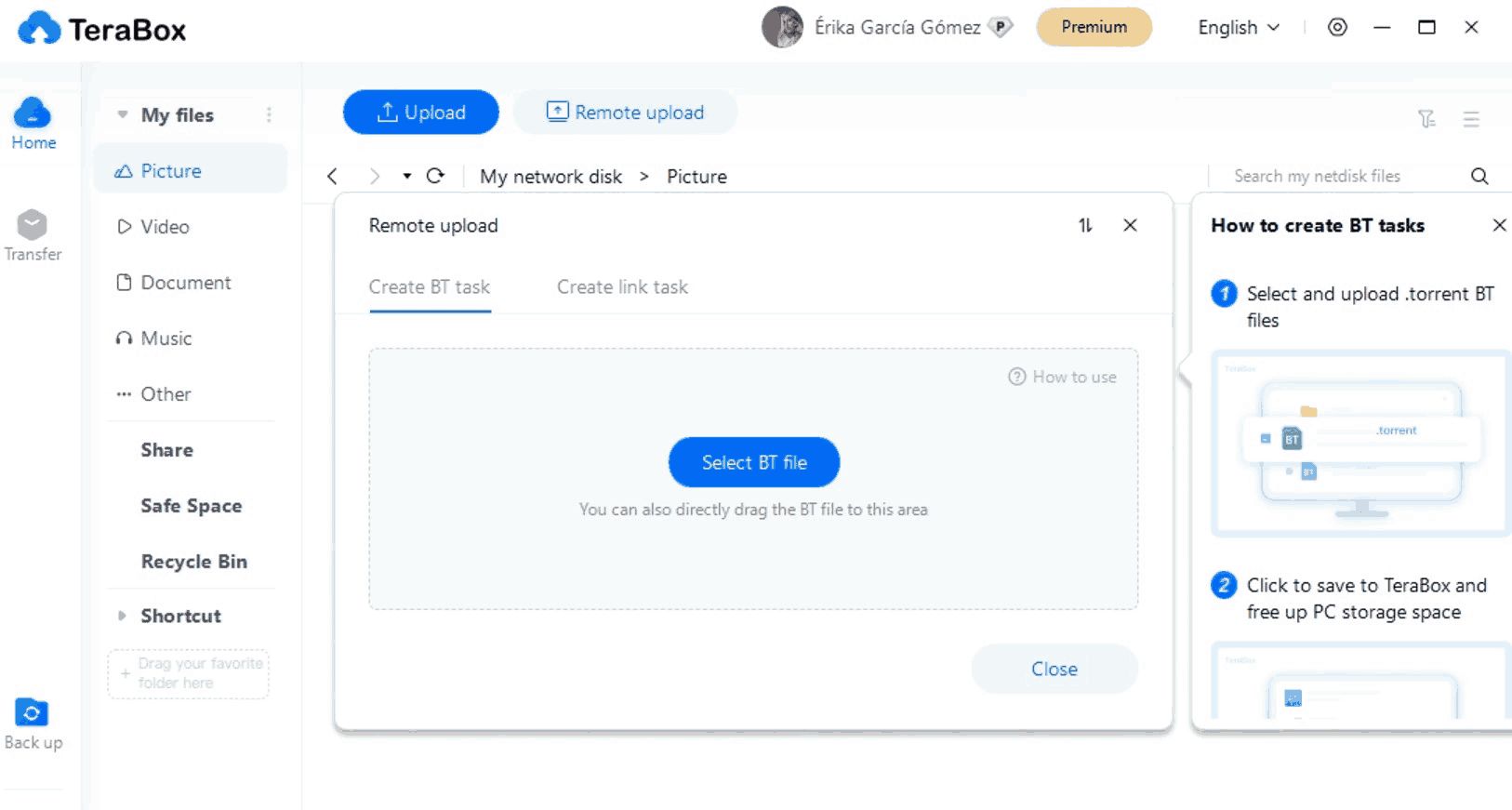
  5. Upload Files: Drag and drop files via desktop or mobile uploads.

  6. Manage Files: Use folders, favorites, and tags to organize content.

  7. Preview & Stream: View photos and play videos directly from the cloud.

  8. Download/Share: Share files or download them anytime.

  9. Recover Files: Access your recycle bin to retrieve deleted items within 30 days.

Features of TeraBox 

  • 1 TB Free Storage: Massive starting space without subscription.

  • Auto Backups: Photos and videos backed up on the go.

  • Cross-Device Syncing: Files updated across platforms in real time.

  • Media Preview & Player: No need to download media.

  • Recycle Bin: Restore files within a 30-day window.

  • Offline Access: Mark files for offline usage.

  • Sharing Tools: Generate shareable links with optional password protection.

  • File Organization: Folders, tags, favorites, and search filters.

  • Security Settings: Password protection and encrypted transfer.

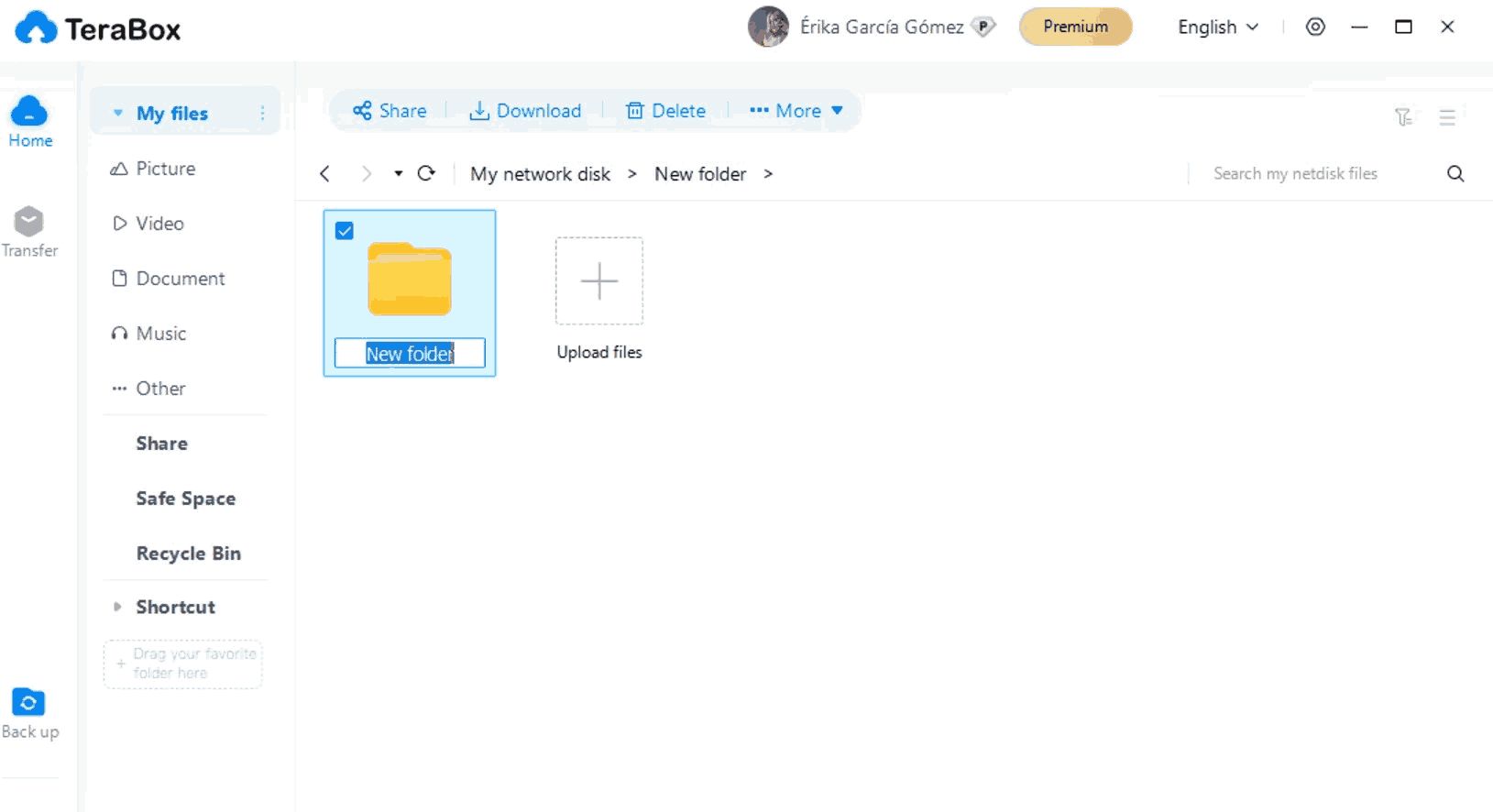
  • User Dashboard: Easy navigation with clean layout and usage stats.

What Makes TeraBox Different?

  • Massive free storage: 1 TB exceeds most free cloud plans from competitors.

  • Media-friendly interface: Stream media directly within the app without downloads.

  • Smart backup: Auto-sync for photos and selected folders distinguishes it from basic cloud storage.

  • Efficient recovery options: Recycle bin with easy restore functionality.

  • Anytime access: Marking files for offline use is ideal for travelers.

  • Seamless sharing: Easy link sharing with optional security.

  • Clean, intuitive UI: Designed to handle large volumes of files effortlessly.

  • Multi-platform support: Functionality consistent across web, PC, and mobile apps.

Who Can Benefit from TeraBox? 

  • Photographers & videographers: Large media backup and streaming without storage burden.

  • Students & educators: Store documents, assignments, and lecture recordings securely.

  • Remote workers: Access work files across multiple devices with offline mode.

  • Travelers: Save and view travel photos offline.

  • Small teams: Collaborate and share files without subscription costs.

  • Personal users: Save personal memories and important documents in one place.

  • Anyone needing large free cloud storage: Ideal for users frustrated by limited free plans.

Is TeraBox Easy to Use? 

Yes, TeraBox is designed for simplicity and efficiency. Download and installation take just minutes on desktop or mobile. The user interface is clean, with clearly labeled tabs like “Files,” “Photos,” and “Offline” for easy navigation. Drag-and-drop uploads and touch-friendly controls on mobile make file management swift and intuitive. Automatic camera backups reduce manual steps. Media previews are built in, so users can stream photos and videos without exiting the app. Settings for sharing, privacy, and offline mode are easily accessible. Whether you're tech-savvy or a beginner, TeraBox offers a visually clear and user-friendly experience that gets you on board quickly.

What Support Does TeraBox Offer? 

TeraBox offers a range of support channels for its users. A dedicated Help Center provides FAQs, step-by-step guides, and troubleshooting articles. Users can submit feedback or support tickets directly through the app or website. Support is available via email, and users typically receive responses within 24 to 48 hours. For general usage tips and updates, TeraBox shares blog posts and news announcements on new features. The platform also hosts occasional video guides and in-app tooltips to help users understand key features. While 24/7 live chat may not be available, TeraBox compensates with comprehensive documentation and responsive email support for problem resolution.

Alternative

Google Workspace

The better way to work

0.0
Rating out of 5 Based on 0 reviews

Google Drive

By Google

0.0
Rating out of 5 Based on 0 reviews

Dropbox Business

Everything your business needs to work efficiently, all in one place

0.0
Rating out of 5 Based on 0 reviews

TeraBox Video/Screenshots

User Reviews

no-reviews
Share your experience! Be the very first reviewer. Write a Review

Frequently Asked Questions (FAQs)

The user group of TeraBox are as follows :

  • Personals
  • Startups
  • SMEs

TeraBox has 2 plans,

  • Free INR 0.00
  • Premium INR 349.00 /month

TeraBox is not allowing Free Trial.

The key featuers of TeraBox are as follows :

  • Access Controls
  • Document Indexing
  • Document Storage
  • File Type Conversion
  • Document Retention
  • Document Archiving
  • Secure Data Storage
  • Encryption
  • File Synchronization
  • Storage Management
  • Unlimited Downloads
  • File Recovery
  • Cloud Storage Integration
  • Password Protection
  • Document Scanning
  • Document Organization
  • Document Export Options
  • Authentication

TeraBox pricing model : Yearly,Monthly

TeraBox is Cloud Hosted,Hybrid Software.

No

TeraBox offers Email,Online (Ticket) support.

TeraBox provides Help Guides,Video Guides,Blogs for the software training.