


 0.0
0.0
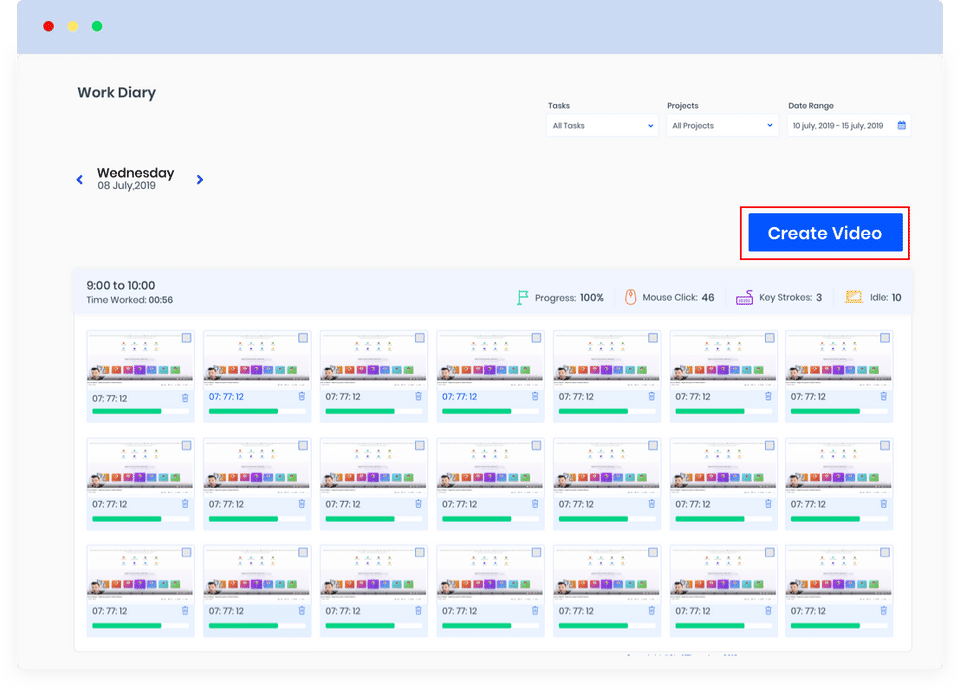
StaffTimer is a time tracking tool that enables users to monitor their employees and keep projects on track. With better visibility into the performance of their employees along with the ability to track projects, managers and business owners can invest their valuable time in more complex tasks. Once up and running, the tool constantly takes screenshots of projects/dashboard/tasks/screens every minute. The images act as proof of work and idle screenshots are automatically removed. Users can even select custom screenshot intervals and access a quick view of the day’s work with the Daily Work Video feature. In this way, managers can estimate productivity within seconds and use the screenshots to monitor tasks. They can also record and assign tasks, access quick views of the day’s work, clarify queries on the spot, and add comments on tasks. Intelligent task reports further aid managers to determine the efficiency of teams and automatically classify the screenshots.
Pricing of StaffTimerApp
- Companies: 1
- Projects: 10
- Team Members: Unlimited
- Time tracking
- Offline activity tracking
- 24/7 Customer Support
- Add work tasks
- No of Screenshots
- Instant screen capture
- Screenshots interval
- Keystroke-mouse activity
- Daily work video
- Remove idle screenshot
- Data storage: 30 days
- Record & assign
- Intelligence reports
- Per-user setting
- Real-time monitoring
- Companies: 1
- Projects: 10
- Team Members: Unlimited
- Time tracking
- Offline activity tracking
- 24/7 Customer Support
- Add work tasks
- No of Screenshots
- Inst
- Includes features of the Basic plan
- plus
- Companies: Unlimited
- Projects: Unlimited
- Data storage: 1 Year
- Includes features of the Basic plan
- plus
- Companies: Unlimited
- Projects: Unlimited
- Data storage: 1 Year
- Includes features of Standard plan
- plus
- Data storage: Extra Add-ons
- On-premise deployment
- Custom Integrations
- Includes features of Standard plan
- plus
- Data storage: Extra Add-ons
- On-premise deployment
- Custom Integrations
Awards & Badges Received
Get More Awards & Badges from Techimply


Key Features of StaffTimerApp
Key Features:
Key Specification
| Other Categories: | Time Tracking App & Software Time Tracking Software For PC |
|---|---|
| Deployment: | Cloud Hosted |
| Customer Support: | Phone,Online (Ticket) |
| Customization: | No |
| Languages Support: | English |
Who uses StaffTimerApp

Personal

SMEs
Company Details
| Company Name: | StaffTimerApp |
|---|---|
| Headquarter: | Hoxton, London United Kingdom |
| Social Media: |
Most Popular Software






Alternative
StaffTimerApp Video/Screenshots

User Reviews

Frequently Asked Questions (FAQs)
The user group of StaffTimerApp are as follows :
- Personals
- SMEs
- SMEs
StaffTimerApp has 3 plans,
- Basic USD 2.99 /User/Month
- Standard USD 6.99 /User/Month
- Premium USD 0.00
StaffTimerApp is allowed 0 Days Free Trial.
The key featuers of StaffTimerApp are as follows :
- Timesheet Management
- Overtime Calculation
- Offline Time Tracking
- Multiple Billing Rates
- Mobile Time Tracking
- Billable & Non-billable Hours
- Automatic Time Capture
- Employee Database
- Leave Tracking (Vacation)
- Billing and Invoicing
StaffTimerApp pricing model : Monthly,Yearly
StaffTimerApp is Online Software.
No
StaffTimerApp offers Phone,Online (Ticket) support.
StaffTimerApp provides Help Guides,Blogs,Video Guides for the software training.


