Replit

By Replit

0.0
Rating out of 5 Based on 0 reviews

What is Replit? 

Replit is a browser-based integrated development environment (IDE) that allows users to write, run, and collaborate on code directly from their web browser. Supporting more than 50 programming languages, Replit is ideal for developers, students, educators, and hobbyists who want to code without complex setup. It features real-time collaboration, instant hosting, and AI-powered coding assistance to simplify the development process. Whether you’re building apps, learning to code, or prototyping software, Replit provides a seamless, cloud-based experience. No downloads or installations are required—just open Replit, choose your language, and start coding.

Pricing of Replit

Starter

USD 0
USD 0.00

/month

Buy Now
  • Replit Agent trial included
  • 10 development apps (with temporary links)
  • Public apps only

Replit Core

USD 20
USD 0.00

/month

Buy Now
  • Full Replit Agent access
  • $25 of monthly credits
  • Unlimited public and private apps
  • Access to Claude Sonnet 4 & OpenAI GPT-4o
  • Deploy and host live apps
  • Pay-as-you-go for additional usage

Teams

USD 35
USD 0.00

/month

Buy Now
  • Everything included with Replit Core
  • $40/mo in usage credits included
  • Credits granted upfront on annual plan
  • 50 Viewer seats
  • Centralized billing
  • Role-based access control
  • Private deployments
  • Pay-as-you-go for additional usage

Enterprise

USD 0
USD 0.00

Custom pricing

Buy Now
  • Custom Viewer Seats
  • SSO/SAML
  • SCIM
  • Advanced privacy controls
  • Custom pricing
  • Dedicated support

Key Features of Replit

Key Features:
  • Brainstorming
  • Project Templates
  • Idea Management
  • Task Assigning
  • Collaboration Tools
  • File Recovery
  • Document Assembly
  • Refactoring
  • Syntax Highlighting
  • Code Completion
  • Real-time Collaboration
  • Debugger
  • Source code editor
  • Chat (Messaging)
  • Drag and Drop
  • Version Control

Key Specification

Other Categories: Collaboration Software For Mac Online IDE AI App Builder Software
Deployment: Cloud Hosted
Customer Support: Phone,Email,Online (Ticket)
Customization: No
Languages Support: English

Who uses Replit

SMEs
SMEs
Enterprises
Enterprises

Company Details

Company Name: Replit
Headquarter: Foster City, California United States
Social Media:

Replit Description

Why Choose Replit? 

Replit offers a powerful combination of simplicity, accessibility, and functionality for developers at every skill level. Unlike traditional IDEs that require setup and installation, Replit is entirely cloud-based, allowing you to code from any device with internet access. It supports real-time multiplayer collaboration, making it perfect for team coding, teaching, or pair programming—positioning it as an ideal collaboration software for developers and educators alike. Additionally, Replit comes with built-in version control, AI assistance through “Ghostwriter,” and a deploy-to-web feature so you can instantly turn your code into a working application. Whether you're learning, building, or teaching, Replit streamlines the development process and accelerates project execution without compromising quality.

Benefits of Replit 

  • Code from anywhere with a browser-based IDE

  • Supports 50+ programming languages without additional setup

  • Real-time collaboration for pair programming or team projects

  • Instant deployment of web apps directly from the editor

  • Ideal for beginners, students, and coding bootcamps

  • Built-in version control for project management

  • AI coding assistant (Ghostwriter) boosts productivity

  • Seamless classroom integration for educators

How to Use Replit 

To use Replit, simply visit the platform and sign up for a free account. Once logged in, you can create a new “Repl” by selecting your preferred programming language. The code editor opens instantly in your browser, with an interactive terminal and output window side by side. You can write and execute code without needing any installations. For collaborative projects, invite teammates to join your workspace with just a link. You can also use Ghostwriter for AI-generated code suggestions. When your app is ready, deploy it to the web directly from the platform. Replit is intuitive, making it easy to start, collaborate, and ship projects from a single interface.

Features of Replit 

  • Browser-Based IDE – Write and run code online with no setup

  • Multiplayer Collaboration – Real-time coding with teammates

  • 50+ Language Support – Python, JavaScript, Java, HTML/CSS, C++, and more

  • Instant Hosting & Deployment – Turn code into live apps in seconds

  • Ghostwriter AI Assistant – Get real-time coding suggestions and auto-completion

  • Built-in Terminal – Access command-line tools in the browser

  • Version Control – Track code history and collaborate seamlessly

  • Template Library – Start quickly with project-ready templates

  • Mobile Support – Code from tablets and smartphones

What Makes Replit Different?

What sets Replit apart is its focus on accessibility, collaboration, and speed. Unlike most traditional IDEs that require downloading, configuring environments, and managing dependencies, Replit eliminates all the overhead by offering an in-browser experience that works instantly. Its real-time collaboration feature turns coding into a social, team-based activity—similar to Google Docs but for software development. Replit also provides built-in deployment, so developers can launch applications without switching tools. Its integrated AI assistant, Ghostwriter, makes it even more powerful by offering intelligent code suggestions and helping users write better code faster. It’s this combination of ease, power, and accessibility that makes Replit ideal for both beginners and pros.

Who Can Benefit from Replit?

Replit is designed for a wide range of users, making it an excellent tool for developers, students, educators, freelancers, and startup teams. For students and beginners, it offers a low-barrier entry into coding without the hassle of installing software. Teachers and mentors can use its classroom features to assign and review coding tasks with ease. Freelancers and solo developers can use it to quickly prototype and deploy projects, while teams can collaborate in real time on complex applications. Even enterprises can benefit by using Replit for quick experimentation and internal tools development. Whether you're writing your first line of code or collaborating on a large-scale app, Replit adapts to your needs.

Is Replit Easy to Use? 

Yes, Replit is extremely easy to use and beginner-friendly. The interface is clean, intuitive, and requires no prior setup. Simply choose a language, create a new project, and start coding. Replit automatically handles dependencies and configurations in the background. Users can run and debug code right from their browser, making it ideal for learning or fast development. The drag-and-drop file structure, integrated terminal, and auto-save features make navigation and management seamless. Ghostwriter, its built-in AI assistant, offers code suggestions, autocompletion, and even generates entire functions, significantly simplifying the coding process. Whether you’re a student or a developer, Replit allows you to focus on coding—not on configuring your environment.

What Support Does Replit Offer? 

Replit provides comprehensive support through multiple channels. It has a rich Help Center filled with articles, tutorials, and getting-started guides. Users can engage with the community via the Replit forum to ask questions, share projects, or find solutions. For developers facing technical issues, Replit also offers email support. Paid plans, including Replit Hacker and Teams Pro, receive priority customer support. Additionally, there are educational resources for teachers and students, along with developer documentation for advanced use cases. Whether you’re troubleshooting a bug or learning how to deploy an app, Replit’s support structure ensures users have the help they need at every step.

Alternative

AWS Cloud9

By AWS Cloud9

0.0
Rating out of 5 Based on 0 reviews

Eclipse Che

By Eclipse Che

0.0
Rating out of 5 Based on 0 reviews

CodePen

By CodePen

0.0
Rating out of 5 Based on 0 reviews

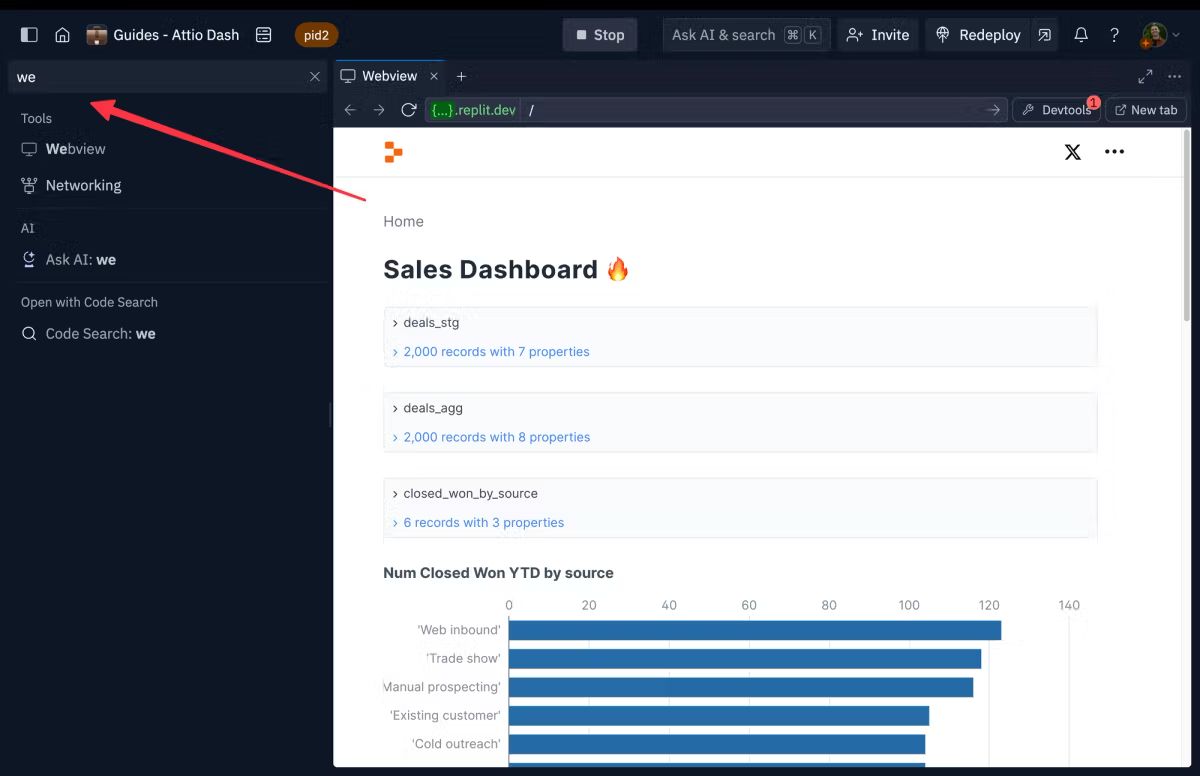
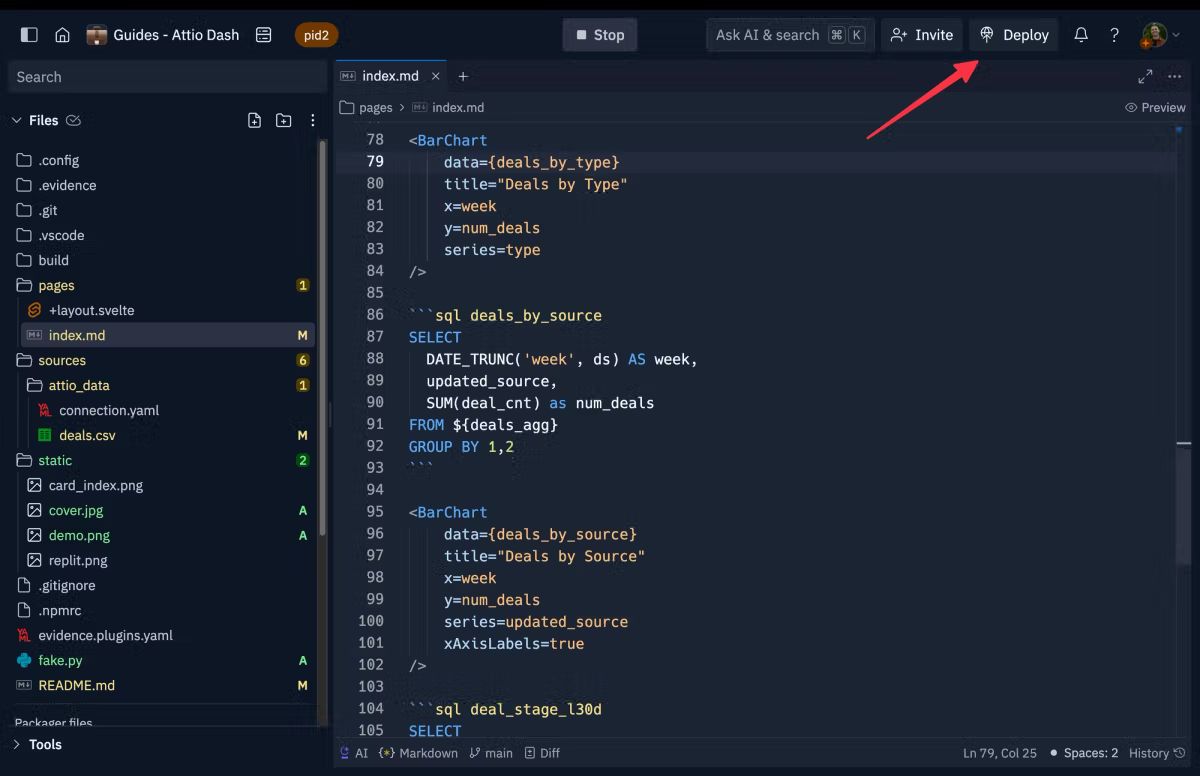
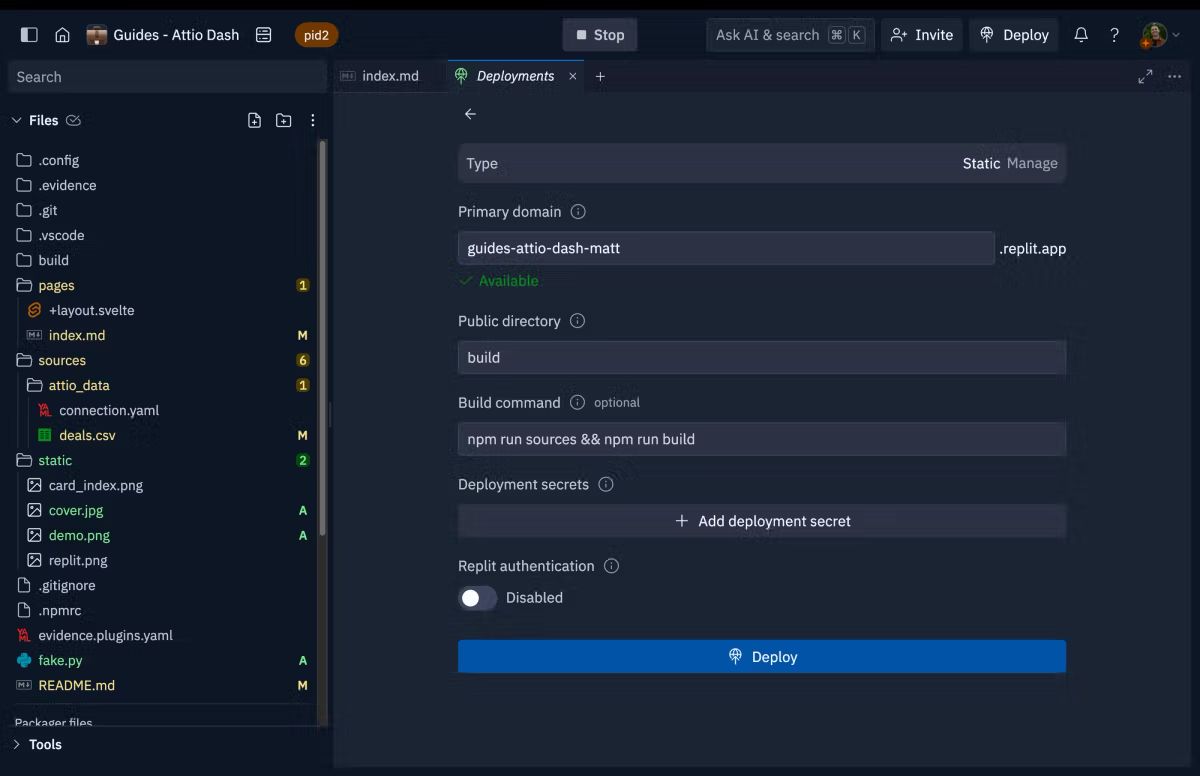
Replit Video/Screenshots

Replit Key Clients

User Reviews

no-reviews
Share your experience! Be the very first reviewer. Write a Review

Frequently Asked Questions (FAQs)

The user group of Replit are as follows :

  • SMEs
  • Enterprises

Replit has 4 plans,

  • Starter USD 0 /month
  • Replit Core USD 20 /month
  • Teams USD 35 /month
  • Enterprise USD 0 Custom pricing

Replit is not allowing Free Trial.

The key featuers of Replit are as follows :

  • Brainstorming
  • Project Templates
  • Idea Management
  • Task Assigning
  • Collaboration Tools
  • File Recovery
  • Document Assembly
  • Refactoring
  • Syntax Highlighting
  • Code Completion
  • Real-time Collaboration
  • Debugger
  • Source code editor
  • Chat (Messaging)
  • Drag and Drop
  • Version Control

Replit pricing model : Onetime(Perpetual License)

Replit is Online Software.

No

Replit offers Phone,Email,Online (Ticket) support.

Replit provides Help Guides,Blogs for the software training.