PDF24 Tools

PDF24 Tools

0.0
Rating out of 5 Based on 0 reviews

What is PDF24 Tools

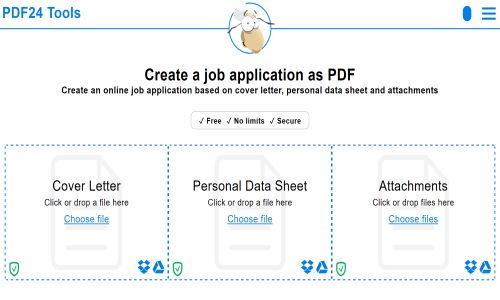
PDF24 Tools is a free, web-based platform offering over 30 utilities to manage and edit PDF files. It helps users create, compress, merge, split, convert, and secure PDFs without the need for software installation. PDF24 Tools Demo highlights how simple it is to handle everyday PDF tasks in a secure, offline-capable environment, supporting various document workflows.

Pricing of PDF24 Tools

no-pricing
For get detailed pricing as per your requirements.

Awards & Badges Received

Get More Awards & Badges from Techimply
Badge-1
Badge-2
Badge-3

Key Specification

Other Categories: Document Management Software
Deployment: Cloud Hosted,On Premise
Customer Support: Email
Customization: No
Languages Support: Chinese, Danish, Dutch, English, Finnish, French, Georgian, Greek, Hungarian, Indonesian, Japanese, Korean, Slovak, Thai, Turkish, Ukrainian

Who uses PDF24 Tools

Personal
Personal
StartUps
StartUps
SMEs
SMEs
Agencies
Agencies
Enterprises
Enterprises

Company Details

Company Name: PDF24 Tools
Headquarter: Berlin Germany
Social Media:

PDF24 Tools Description

Why Choose PDF24 Tools

PDF24 Tools is an ideal solution for users seeking a lightweight, privacy-focused, and free PDF management suite. It requires no registration, runs on all modern browsers, and even offers an offline desktop version. PDF24 Tools Reviews consistently mention its simplicity and effectiveness, and the availability of all tools for free makes PDF24 Tools Pricing incredibly appealing for personal and business users alike.

Benefits of PDF24 Tools

  • Enables users to edit, compress, and merge PDFs without needing additional software

  • Fully accessible in web browsers or through a desktop app

  • Provides secure, offline document processing for added privacy

  • Does not require registration or account creation

  • Compatible with Windows and most modern devices

Many PDF24 Tools Reviews praise its flexibility, and the absence of PDF24 Tools Pricing tiers means users can access all PDF24 Tools Features at no cost.

How to Use PDF24 Tools

To use PDF24 Tools, visit the platform or launch the desktop version, select a tool such as Merge PDF, Compress PDF, or Convert to PDF, and upload your file. The process is intuitive and quick. First-time users can explore the PDF24 Tools Demo to understand functionality. With no sign-up required, it’s a plug-and-play experience for all. It works well alongside other document management tools that support PDF editing, digital signatures, and secure file handling.

Features of PDF24 Tools

  • Merge, split, compress, and convert PDF documents

  • Add watermarks, page numbers, or e-signatures

  • Extract or rearrange PDF pages easily

  • Create PDFs from images, Word files, or scanners

  • Supports offline processing with a desktop version

These PDF24 Tools Features enable streamlined document handling. According to PDF24 Tools Reviews, it's widely used by individuals, educators, and professionals who seek reliable and free PDF solutions. Combined with free access under PDF24 Tools Pricing, it's a go-to platform for many.

Alternative

Hooray HR

Save time on HR and create a happy team.

0.0
Rating out of 5 Based on 0 reviews

Google Workspace

The better way to work

0.0
Rating out of 5 Based on 0 reviews

Workable

The future-ready HR platform

4.7
Rating out of 5 Based on 3 reviews

PDF24 Tools Video/Screenshots

User Reviews

no-reviews
Share your experience! Be the very first reviewer. Write a Review

Frequently Asked Questions (FAQs)

The user group of PDF24 Tools are as follows :

  • Personals
  • Startups
  • SMEs
  • Agencies
  • Enterprises

PDF24 Tools has 0 plans.

PDF24 Tools is not allowing Free Trial.

PDF24 Tools is Cloud Hosted,On Premise Software.

No

PDF24 Tools offers Email support.

PDF24 Tools provides Help Guides for the software training.