Kandji

Define Once,Secure Forever

0.0
Rating out of 5 Based on 0 reviews

What is Kandji?

Kandji is a modern, cloud-based Apple device management (MDM) and security platform. It's specifically designed to help IT teams and organizations manage and secure their Mac, iPhone, iPad, and Apple TV devices. Essentially, it automates a wide range of IT tasks, enforces security policies, and streamlines the entire lifecycle of Apple devices within an enterprise, from deployment to ongoing maintenance and security.

Pricing of Kandji

Device Management

USD 8.00
USD 0.00

per device/mo, billed annually

Buy Now
  • Zero touch deployment
  • Automated OS and app updates
  • Advanced security templates with customizable controls
  • Mac login with SSO credentials

Vulnerability Management

USD 3.00
USD 0.00

per device/mo, billed annually

Buy Now
  • Prioritized view of vulnerabilities
  • Risk scores for prioritization
  • Insight into vulnerable apps and devices
  • App inventory updates every 15 min

Endpoint Detection and Response

USD 6.00
USD 0.00

per device/mo, billed annually

Buy Now
  • AI enhanced malware protection
  • Real time detection and response
  • Removable storage security controls
  • Detailed view into threat events

Complete Coverage

USD 14.58
USD 0.00

per device/mo, billed annually

Buy Now
  • Everything in MDM EDR Vulnerability Management
  • Threat protection and device and management in a unified platform
  • Find vulnerabilities and remediate them with integrated workflows

Key Features of Kandji

Key Features:
  • Configuration Management
  • Inventory Management
  • Maintenance Management
  • Compliance Tracking
  • Procurement Management

Key Specification

Other Categories: Patch Management Software Mobility Software IT Asset Management Software
Deployment: Cloud Hosted,Hybrid,On Premise,Any
Customer Support: Phone,Email,Live Chat
Languages Support: English

Who uses Kandji

StartUps
StartUps
SMEs
SMEs
Agencies
Agencies
Enterprises
Enterprises

Company Details

Company Name: Kandji
Headquarter: United States
Social Media:

Kandji Description

Why Choose Kandji?

Organizations choose Kandji for several compelling reasons:

  • Apple-Centric Design: Kandji is built from the ground up to cater specifically to the Apple ecosystem. This specialization allows for deep integration and optimization, providing more granular control and features tailored to Apple devices.
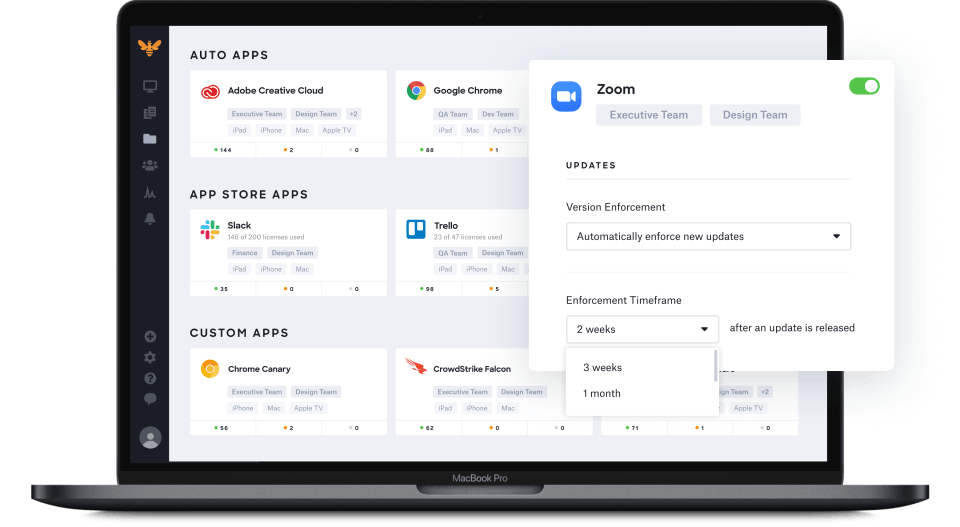
  • Automation: It significantly reduces manual IT work through extensive automation. This includes features like "Auto Apps" for automatic app deployment and patching, automated OS updates, and self-healing device controls that remediate out-of-spec settings.
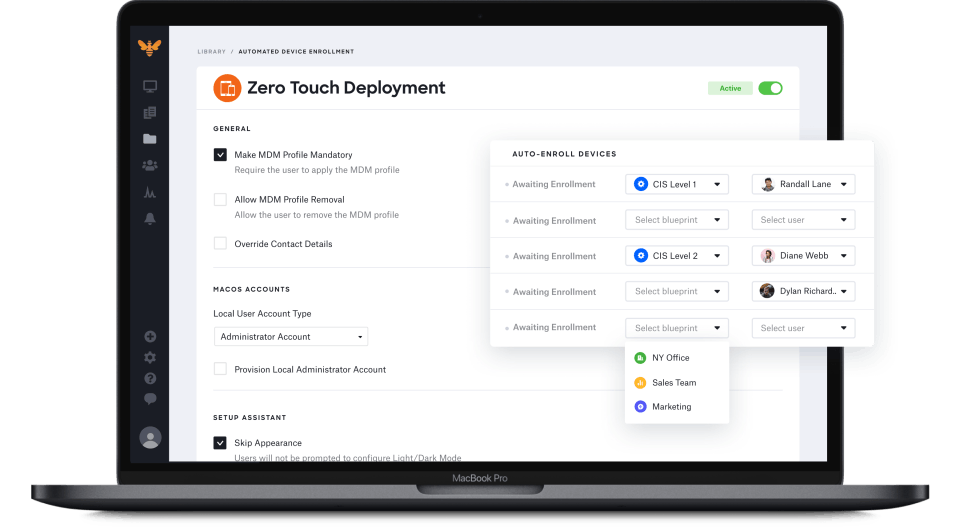
  • Simplified Management: Kandji offers an intuitive, user-friendly interface that simplifies complex device management tasks. It allows for "zero-touch deployment," meaning new devices can be automatically configured with all the necessary apps, settings, and security policies right out of the box, with minimal IT intervention.
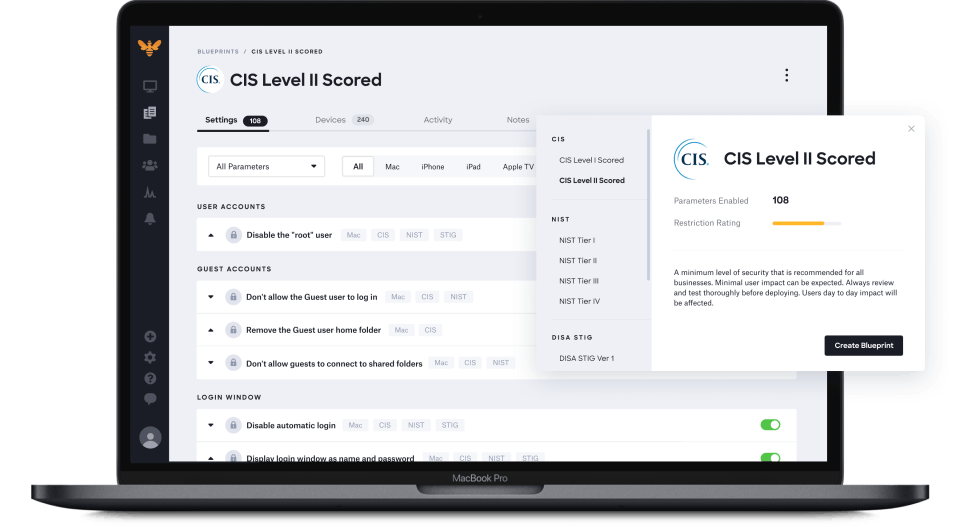
  • Robust Security: Kandji goes beyond basic MDM by offering integrated endpoint detection and response (EDR) and vulnerability management. It helps enforce compliance with industry standards (like CIS, SOC 2, HIPAA, ISO 27001) through pre-built templates and continuous monitoring.
  • Scalability: Whether for startups, growing companies, or large enterprises, Kandji is designed to scale efficiently, handling thousands of devices without requiring a significant increase in IT headcount.
  • Unified Platform: It brings together device management, security, and compliance into a single platform, streamlining operations and improving collaboration between IT and InfoSec teams.
  • Remote Work Support: Being cloud-based, Kandji effectively supports remote and hybrid work environments by allowing devices to be managed and secured regardless of their physical location.

Benefits of Kandji

The benefits of using Kandji are numerous and directly address common IT challenges:

  • Increased IT Efficiency: Automating routine tasks like software updates, app installations, and security patching frees up IT teams to focus on more strategic initiatives.
  • Enhanced Security Posture: Proactive threat detection, automated compliance enforcement, and continuous security monitoring help protect devices and data from vulnerabilities and attacks.
  • Streamlined Onboarding: Zero-touch deployment and automated setup processes make new employee onboarding seamless and efficient, getting users productive faster.
  • Improved User Experience: Devices are always up-to-date and configured correctly, leading to fewer technical issues and a more consistent, positive experience for end-users.
  • Simplified Compliance: Pre-built compliance templates and automated remediation help organizations meet regulatory requirements and internal security policies with less effort.
  • Better Visibility and Control: Centralized dashboards provide comprehensive insights into device status, security events, and compliance posture across the entire fleet.
  • Reduced Manual Errors: Automation minimizes human error in configuration and policy enforcement, leading to more consistent and reliable device management.

How to Use Kandji?

Using Kandji generally involves these key steps:

1. Initial Setup and Integrations:

  • Apple Integrations: Connect your Kandji tenant with Apple Business Manager (or Apple School Manager) for Automated Device Enrollment, enabling zero-touch deployment. You'll also configure Apple Push Notification service (APNs).
  • Identity Provider (IdP) Integration: Integrate with your existing identity provider (e.g., Okta, Google Workspace, Microsoft Entra ID) to sync users and enable single sign-on (SSO) for device authentication and the Kandji web app.
  • ​​​​​​​Admin Setup: Configure administrators and their access levels within the Kandji web app.

2. Defining Blueprints and Library Items:

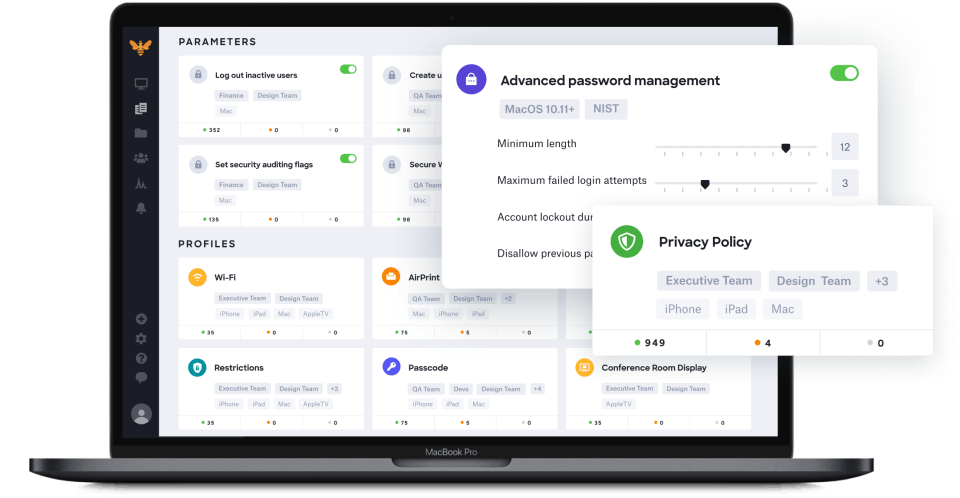
  • Blueprints: Blueprints are core to Kandji. They are sets of configurations, apps, and security policies that you define and then assign to groups of devices. You can create multiple blueprints for different departments, locations, or user roles.
  • Library Items: These are the individual components you add to your blueprints. They include:
    • Auto Apps: Pre-packaged, automatically patched, and hosted applications (e.g., Chrome, Slack) that Kandji keeps updated.
    • Custom Apps: Upload your own .pkg, .mpkg, .dmg, or .zip files for custom applications.
    • Scripts: Run custom scripts for specific configurations or automations.

    • Profiles: Apply Apple's MDM profiles for Wi-Fi, VPN, privacy settings, SSO, etc.

    • Parameters: Kandji-specific settings that extend beyond Apple's MDM framework.

    • ​​​​​​​Managed OS: Define policies for macOS updates (major and minor).

3. Enrolling Devices:

  • Automated Device Enrollment (ADE): For true zero-touch deployment, new devices purchased through Apple Business Manager are automatically assigned to Kandji and configured upon first boot.
  • Manual Enrollment: For existing devices or those not enrolled via ADE, users can enroll their devices through a custom Enrollment Portal link and code provided by Kandji.

4. Managing and Monitoring:

  • Assignment Maps: Use this visual interface to define complex deployment logic and assign blueprints, apps, and settings to devices based on various conditions (e.g., location, user group).
  • Real-time Monitoring & Reporting: Kandji provides detailed insights into device status, security events, compliance, and activity logs.
  • Remote Actions: Perform actions like locking, wiping, enabling Lost Mode, or reinstalling agents on devices remotely.
  • Vulnerability Management: Identify and address software vulnerabilities on your Mac fleet.
  • ​​​​​​​Alerts: Configure alerts for critical events, such as available OS updates or security issues.

Features of Kandji

Kandji offers a comprehensive suite of features for Apple device management and security, including:

    1. Device Management (MDM):

    Zero-Touch Deployment: Automated setup of new Apple devices.

    Blueprint-based Configuration: Define and deploy settings, apps, and security policies.

     Assignment Maps: Visual, conditional logic for granular device assignments.

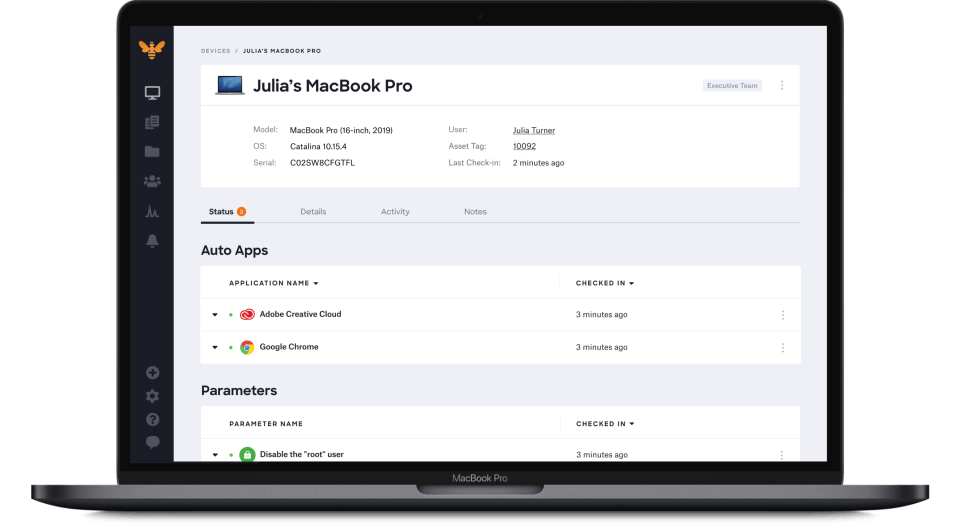
     Automated App Management ("Auto Apps"): Automatic deployment, patching, and updating of popular Mac applications.

     Custom App Deployment: Deploying internal or custom applications.

    Managed OS: Enforce and automate macOS updates (major and minor).

    Configuration Profiles: Manage Wi-Fi, VPN, email, security settings, etc.

     User-Initiated Enrollment: Allow users to enroll their own devices.

     Remote Actions: Lock, wipe, restart, shut down, enable Lost Mode, reinstall agents.

     Device Inventory & Reporting: Comprehensive details and real-time reports on your device fleet.

    2. Security & Compliance:

      Endpoint Detection and Response (EDR): Real-time threat detection and response for Mac devices.

      Vulnerability Management: Identify and address software vulnerabilities.

      Compliance Templates: Pre-built templates for industry standards (CIS, SOC 2, HIPAA, ISO 27001).

        Security Controls: Enforce encryption, password policies, firewall settings, and more.

        Automated Remediation: Automatically correct non-compliant settings.

        Self-Healing Device Controls: Continuously enforce settings, even if devices go offline.

        Application Blocking/Whitelisting: Control which applications can run on devices.

        Alternative

        ManageEngine Patch Manager Plus

        All-around patching solution

        0.0
        Rating out of 5 Based on 0 reviews

        ManageEngine Patch Connect Plus

        Redefine SCCM and Intune management

        0.0
        Rating out of 5 Based on 0 reviews

        NinjaOne

        Automate the hardest parts of IT

        0.0
        Rating out of 5 Based on 0 reviews

        Kandji Video/Screenshots

        User Reviews

        no-reviews
        Share your experience! Be the very first reviewer. Write a Review

        Frequently Asked Questions (FAQs)

        The user group of Kandji are as follows :

        • Startups
        • SMEs
        • Agencies
        • Enterprises

        Kandji has 4 plans,

        • Device Management USD 8.00 per device/mo, billed annually
        • Vulnerability Management USD 3.00 per device/mo, billed annually
        • Endpoint Detection and Response USD 6.00 per device/mo, billed annually
        • Complete Coverage USD 14.58 per device/mo, billed annually

        Kandji is allowed 0 Days Free Trial.

        The key featuers of Kandji are as follows :

        • Configuration Management
        • Inventory Management
        • Maintenance Management
        • Compliance Tracking
        • Procurement Management

        Kandji pricing model : Yearly,Monthly,Onetime(Perpetual License)

        Kandji is Cloud Hosted,Hybrid,On Premise,Any Software.

        Kandji offers Phone,Email,Live Chat support.

        Kandji provides Help Guides,Video Guides,Blogs,Webinars for the software training.