BatchPatch

By Cocobolo Software

0.0
Rating out of 5 Based on 0 reviews

BatchPatch is a powerful and efficient Windows patching and software deployment tool designed for IT professionals. It enables administrators to remotely manage and update multiple Windows PCs simultaneously without requiring agents to be installed on target machines. BatchPatch simplifies tasks like deploying Windows updates, installing software, executing scripts, and rebooting systems, making it an invaluable tool for maintaining a secure and up-to-date computing environment.

Pricing of BatchPatch

no-pricing
For get detailed pricing as per your requirements.

Key Features of BatchPatch

Key Features:
  • Automatic Patch Deployment
  • Automatic Scans
  • Network Wide Management
  • Remote Access/Control

Key Specification

Other Categories: Patch Management Software
Deployment: Cloud Hosted,Hybrid,On Premise,Any
Customer Support: Email
Languages Support: English

Who uses BatchPatch

StartUps
StartUps
SMEs
SMEs
Agencies
Agencies
Enterprises
Enterprises

Company Details

Company Name: Cocobolo Software
Headquarter: United States
Social Media:

BatchPatch Description

Managing updates and software deployments across a network of Windows computers can be a time-consuming and often complex task. BatchPatch offers a streamlined solution by allowing administrators to perform these actions remotely from a central console. Unlike many enterprise management tools, BatchPatch operates without the need for persistent agents on the target machines, simplifying deployment and reducing overhead. It leverages native Windows protocols to communicate with and manage remote systems securely.  

BatchPatch excels in its ability to handle Windows updates efficiently. Administrators can easily select groups of computers and initiate the download and installation of required updates. The software provides granular control over the update process, allowing for scheduling, reboot management, and detailed logging. Beyond patching, BatchPatch can also be used to deploy software packages, execute custom scripts, copy files, and perform system reboots, providing a versatile toolkit for remote administration.

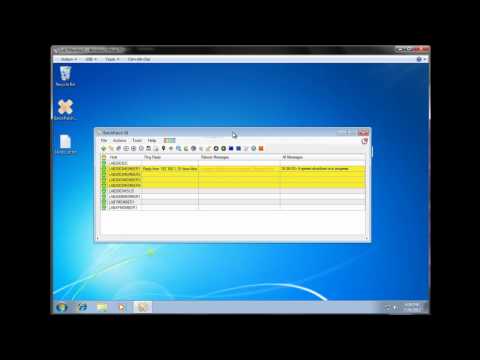
For IT professionals evaluating solutions for remote management, understanding BatchPatch Features is crucial. These features include centralized control over patching and software deployment, remote command execution, Wake-on-LAN support, comprehensive logging, and the ability to work without requiring agent installation. Exploring a BatchPatch Demo provides a practical way to see these features in action and assess the software's ease of use and effectiveness in a real-world environment.  

Understanding BatchPatch Pricing is another important consideration. BatchPatch offers a straightforward licensing model, typically based on the number of administrators using the software, rather than the number of managed endpoints. This can be a cost-effective solution for organizations of various sizes. Consulting BatchPatch Reviews can offer valuable insights into the experiences of other IT professionals who have used the software, highlighting its strengths and potential limitations. The positive feedback often found in BatchPatch Reviews emphasizes its efficiency, reliability, and ease of deployment. By examining the BatchPatch Features and potentially trying a BatchPatch Demo, administrators can determine if BatchPatch aligns with their specific needs for remote Windows management.  

Key Features & Specifications:

  • Remote Windows Patching: Centrally manage and deploy Windows updates to multiple computers simultaneously.  
  • Software Deployment: Remotely install software packages and applications.  
  • Remote Command Execution: Execute scripts and commands on target machines.  
  • Agentless Architecture: Operates without requiring agents to be installed on managed computers.
  • Wake-on-LAN Support: Remotely power on computers for maintenance tasks.  
  • Comprehensive Logging: Detailed logs of all actions performed.
  • BatchPatch Features include flexible scheduling and reboot management.  
  • BatchPatch Pricing is typically based on the number of administrators.
  • BatchPatch Reviews often praise its ease of use and efficiency.
  • A BatchPatch Demo is usually available for evaluation.
  • Supports various Windows versions.  
  • Secure communication using native Windows protocols.

Alternative

ManageEngine Patch Manager Plus

All-around patching solution

0.0
Rating out of 5 Based on 0 reviews

ManageEngine Patch Connect Plus

Redefine SCCM and Intune management

0.0
Rating out of 5 Based on 0 reviews

NinjaOne

Automate the hardest parts of IT

0.0
Rating out of 5 Based on 0 reviews

BatchPatch Video/Screenshots

User Reviews

no-reviews
Share your experience! Be the very first reviewer. Write a Review

Frequently Asked Questions (FAQs)

The user group of BatchPatch are as follows :

  • Startups
  • SMEs
  • Agencies
  • Enterprises

BatchPatch has 0 plans.

BatchPatch is not allowing Free Trial.

BatchPatch pricing model : Yearly,Monthly,Onetime(Perpetual License)

BatchPatch is Cloud Hosted,Hybrid,On Premise,Any Software.

BatchPatch offers Email support.

BatchPatch provides Help Guides,Video Guides,Blogs for the software training.