BackBox

Intelligent Automation

0.0
Rating out of 5 Based on 0 reviews

What is BackBox?

BackBox is a powerful network and security automation platform designed to simplify the management, backup, and recovery of critical IT infrastructure. Built for enterprises, MSPs, and security teams, BackBox provides a centralized solution for automating routine tasks, ensuring compliance, and improving cyber resilience. With its intelligent backup engine, vulnerability intelligence, and configuration management capabilities, the software enables IT teams to safeguard devices across multi-vendor environments while minimizing downtime and risks.

Pricing of BackBox

no-pricing
For get detailed pricing as per your requirements.

Key Features of BackBox

Key Features:
  • Event Logs
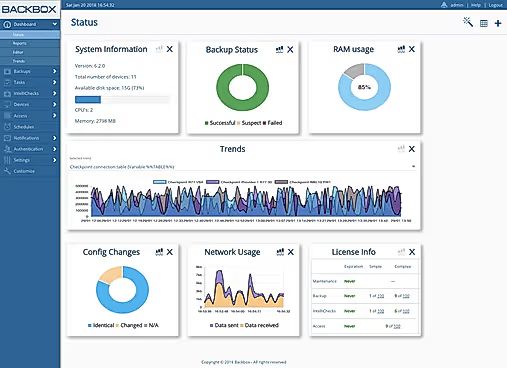
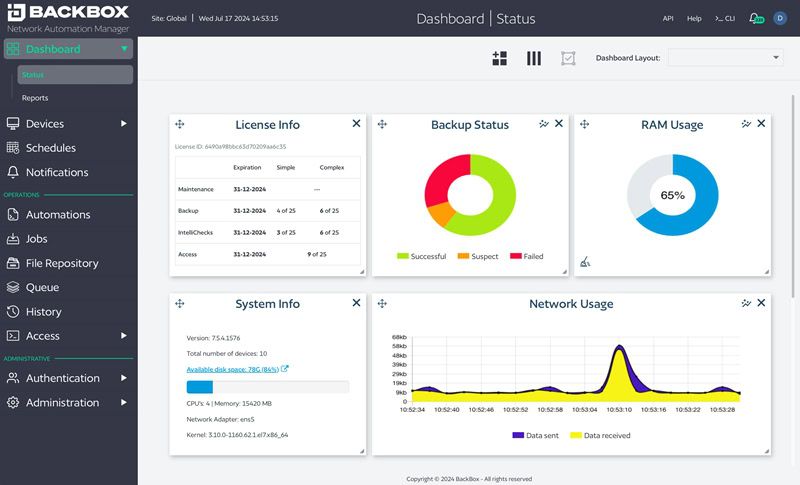
  • Dashboard
  • Configuration Management
  • Network Provisioning
  • Performance Metrics
  • Troubleshooting
  • Remediation Management
  • Remote Access/Control

Key Specification

Other Categories: Network Management Software Msp Software Backup Software
Deployment: Hybrid,On Premise,Any
Customer Support: Phone,Email,Online (Ticket),Business Hours
Customization: Yes
Languages Support: English

Who uses BackBox

StartUps
StartUps
SMEs
SMEs
Agencies
Agencies
Enterprises
Enterprises

Company Details

Company Name: BackBox
Headquarter: Dallas , Texas United States
Social Media:

BackBox Description

Benefits of BackBox

  • Reliable Backup & Recovery: BackBox automates verified backups with one-click restore options, reducing recovery time and preventing data loss.

  • Simplified Configuration Management: Automates configuration changes, policy enforcement, and compliance checks across hundreds of vendors.

  • Vulnerability Intelligence: Helps identify, prioritize, and remediate vulnerabilities with actionable insights.

  • Scalable Automation: With over 3,000 pre-built automations and a no-code builder, it supports organizations of all sizes.

  • Hybrid Deployment Flexibility: Works seamlessly across on-premise, cloud, and hybrid environments.

  • Enhanced Security Compliance: Ensures alignment with standards such as PCI DSS, CIS, and DISA STIGs.

How to Use BackBox?

  1. Install & Deploy: Set up BackBox in your environment or as a hosted solution.

  2. Discover Devices: Automatically detect and register devices across multi-vendor infrastructures.

  3. Configure Automations: Use pre-built or custom automations to manage backups, updates, and compliance.

  4. Monitor & Validate: Verify backups nightly, run compliance reports, and ensure readiness for audits.

  5. Remediate Vulnerabilities: Automate patching and updates to keep devices secure.

  6. Generate Reports: Produce detailed analytics for compliance, performance, and operational planning.

Features of BackBox

  • Automated Backup & Recovery with five-step validation

  • Compliance & Policy Enforcement across security standards

  • No-code Automation Builder with 3,000+ pre-built tasks

  • Multi-vendor support for 180+ vendors

  • RESTful API for integrations with ITSM and third-party tools

  • ServiceNow integration for automated ticketing and updates

  • Parallel execution engine for scalable automation

  • Vulnerability Intelligence with CVE-based remediation

  • Role-based dashboards and reporting tools

BackBox Demo

A demo version of BackBox is available, allowing IT teams to explore its automation workflows, backup validation, compliance features, and reporting tools before making a purchase decision.

BackBox Pricing

BackBox offers flexible pricing models tailored to enterprise and MSP requirements. The cost typically depends on the number of devices, automation features, and service options selected. With scalable packages, BackBox ensures affordability for SMEs while offering robust capabilities for large enterprises.

BackBox Review

BackBox has earned recognition for its strong focus on backup reliability and cyber resilience. Users highlight its ease of use, especially the no-code automation builder and vast library of pre-built automations. Its ability to streamline compliance audits and remediate vulnerabilities without manual intervention makes it highly valuable for IT and security teams. While pricing details require direct consultation, its enterprise-grade features, scalability, and integration options make BackBox a trusted solution for organizations seeking automated network security and compliance management.

Alternative

ManageEngine OpManager

Gain Comprehensive Visibility and Actionable Insights to Optimize Your Network Performance

0.0
Rating out of 5 Based on 0 reviews

Auvik

By Auvik Networks

0.0
Rating out of 5 Based on 0 reviews

WhatsUp Gold

Unleash the Power of AI for Your Business

0.0
Rating out of 5 Based on 0 reviews

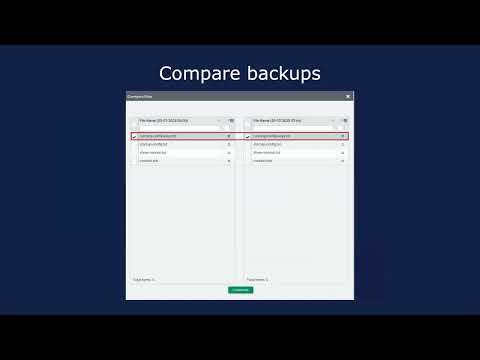
BackBox Video/Screenshots

BackBox Key Clients

User Reviews

no-reviews
Share your experience! Be the very first reviewer. Write a Review

Frequently Asked Questions (FAQs)

The user group of BackBox are as follows :

  • Startups
  • SMEs
  • Agencies
  • Enterprises

BackBox has 0 plans.

BackBox is not allowing Free Trial.

BackBox pricing model : Yearly

BackBox is Hybrid,On Premise,Any Software.

Yes

BackBox offers Phone,Email,Online (Ticket),Business Hours support.

BackBox provides Help Guides,Video Guides,Blogs,Infographics,Case Studies for the software training.