The majority of businesses, educators, and teams use virtual meeting platforms that allow them to stay in touch, even if they are not in the same place. It doesn’t matter whether you are holding a team brainstorming session, a client presentation, or a large-scale virtual conference; the correct online meeting platform is a game-changer. However, when you have many choices, then how do you choose the best one?

Looking for Meeting Software?
Check out Techimply's List of Top Meeting Software in India For your Business for your business.
In this Blog, we’re going to look into what virtual meeting platforms are, why they’re important, and the top 9 best options for you to communicate effectively, be more productive, and collaborate better.
What are Virtual Meeting Platforms?
A virtual meeting platform is an online-based application that enables people to link up and work together through video, audio, and chat in real-time. Be it a team meeting, a client presentation, or a video conference on a big scale, these platforms have the right features to communicate around the world in a better manner.
Million-dollar Question: What would you say about doing brainstorming via wonderful venues for virtual meetings (screen sharing, live chat, breakout rooms, and recording options)? Frankly, with these functions, virtual meetings are no longer just like video calls but much more attractive and interesting to both the presenters and the audience. Using an AI meeting note taker can further enhance these sessions by automatically capturing key points, action items, and decisions, allowing participants to stay focused on discussion. All around the globe, these areas have turned out to be a crucial part of how new-age teams are interacting and working together.
Virtual meeting platforms have taken over the world and demolished geographical barriers, connecting people all over the world. They are the lifeline of teleworking, the integration of online teams, and an unfettered exchange of information.
What Should You Look For in Virtual Meeting Platforms?
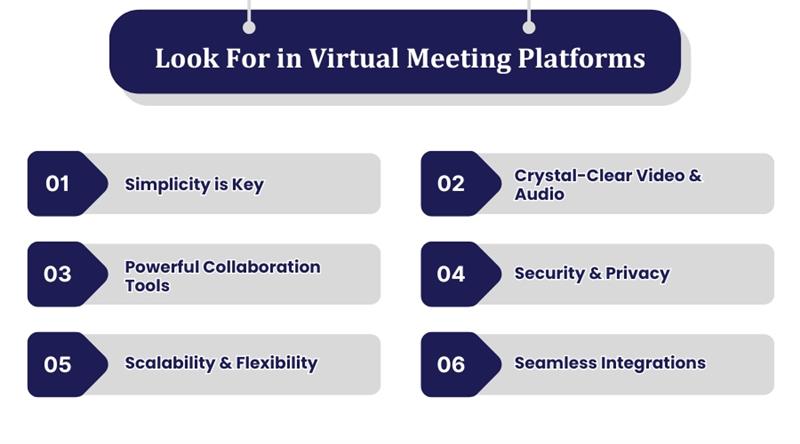
With the inexhaustible number of virtual meeting platforms currently found, picking the right one can undoubtedly make you feel confused. The major thing in an online meeting is not only the ability to hold it but to carry it out in a smooth, engaging, and at the same time, productive manner. Now, there are a few points to be aware of:
-
Simplicity is Key – A platform should be user-friendly so that the users can join without any technical issues. Absolutely no one would like to waste time solving intricate configurations.
-
Crystal-Clear Video & Audio – It is necessary to have video conferencing solutions of good quality decent enough to support an efficient, smooth, and uninterrupted communication process that can be held for any virtual meeting and hence will not experience lag problems.
-
Powerful Collaboration Tools – When it comes to functionality, you should seek out such things as screen sharing, live chat, breakout rooms, and file sharing. A great team meeting app should feel like a virtual office.
-
Security & Privacy – From classified business meetings to the secure sharing of data, a safe online meeting platform with encryption and access controls is a necessity.
-
Scalability & Flexibility – If you are hosting a short check-in or a major event, then an effective virtual conference platform is one that can adapt to your conference needs.
-
Seamless Integrations – Online meeting tools should work smoothly with your existing apps and software programs like calendars, project management software, and CRM systems, while a reliable network infrastructure helps ensure stable connectivity. Businesses with demanding communication requirements may also consider networking equipment such as a Cisco Secure Firewall when building or upgrading their network infrastructure.

Pro-tip
It is always important to have a platform that allows the addition of custom branding to make it unique (logos, backgrounds, etc.)—this small piece of information can affect the impression as well as professional performance of the presentations and webinars.
Why Use Virtual Meeting Platforms?
Virtual meeting platforms are currently a need not just for enterprises or remote teams but for educators and for social gatherings too. Even so, what are the points that turn them into a must-have for you?
-
Breaks Geographical Barriers – Irrespective of whether your team is within the same city or in a faraway location, online meeting creates an environment without any spatial gap, thus making collaboration easy.
-
Saves Time and Costs – No more travel expenses or long commutes; by using video meeting platforms, you can have essential conversations wherever you are, thus, you will be able to save both time and money.
-
Boosts Productivity – Features such as screen sharing, breakout rooms, and real-time chat are all concentrating the meeting space completely and effectively; thus making for better decision-making.
-
Enhances Flexibility – Whether you are engaging in a one-on-one check-in or an event on a significantly larger scale, virtual conference software is the best choice because it caters for any size of your event.
-
Encourages Seamless Collaboration – By connecting to your calendar, project management apps, and cloud storage, you can ensure that your workflows are always efficient and properly maintained.
-
Improves Work-Life Balance – Offering a mobile working opportunity, virtual meetings provide employees with the choice of either leaving the house or staying in. Consequently, people tend to be happier and more active at the office.
Editor’s Note
Virtual meetings are not one-size-fits-all, hence, they require a different approach each time. The best platform, depending on factors such as the team's size, the security needs of the team, and the budget of the team, is recommended for you. Read through the list and choose one that fits your workflow.
Top 9 Virtual Meeting Platforms
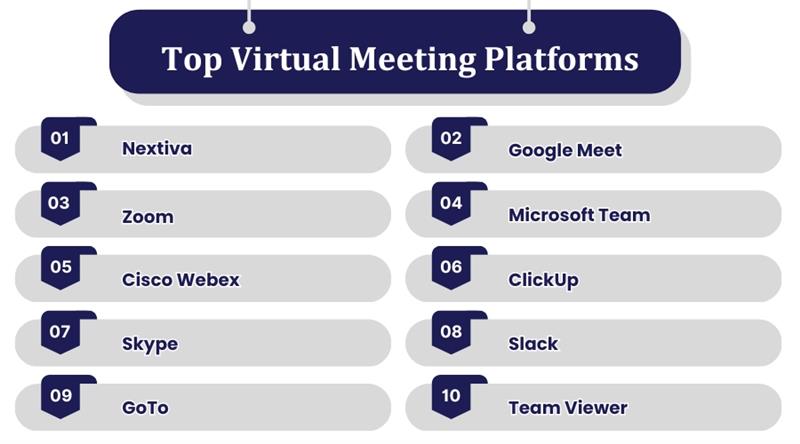
Whether it's a comprehensive solution such as Microsoft Teams and Zoom or rather a free software like Slack and Google Meet, there is a solution for any purpose. Pick the one that exactly matches your process and lead high-value virtual meetings.
1. Nextiva
Nextiva represents a robust virtual meeting platform tailor-made for companies that are in for more than just video calls. The product effectively mingles voice, video, messaging, and team collaboration all in one making it the go-to solution for business communication. For those who need a high definition video, screen sharing, and an additional CRM tool, Nextiva is the right choice.
2. Google Meet
Google Meet is an easy-to-use, user-oriented online communication service that has been perfectly designed to work with G Suite. It offers superior video conferencing, accurate subtitles, and a high-security level. Regardless of the session being an impromptu team check-in or a big webinar, Google Meet ensures easy and uninterrupted communication.
3. Zoom
Zoom became a favorite video meeting platform for companies, teachers, and individuals. The platform provides HD video, breakout rooms, webinar hosting, and screen-sharing features. Its stability and simplicity ensure that it is the best choice for small group meetings as well as for big annual conferences.
Pro Tip: For those who often organize webinars or huge virtual conferences, find those with analytics that provide insights on attendance and also the possibility to enhance future activities.
4. Microsoft Team
Microsoft Teams is not only a team meeting app but it has a whole bundle of collaboration for the teams. It blends itself with Microsoft 365 and offers chat, video meetings, file sharing, and project management tools. Businesses that already use Microsoft products will find Teams an excellent addition to their workflow.
5. Cisco Webex
Cisco Webex is an advanced virtual conference software that is popularly recognized due to its strong security capabilities and advanced technologies for small and large businesses. It provides support for large-scale webinars, AI-driven meeting bots, and HD video calls, among other features, which make it the first choice for virtual events and corporate meetings.
6. ClickUp
ClickUp is mainly known as a project management tool, yet its virtual meeting features lets the teams connect in a very smooth way. With the integration of the chat, the appointment tracker, and the collaboration tools, the software is really good for the teams that want both project management and communication at the same place.
7. Slack
Slack is not only the leading communications platform, its team meeting app features make it the best for virtual meetings as well. The platform is well-designed and offers video and voice calls, integrates with the productivity tools your team uses and has real-time messaging, making it possible for you to have team members contact each other at any time in a very efficient way.
8. GoTo
Formerly known as GoToMeeting, GoTo is a long-lasting virtual meeting software that has features such as high-quality video conferencing, mobile-friendly access, and webinar hosting. Professionals who require a reliable and feature-rich solution for remote meetings and training sessions are the target users of this software.
9. TeamViewer
TeamViewer is mostly recognized for its remote desktop control function, nonetheless, it additionally has video conferencing features. It is an ideal solution for IT teams, as they can solve the problem remotely and also take part in online conferences. The unique selling point of TeamViewer lies in its security and remote access capabilities which are absent in other virtual meeting tools.
Final Thought:
The shift to hybrid work is permanent, and video conferencing applications are rapidly progressing. Be sure to be aware of AI-powered functions, such as live transcribing and meeting summaries generated by machines, so that your virtual events can be even more intelligent.
Conclusion
A move to meeting online has dramatically changed how companies and teams convey information, making virtual meetings more reachable, effective, and captivating. You might be looking for an advanced video meeting platform that can hold large events or a basic team meeting app for daily check-ins; however, it is important to pick out a platform that meets exactly your needs. After understanding what virtual meeting platforms are and what to look for in them, you will be in a position to make an educated decision and improve your remote communication experience greatly. The world of work is going digital and employers should adopt the appropriate tools to ensure all the virtual meetings are productive!