Running a modern food business in India means dealing with a massive rush of online delivery requests every single day. If you run a quick-service restaurant, a cloud kitchen, or a fine-dining diner, managing orders from multiple applications can become incredibly chaotic. According to the authoritative NRAI India Food Services Report, the country's food service sector is experiencing a tremendous growth spurt, expanding at an 8.1% compound annual growth rate. As competition scales up, managing operations manually is no longer viable.

Looking for Restaurant POS Software?
Check out Techimply's List of the Best Restaurant POS Software in India for your business.
This is exactly where the right Restaurant POS Software becomes the backbone of your daily operations. Instead of making your staff manually enter every single request into a tablet, modern technology helps automatically transfer data from online platforms directly into your billing system. Industry analytics from the Redseer State of India's Food Services Market Report highlight that online delivery's share of the food market is set to skyrocket from 11% to 18%, growing at a rapid 20-22% annual pace. Understanding how this automatic transfer works can help you save precious time, reduce customer complaints, and significantly scale up your daily order volumes without hiring extra staff.
What Is Aggregator Order Sync?
1. What aggregator orders are
Aggregator orders are those that customers book on third-party food delivery platforms and not on your in-house counter. Countless users of third-party aggregators like Swiggy and Zomato place food orders through these apps each day in India. Customers use these aggregators to search for new restaurants, look through menus, enter discount coupon codes, and pay digitally. For a restaurant, these aggregator platforms act as a massive digital storefront that brings in continuous sales leads. Market research notes that in major urban landscapes across India, online delivery orders now pull in a massive 35% to 45% of total revenue for Quick Service Restaurants (QSRs) and cloud kitchen brands. However, because these sales happen on an external platform, the transaction data remains trapped inside that specific app unless you have modern Restaurant POS Software to fetch it. Without proper digital links, an aggregator order is just an isolated notification on a separate tablet that your staff must manually track, copy, and process under immense time pressure.
2. How order synchronization works
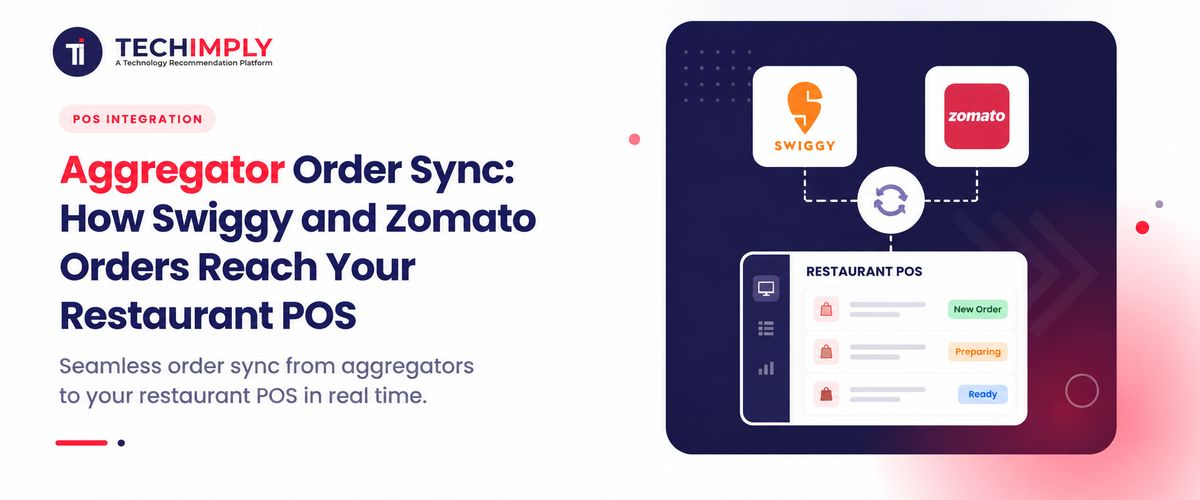
Order synchronization is the automated process where different computer programs share live transaction data instantly without any human intervention. When a customer confirms a meal purchase online, the delivery platform instantly converts that choice into a coded data package. This data package contains critical details such as the specific food items, custom cooking instructions, rider details, and payment modes. A compatible Restaurant POS Software continuously listens for these data packages from the aggregator network. The moment a package is sent, the POS system for restaurants instantly decodes it, accepts the booking, updates the internal inventory, and creates a billing entry. This entire data transfer happens across secure internet servers in less than two seconds, ensuring perfect harmony between your online kitchen and your physical billing desk.
3. Why restaurants need it
Indian restaurants need this to automate their tedious and error-prone manual data entry processes. If you are managing a restaurant with a large kitchen staff, how will your cashier be able to keep up with keying in the items purchased by guests at the restaurant billing software counter, especially during busy times like dining on Sundays? Manual handling leads to delayed food preparation, cold deliveries, and terrible customer reviews on social media. Furthermore, tracking manual sales makes daily financial accounting a nightmare for the owner. By using contemporary Restaurant POS systems with built-in automated online order integration, you remove the need for time-consuming and error-prone manual data entry. This means your staff can spend 1000% more time cooking gourmet meals and waiting on your customers, instead of staring at a computer screen and hitting the keyboard.
How Swiggy and Zomato Orders Reach Your POS
1. Customer places an order
The entire process starts when the famished customer opens up their mobile phone, selects your restaurant, choosing between their most popular dishes such as butter chicken or masala dosa. They add their customization, enter their delivery address, and choose to pay digitally through UPI or credit card and hit the checkout button. At this point, the information is uploaded to the cloud servers of the food delivery service by the customer's application.
2. Aggregator processes the order
After dispatching an order, the distribution platform processes the request, checking the order payment status, rider availability, and restaurant opening time. It then proceeds to process the data through its central cloud algorithm before generating a soft file for delivery. Instead of just flashing this file on a separate delivery tablet, the aggregator's cloud network immediately pings the digital link connected to your Restaurant POS Software to announce the new order.
3. Order reaches the POS
The moment your Restaurant POS system receives the incoming digital ping, it automatically reads the structured data file without needing a human to click anything. The advanced Restaurant management software instantly checks if the requested items match your live digital menu and automatically approves the order based on your pre-set rules. The delivery status is updated instantly on the customer's phone screen, showing them that the restaurant has officially accepted their meal request.
4. Kitchen and billing teams receive it
As soon as the order lands inside the Restaurant POS Software, two automated actions happen simultaneously. First, the Restaurant billing system creates an official invoice, accounts for the aggregator commissions, and updates the digital sales ledger. Second, the food delivery POS feature sends the item list directly to the kitchen print terminal, printing a clear Kitchen Order Ticket. The kitchen staff receives the exact cooking instructions instantly, allowing them to start preparing the food without a single second of communication delay.
Benefits of Connecting Aggregator Orders With Your POS
1. Faster order processing
When you implement an automated online food ordering system link, your order preparation time drops drastically. Your staff does not waste time looking at multiple screens or typing text into the Restaurant billing software manually. The kitchen print terminal fires up the exact moment the customer clicks buy on their phone, allowing chefs to start cooking instantly. Faster preparation speeds mean riders pick up hot meals quickly, leading to faster home deliveries and highly satisfied, loyal customers across India.
2. Fewer billing errors
Manual typing always introduces human mistakes, such as clicking a full portion instead of a half portion, or forgetting a customer's specific allergy note. By utilizing direct Restaurant POS integration, the exact words typed by the customer travel straight to your kitchen without any alterations. This ensures your billing system records the precise amount paid, your Inventory Management Software deducts the exact ingredients used, and your kitchen never wastes expensive raw materials preparing the wrong food item.
3. Better kitchen coordination
A busy kitchen requires utter discipline that can only be achieved when the chefs do not have to read handwritten notes or listen to shouts of a cashier. A POS system for restaurants manages all incoming orders on a convenient dashboard from wherever they come; be it Swiggy, Zomato, or a direct walk-in. It provides the kitchen with an updated list of all the food items to be prepared in one single place and in chronological order as well. This way, the chefs do not miss out on any of the orders that come in.
4. Easier reconciliation
At the end of the month, Indian restaurant owners spend days calculating payouts, deducting aggregator commissions, and matching tax records. If you use a standard Restaurant billing system without digital links, matching your internal cash records against external delivery statements is a confusing mess. According to commercial food-tech studies, software components now account for 42.3% of India's entire hospitality-tech financial space, mainly driven by owners looking to auto-generate error-free tax invoices. A modern Restaurant POS Software automatically tracks exactly how much money is owed by each delivery company, making it easier for Accounting Software to support accurate financial reconciliation. This comprehensive Restaurant order management software data makes financial reconciliation simple, accurate, and completely stress-free.
Common Order Sync Problems
1. Menu mismatches
A very frequent issue happens when you change an item price or disable a dish on your Restaurant POS Software but forget to update your external delivery profiles. When a customer orders a dish that is actually out of stock, your system might reject the digital file, causing order failures and angry phone calls. To fix this, you must choose a Restaurant POS system that offers instant, two-way menu synchronization across all online storefronts.
2. Duplicate orders
Sometimes, minor internet lag or a glitch in the cloud servers can cause a delivery application to send the same transaction data package twice. If your Restaurant order management tools are outdated, your system might process the duplicate data as two separate orders, causing the kitchen to cook the same meal twice. Modern Order Management Software prevents this by scanning unique transaction IDs to identify and block duplicate entries automatically.
3. Internet or integration issues
A sudden broadband failure inside your outlet can temporarily cut the link between your on-premise billing counter and the delivery cloud networks. If the internet drops, your Swiggy POS integration and Zomato POS integration will fail to receive live notifications, causing missed orders and lost revenue. Smart restaurant owners protect their business by investing in a hybrid Restaurant POS Software that can safely store transaction records offline and sync them later.
4. Incorrect prices or item availability
If your central staff manually alters item prices on individual tablets during peak hours, it creates a massive mismatch with your central accounting books. Customers might see a lower price online while your internal Restaurant billing software expects a higher amount, leading to major accounting discrepancies. Maintaining a single, unified database through an integrated configuration is the only way to keep your prices perfectly accurate across the internet.
Conclusion
In summary, linking your delivery channels with your central billing setup is the ultimate way to eliminate chaotic manual errors and supercharge your speed. A modern Restaurant POS Software removes the headache of managing separate delivery tablets by pulling all transactions into one unified screen.