


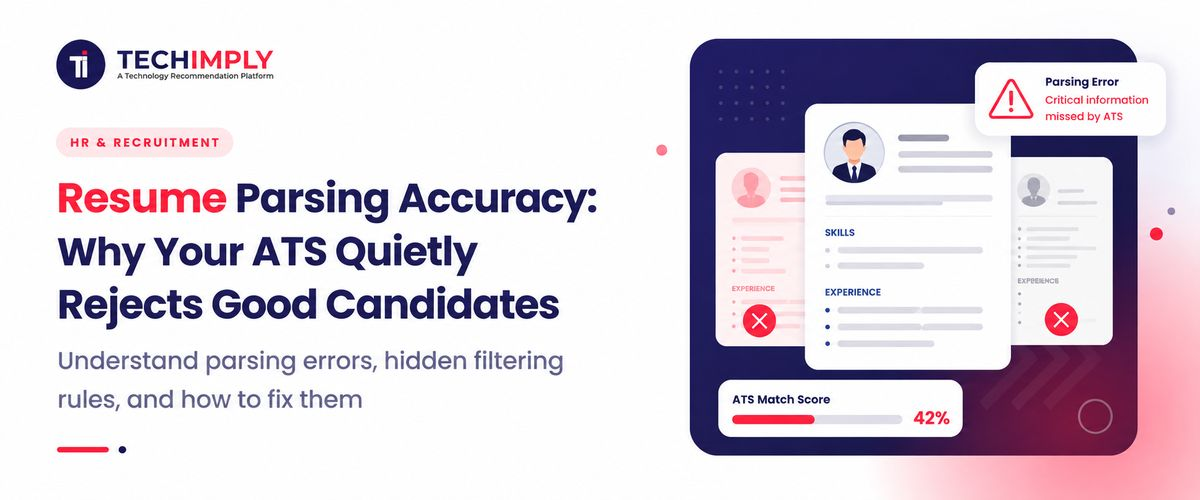
Let us look at a standard operational hurdle inside any fast-scaling Indian office. Your talent team publishes a job post for an executive or engineering track, and within forty-eight hours, your dashboard is slammed with four thousand applications. Sorting through this data mountain manually is a logistical impossibility. To survive the deluge, operations desks can use Recruiting Software to automate application intake and organize thousands of candidate profiles before the recruitment team begins detailed screening. At the deep backend of this operational engine sits a core script responsible for processing these stacks of files. This technique, known across the industry as resume parsing, attempts to read unorganized files and map them into structured rows inside your recruitment database.

Looking for Applicant Tracking System?
Check out Techimply's List of the Best Applicant Tracking System in India for your business.
The hidden risk surfaces when your underlying data extraction tools lack real linguistic flexibility. When an exceptional specialist or an elite operations head gets discarded by the system simply because they used an unconventional design layout, your firm loses out on premium talent. Relying blindly on an outdated resume parser turns your primary automation asset into a quiet administrative blind spot. Unpacking the exact mechanics of how resume parsing code processes structural text helps your recruiting team fix hidden bottlenecks and preserve the long-term integrity of your candidate pools.
What Is Resume Parsing?
In the modern context of human resources, resume parsing refers to the automated database process that helps extract information from an unstructured data file such as free text, PDF, or Word file, and transform it into a highly structured candidate profile for easy retrieval. It acts as the frontline sorting terminal for corporate talent ecosystems.
When a professional hits the upload button on your career page, the backend script strips away formatting tags to isolate the raw text layers underneath. The processing logic then sweeps through the text line by line, analyzing syntax breaks, date groupings, and text headers to categorize individual data blocks into specific database columns.
An enterprise-grade resume parser software engine isolates and labels specific candidate milestones, including:
- Complete legal names, mobile phone numbers, primary email addresses, and home city locations.
- Past professional designations, company names, and employment timelines.
- Earned academic degrees, institutional names, and graduation timelines.
- Core competencies, hard skills, software tools, and active professional licenses.
The moment a resume extractor finishes categorizing the file data into structured database tables, the core hiring platform uses these variables to execute automated screening rules. Instead of manually reviewing hundreds of separate attachments, recruiters can use Recruitment CRM Software to organize candidate profiles, search talent pools, and quickly identify applicants who match specific hiring requirements.
How Does an ATS Screen Resumes?
Enterprise hiring networks can use Recruiting Automation Software to build multi-tiered screening workflows that handle high application volumes while automatically filtering candidates against predefined requirements.
1. Resume parsing
The system immediately takes charge of every incoming application file, transforming irregular document styling choices into a standard digital layout within the company database.
2. Keyword matching
The processing filters scan the extracted fields for precise phrases that match the active job description. This matching relies heavily on literal word terms, meaning candidates who write about the same core competency using custom terminology can occasionally be overlooked.
3. Skills and experience matching
After the initial resume review, Reference Check Software can help recruiters verify a candidate's previous employment history and professional references before moving qualified applicants further through the hiring process.
4. Job title matching
The system cross-checks past designations against the target role requirements. While this method handles standard linear career paths well, it can easily misinterpret creative or non-traditional corporate titles.
5. Candidate ranking
Based on overall keyword alignment, skill matches, and background timelines, the software assigns an automated percentage match score to every profile, sorting the list directly on the recruiting dashboard.
6. Recruiter search and filtering
Recruiters use targeted search parameters within their ATS software to narrow down the pool, filtering candidates by past academic institutions, physical locations, or specific software toolsets.
Why Does an ATS Reject Qualified Candidates?
Resume formatting problems
When an elite candidate uploads an innovative CV created using non-standard design techniques, basic extraction algorithms fail to correctly parse the file structure, resulting in lost data fields that cause the candidate to be rejected by the system.
Incorrectly parsed information
Basic text parsing scripts can easily confuse contextual hierarchies. For instance, an outdated system might accidentally save a previous employer's corporate name into a job title field, creating a broken database profile that fails your automated screening logic.
Missing keywords
Highly qualified professionals tend to use their own words when describing their qualifications and experience on the job description. If their resume fails to include keywords programmed into the screening filter, it may get penalized.
Non-standard job titles
Many young and agile startups use their own unique internal job titles, such as 'Growth Catalyst' or 'Engineering Evangelist'. Your internal job applicant tracking software is probably looking for a 'Business Development Manager' or some equivalent of a 'Team Lead' and would not pick up on these alternative titles.
Complex layouts
Modern design templates often use complex layouts to make a CV look visually striking. While these design choices catch the eye of a human reviewer, they often introduce processing errors within standard document scanners.
Tables and columns
Multi-column layouts and data grids frequently disrupt a system's reading order. The software may read text horizontally across parallel columns, merging completely unrelated sentences together and turning a clear career timeline into unreadable data.
Images, icons, and graphics
Using graphic elements such as visual bars to show proficiency or icons for contact links—can create empty data fields in your system database. Most extraction engines skip these graphical shapes entirely, missing critical candidate details.
Incorrectly extracted dates or skills
If an applicant utilizes a non-standard date format, the parser can easily miscalculate their total tenure duration. This calculation mistake can cause your system to automatically reject a senior professional for allegedly failing to meet minimum experience guidelines.
Common Resume Parsing Errors
Combining accurate resume data with Risk Candidate Assessment Software can help recruitment teams identify potential candidate-related risks while maintaining a more reliable talent acquisition pipeline.
- Skills not recognised: The system overlooks niche tech tools or new operational methodologies if its underlying text dictionary lacks updated entries.
- Work experience dates misread: Non-traditional date notation styles confuse basic scripts, causing them to read professional timelines completely out of order.
- Job titles incorrectly interpreted: The engine mixes up hierarchy markers, mistaking an executive-level role for an entry-level position due to rigid string-matching rules.
- Contact information not extracted: If an applicant put his or her email address within a graphic banner, the script would be unable to extract this information, resulting in a blank field for the email profile.
- Education details missed: The script would ignore non-traditional education paths, such as online classes or studying abroad.
- Certifications overlooked: The script would miss critical trade and professional certifications if they are placed within a paragraph of text instead of a separate line or section.
How Resume Formatting Affects ATS Parsing
The structural blueprint of an applicant's document directly dictates how successfully your system isolates and indexes their career history.
- Single-column vs. multi-column resumes: A clean single-column layout is always the most reliable option for automated processing. It guarantees that the extraction engine sweeps text in a natural, top-to-bottom sequence, preventing parallel text overlap mistakes.
- Tables and text boxes: Text boxes are handled as independent graphic layers by old-school parsing utilities. The platform will either skip these frames entirely or read them out of chronological order, scrambling the candidate's career progression.
- Headers and footers: Many candidates position their contact credentials or portfolio links inside the document's header or footer zones to save space. However, basic extraction engines frequently bypass these zones, resulting in database profiles with missing phone numbers or email fields.
- Images and graphics: Visual components cannot be read or indexed by basic document scanners. When candidates use charts or visual gauges to show their skill proficiencies instead of plain text, the parser registers those sections as blank space.
- Fonts and special characters: Using decorative fonts or custom bullet symbols can disrupt the parsing script. If the platform cannot translate a symbol, it can corrupt the surrounding text string, making the candidate profile unsearchable for your recruiters.
- PDF vs. Word resume formats: Standard Word files (.docx) remain highly reliable for data extraction engines because they maintain a clean text layer. While text-based PDFs are broadly supported, flattened or scanned PDF image documents, which are more common in enterprise document management systems, result in data extraction errors unless advanced optical character recognition is utilized.
What Makes a Resume ATS-Friendly?
An ideal resume format tends to be eye-catching to attract the attention of the computer scanning it and people going to read your resume to get a brief idea of who you are as a candidate.
- Use Standard Headings: Use headings that follow the usual standards, for example: Professional Experience; Education; Core Competencies. This will allow the software to easily identify each section.
- Avoid complicated formatting. Avoid making use of graphics, floating text boxes, and other formats (like multi-column texts) which serve to attract the Reader's attention or disrupt the order in which the text is intended to be read.
- Keywords: Use the knowledge and tools set out in the description, so that your folder can pass the Preliminary selection.
- Job Titles: Use relevant job titles identical or similar to those in your previous jobs to help ATS understand your experience level.
- Work Experience: Sell those jobs poorest first. Each job should come with the name of the organization, job title, and your dates of employment.
- Technical Skills: Never use bar graphs to show your skills. Instead, present them in plain text.
How to Improve the Accuracy of ATS Resume Screening for Recruiters
Recruitment directors can enhance their high-volume resume screening loops by blending automated filtering with effective human verification checkpoints.
Test resume parsing
Upload a batch of sample resumes using different design layouts to verify how accurately your system extracts variables. This quick test helps you spot layout trends that might be creating blind spots in your pipeline.
Review parsed candidate profiles
Run systematic quality checks on your active database files. Comparing the automated fields against the candidate's original document helps you verify that your screening filters are working with accurate data.
Avoid overly restrictive keyword filters
Setting overly broad keyword criteria may unintentionally exclude a pool of highly qualified professionals who use alternative terms to describe their expertise and experience, so be flexible in your keyword searches to maximize the number of qualified applicants.
Use skills-based matching
Focus your search queries on fundamentals and technical expertise, not just specific past roles or organizations.
Combine automation with manual processes
Allow your automation to handle high volumes, but make sure there is a manual process for nuanced cases to avoid losing quality candidates due to processing errors.
Keep screening criteria up to date
Make sure the parameters and keywords you're using are constantly refreshed to reflect nuances or entirely new fields of work and technology.
Conclusion
Relying on manual candidate screening to manage high-volume hiring can create massive administrative bottlenecks. However, if your automated screening system uses a low-accuracy parsing tool, it can quietly discard top-tier talent over simple formatting quirks. Upgrading to a modern Applicant Tracking System with advanced, context-aware parsing capabilities helps your team protect data integrity, streamline hiring workflows, and ensure you find the absolute best talent for your organization.



.png "5 Steps to Hiring the Right Software Developer for Your Company")


