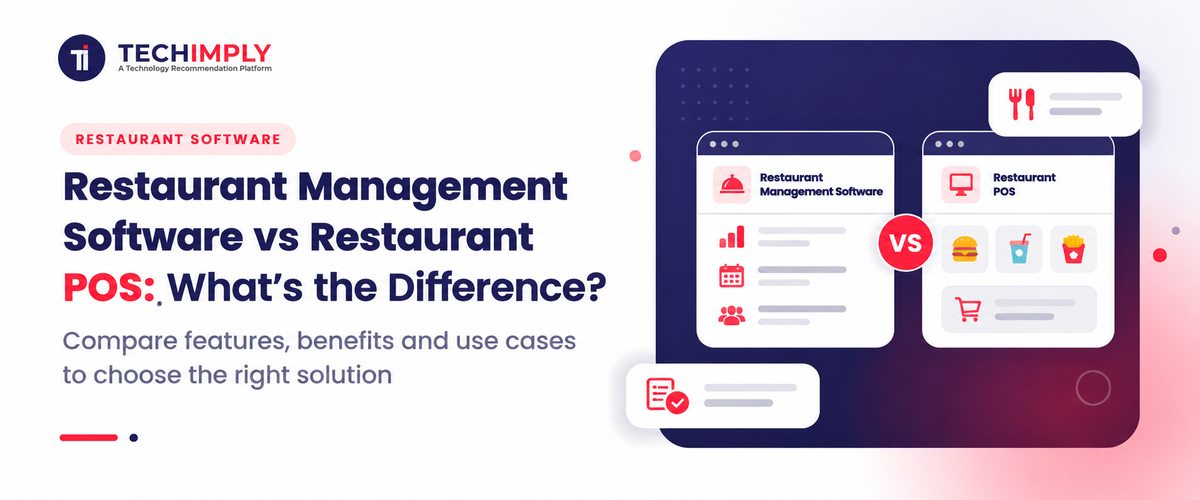
Many restaurant owners in India use the two terms interchangeably, then discover the gap when stock counts, staff payroll and outlet reports refuse to match the billing screen. The difference is one of scope. A POS handles what happens at the counter: orders, bills, taxes and payments. Restaurant management software covers the wider operation behind it, including inventory, staff, reporting and finance, and usually contains a POS as one module. This article explains where each begins and ends, how they work together, and how to decide what your restaurant needs, and can afford, at its current size. It uses Indian examples such as GST billing, UPI payments and aggregator orders, and points out honestly where a simpler setup is enough.
The Short Answer
A POS records sales: it takes orders, prints bills and collects payments. A management suite runs the whole business: it adds stock control, staff management, supplier handling, reporting and accounting on top of that sales data. A POS is a part of the larger system rather than an alternative to it, although many restaurants run only a POS for years.
What Restaurant POS Software Does
A restaurant POS is the front line of the operation. A waiter or cashier enters an order, the kitchen receives a ticket, the guest gets a bill and the payment is recorded. Everything between seating a guest and settling the bill sits inside this layer.
Core functions usually include:
- Table and order entry, with KOT printing or a kitchen display
- GST-compliant bills with itemized taxes
- Discounts, splits and modifiers, approved by role
- Cash, card, UPI and wallet payments
- Daily sales and shift-closing reports
- Offline mode, so billing continues when the internet drops
Point of sale software in a restaurant means the combined hardware and application: a touchscreen or tablet, a receipt printer, a cash drawer and the billing app. Lighter mobile-based versions also exist and suit small outlets.
Billing and Payments
Restaurant billing software is sometimes sold as a separate product, but it is the core of any POS. It applies tax rules and discounts consistently, so two cashiers never produce two different totals for the same order. Payments run either through the POS directly or through payment processing software connected to UPI, card terminals and gateways.
Reconciliation deserves attention here. Settlements arrive in batches, and aggregator payouts rarely match order values because of commissions and deductions.
Online Orders
Orders from Swiggy, Zomato and the restaurant's own app take a different path from dine-in. Order management software, or the POS's own order module, merges these channels into one queue so the kitchen sees dine-in, takeaway and delivery together. The practical question is whether aggregator orders flow into the POS automatically or need manual entry, since manual entry is where mistakes and delays begin.
Where a POS Stops
A POS does not usually know what is in the pantry, who is rostered next Tuesday, what the restaurant owes suppliers, or which outlet earns the best margin. Basic versions offer a few of these functions, but depth is limited.
What Restaurant Management Software Covers
A management suite connects the front counter to the back office. It takes sales data from the POS and uses it to run stock, staff, purchasing, reports and finance. The aim is a single view of how the business actually performs.
Inventory and Purchasing
Inventory management software links recipes to stock. Each sale deducts ingredients, low-stock alerts trigger purchase orders, and the system shows the variance between expected and actual use. Food cost is usually a restaurant's largest expense, so this is often the first module that justifies moving beyond a POS.
Staff and Rosters
An employee management system holds attendance, roles, pay rules and documents, and supports statutory dues such as PF and ESI where they apply. Restaurant scheduling software builds rosters around expected footfall and flags overtime and uncovered shifts. Together they reduce dependence on handwritten registers, which remain common in busy outlets.
Reports, Accounting and Group Control
Reports consolidate sales, costs and labour across outlets. Accounting software handles ledgers, vendor payables and GST return data, or at least exports clean records to a chartered accountant. Business management software goes further by combining finance, HR, purchasing and reporting for larger groups. Smaller restaurants rarely need that breadth.
Side-by-Side Comparison
|
Factor |
Restaurant POS |
Management suite |
|
Main purpose |
Billing and order capture |
Running the whole operation |
|
Typical users |
Cashiers, waiters, captains |
Owners, managers, accountants |
|
Inventory |
Basic or none |
Recipe-level tracking, purchasing |
|
Staff |
Logins and roles, sometimes attendance |
Attendance, rostering, payroll data |
|
Reporting |
Daily and item-level sales |
Cost, margin and outlet comparison |
|
Accounting |
Sales and tax export |
Ledgers, payables, reconciliation |
|
Typical stage |
Single outlet or start-up |
Growing or multi-outlet |
|
Setup effort |
Shorter |
Longer, with data cleanup |
How the Two Work Together
Consider a hypothetical café that sells forty cappuccinos in a morning. The POS records each sale and its GST. The inventory module deducts milk and coffee beans. Payment data flows to the accounts. The roster tool shows that two baristas handled the rush, and the owner's dashboard shows the margin on that drink after ingredient cost.
Without integration, each of those facts lives in a different notebook or spreadsheet. Integration quality matters more than feature count. Ask whether the POS and the back-office modules share one data exchange data through nightly exports. Shared data avoids duplicate item names and mismatched prices.
Integration Matters More Than Features
A hypothetical three-outlet group shows why shared data decides everything. Each outlet bills on its own POS. If menu prices live separately in each system, a price change needs three edits, and one outlet will eventually be missed. When every POS draws from a central menu, the change is published once. The same applies to stock transfers between a central kitchen and outlets, and to staff who work at more than one location.
Restaurant POS software that cannot connect to a central system pushes these tasks back into spreadsheets and WhatsApp messages. That is the point where owners start looking for the wider suite.
The Usual Growth Path
Most restaurants add capability in a predictable order, driven by pain rather than by plan:
- Billing and GST: Restaurant billing software that produces correct tax invoices and records every payment mode.
- Online orders: Order management software that brings aggregator and own-app orders into one queue.
- Stock control: Inventory management software tied to recipes, once wastage shows up in monthly accounts.
- People: An employee management system and restaurant scheduling software once the team outgrows paper registers.
- Finance: Accounting software integration, so sales, tax and payables reach the books without re-entry.
- Group control: Business management software or a central dashboard once outlets multiply.
Do You Know?
Depth often varies between modules in the same product, because a vendor's strongest area is usually the one it built first. A demo of each module you plan to use is worth asking for.
Three Common Misunderstandings
- A bigger POS is the same as management software: Some POS products include attendance or basic stock features, but the depth rarely matches a dedicated module.
- Management software is only for chains: A single full-service restaurant with a large menu and a bar can need recipe costing and rostering as much as a group does.
- Cloud-based means no outage risk: Cloud systems still need offline billing for power cuts and network drops, which remain real concerns in many Indian locations.
Data, Security and Compliance
Billing data is financial data. Check how access is controlled, whether every void and discount is logged against a user, and how backups work. Point of sale software that records edits and deletions against a user name gives owners an audit trail, which matters in cash-heavy outlets.
India's Digital Personal Data Protection Act, 2023 also covers guest details such as phone numbers collected for billing or loyalty programs, so confirm consent and retention practices with a legal adviser. GST invoice formats should be verified with a chartered accountant before go-live.
Costs and Rollout Considerations
Pricing models differ widely. Some vendors charge per outlet per month, others per terminal, and many bill add-on modules separately. Hardware such as printers, tablets and cash drawers, along with onboarding and support, is usually extra. Compare the total cost over a year for the modules you will actually use rather than the headline subscription.
Payment processing software and gateway arrangements may add transaction charges depending on the payment method and provider, so confirm current terms separately from the software subscription.
Rollout also takes longer than a demo suggests. Menu and recipe data must be cleaned, staff trained across every shift, and the old process run beside the new one for a few days. Choose a quiet weekday to go live, never a festival weekend.
Which One Does Your Restaurant Need?
- Single café or quick-service counter with a short menu: A POS is usually enough. Add inventory later.
- Full-service restaurant with a large menu or bar: A POS plus inventory management software, an employee management system and restaurant scheduling software.
- Cloud kitchen: Order management software and stock control matter more than table features.
- Multi-outlet group or franchise: A full management suite, possibly with business management software, central menus and consolidated reports.
- Outlet with high wastage or theft concerns: Inventory first, whatever the size.

Pro-tip
Write down the five business questions you struggle to answer today and ask each vendor to answer them live from a demo account.
Common Mistakes
- Treating a POS demo as a full management demo
- Choosing point of sale software on hardware price alone
- Skipping accounting software integration, so sales are re-keyed by hand
- Buying separate tools that do not share data
- Skipping data cleanup before migration
- Paying for modules the team will never use
- Ignoring hardware, backup internet and power backup
- Going live without testing GST and aggregator flows
What to Ask Vendors Before Buying
- Does the restaurant billing software work offline, and how does data sync afterward?
- Which aggregators and payment processing software options are integrated?
- Can I start with the POS and add modules later without re-entering data?
- How are roles and permissions set for cashiers, managers and owners?
- Who owns the data, and can I export it?
- What are all the recurring costs, including support, upgrades and hardware renewal?
Conclusion
A POS answers what was sold, to whom and how it was paid. A management suite answers whether the restaurant is actually making money, and where it is leaking. Most restaurants begin with the first and add the second as menus, staff and outlets multiply. Choose a vendor that lets you grow in that order without re-entering data, and test it against the questions you currently cannot answer.