Retail business management in India has evolved past traditional cash drawers and paper ledgers. Whether you run a neighborhood kirana store in Ahmedabad, a bustling boutique in Mumbai, or a multi-counter pharmacy in Bengaluru, daily operations demand speed, precision, and digital accountability. Long checkout queues, manual calculation mistakes, inventory discrepancies, and tedious end-of-day sales reconciliation cost modern retailers both time and money.
To overcome these hurdles, forward-thinking shop owners rely on a POS billing machine. By combining specialized hardware with robust POS billing software, these systems automate checkout workflows, track inventory levels in real time, record digital payments (like UPI, credit/debit cards, and mobile wallets), and generate itemized, tax-compliant receipts instantly.
This comprehensive buyer's guide explores everything you need to know about retail billing systems including types, features, pricing, and sector-specific recommendations to help you invest in the right setup for your business.
What Is a POS Billing Machine?
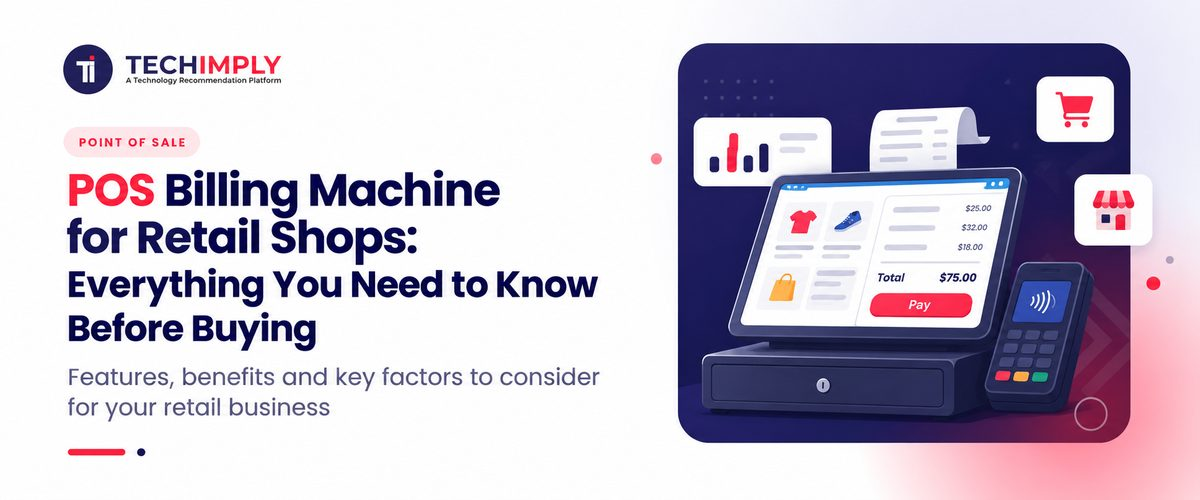
A POS billing machine (often referred to as a POS bill machine or POS billing system) is an integrated hardware and software solution designed to handle retail sales transactions from start to finish. Unlike simple electronic cash registers of the past, modern point-of-sale systems connect sales processing directly with backend inventory management and reporting engines.
At its core, a POS billing system performs several critical functions:
- Itemized Billing & Invoicing: Generates clear, professional invoices detailing purchased goods, quantities, unit prices, discounts, and applicable taxes (such as GST).
- Barcode Scanning: Uses wired or wireless barcode scanners to instantly look up product pricing and descriptions, speeding up checkout counters.
- Payment Processing & Recording: Records cash, UPI QR code transfers, credit/debit card swipes, and digital wallet payments securely.
- Inventory Updates: Automatically deducts sold items from stock, triggers low-stock alerts, and logs purchase histories.
- Sales Reporting & Analytics: Compiles daily, weekly, and monthly sales summaries, tax reports, and employee performance metrics.
- Receipt Printing: Produces physical customer receipts using built-in or external thermal printers.
Why Does Your Retail Shop Need a POS Billing Machine?
Transitioning from manual billing or legacy calculators to a dedicated billing machine for shop operations delivers immediate operational and financial advantages.
1. Faster billing and shorter queues
Speed is vital during peak retail hours. Scanning barcodes and tapping touchscreen items reduces checkout times significantly compared to manual lookups. Faster billing minimizes customer abandonment and keeps queues moving smoothly.
2. Fewer calculation errors
Human error during mental math or manual invoice writing can lead to undercharging or overcharging customers, causing inventory discrepancies and customer dissatisfaction. A POS machine for billing calculates totals, taxes, and change automatically with 100% mathematical precision.
3. Better inventory management
Stock shrinkage and stockouts hurt profitability. Modern billing systems track every unit sold, providing clear visibility over stock levels. Automated reorder alerts ensure popular items are restocked before they run out.
4. Easier sales tracking and reporting
End-of-day tallying no longer requires hours of manual ledger reconciliation. With a few clicks, shop owners can generate comprehensive revenue reports, payment-mode splits (Cash vs. UPI vs. Card), and tax summaries ready for filing.
5. Improved customer experience
Clean, itemized GST invoices, multiple digital payment options (including seamless UPI scanning), and quicker service elevate the overall shopping experience, fostering customer loyalty and repeat business.
Types of POS Billing Machines for Retail Shops
Different retail formats have distinct hardware and space requirements. Selecting the right category ensures your investment matches your daily transaction volume and counter space.
1. Handheld Billing Machine
Portable, compact, and often battery-operated, handheld billing devices feature built-in thermal printers and keypads (or small touchscreens). They are ideal for small shops with limited counter space, home delivery businesses, exhibitions, and mobile vendors who need to bill on the go.
2. Android Touchscreen POS Machine
These versatile terminals run on Android-based operating systems, offering intuitive smartphone-like touchscreens, built-in high-speed thermal printers, high-resolution cameras for barcode scanning, and compatibility with various apps. They suit small-to-medium retail outlets, cafes, and boutiques seeking an all-in-one footprint.
3. Desktop POS Billing System
Built for high-volume retail counters, desktop systems feature dedicated terminal screens, external thermal receipt printers, barcode scanners, cash drawers, and full-scale inventory keyboards or touch monitors. They are the industry standard for supermarkets, large garment stores, and busy pharmacies.
4. Mobile or Tablet-Based Billing Setup
Budget-conscious retailers often use an existing Android or iOS smartphone or tablet loaded with cloud-based billing software, paired via Bluetooth or Wi-Fi to a portable thermal receipt printer and a wireless barcode scanner. This setup provides enterprise-grade flexibility at a lower initial cost.
Quick Comparison: Choosing Your Machine Type
|
Machine Type |
Best Suited For |
Main Consideration |
|
Handheld POS |
Small shops, mobile billing, delivery |
Screen size, battery backup, connectivity |
|
Android POS |
Small & medium retail counters |
Software compatibility, app ecosystem |
|
Desktop POS |
Supermarkets, busy retail counters |
Counter space, initial hardware investment |
|
Mobile + Printer |
Budget-conscious shops, startups |
Device pairing, peripheral compatibility |
Essential Features to Check Before Buying a POS Billing Machine
Before purchasing any hardware or software bundle, evaluate your operational needs against these core features:
1. GST Invoice and Tax Configuration
Indian retailers must comply with Goods and Services Tax regulations. Ensure the system allows custom invoice formatting, HSN/SAC code entry, split tax calculations (CGST/SGST/IGST), and generates GST-compliant B2B and B2C invoices effortlessly.
2. Barcode Scanner Compatibility
Fast scanning is essential for high-volume billing. Check whether the machine includes an integrated scanner or supports plugging in USB/Bluetooth 1D and 2D barcode scanners for lightning-fast product lookups.
3. Thermal Printer and Receipt Quality
Look at the printer specifications. Most retail receipts use 58 mm or 80 mm thermal paper rolls. Ensure print clarity is sharp, replacement paper is easy to source locally, and print mechanisms are durable.
4. Inventory and Stock Management
A great billing machine doubles as an inventory tracker. Look for features like automated stock deduction per sale, low-stock threshold notifications, support for product variants (sizes, colors, weights), and supplier purchase order logs.
5. UPI, Card, and Cash Payment Recording
While the billing machine records how payments are tendered, verify how it integrates with payment terminals or static UPI QR code displays. Smooth multi-tender recording speeds up shift reconciliation.
6. Offline Billing and Data Backup
Internet outages should not halt your business. Ensure the software offers robust offline billing capabilities, storing transactions locally and auto-synchronizing data to cloud backups once internet connectivity returns.
7. Warranty, Support, and Software Updates
Hardware hardware breaks down and software requires occasional updates. Invest in brands offering reliable local repair warranties, technical customer support, initial staff training, and transparent software licensing models.
POS Billing Machine Price in India: How Much Should You Budget?
Evaluating the POS billing machine price requires looking beyond the sticker price of the base hardware. The total cost of ownership depends on device type, included peripherals, software subscription terms, installation, and ongoing maintenance.
Cost Breakdown Structure
|
Cost Component |
What Buyers Should Check |
|
Basic Billing Device |
Standalone handheld or entry-level hardware |
|
Complete POS Terminal |
Integrated touchscreen, printer, and power supply |
|
Barcode Scanner & Drawer |
Wired/wireless scanners and heavy-duty cash drawers |
|
Billing Software |
Free trial, annual SaaS subscription, or one-time license |
|
Thermal Paper Rolls |
Ongoing consumable expense (58mm/80mm rolls) |
|
Maintenance & Support |
Extended warranty, AMC (Annual Maintenance Contract), repair turnaround |
Estimated First-Year Budget Range (Indicative)
- Entry-Level Setup (Handheld / Mobile + Printer): ₹8,000 to ₹18,000 (inclusive of basic software and printer).
- Mid-Range Setup (Android Touchscreen POS Terminal): ₹15,000 to ₹35,000 (all-in-one unit with integrated printer and scanner).
- Advanced Setup (Desktop Terminal + Heavy-duty Scanner + Cash Drawer + Software): ₹35,000 to ₹75,000+ depending on multi-counter scaling and hardware grade.
Tip: Always confirm whether quoted prices include GST, shipping charges, software installation fees, and onboarding training.
How to Choose the Best POS Machine for Billing for Your Shop
Every retail vertical has unique workflows. Match your business model to the right configuration:
1. For Kirana and Grocery Stores
Prioritize rapid barcode scanning, weighing-scale integration for loose items (grains, pulses, sweets), robust stock management, and fast billing speed during morning and evening rush hours.
2. For Clothing and Footwear Stores
Look for software that handles size, color, and style variants (SKU matrices), manages customer loyalty programs, and simplifies exchange and return processing.
3. For Pharmacies and Medical Shops
Choose a system supporting batch number tracking, expiry date alerts, schedule drug classifications, and pharma-specific inventory databases.
4. For Supermarkets and High-Volume Shops
Invest in multi-counter desktop POS terminals, central server synchronization, cashier role-based user permissions, and consolidated enterprise sales analytics.
5. For Small Shops on a Tight Budget
Opt for an affordable mobile/tablet billing app paired with a Bluetooth thermal printer, minimizing upfront hardware expenditure while digitizing your billing process.
POS Billing Machine vs. Traditional Billing Machine
|
Feature |
Basic Electronic Billing Machine |
Modern POS Billing System |
|
Bill Generation |
Supported (basic text/numeric) |
Advanced, itemized, graphical invoices |
|
Stock Tracking |
Model-dependent (often limited) |
Comprehensive, real-time automated tracking |
|
Sales Reports |
Basic daily totals |
Detailed analytics, tax splits, employee reports |
|
Barcode Scanning |
Rare or model-dependent |
Standard and highly responsive |
|
Multi-Counter Support |
Generally restricted |
Fully supported via cloud or local network |
While traditional electronic cash registers work for basic cash-and-carry counters, modern retail environments benefit immensely from the advanced inventory, reporting, and tax features of a comprehensive POS system.
Where to Buy a POS Billing Machine in India
When purchasing billing hardware and software, you have several reliable sourcing channels:
- Online Marketplaces: Convenient for comparing user reviews, browsing entry-level handheld devices, and checking broad price spectrums.
- Specialized Billing Equipment Suppliers: Established providers (such as equipment specialists and hardware distributors) offer expert guidance, physical demonstrations, and reliable post-sales support.
- POS Software Providers: Companies offering software-led solutions often bundle compatible hardware recommendations, ensuring seamless hardware-software integration.
Before finalizing your purchase, verify warranty terms, return policies, GST invoice availability, and local technician support.
Common Mistakes to Avoid When Buying a POS Billing Machine
- Buying solely on lowest price: Choosing the cheapest device without checking recurring software licensing fees or hidden accessory costs.
- Ignoring peripheral compatibility: Failing to check whether your chosen machine connects smoothly with existing weighing scales, barcode scanners, or cash drawers.
- Assuming universal GST/offline compliance: Assuming every device supports offline billing or advanced GST filing reports out of the box.
- Overlooking after-sales support: Neglecting to check repair turnaround times and warranty coverage in your specific city.
- Overbuying or under-scaling: Purchasing complex enterprise hardware your staff cannot operate, or conversely, buying a system that cannot handle your shop's growth over the next two years.
Conclusion: Choose the Right POS Billing Machine for Your Retail Shop
Investing in the right retail billing solution transforms daily shop management from a stressful chore into a streamlined, profitable operation. By prioritizing billing speed, GST compliance, inventory accuracy, dependable after-sales support, and scalability, you set your business up for sustained success. Evaluate your daily customer volume, counter space, and budget today to select a POS billing machine that empowers your retail shop for years to come.